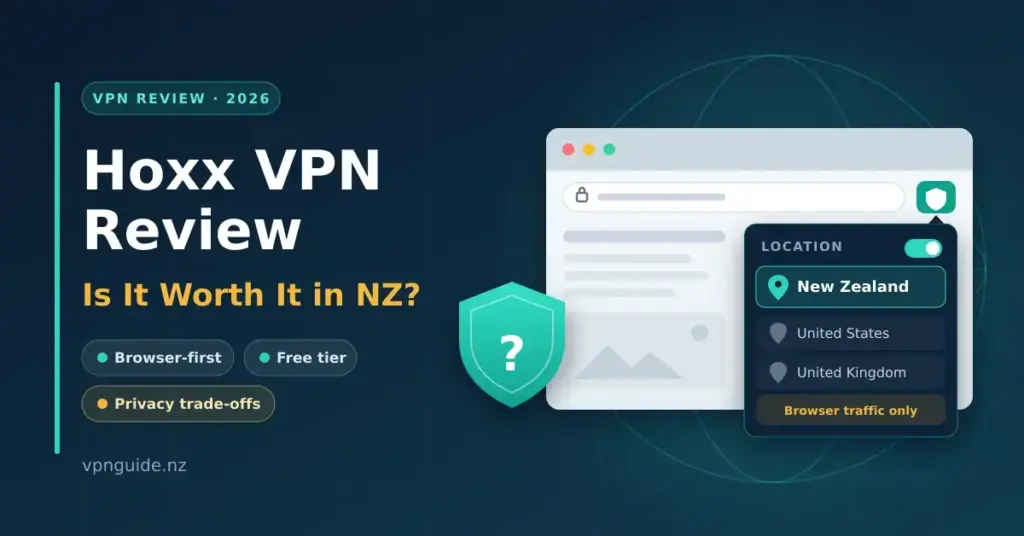
Hoxx VPN is a browser-first tool with a free tier and a low-cost paid upgrade, installed as a Chrome, Firefox or Edge add-on or as an app from hoxx.com. For most New Zealand users it behaves more like a lightweight proxy than a full-device VPN: handy for quickly switching your browser’s apparent location, but with real trade-offs around privacy, logging, jurisdiction and security that are worth understanding before you rely on it. This guide sticks to verified facts — what Hoxx actually is, what it costs in NZD, how it handles your data, and where it fits (and does not) for a Kiwi connection.
Quick Facts
| Developer | VPN1 LLC (Coral Gables, Florida, USA) |
|---|---|
| Official download | hoxx.com · Chrome Web Store |
| Type | Browser proxy extension + standalone apps |
| Platforms | Chrome, Firefox, Edge; Windows, macOS, Linux, Android, iOS |
| Licence | Freemium (free tier + paid Premium) |
| Price | Free; Premium from US$1.99/mo (~NZD $3.40) |
| Money-back | 7-day guarantee (Premium) |
| Servers | 50+ locations advertised (fewer per platform) |
| Jurisdiction | United States (Five Eyes) |
| Logs | Keeps logs; shares with authorities on request |
| Independent audit | None published |
What Hoxx VPN Actually Is
The single most important thing to understand about Hoxx is the difference between a proxy and a VPN. A proxy reroutes the traffic of one application — usually just your web browser — through a remote server so websites see the server’s location instead of yours. A full VPN (virtual private network) installs a system-level network adapter and pushes all of your device’s traffic through an encrypted tunnel, protecting every app at once. If you are new to the distinction, our plain-English explainer on what a VPN actually does is a good starting point.
Hoxx’s free product is squarely in the first camp. When you install the browser extension in Chrome, Firefox or Edge, it changes the apparent location of that browser tab — and nothing else. Traffic from your email client, a desktop streaming app, a torrent client, game launchers or background system connections is untouched. Your internet provider — whether you are on Chorus fibre through Spark, One NZ or 2degrees — can still see that traffic as normal.
Hoxx does also offer standalone apps for Windows, macOS, Linux, Android and iOS. These behave closer to a conventional VPN client, but as covered below the protocol stack is dated and there is no independent security audit, so they should not be mistaken for the fully-tunnelled, audited services most people picture when they search for a VPN.
How Hoxx VPN Works
Hoxx is operated by VPN1 LLC, a company registered in Coral Gables, Florida, in the United States. It advertises servers in 50-plus locations (over 100 servers in total), though the number you can actually reach depends on the platform: the Chrome extension exposes around 37 locations, the free Windows client only 6, the free iOS app a single location, and the Android app around 12 premium locations.
On the technical side, independent testing indicates that the browser extension routes traffic over an HTTP tunnel — effectively a web proxy — while the desktop and mobile clients use the Shadowsocks protocol. Hoxx’s marketing references 4096-bit RSA encryption, which is now considered a dated way to describe a VPN’s security compared with modern implementations of WireGuard and OpenVPN used by mainstream providers. There is no published audit from a recognised security firm, and the protocol details are not documented as openly as audited competitors.
A few practical security notes that NZ users should weigh:
- No kill switch. If the connection drops, your traffic can revert to your real IP without warning.
- WebRTC leaks have been reported in testing of the browser extension, meaning your true IP can leak to websites through your browser even while Hoxx is on.
- Browser-only coverage on the free tier. Anything outside the browser is unprotected.
For casual, low-stakes tasks — checking a price on a US retailer, or opening a region-locked video — the extension does the job. For banking, sensitive accounts, or anything where a leak matters, the architecture is not built for it.
Free vs Premium: What You Actually Get
Hoxx follows a freemium model. The gap between the two tiers is less about raw features and more about how many locations you can reach and how heavily the free servers are shared.
| Feature | Free | Premium |
|---|---|---|
| Delivery | Browser extension (plus limited app locations) | Extension + full Windows, macOS, Linux, Android, iOS apps |
| Server locations | Limited subset (e.g. ~6 on free Windows, 1 on free iOS) | All 50+ locations |
| Speed | Shared, often congested | Advertised as faster, less contended |
| Support | Basic | Email support |
| Money-back | n/a (free) | 7-day guarantee |
Hoxx promotes unlimited bandwidth on the free tier, but shared free servers are frequently slow at peak times, which effectively caps how much heavy use is practical. If a genuinely capable free plan is what you are after, purpose-built free VPN options such as Windscribe or Proton VPN’s free plan give you a full app rather than a browser-only proxy.
Hoxx VPN Pricing in NZD
Hoxx lists prices in US dollars, and its Premium plan starts at US$1.99/month, with longer commitments lowering the effective monthly rate. Exact tiers (monthly versus multi-month) are shown at checkout inside the app or on the site. At an approximate rate of NZD $1 = USD $0.59, here is how the headline pricing translates for NZ buyers. Note that NZ credit and debit cards often add a foreign-transaction fee of roughly 1.5–2.5% on USD charges.
| Plan | Price (USD) | Approx NZD | Billing | Key points |
|---|---|---|---|---|
| Free | $0 | $0 | Ongoing, no card | Browser proxy + limited app locations; shared servers |
| Premium | from ~$1.99/mo | ~$3.40/mo | Monthly or longer terms | All locations, all apps, 7-day money-back |
On price alone, Hoxx Premium is cheap. The question is value: for a similar or slightly higher NZD outlay you can get an audited, fully-tunnelled service. NordVPN runs roughly NZD $5–6/month on a long plan, Proton VPN sits around NZD $7–8/month with a genuine free tier, and Mullvad charges a flat €5/month (about NZD $9). Because those services publish independent no-logs audits and cover your whole device, most NZ users get more protection per dollar from them than from Hoxx Premium.
Setting Up Hoxx on a New Zealand Connection
If you want to try it, here is the most practical way to get Hoxx running from NZ.
- Go to hoxx.com and create a free account with your email address.
- Install the extension from the Chrome Web Store or Firefox Add-ons page — search “Hoxx VPN Proxy” — or download the app for your platform.
- Click the extension icon, sign in, and pick a location. For the lowest latency from NZ, choose Australia (Sydney) first — the round-trip floor to Sydney is roughly 25–30ms, versus 130ms-plus to US West Coast servers.
- For a US IP (for services that need one), select a US location and expect noticeably higher latency and more buffering on congested free servers.
- For the paid apps, download from hoxx.com after subscribing, install, sign in and connect.
Performance expectations: these depend on physics as much as on Hoxx. From Auckland on a fast fibre line to a Sydney server, you would typically add around 30–45ms of latency over your baseline; a US server usually adds 140–180ms. Throughput on shared free servers is the usual bottleneck long before your line speed is. If the extension will not connect on a Spark or One NZ line, switching your device DNS to 1.1.1.1 (Cloudflare) or 8.8.8.8 (Google) often clears extension-based connectivity issues.
Privacy, Logging and Five Eyes
Jurisdiction
This is the decisive section for privacy-minded readers. Because VPN1 LLC is US-based, Hoxx sits inside the Five Eyes intelligence alliance — the intelligence-sharing arrangement between the United States, New Zealand, Australia, the UK and Canada. Member agencies (including New Zealand’s GCSB and the US NSA) can share surveillance data across borders, and US companies can be compelled to hand over user data under mechanisms such as National Security Letters and FISA orders, sometimes without being allowed to disclose the request.
New Zealand’s Privacy Act 2020 governs how NZ businesses handle personal information, but it does not shield you from a US provider being compelled under US law. If jurisdiction genuinely matters to your threat model, a provider based outside Five Eyes — such as Mullvad (Sweden) or Proton VPN (Switzerland) — is a materially different proposition.
Logging
Hoxx is not a verified no-logs service. Its own documentation states that it retains logs for a period for abuse-prevention purposes, and that it will provide information to legal authorities on request. That is a normal position for many free proxies, but it is the opposite of the audited, minimal-logging model offered by the privacy-first providers in the comparison below. Combined with the US jurisdiction, it means you should not treat Hoxx activity as private in any strong sense.
Streaming and NZ Services
Hoxx is unlikely to reliably unblock TVNZ+, ThreeNow, Neon, Sky Sport Now or Whakaata Māori from overseas, because these services detect and block known VPN and proxy IP ranges. From within NZ, Hoxx may intermittently open overseas catalogues such as BBC iPlayer or US Netflix, but free-server quality makes the experience inconsistent, and streaming platforms have become aggressive at blocking recycled proxy IPs. For dependable travel access to NZ services, a premium provider with dedicated streaming servers is a better fit.
How Hoxx Compares
| Provider | Jurisdiction | Independent no-logs audit | AU/NZ servers | Approx NZD/mo (best plan) | Free tier |
|---|---|---|---|---|---|
| Hoxx VPN | USA (Five Eyes) | No | AU (limited) | from ~$3.40 | Yes (proxy) |
| NordVPN | Panama | Yes (Deloitte) | AU + NZ | ~$5.50 | No |
| ExpressVPN | BVI | Yes (KPMG) | AU + NZ | ~$10.50 | No |
| Mullvad | Sweden | Yes (Cure53) | AU | ~$9.00 | No |
| Proton VPN | Switzerland | Yes | AU + NZ | ~$7.50 | Yes (full app) |
| Windscribe | Canada (Five Eyes) | Court-tested no-logs | AU | ~$5.50 | Yes (10GB/mo) |
The pattern is clear: Hoxx is the cheapest and the only browser-proxy option, but it is also the only one here with no independent audit and a logging stance that acknowledges sharing data with authorities. If a free tier is your priority, Proton VPN’s free plan gives you a full app with no data cap, which is a meaningfully stronger offer than a browser-only proxy.
Key Points
- It is a proxy first. The free tier only protects your browser, not your whole device.
- US jurisdiction. Operated by VPN1 LLC in Florida — inside the Five Eyes alliance.
- Not no-logs. Hoxx retains logs and will share data with authorities on request.
- Security gaps. No kill switch, dated protocols, and reported WebRTC leaks.
- Cheap Premium. From ~US$1.99/mo with a 7-day money-back guarantee.
- Better value elsewhere. Audited, whole-device providers cost only a little more.
Who Hoxx VPN Suits — and Who It Does Not
Hoxx has a narrow but legitimate use case. It suits someone who wants a zero-cost, zero-commitment way to change their browser’s apparent location for a non-sensitive task — checking a US price, opening a region-locked clip, or seeing how a site renders from another country. It installs in under a minute and needs no technical knowledge.
It is not a good fit for:
- Protecting data on public Wi-Fi (the extension leaves most traffic exposed, and WebRTC leaks have been reported)
- Reliable streaming of geo-restricted content (inconsistent server and IP quality)
- Anyone with a real threat model — journalists, activists, or those handling sensitive information (US jurisdiction, logging, no audit)
- Whole-device protection on desktop or mobile
- Business or remote-work use that needs consistent, audited security
If you fall into any of those groups, the audited providers in the comparison table are better matched at similar or only slightly higher NZD prices — and several include a free tier that outperforms Hoxx’s.
Sources
Frequently Asked Questions (FAQ)
Is Hoxx VPN legal in New Zealand?
Yes. Using a VPN or proxy — including Hoxx — is entirely legal in New Zealand. No law under the Telecommunications Act, the Crimes Act or the Privacy Act 2020 prohibits VPN use. What you do while connected is still subject to the usual laws, and some streaming services bar VPN use in their terms of service, but that is a contractual matter rather than a legal one.
Does Hoxx VPN keep logs?
Hoxx is not a verified no-logs provider. Its documentation states it retains logs for a period for abuse prevention and will share information with legal authorities on request. Because VPN1 LLC is US-registered, that data can be subject to US legal process. For anyone who cares about privacy, this is a meaningful drawback compared with audited providers such as Mullvad or Proton VPN.
How much does Hoxx VPN cost in NZ?
The free tier costs nothing. Premium starts at about US$1.99/month, which is roughly NZD $3.40/month at current exchange rates, with longer plans reducing the effective monthly price. Because billing is in USD, expect a foreign-transaction fee of around 1.5–2.5% from most NZ cards. Premium comes with a 7-day money-back guarantee.
Can I use Hoxx VPN to watch TVNZ+ or Neon from overseas?
Usually not reliably. TVNZ+ and Neon restrict content to NZ IP addresses and actively block known VPN and proxy IPs. Hoxx does not have a strong record of maintaining clean IPs that slip past these blocks. Travellers who need dependable access to NZ services are better served by a premium provider with dedicated streaming servers and regular IP rotation.
Does Hoxx VPN work on iPhone and Android in NZ?
Yes, both platforms are supported. Hoxx offers an Android app and an iOS app, though the free versions expose only a limited set of locations (as few as one on free iOS). On the free tier in a browser, Hoxx is a proxy rather than a system-wide VPN. For full-device iOS coverage on a free plan, Proton VPN or Windscribe are practical alternatives.
Is Hoxx VPN the same as a full VPN like NordVPN or ExpressVPN?
No. Hoxx’s free product is a browser proxy — it only affects traffic inside that browser and does not encrypt your whole device. A full VPN installs a virtual network adapter and routes every app’s traffic through an encrypted tunnel. Hoxx’s paid apps are closer to a full VPN, but they use a dated protocol stack, lack an independent audit, and have shown WebRTC leaks in testing, so they are not equivalent to audited mainstream providers.