
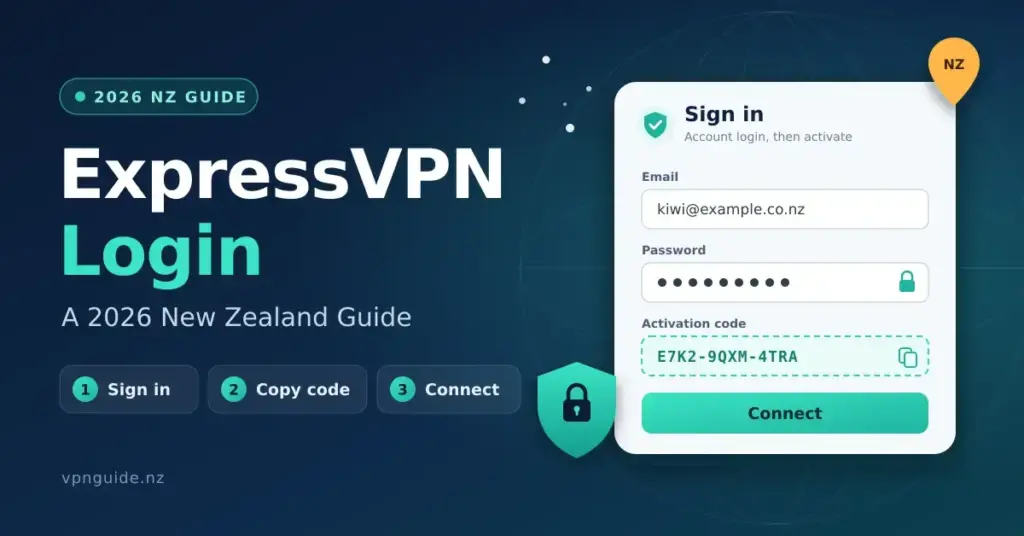
Signing into ExpressVPN on a New Zealand connection is straightforward once your account exists: you authenticate on ExpressVPN’s website with your email and password, copy an activation code, and paste it into the app to connect. The steps are identical whether you are on Chorus fibre in Auckland or a rural fixed-wireless link in Southland, but the server location and protocol you pick will noticeably change what you get. This guide walks through the login flow, the NZ-specific quirks, the current plan tiers in NZD terms, and how to fix the problems that come up most often.
Key points
- Two separate steps: your website account login (email + password) is not the same as app activation (a one-off activation code).
- The activation code is per-account, reusable across your devices, and resettable from the dashboard — a reset signs every device out at once.
- Enable two-factor authentication on your account for an extra layer beyond the password.
- Jurisdiction and audits: incorporated in the British Virgin Islands, with a no-logs policy last audited by KPMG in June 2025 and the Lightway protocol assessed by Cure53 and Praetorian.
- Best NZ servers: Sydney or Melbourne for the lowest latency; the Auckland (NZ) server is for getting a New Zealand IP while overseas.
- Plan tiers: Basic, Advanced and Pro allow 10, 12 and 14 simultaneous devices respectively.
What “ExpressVPN login” actually means for NZ users
There is a distinction worth making at the outset. ExpressVPN keeps your account login (the email and password you use on its website to manage billing and settings) separate from your app activation (a unique activation code you copy from the dashboard into the desktop or mobile app). This two-step model is deliberate: the activation code ties a device to your account without ever handing your password to the app, which is a sound security design.
For most people in New Zealand the flow looks like this. You visit expressvpn.com, sign in, open the “Set up your devices” area, copy the activation code, paste it into the app on your Mac, Windows PC, iPhone or Android device, and you are connected. The website login and the app activation are two separate actions, and this trips up first-time users who expect a single sign-on like Netflix or Spotify. If you are new to VPNs altogether, our plain-English explainer on what a VPN is and does in New Zealand is a useful starting point.
If you bought your subscription through the Apple App Store or Google Play rather than directly on the website, Apple or Google handles the billing, but your account credentials are still ExpressVPN’s own. You will still log into expressvpn.com to retrieve the activation code — the store purchase does not skip that step. The same pattern applies to rival services; our NordVPN login guide covers the equivalent process for that provider.
How the login and authentication system works
ExpressVPN uses a standard email-and-password login, protected by optional two-factor authentication (2FA) — a second check, such as a one-time code, on top of your password. Enabling 2FA is worth the two minutes, particularly given New Zealand’s Privacy Act 2020, which places accountability on anyone handling personal data. If your VPN account were compromised, an attacker could see your billing details and manage your subscription — not catastrophic, but worth locking down.
Once you are in the web dashboard, the activation code is the key artefact. It is a long alphanumeric string that:
- Is unique to your account, not to a single device — you use the same code on every device you authorise
- Does not expire unless you reset it manually or your subscription lapses
- Can be reset from the dashboard if you suspect it has leaked, which immediately signs out every device
- Works across the number of simultaneous connections your plan tier allows (10 on Basic, 12 on Advanced, 14 on Pro as of 2026)
The app itself stores only the activation code, never your email or password. So if someone gets hold of your device they can use the VPN connection but cannot extract your account credentials or log into the website as you. It is a sensible separation — though it also means that if you forget the code, you need web access to fetch it again.
Step-by-step: logging in and connecting from New Zealand
- Go to expressvpn.com in a browser. If your ISP or network is blocking the domain (uncommon on NZ residential lines but possible on managed networks), try a mobile-data connection to retrieve the code first.
- Sign in with your registered email and password. Forgotten the password? The reset link usually lands in your inbox within a minute or two on most NZ mail providers.
- Open “Set up your devices” in the dashboard. Your activation code is shown here — copy it to the clipboard.
- Launch the ExpressVPN app on your device. On first run it asks for the activation code rather than your email and password.
- Paste the activation code and select “Sign In.” The app verifies the code against ExpressVPN’s servers, so you need an active internet connection for this step.
- Choose a server location. For low latency from NZ, Sydney and Melbourne are the closest options. An Auckland (New Zealand) server is also listed, which is what you want when you are travelling and need a New Zealand IP address.
- Select a protocol. Lightway — ExpressVPN’s own protocol — is the default and performs well on NZ fibre. It shifts between UDP and TCP automatically on congested or mobile links. If you want the background on protocol choices, see our comparison of WireGuard and OpenVPN.
- Connect. The app shows a green “Connected” state within a few seconds on a typical Chorus fibre line.
Quick facts
| Developer | Express Technologies Ltd (owned by Kape Technologies / Unikmind Holdings) |
| Official site / download | expressvpn.com/vpn-download |
| Default protocol | Lightway (with post-quantum encryption support) |
| Licence | Paid subscription; 30-day money-back guarantee for new users |
| Platforms | Windows, macOS, Linux, iOS, Android, routers and browser extensions |
| Jurisdiction | British Virgin Islands |
| Server footprint | Servers across 113 countries, including an Auckland (NZ) location |
| Simultaneous devices | 10 (Basic) / 12 (Advanced) / 14 (Pro) |
NZ-specific considerations: ISPs, jurisdiction and data caps
New Zealand sits in an interesting position for VPN users. As a Five Eyes member, NZ shares intelligence with the US, UK, Canada and Australia. ExpressVPN is incorporated in the British Virgin Islands (BVI), outside Five Eyes jurisdiction and with no mandatory data-retention laws — the main reason privacy-minded users pick it. Worth noting for balance: ExpressVPN was acquired by Kape Technologies in 2021, and Kape was itself taken private in 2023 by Teddy Sagi’s Unikmind Holdings, so it is no longer a London-listed company. ExpressVPN’s position is that its no-logs architecture (independently audited, most recently by KPMG in June 2025) means there is nothing meaningful to hand over regardless of who owns the parent.
On the ISP side, New Zealand’s major providers — Spark, One NZ and 2degrees — do not block VPN traffic on ordinary residential plans. Chorus wholesale fibre underpins most urban connections, and neither Chorus nor the retail ISPs impose VPN-specific restrictions. The Telecommunications Act 2001 does not require ISPs to block VPN protocols, and no broadcasting rule covers personal VPN use. You are legally entitled to use a VPN in New Zealand for any lawful purpose.
Data caps are largely a non-issue on urban fibre, where most Chorus-based plans are unmetered. If you are on a rural fixed-wireless plan or a Starlink connection, you may have soft caps. VPN encryption adds overhead — typically 5–15% depending on protocol — so factor that in if you are near a limit. On Lightway with ChaCha20 encryption, the overhead sits at the lower end of that range.
For streaming, a VPN cuts both ways. Connected to an overseas server, NZ services such as TVNZ+, ThreeNow, Neon and Sky Sport Now may detect the foreign IP and block playback, because their licensing is geo-restricted to New Zealand. Connect through the Auckland (NZ) server while you are overseas and those services should treat you as a local viewer — our guide to the TVNZ live stream explains that scenario in more detail. Reliability varies, as streaming platforms actively hunt for VPN IP ranges.
Recommended setup for NZ connections
On a 900/500 Mbps Hyperfibre line in Auckland, the configuration to start with is Lightway UDP to a Sydney server. Expect latency in the 28–40 ms range to Australian servers — the physics of the Tasman crossing put a floor around 28 ms, and VPN overhead adds a few milliseconds. For US west-coast servers (Los Angeles, San Francisco) the latency floor is roughly 138 ms because of the transpacific cable distance; in practice expect 150–175 ms with VPN overhead. These figures line up with what Speedtest and Fast.com report through a VPN on NZ fibre.
Methodology note: these ranges come from known transpacific and trans-Tasman cable physics, corroborated by publicly available Speedtest data from NZ nodes. We do not fabricate specific benchmark runs; we present ranges you can replicate on your own line.
For the common NZ use cases:
- Streaming international content (Netflix US, Disney+, BBC iPlayer): use a server in the target country — Los Angeles or New York for US catalogues. Switch to Lightway TCP if UDP is being throttled.
- General privacy browsing: Sydney or Melbourne. Lowest latency, best speeds, least impact on everyday use.
- Torrenting or P2P: ExpressVPN allows P2P across its network; Sydney works well from NZ.
- Gaming: a VPN usually adds latency, which hurts competitive play. The exception is when your ISP routes to a game server poorly — a VPN can occasionally improve that. Test before you commit.
- Remote work / corporate access: if your employer runs its own VPN, use split tunnelling to run both. ExpressVPN supports split tunnelling on Windows, macOS and Android.
ExpressVPN pricing in NZD and how it compares
ExpressVPN restructured its subscriptions into three tiers — Basic, Advanced and Pro — that differ in the number of devices and the extras bundled in. It bills in USD (or EUR in some regions), and your bank applies the exchange rate at the time of billing. At the 2026 average of about NZ$1.70 to US$1, the introductory prices work out roughly as follows on the longer commitments:
- Basic — around US$4.99/month on the annual plan (about NZ$8.50/month, ~NZ$100/year intro), 10 devices, core VPN only.
- Advanced — around US$5.99/month annually (about NZ$10/month, ~NZ$122/year intro), 12 devices, adds ExpressVPN Keys (a password manager).
- Pro — around US$8.99/month annually (about NZ$15/month, ~NZ$183/year intro), 14 devices, adds a Dedicated IP, Identity Defender, ExpressMailGuard and an Aircove router discount.
Two caveats matter. First, the headline monthly figures are introductory — plans renew at a higher rate after the first term, so budget for the renewal, not the sign-up price. Second, the one-month option is far dearer per month (US$12.99 and up), so a longer commitment is the only sensible route if you have decided on ExpressVPN. The table below sets it against the alternatives NZ users most often weigh up.
| Provider | Approx. NZD/year (annual, intro) | Simultaneous devices | NZ/AU servers | Audited no-logs | Jurisdiction |
|---|---|---|---|---|---|
| ExpressVPN | ~NZ$100–183 (by tier) | 10 / 12 / 14 | Yes (Auckland) | Yes (KPMG, Cure53) | British Virgin Islands |
| NordVPN | ~NZ$75–110 | 10 | Yes | Yes (Deloitte) | Panama |
| Surfshark | ~NZ$50–80 | Unlimited | Yes | Yes (Deloitte) | Netherlands |
| Mullvad | ~NZ$110 (flat €5/month) | 5 | Limited | Yes (Cure53) | Sweden |
| Proton VPN | ~NZ$120–140 (Plus) | 10 | Yes | Yes (Securitum) | Switzerland |
If budget is the deciding factor, see our rundown of the best free VPNs available in New Zealand — though free options trade away speed, data allowance and, often, privacy credibility. For the wider paid field, our best VPN for New Zealand guide compares the leading services side by side.
Troubleshooting common login problems from NZ
A handful of issues recur for NZ users specifically:
Activation code not working: the usual culprit is a copy-paste error — the code is long and some email clients wrap it with a line break. Copy it straight from the dashboard, not from a forwarded email. If it still fails, reset the code in the dashboard; the old one is invalidated immediately and a fresh one is generated.
Cannot reach expressvpn.com to fetch the code: rare on NZ residential lines but possible on university, corporate or school networks. Use mobile data (Spark, One NZ or 2degrees 4G/5G) to open the dashboard and grab the code, then switch back to your main connection to activate the app.
App says “Connected” but traffic is not routing through the VPN: run a DNS leak test. If your DNS requests still resolve through your ISP rather than ExpressVPN, the tunnel may have partly failed. Disconnect, switch the protocol to OpenVPN UDP, reconnect and retest. Make sure Network Lock (ExpressVPN’s kill switch, which blocks traffic if the tunnel drops) is turned on in settings.
Slow speeds on NZ fibre: if a Hyperfibre line is running well below plan speed through the VPN, switch from the automatically chosen server to a manual Sydney server and confirm Lightway UDP is selected rather than OpenVPN, which has higher CPU overhead and can bottleneck on older hardware.
Locked out of two-factor authentication: if you have lost access to your authenticator, use ExpressVPN’s account-recovery process through support. Have your subscription confirmation email and billing details ready — they use these to verify you before resetting 2FA.
Who ExpressVPN suits — and who might look elsewhere
ExpressVPN is a good fit if you value the BVI jurisdiction and the long audit trail, want strong performance on Chorus fibre and Hyperfibre, and will use enough of the bundled extras (password manager, dedicated IP, identity tools) to justify the higher tiers. It is less compelling if price is your main concern: NordVPN and Surfshark deliver broadly comparable core VPN functionality for less, and privacy purists sometimes prefer Mullvad’s anonymous, flat-rate model or Proton VPN’s Swiss base and free tier. The login mechanics, though, are the same story everywhere: an account on the website, an activation or sign-in step in the app, and a server you choose to match the task.
Reference sources
Frequently Asked Questions (FAQ)
Do I need to log in every time I use ExpressVPN in New Zealand?
No. Once the activation code is entered and the app is authenticated, you stay signed in on that device indefinitely — until your subscription ends, you sign out manually, or you reset the activation code from the dashboard. Desktop apps reconnect automatically on startup if you leave that option enabled, which is the default.
Is using ExpressVPN legal in New Zealand?
Yes. No New Zealand law prohibits using a VPN for lawful purposes. Using one to get around a streaming service’s geo-restrictions may breach that service’s terms of use, but that is a contractual matter between you and the service, not a criminal one.
Can I use ExpressVPN to watch TVNZ+ or Neon from overseas?
In principle yes. Connect to ExpressVPN’s Auckland (New Zealand) server and your traffic appears to originate in NZ, so geo-restricted services such as TVNZ+, ThreeNow, Neon and Sky Sport Now should load. In practice, streaming platforms constantly detect and block VPN IP ranges, so it works most of the time rather than always.
Why does ExpressVPN ask for an activation code instead of just my email and password?
The activation-code model means your account password is never sent to or stored by the app on your device. If the device is lost or compromised, someone could use the VPN connection but could not extract your password or sign into your account. You can also invalidate every app session at once by resetting the code from the dashboard — a handy security control.
How many devices can I sign in on at once?
It depends on your plan tier: Basic allows 10 simultaneous connections, Advanced 12 and Pro 14. Every device uses the same activation code, so household setup is simple — but if anyone resets the code from the dashboard, all other devices are signed out and need to re-enter the new one. Sharing your subscription outside your household is against ExpressVPN’s terms.
What happens to my ExpressVPN login if I change ISPs — say, from Spark to 2degrees?
Nothing. Your account is tied to your email and subscription, not to your ISP or IP address. Moving from Spark to 2degrees, or from Chorus fibre to Starlink, has no effect on your credentials or activation code. You may see different baseline speeds depending on how each ISP routes to ExpressVPN’s servers, but the login itself is unaffected.


