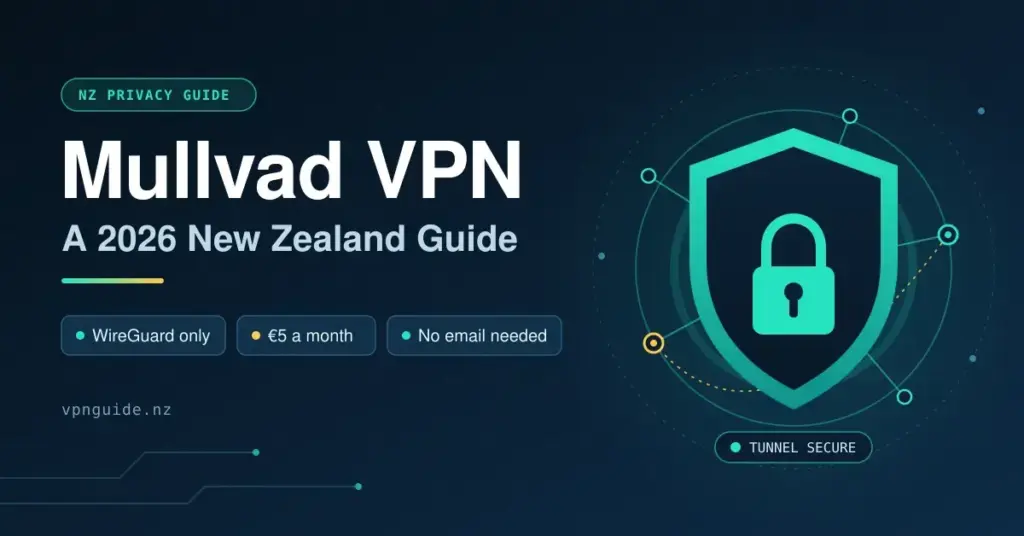
Mullvad is a Swedish VPN built around one idea: collect as little about you as possible. For New Zealanders weighing privacy against convenience, it sits at a clear end of the spectrum — a flat €5-a-month price, no email or personal details required at sign-up, and, since January 2026, an architecture rebuilt around a single modern protocol. This guide explains what Mullvad is, how it works after its switch to WireGuard-only, what it costs in New Zealand dollars, how to set it up on a local fibre or mobile connection, and where it does — and does not — make sense.
Key Facts
| Developer | Mullvad VPN AB (Sweden) |
| Official site / download | mullvad.net |
| Price | Flat €5 / month (~NZ$9–10); 10% off when paying with cryptocurrency |
| Money-back guarantee | 14 days (card, PayPal, Swish, Google Play, bank wire; not cash, crypto, Apple App Store or vouchers) |
| Protocol | WireGuard only (GotaTun engine) — OpenVPN removed 15 January 2026 |
| Operating systems | Windows, macOS, Linux, iOS, Android |
| Account model | Randomly generated account number — no email or personal details |
| Jurisdiction | Sweden (Fourteen Eyes; not Five Eyes) |
| Logging | No-logs policy, independently audited (Cure53, Assured, X41 D-Sec, MASA) |
| Network | ~582 servers across ~50 countries, including New Zealand |
What Mullvad is and why it matters for NZ users
Mullvad is operated by Mullvad VPN AB, incorporated in Sweden. Its defining feature is the account model: when you sign up you are given a randomly generated account number instead of a username, email address or profile. There is nothing linking the account to your identity unless you choose to link it yourself through how you pay.
New Zealand sits in an awkward position for privacy. We are a founding member of the Five Eyes intelligence alliance; our Privacy Act 2020 modernised some protections but still leaves room for government data requests; and the Telecommunications (Interception Capability and Security) Act 2013 (TICSA) requires internet providers to maintain interception capability. Chorus, Spark, One NZ and 2degrees all operate within that framework. A VPN with a credible no-logs policy in a foreign jurisdiction adds a layer of separation from that infrastructure, and Mullvad’s design is built specifically around minimising the data that could ever be requested.
How Mullvad works in 2026
You are assigned a randomly generated account number when you sign up — no username, no email. You fund the account and receive time credit; there are no tiered plans and no upsells. Traffic flows encrypted from your device to a Mullvad server and exits from that server’s IP address. Your ISP sees only an encrypted connection to a Mullvad IP; the website you visit sees only the Mullvad exit IP. Neither party sees both ends at once.
The biggest change for 2026 is the protocol. Mullvad has removed OpenVPN entirely: it was dropped from the desktop app during 2025 and all remaining OpenVPN servers were shut down on 15 January 2026. Mullvad now runs WireGuard only, using its own Rust-based engine called GotaTun (forked from the BoringTun project) for better speed and stability. WireGuard’s leaner codebase and faster handshakes suit New Zealand’s long international links well. If you previously relied on an OpenVPN configuration — for example on an older router — you will need to move to WireGuard; our explainer on WireGuard versus OpenVPN covers the practical differences.
Mullvad owns its server hardware outright in a subset of countries (Denmark, Finland, France, Germany, Netherlands, Norway, Sweden, Switzerland and the United Kingdom). Servers elsewhere are rented but dedicated to Mullvad. In total the network is roughly 582 servers across about 50 countries following the OpenVPN shutdown — smaller than the marketing-heavy giants, but the company publishes independent audits of its apps and no-logs claims by firms including Cure53, Assured, X41 D-Sec and MASA.
Multihop and DAITA
Multihop routes your traffic through two WireGuard servers — an entry node and an exit node in a different country — so an attacker would need to correlate traffic across two separate points. In 2026 Mullvad rebuilt Multihop with new routing modes, including a "when needed" mode that only engages the second hop when a feature you want is unavailable at your chosen exit. The trade-off is latency, which on an already long NZ-to-Europe path can become noticeable for interactive use.
DAITA (Defence Against AI-guided Traffic Analysis) is Mullvad’s countermeasure against traffic-shape analysis — attempts to identify what you are doing from packet timing and size rather than content. It adds cover traffic and reshapes packets, and it is now available across Mullvad’s supported platforms. It increases data use and battery drain, so most NZ users will leave it off for everyday browsing, but it is the kind of forward-looking feature that distinguishes Mullvad from providers who treat privacy as a marketing checkbox.
Pricing and payment for NZ users
Mullvad charges a flat €5 per month, the same rate no matter how many months you buy at once. At September 2026 exchange rates that is roughly NZ$9–10, plus any foreign-transaction fee your bank applies to a euro charge. Paying with cryptocurrency earns a 10% discount (about €4.50) because it costs Mullvad less to process.
Accepted payment methods include Visa and Mastercard, PayPal, bank wire, Swish, several European bank-transfer options, Bitcoin, Bitcoin Cash, Bitcoin Lightning, Monero, and cash sent by post. Contrary to older write-ups, Mullvad does offer a 14-day money-back guarantee — it applies to card, PayPal, Swish, Google Play and bank-wire payments, but not to cash, cryptocurrency, Apple App Store purchases or vouchers, largely because those channels cannot be refunded under anti-money-laundering rules.
Recommended setup for NZ users
Getting Mullvad running on a New Zealand connection is straightforward. These steps apply to the desktop app on Windows or macOS; the process is nearly identical on Linux, iOS and Android.
- Go to mullvad.net and generate an account number. Save it somewhere secure — it is your only credential.
- Add time to the account. If you want no payment trail at all, mailing cash or paying in Monero are documented options; paying by card is simpler and keeps the 14-day refund window.
- Download the Mullvad app for your platform. On Linux, verify the signature before installing.
- Open the app, enter your account number and connect. WireGuard is the only protocol now, so there is nothing to switch.
- Pick a server. For general browsing and lower latency, Australia (Sydney or Melbourne) is usually best from New Zealand — often around 25–35 ms from Auckland. For US content, Los Angeles or Seattle are the closest, with a round-trip floor near 140–170 ms set by the physics of the transpacific link.
- Enable the kill switch ("Always require VPN" in the app) so your real IP cannot leak if the tunnel drops — useful on mobile connections that hand off between towers.
Router-level setup
To protect every device on your home network — smart TVs, consoles, IoT gadgets — without installing the app on each one, you can configure Mullvad’s WireGuard profile on a capable home router. This works well on routers running OpenWrt, DD-WRT or Asus Merlin firmware, and Mullvad’s site generates the configuration files. On a standard Chorus fibre line this is practical; on Hyperfibre running at multi-gigabit speeds you will need a router with hardware WireGuard acceleration so the router’s CPU does not become the bottleneck.
Speed and NZ infrastructure
Most urban New Zealanders are on Chorus UFB or a local fibre company (Enable in Christchurch, Tuatahi First Fibre in the central North Island, Northpower Fibre in Whangarei), with retail ISPs such as Spark, One NZ, 2degrees and Voyager sitting on top. For VPN purposes, NZ fibre is generally low-contention and can saturate a WireGuard tunnel without the ISP being the limiting factor. The real bottleneck is transoceanic cable capacity and load at the exit server.
On a fast fibre plan from Auckland with a Sydney exit, expect WireGuard throughput in the hundreds of megabits per second, varying with your hardware and the time of day. To measure your own result, run a speed test with and without the VPN connected and repeat at different times — the Southern Cross and Tasman Global Access cables both see peak-hour congestion, so evening figures differ from midday. For US-routed connections the latency floor is roughly 138 ms to the US West Coast; no VPN can beat the speed of light across the Pacific, and Mullvad’s overhead is modest enough to sit close to that floor rather than well above it.
Jurisdiction, logging and the 2023 raid
Mullvad is incorporated in Sweden, which is not a Five Eyes member. Sweden is part of the looser Fourteen Eyes signals-intelligence arrangement, which does not create the same automatic data-sharing obligations. More to the point, Mullvad’s no-logs design means there is little useful data to hand over even if a valid request arrived.
That was tested in the real world on 18 April 2023, when Swedish police arrived at Mullvad’s Gothenburg office with a warrant intending to seize computers containing customer data. After Mullvad demonstrated that no such data existed, the police consulted the prosecutor and left without taking anything. It remains one of the clearest practical demonstrations of a no-logs claim to date. For most NZ users the everyday benefit is protection from commercial data harvesting and profiling — your ISP still sees that you connected to a Mullvad IP, just not what you did afterwards.
Streaming from New Zealand
Mullvad is honest that it is not built for streaming. It does not run dedicated streaming servers or actively fight geo-blocks. In practice an Australian or US exit sometimes works for those regions’ services, but it is inconsistent and not guaranteed.
For NZ services — TVNZ+, ThreeNow, Neon, Sky Sport Now, Whakaata Māori — you do not need a VPN while you are in New Zealand. If you are travelling overseas and want to reach them, you need a VPN with a New Zealand exit; Mullvad does list NZ servers, so it can work in principle, though performance back to NZ adds latency in both directions and access is not something Mullvad maintains. If reliable unblocking is your priority, a streaming-focused provider is a better fit — see our best VPN guide for New Zealand.
How Mullvad compares to the alternatives
The table below sets Mullvad against the alternatives NZ users most commonly weigh up. Monthly costs are approximate NZD equivalents at September 2026 rates; several competitors are much cheaper on long annual plans, while Mullvad’s price never changes with term length.
Comparison
| Provider | Approx. monthly cost (NZD) | Jurisdiction | No-logs audit | Account anonymity | Streaming focus |
|---|---|---|---|---|---|
| Mullvad | ~NZ$9–10 (flat) | Sweden | Yes (Cure53, Assured, X41) | High (no email) | Low |
| IVPN | ~NZ$14 | Gibraltar | Yes (Cure53) | High (no email) | Low |
| ProtonVPN | ~NZ$15 (Plus) | Switzerland | Yes (Securitum) | Medium (email, anon accepted) | Medium |
| ExpressVPN | ~NZ$22–25 | British Virgin Islands | Yes (KPMG, Cure53) | Low (email required) | High |
| NordVPN | ~NZ$22 monthly / ~NZ$8 annual | Panama | Yes (Deloitte) | Low (email required) | High |
| Surfshark | ~NZ$25 monthly / ~NZ$5 annual | Netherlands | Yes (Deloitte) | Low (email required) | High |
Mullvad and IVPN occupy a similar privacy-first, no-frills niche and are often compared directly. ProtonVPN is worth a look if you want a credible free tier or an all-in-one privacy suite. If a free plan is what you are after, read our free VPN guide first — the trade-offs on speed, servers and data handling are significant.
Limitations to be aware of
- No streaming focus. If reliably unblocking Netflix US or Sky Sport Now from overseas matters to you, Mullvad is the wrong tool.
- Smaller network. At around 582 servers in ~50 countries, coverage in Asia-Pacific is thin; Australia is the closest strong option for NZ, and NZ server counts are small. Test before relying on a specific Asian market.
- Split tunnelling is platform-limited. Routing only some apps through the VPN is supported on Windows, Linux and Android, and works by IP address and port rather than by app name; native macOS and iOS support is limited. Check current platform support before committing if this matters.
- No dedicated IP and no separately-branded obfuscation protocol; WireGuard with Mullvad’s own obfuscation covers most needs, but users in heavily censored countries may want a provider with more aggressive circumvention.
The bottom line: Mullvad’s core value is trust architecture, not feature count. If you want a VPN you can genuinely believe is not logging you — backed by the account-number model, published audits and a real-world raid that turned up nothing — it makes a stronger case than most. If you want one that reliably unblocks geo-restricted video, look elsewhere.
Sources
- Mullvad — Removing OpenVPN 15th January 2026
- Mullvad — Removing OpenVPN from the Mullvad VPN app
- Mullvad — Pricing
- Mullvad — Refunds policy
- Mullvad — Refund policy changed to 14 days
- Mullvad — About our servers
- Mullvad — Search warrant, customer data not compromised (April 2023)
- TechRadar — Mullvad retires OpenVPN, pushing users to WireGuard
- TechRadar — Mullvad’s Rust-based GotaTun WireGuard engine
- CyberInsider — Mullvad overhauls Multihop with new routing modes
Frequently Asked Questions
Is Mullvad legal to use in New Zealand?
Yes. Using a VPN is legal in New Zealand; no legislation prohibits it and the Privacy Act 2020 does not restrict it. VPNs are widely used by businesses for remote access and by individuals for privacy. Using one to bypass a streaming service’s geo-blocks may breach that service’s terms of use, but that is a contractual matter between you and the provider, not a criminal one.
Does Mullvad still support OpenVPN?
No. Mullvad removed OpenVPN from its apps during 2025 and shut down its remaining OpenVPN servers on 15 January 2026. The service now runs on WireGuard only, using Mullvad’s own Rust-based engine. Most users were migrated automatically, but anyone who had a manual OpenVPN configuration on a router or third-party client needs to switch to a WireGuard configuration.
Can I get a refund from Mullvad?
Yes, within limits. Mullvad offers a 14-day money-back guarantee on payments made by card, PayPal, Swish, Google Play and bank wire. Refunds are not available for cash, cryptocurrency, Apple App Store purchases or vouchers, mainly because those channels cannot be reversed under anti-money-laundering rules. There is no free trial, but the flat €5 price and the refund window keep the risk low.
Does Mullvad work on New Zealand mobile networks?
Yes, it works on Spark, One NZ and 2degrees. WireGuard handles network transitions — moving between Wi-Fi and mobile data, or between cell towers — smoothly, so keep the kill switch enabled to prevent brief drops during handoffs exposing your real IP. On 5G, throughput is rarely the limiting factor; latency to the exit server is.
How would Mullvad handle a New Zealand government data request?
As a Swedish company, Mullvad is not directly subject to NZ law-enforcement requests the way a local provider would be; an NZ authority would generally have to work through slow mutual legal assistance channels with Sweden. More importantly, its no-logs design means there is minimal data to provide even if a valid request were made — the April 2023 raid in Gothenburg, where police left without seizing anything, is the clearest test of that claim so far.
Will Mullvad slow down my Chorus fibre connection?
For everyday use — browsing, streaming, video calls and gaming — a WireGuard connection to a nearby Australian server should not be a meaningful bottleneck on a standard Chorus plan, and the extra 25–35 ms of latency is imperceptible for most tasks. On multi-gigabit Hyperfibre, raw throughput becomes limited by encryption overhead and your device’s CPU rather than the fibre line, so router-level WireGuard with hardware acceleration is the answer at those speeds.