
What a VPN does for New Zealand users
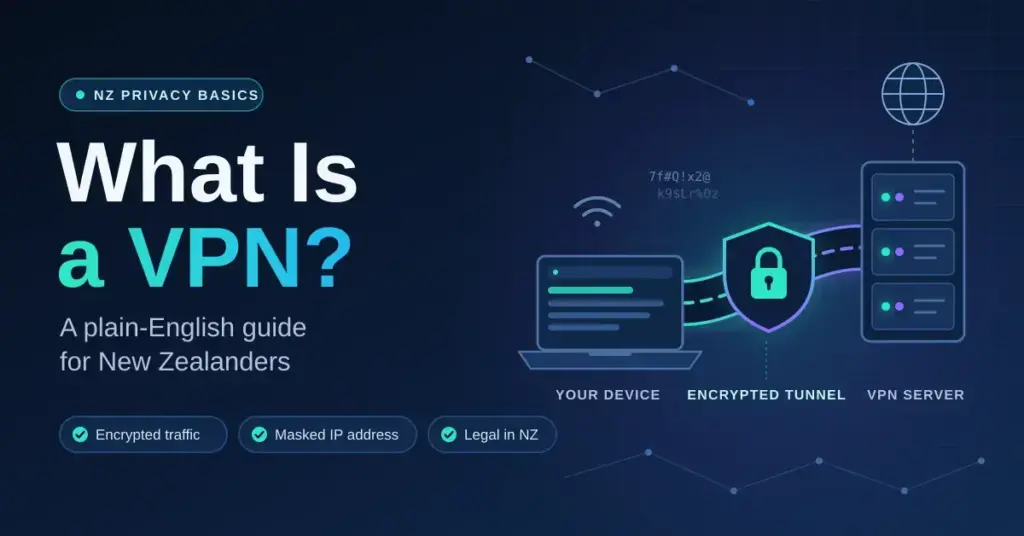
A VPN (virtual private network) encrypts your internet traffic and routes it through a server in a location of your choosing, masking your real IP address from websites, your ISP, and anyone monitoring the connection. For New Zealand users specifically, that means two practical things: privacy from local surveillance infrastructure and the ability to appear as though you are browsing from another country. If you want a shortlist of tested options right now, the best VPN roundup on this site covers the leading providers with NZ-specific testing.
New Zealand sits in a genuinely awkward position for privacy. The country is a founding member of the Five Eyes intelligence alliance — alongside the United States, United Kingdom, Canada, and Australia — which means signals intelligence is shared between member nations at a treaty level. Your ISP traffic is not automatically private simply because you are in New Zealand. Under the Telecommunications (Interception Capability and Security) Act 2013, ISPs including Chorus (which operates the underlying UFB fibre network), Spark, One NZ, and 2degrees are required to maintain interception capability for lawful access. A VPN does not make you invisible to a determined state actor, but it does remove your browsing history from the routine data your ISP can read, log, or be compelled to hand over.
The Privacy Act 2020 strengthened individual rights around personal data held by organisations, but it does not restrict what your ISP can observe about your traffic. A VPN fills that gap by ensuring the ISP sees only an encrypted tunnel to a VPN server — not the sites you visit or the content you consume.
How a VPN actually works
When you connect to a VPN, your device negotiates an encrypted tunnel using a protocol — WireGuard, OpenVPN, or IKEv2 are the most common — before any browsing traffic leaves your machine. Every packet is wrapped in that encryption and sent to the VPN server, which then makes the onward request on your behalf. The destination website sees the VPN server’s IP address and location, not yours.
The encryption overhead adds a small amount of latency and reduces throughput compared to a raw connection. On a modern Chorus Hyperfibre line (which delivers up to 4 Gbps symmetrical in some areas), the bottleneck is almost never your fibre connection — it is the VPN server’s capacity and the round-trip time to that server. WireGuard is the most efficient protocol currently available and is the one to choose on any modern device if raw speed matters to you.
A kill switch is a feature that cuts your internet connection entirely if the VPN tunnel drops unexpectedly. On a New Zealand connection, brief tunnel interruptions can happen during ISP maintenance windows or when your device switches between Wi-Fi and mobile data. Without a kill switch, those brief gaps expose your real IP. Enable it.
Split tunnelling lets you route only some apps through the VPN while others use your regular connection. This is useful in New Zealand because local services — TVNZ+, Neon, your banking app — often work better or exclusively on a New Zealand IP. You can keep those on your native connection while routing everything else through the VPN.
NZ-specific considerations before you choose
ISP and infrastructure
New Zealand’s fibre rollout is among the most advanced in the world by penetration rate. If you are on a Chorus UFB connection through Spark, One NZ, 2degrees, or a smaller RSP, you likely have 300 Mbps, 900 Mbps, or Hyperfibre speeds available. The practical implication is that a VPN’s server infrastructure — not your home line — will almost always be the limiting factor. Choose a provider with well-maintained servers in Sydney or Melbourne for everyday use; the physical distance from Auckland to Sydney is roughly 2,200 km, which translates to a latency floor of around 28 ms. That is low enough that most users will not notice any sluggishness on a quality VPN.
Connections to the US west coast carry a minimum round-trip of approximately 138 ms due to physics alone — the transpacific cable distance. Any VPN advertising sub-100 ms NZ-to-US latency is either measuring something other than round-trip time or routing through an intermediate server. Expect 150–180 ms in practice to a US server, which is fine for streaming but will affect competitive online gaming.
Data caps
Most New Zealand fibre plans are now unmetered, but some entry-level plans from smaller ISPs and most mobile data plans still carry caps. VPN traffic counts against your data allowance just like any other traffic. If you are on a capped mobile plan with One NZ or 2degrees and you leave a VPN connected all day, you will burn through your allowance faster because of the encryption overhead (typically 5–15% additional data depending on protocol and packet size). WireGuard has lower overhead than OpenVPN in this respect.
Jurisdiction and logging
A VPN provider incorporated in a Five Eyes country — including New Zealand itself — can be compelled to hand over user data under local law. This does not automatically make such providers unsafe, but it does mean the no-logs policy must be technically enforced, not just promised. Look for providers that have undergone independent audits of their no-logs claims, or that are incorporated in jurisdictions outside the Five Eyes (Panama, British Virgin Islands, Switzerland, and Romania are common examples among reputable providers). The audit matters more than the jurisdiction claim on a marketing page.
NZ streaming services
TVNZ+, ThreeNow, Neon, Sky Sport Now, and Whakaata Māori all geo-restrict their content to New Zealand IP addresses. If you are a Kiwi travelling overseas — common for the OE crowd — you will need a VPN with reliable New Zealand exit servers to keep watching these services. Not all VPNs maintain NZ-based servers; check before subscribing. Conversely, if you want to access overseas content libraries (BBC iPlayer, US Netflix, Disney+ US), you need a provider with a strong track record of maintaining working servers in those regions, as streaming platforms actively block known VPN IP ranges.
Recommended setup for NZ users
- Choose a provider with servers in Australia and New Zealand. For day-to-day use, a Sydney or Melbourne server gives you the best speed with minimal latency impact. An Auckland or Wellington exit server is essential if you travel and need access to NZ-geo-locked content.
- Install the native app on your router if possible. Running a VPN at the router level protects every device on your network — smart TVs, consoles, IoT devices — without needing individual app installs. Most consumer routers running DD-WRT or OpenWrt support this. Asus routers with Merlin firmware are a popular choice in NZ.
- Select WireGuard as your protocol. On a Chorus fibre connection, WireGuard will deliver the best throughput and lowest overhead. Fall back to IKEv2 on mobile connections for better reconnection behaviour when switching networks.
- Enable the kill switch. Set it and forget it. The minor inconvenience of a dropped connection is preferable to an unexpected IP leak.
- Configure split tunnelling for local NZ services. Exclude your banking apps, TVNZ+, and any services that require a NZ IP from the VPN tunnel. This avoids the frustration of being locked out of your own bank because you appear to be connecting from Amsterdam.
- Test for DNS and IP leaks after setup. Use a browser-based leak test (ipleak.net or dnsleaktest.com) immediately after connecting. Confirm that the IP shown is your VPN server’s IP, not your Spark or One NZ address, and that DNS queries are resolving through the VPN’s DNS servers.
Best VPN providers for New Zealand in 2026
The table below compares the leading options on criteria that matter specifically to NZ users. Pricing is converted to approximate NZD at current rates and rounded; always check the provider’s site for current offers as exchange rates and promotions change.
| Provider | Jurisdiction | NZ/AU Servers | Protocol | Approx. NZD/month (annual plan) | No-logs audit | Simultaneous connections |
|---|---|---|---|---|---|---|
| ExpressVPN | British Virgin Islands | Yes (both) | Lightspeed / OpenVPN / IKEv2 | ~NZ$17 | Yes (KPMG, Cure53) | 8 |
| NordVPN | Panama | Yes (both) | NordLynx (WireGuard) / OpenVPN | ~NZ$7–9 | Yes (Deloitte) | 10 |
| Surfshark | Netherlands | Yes (both) | WireGuard / OpenVPN / IKEv2 | ~NZ$5–7 | Yes (Cure53) | Unlimited |
| Mullvad | Sweden | AU only | WireGuard / OpenVPN | ~NZ$9 (flat rate) | Yes (Cure53) | 5 |
| ProtonVPN | Switzerland | Yes (both) | WireGuard / OpenVPN / Stealth | ~NZ$12 (Plus) | Yes (SEC Consult) | 10 |
| PIA (Private Internet Access) | United States | Yes (both) | WireGuard / OpenVPN | ~NZ$4–5 | Yes (Deloitte) | Unlimited |
Methodology note: Speed expectations in this guide are derived from known cable latency floors (NZ–AU ~28 ms, NZ–US west coast ~138 ms minimum round-trip) and typical WireGuard overhead on Hyperfibre-class connections. On a 900/500 Mbps Chorus fibre line from Auckland with the server set to Sydney, you would typically expect 400–700 Mbps download throughput on a quality provider using WireGuard — the variance depends on server load and time of day, not your home connection. US servers on the same line would typically yield 150–350 Mbps download, constrained by transpacific latency rather than bandwidth.
PIA’s US incorporation is worth noting: as a Five Eyes member state, the US carries legal risk for compelled disclosure. PIA has been subpoenaed multiple times and has consistently maintained that it holds no usable logs — a claim that has held up in court proceedings. Whether that satisfies your threat model is a personal decision.
If you are considering a free option, read the free VPN guide first — the short version is that genuinely free VPNs almost always monetise your data in ways that defeat the purpose of using a VPN, and the few legitimate free tiers (ProtonVPN’s free tier being the clearest example) impose speed or server restrictions that make them unsuitable as a primary tool.
Privacy Act 2020 and what it means for VPN users
The Privacy Act 2020 replaced the 1993 Act and introduced mandatory breach notification, stronger enforcement powers for the Privacy Commissioner, and a new criminal offence for misleading an agency to obtain someone else’s personal information. It governs how New Zealand organisations handle personal data about you — but it does not restrict your ISP from observing your traffic metadata, and it does not prevent intelligence sharing under Five Eyes arrangements, which operate under separate legal frameworks.
What the Act does do is give you rights over data held by commercial entities. If a VPN provider operates in New Zealand or holds data about NZ residents, they are subject to the Act’s information privacy principles. In practice, most major VPN providers are incorporated offshore and process data outside NZ jurisdiction, which is precisely why the provider’s own jurisdiction and logging policy matter more than NZ domestic law for VPN users.
The Broadcasting Standards Authority (BSA) and the Department of Internal Affairs (DIA) both have roles in online content regulation in New Zealand, including the Classification Act and the Films, Videos, and Publications Classification Act. Using a VPN to access content that is legal in the source country but classified or restricted in New Zealand remains a legal grey area. For the vast majority of use cases — streaming, privacy, remote work — this is not a relevant concern.
FAQ
Is using a VPN legal in New Zealand?
Yes. Using a VPN is entirely legal in New Zealand. There is no legislation that prohibits VPN use. What matters is what you do with the VPN — using one to commit an otherwise illegal act does not provide legal cover, but the tool itself is lawful. Many New Zealand businesses use VPNs as standard practice for remote access and data security.
Will a VPN slow down my Chorus fibre connection significantly?
On a modern fibre connection using WireGuard to a well-provisioned server in Sydney or Melbourne, most users will not notice a meaningful difference for everyday tasks. Streaming 4K content, video calls, and general browsing are unaffected. You will see a reduction in raw throughput compared to an unencrypted connection, and latency to overseas servers will always reflect the physical cable distance — there is no way around the speed of light. For competitive gaming to servers in Australia, the ~28 ms baseline latency is acceptable; for US or European servers, the 150+ ms round-trip will be noticeable in fast-paced games.
Can I use a VPN to watch TVNZ+ or Neon while overseas?
Yes, provided the VPN provider maintains functioning New Zealand exit servers. TVNZ+, Neon, ThreeNow, and Sky Sport Now all check for a New Zealand IP address. When you connect to a NZ-based VPN server, you appear to be in New Zealand and can access these services normally. Not every VPN provider has NZ servers — confirm this before subscribing if overseas access to NZ content is your primary use case.
Does a VPN protect me on public Wi-Fi in New Zealand?
Yes, and this is one of the strongest practical arguments for using one. Public Wi-Fi at Auckland Airport, Wellington cafes, or any shared network is inherently untrustworthy. A VPN encrypts your traffic before it leaves your device, so even if someone is intercepting traffic on that network, they see only encrypted data. Enable your VPN before connecting to any public network and leave it on for the duration of that session.
What is the difference between a NZ-based VPN server and a NZ VPN provider?
A NZ-based server is a physical or virtual server located in New Zealand that a VPN provider operates — connecting to it gives you a New Zealand IP address. A NZ VPN provider would be a company incorporated and operating under New Zealand law. Most major VPN providers are not NZ companies, but many do operate servers here. For privacy purposes, the provider’s incorporation jurisdiction matters more than where individual servers are located, because that determines which legal system can compel the company to hand over data.
Should I use a VPN on my phone when using Spark or One NZ mobile data?
It depends on your threat model. Mobile data from Spark or One NZ is encrypted between your device and the cell tower, so passive eavesdropping is harder than on open Wi-Fi. However, your carrier can still see your traffic metadata, and the same Five Eyes considerations apply. If you use your phone for sensitive communications or simply want consistent privacy across all your connections, running a VPN on mobile is reasonable. Be aware of data cap implications if you are not on an unlimited plan, and use WireGuard for its lower overhead and better reconnection behaviour on mobile networks.
Are free VPNs safe to use in New Zealand?
Most are not, for reasons that apply globally but matter particularly under New Zealand’s Privacy Act 2020. Free VPN services have to generate revenue somehow; the most common method is collecting and selling user data — the exact behaviour a VPN is supposed to prevent. Some free VPNs have been found to inject advertising, log browsing history, or in extreme cases route user traffic as exit nodes for other users’ connections. The only free VPN tier worth considering for NZ users is ProtonVPN’s free plan, which is genuinely no-logs and funded by paid subscribers, but it limits you to three server locations and lower speeds. For anything beyond occasional light use, a paid plan is worth the NZ$5–10 per month.
Bottom line
For New Zealand users in 2026, a VPN is a practical tool rather than a niche concern. Five Eyes membership, ISP interception obligations under the Telecommunications Act, and the reality of travelling Kiwis needing access to geo-locked NZ content all make a solid case for using one. The right choice depends on your priorities: NordVPN and Surfshark offer the best value at NZ$5–9 per month with strong audit records; ExpressVPN and ProtonVPN justify their higher price with more transparent infrastructure and stronger privacy track records; Mullvad is the pick if anonymity is paramount and you can live without NZ exit servers. Whatever you choose, use WireGuard, enable the kill switch, configure split tunnelling for local NZ services, and verify your setup with a leak test before trusting it with anything sensitive.


