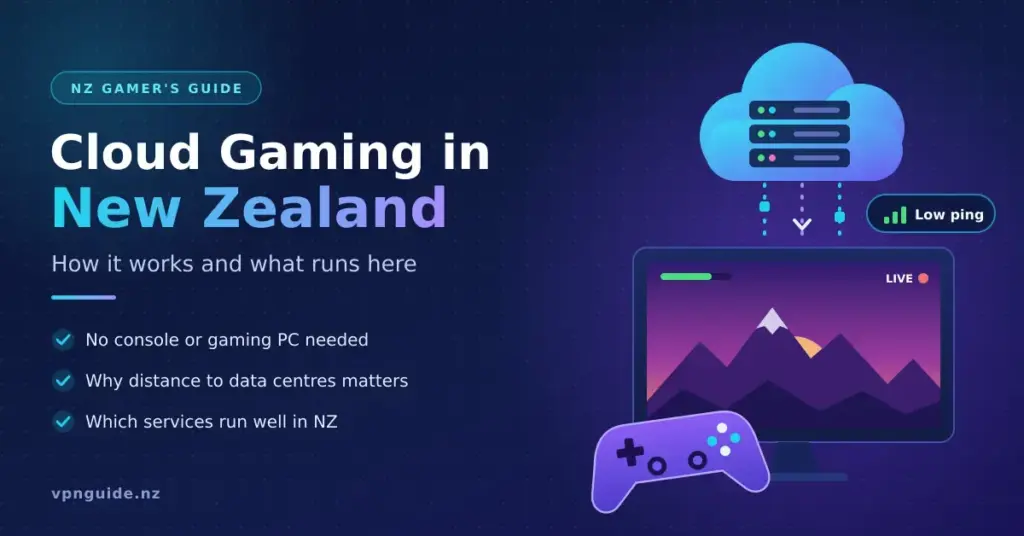
Cloud gaming has spent nearly a decade being called the future of gaming. Somewhere between the hype and the reality, it quietly became something you can actually use — millions of people now stream demanding games on laptops, phones and smart TVs with no console or graphics card in sight. For New Zealanders, though, the picture comes with a few local twists: not every big platform is officially available here, and your distance from the nearest data centre matters more than you might expect. This guide explains what cloud gaming is, how it works, and — most importantly — what genuinely runs well from a home in New Zealand. If you want deeper per-service breakdowns, dedicated cloud gaming review sites go platform by platform, but everything you need to make sense of it is below.
Key Points
- What it is: games run on a remote server and are streamed to your screen, so you do not need a powerful PC or console.
- Best bet in NZ: Xbox Cloud Gaming (included with Game Pass Ultimate) is the most straightforward officially supported option.
- GeForce NOW: no official NZ region — Kiwis connect to the Australian (Sydney/Perth) service, so latency is higher.
- PlayStation: NZ gets the Plus Deluxe tier, which has no cloud streaming; Amazon Luna is not available here.
- What you need: a stable connection (15–25 Mbps for 1080p, 35 Mbps+ for 4K), ideally wired, plus a compatible device and a controller.
- Watch outs: latency to Australia, data use on metered plans, and the fact you usually do not own the games.
What Is Cloud Gaming?
Cloud gaming — also called game streaming or gaming on demand — is a way of playing video games where the hard work happens on a remote server instead of on your own device. A powerful computer in a data centre runs the game, records the video output and sends it to your screen over the internet. Your button presses, mouse moves and controller inputs travel back to that server, and the whole loop repeats many times a second. When it works, it feels close to playing on hardware sitting next to you.
Think of it a bit like what you already stream on Netflix, but interactive. You do not download or store the game on your device — you reach it remotely, on almost any screen you have handy, and the moment you close the app the processing stops.
The practical result is that the expensive hardware requirement shifts away from you. You no longer need a NZ$2,500 gaming PC or a current-generation console to play a demanding new title at high settings. A stable internet connection and a compatible device are the real requirements.
How Does Cloud Gaming Work?
Behind the scenes, several things happen in a fraction of a second every time you play.
When you launch a title, the service gives you access to a virtual machine in a data centre. That machine is fitted with a high-end graphics card, fast memory and a strong processor — hardware comparable to, or better than, a good gaming PC. The game runs there exactly as it would on a local system.
Each frame the server renders is compressed into a video stream — usually with codecs such as H.264 or H.265 — and sent to your device, which decodes and displays it. At the same time, every input you make is captured and sent back to the server.
The make-or-break factor is latency: the delay between you pressing a button and seeing the result on screen. Latency has two parts — the time the server needs to render and encode a frame, and the time your inputs and the video spend travelling across the network. That second part is pure distance and physics, which is why where the data centre sits matters so much.
For New Zealand, the nearest large cloud gaming servers are in Australia, mostly around Sydney. On a healthy fibre connection, a round trip from a New Zealand home to Sydney is typically in the region of 25–45 milliseconds. That is low enough that relaxed and single-player games feel fine, but high enough that twitch-reaction competitive play can feel a step behind a local console.
For most genres — role-playing games, strategy, adventures and even many shooters played casually — modern cloud gaming latency is hard for the average player to notice. In fast, ranked competitive matches it is a different story, which we return to below.
Cloud Gaming in New Zealand: What Actually Runs Here
This is where a lot of overseas guides fall down for Kiwi readers. Several of the biggest cloud platforms either are not officially available in New Zealand or offer a reduced version here. Here is the honest state of play.
NVIDIA GeForce NOW (via Australia)
GeForce NOW is widely regarded as one of the best cloud services on quality. Rather than selling its own library, it lets you connect the games you already own on Steam, Epic Games, GOG, Ubisoft and other stores, then streams them from NVIDIA-powered servers. You keep your games if you cancel, and you are not locked into a walled garden.
The catch for New Zealand: NVIDIA does not run an official GeForce NOW region here. In Australia and New Zealand the service is delivered by a local alliance partner (CloudGG, run by Perth ISP Pentanet), with data centres now live in Sydney and Perth. Australian players get very low ping to those nodes; New Zealanders connect across the Tasman, so latency is higher and the experience depends heavily on your home connection. Some Kiwis sign up through the Australian service to play — always check the current terms before you do. Paid tiers now run on RTX 5080-class hardware, with a free tier (session limits), a Performance tier around US$9.99 a month and an Ultimate tier around US$19.99 a month.
Xbox Cloud Gaming
Microsoft’s service is the most straightforward option in New Zealand. It is included with an Xbox Game Pass Ultimate subscription (around NZ$32.95 a month at the time of writing — always confirm on the official store, as Microsoft raised prices in 2025) and lets you stream hundreds of Game Pass titles, including first-party Xbox games on release day. It runs on Xbox hardware hosted in Microsoft’s Australian data centres.
In 2025 Microsoft added a “Stream Your Own Game” feature, so Ultimate members can now stream a growing list of supported games they already own, not just the ones inside the Game Pass catalogue. You can play on a browser, PC, Android and iOS device, many smart TVs and even some VR headsets. For anyone already paying for Game Pass Ultimate, cloud play is effectively a free bonus — which makes it the easiest entry point in New Zealand.
PlayStation Plus (Deluxe, not Premium)
This is the biggest local gotcha. Sony’s cloud game streaming is a feature of the top “Premium” tier — but Premium is only sold in markets where streaming is supported. New Zealand is not one of them. Here, the top tier is called PlayStation Plus Deluxe, which gives you the game catalogue, a classics library and time-limited game trials, but no cloud streaming. In other words, you cannot stream PS5 games from Sony’s cloud in New Zealand today. If you own a PS5, Remote Play from your own console is a different feature that does work (more on that in the FAQ).
Boosteroid, Shadow and Browser Services
A handful of smaller services work in New Zealand through a browser or app. Boosteroid streams a fixed catalogue plus some games you own, and Shadow rents you a full cloud PC you control. Both are technically usable from New Zealand, but their servers sit in Europe and North America, so latency is far higher than the Australian options — fine for slower-paced games, frustrating for anything fast. Treat them as niche choices rather than everyday platforms.
Amazon Luna and Google Stadia
Amazon Luna, which uses a channel-based subscription model on Amazon’s AWS infrastructure, is not available in New Zealand as of 2026, so you can skip it. Google Stadia, once the poster child for cloud gaming, launched in 2019 and was shut down in January 2023 after struggling with a thin library, confusing pricing and doubts that Google would keep it running. Its closure is a useful reminder to check that a service is committed to your region before you build a habit around it.
Comparison
| Service | How it works | New Zealand availability | Nearest servers | Indicative price |
|---|---|---|---|---|
| NVIDIA GeForce NOW | Stream games you already own on Steam, Epic, GOG and more | No official NZ region; reachable via the Australian service | Sydney & Perth | Free tier; Performance ~US.99/mo; Ultimate ~US.99/mo |
| Xbox Cloud Gaming | Game Pass catalogue plus supported games you own | Available in NZ | Australia (Microsoft) | Included with Game Pass Ultimate (~NZ.95/mo) |
| PlayStation Plus | Game catalogue, classics and trials; cloud streaming only on the Premium tier | NZ gets the Deluxe tier — no cloud streaming | Not applicable in NZ | Deluxe subscription (no streaming) |
| Boosteroid | Browser/app streaming of a set catalogue plus some owned games | Usable in NZ, but high latency | Europe & North America | From ~US.49–9.99/mo |
| Shadow | A full cloud PC you control and install your own software on | Usable in NZ, but high latency | Europe & North America | Paid tiers, billed in EUR/USD |
| Amazon Luna | Channel-based subscriptions on Amazon’s AWS servers | Not available in NZ | Not applicable | Not available |
What You Need to Get Started in New Zealand
Cloud gaming is only as good as the connection under it. Here is what to sort out before you sign up for anything.
A solid, low-latency internet connection. New Zealand’s widespread fibre network is well suited to this. As a rough guide, aim for at least 15–25 Mbps of download speed for smooth 1080p play and 35–45 Mbps or more for 4K. Just as important as raw speed is a low, steady ping to the Australian servers. Not sure where you stand? It is worth checking what internet speed you actually need and then confirming your real numbers by running a speed test.
Wired beats Wi-Fi. A network cable from your router to your device removes a big source of lag and dropped frames. If cable is not practical, sit close to the router or use a strong mesh setup, and prefer the 5 GHz band. On a fast fibre plan, a wired connection is the single biggest thing you can do for a stable session.
A compatible device. Most services run on Windows PCs, Macs, Android phones and tablets, iPhones and iPads (through a browser on some platforms), Chromebooks, and many smart TVs and streaming sticks. Check your chosen platform’s supported-device list before assuming your TV or phone will work.
A controller (recommended). Keyboard and mouse are fine on a PC, but a Bluetooth or USB controller is far more comfortable on a TV or phone. Standard Xbox, PlayStation and reputable third-party controllers are widely supported.
An account and, sometimes, a workaround. Sign up for the platform you have chosen; many offer a free tier or trial so you can test the feel before paying. Where a service is not officially sold in New Zealand, some players use region tools such as a VPN to reach it — check each provider’s terms first, as this is not always permitted.
The Advantages of Cloud Gaming
No expensive hardware. A capable gaming PC in New Zealand can cost NZ$1,500 to NZ$3,000 or more, and a current console plus accessories is several hundred dollars. Cloud gaming lets a modest laptop, an older TV with a streaming stick, or a phone act as the front end while the real hardware lives in the data centre.
Play across screens. Because the game state lives on the server, you can start on the living-room TV, carry on from your phone, and finish on a laptop without losing progress.
Instant access. There are no multi-gigabyte downloads or long patch installs before you play. Games launch in seconds — a quality-of-life gain that is easy to underrate until you have it.
Hardware that upgrades itself. When a provider upgrades its servers — as NVIDIA did by moving GeForce NOW to RTX 5080-class machines in 2025 — every subscriber benefits without buying a new graphics card.
Potentially lower waste. Concentrating compute in efficient data centres can, in theory, be kinder than millions of individual PCs running flat out. It is a debated point — data centres use a lot of power — but shared, optimised hardware has genuine efficiency potential.
The Drawbacks and Limitations
You are tied to your connection. Cloud gaming lives and dies by your internet. A slow, congested or unstable line shows up immediately as blurriness, stutter or input lag. In parts of New Zealand still waiting on fibre, or on a patchy rural link, it may not be viable yet.
Latency has a hard floor. No amount of engineering removes the time data needs to cross the Tasman and back. For casual and single-player games this is rarely an issue, but for ranked shooters, fighting games and rhythm titles, even a 20–30 ms disadvantage matters. Serious competitive players are unlikely to switch soon.
Data use adds up. High-quality streaming uses a lot of bandwidth — roughly 7–12 GB per hour at 1080p and 20 GB or more per hour at 4K. Most New Zealand fibre plans are unlimited, so this is less of a worry at home than it is on a mobile or metered connection, where it can burn through a data cap fast.
You usually do not own the games. On catalogue services, your access ends when your subscription does. Even on GeForce NOW, which streams games you own, titles can vanish if a publisher pulls its support. That is meaningfully different from a locally installed copy you control.
Ongoing cost. Monthly fees are convenient, but over several years they can add up to more than buying hardware outright — especially if you tend to keep a console or PC for a long time.
Cloud Gaming vs. Local Gaming: Which Suits You?
The honest answer depends on your situation.
Cloud gaming makes sense if you do not own powerful hardware and do not want to buy it, if you game casually across several devices, or if the household TV is the main screen and a console is not a priority.
Local gaming makes sense if you already have a fast PC or console, if you play competitively where every millisecond counts, if long-term game ownership matters to you, or if your connection is slow or unreliable.
For many people it is not either/or. Cloud gaming works well as a companion to a local setup — letting you play your library on the go or on a spare screen without buying a second machine.
The Future of Cloud Gaming
Cloud gaming is in a much stronger position than it was a few years ago, and several trends should help it improve further — including for New Zealand.
Faster mobile networks. As 5G home and mobile broadband spreads, low-latency wireless play becomes more realistic in more places, loosening the reliance on a fixed line at home.
AI-assisted streaming. Upscaling and frame-generation techniques are increasingly used to deliver sharper images at lower bitrates and to help mask network delay.
More competition. With Microsoft, NVIDIA, Sony and others still investing, the services that win will be the ones offering the best libraries, the most reliable infrastructure and the fairest pricing — and, ideally, official local support.
Edge computing. Pushing servers physically closer to players is the clearest path to lower latency. For New Zealand, the real breakthrough would be a data centre on this side of the Tasman rather than relying on Sydney.
Sources
Frequently Asked Questions (FAQ)
Do I need a gaming PC or console to play?
No. Cloud gaming is built to run on low-powered devices. A basic laptop, a smartphone, a tablet or a smart TV is enough, provided you have a stable internet connection with a decent, steady ping to the nearest servers in Australia.
Is cloud gaming available in New Zealand?
Partly. Xbox Cloud Gaming works here through Game Pass Ultimate. GeForce NOW has no official New Zealand region but is reachable via the Australian service. PlayStation’s cloud streaming is not offered in New Zealand — the local top tier is PlayStation Plus Deluxe, which does not include streaming. Amazon Luna is not available here at all.
How fast does my internet need to be?
As a rough guide, 15–25 Mbps handles 1080p comfortably, while 4K wants 35–45 Mbps or more. Just as important is a low, stable latency to the Australian data centres, so a wired connection on a good fibre plan will always beat a weak Wi-Fi signal, even one that tests fast on paper.
Is cloud gaming good for competitive multiplayer?
For casual matches and single-player games, yes. For serious ranked play in fast genres such as shooters or fighting games, the extra delay of streaming from Australia can put you at a small but real disadvantage compared with a local console or PC. Most competitive players still prefer local hardware.
What is the difference between cloud gaming and Remote Play?
Remote Play — such as PlayStation Remote Play or Steam Link — streams from a console or PC you already own to another device over your network or the internet. Cloud gaming streams from a remote server you do not own, so it needs no gaming hardware at home. Remote Play still works in New Zealand even though Sony’s cloud streaming does not.