
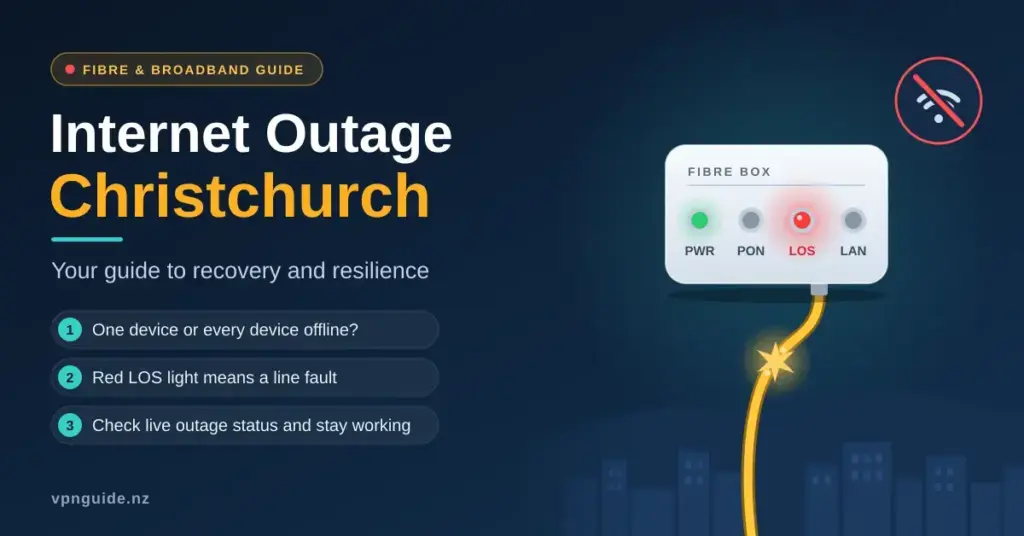
When the internet drops in Christchurch, it rarely feels minor. Remote work stalls, EFTPOS terminals freeze, security cameras go blind and the family loses streaming and calls all at once. The cause might be as small as a frozen router or as large as a severed fibre cable under a suburban footpath — and the fix, the wait time and who you call are completely different in each case. This guide walks through how to tell a home-side fault from a network outage, how to read the lights on your fibre box, how the Enable and Chorus networks fit together with your provider, where to check live status, and how to keep working while the line is down. The aim is simple: cut the guesswork so you spend less time offline.
Key Points
- Check whether one device or every device is offline — that alone tells a home fault from a network outage.
- A red LOS or Alarm light on your fibre box means a physical line fault; no amount of rebooting will fix it.
- Enable owns the fibre across greater Christchurch (with Chorus in some areas); report faults to your own provider, who logs them with the network owner.
- Check the Enable and Chorus outage maps on mobile data before you troubleshoot any hardware.
- Keep a phone hotspot, fixed-wireless or Starlink backup so work and EFTPOS keep running during a cut.
Is it your home or the wider network?
The first job in any outage is to work out where the fault sits, because that decides whether you can fix it yourself or need to log a fault. The quickest test is scope: if one device is offline but others work, the problem is usually that device or its Wi-Fi. If every device in the house is down, the fault is your router, your fibre box or the line outside. If your phone still browses fine on mobile data while the laptop and TV are dead, the break is almost certainly in your home network or the external connection rather than a citywide event.
- Check the fibre box (ONT): The Optical Network Terminal on your wall — the box that turns the fibre light signal into a connection your router can use — is the gateway. A red LOS (Loss of Signal) or Alarm light points to an external line fault.
- Ask a neighbour: If several houses on your street are also offline, it is a localised infrastructure issue rather than something in your home.
- Check a status map: Enable, Chorus and the retail providers all publish live outage information for Canterbury.
- Watch the power: If your power is out, your internet goes with it unless your router is on a battery backup — even when the fibre network itself is still running.
If the scope test points at your own gear rather than the street, our general guide to what to try when your internet is not working runs through the checks in order.
Who runs the network: Enable, Chorus and your provider
Christchurch broadband involves three separate layers, and knowing which is which saves a lot of frustrated phone calls. Enable Networks is the Local Fibre Company (LFC) for greater Christchurch and the surrounding Waimakariri and Selwyn districts — it owns and maintains the physical fibre in the ground and dispatches the technicians who repair it. In a handful of areas outside the Enable footprint, Chorus owns the fibre or copper instead. Neither company sells you a plan directly. Your contract is with your Retail Service Provider (RSP) — Spark, One NZ, 2degrees, Contact, MyRepublic and others — who buys wholesale access from the network owner. When you report a fault, you contact your RSP first; they run a remote test and, if needed, raise a ticket with Enable or Chorus to investigate the physical line.
Reading the lights on your fibre box
The ONT is the single most useful diagnostic tool in your house, and its indicator lights tell you where the fault lies before you spend a minute on hold. This box converts the light signals arriving on the fibre into an electrical connection for your router. If the Power and PON (Passive Optical Network) lights are solid green, the physical line is healthy and the problem is likely further inside your network or with your provider’s systems. If a red light is showing, the line itself is the issue. The table below covers the common patterns; the exact labels vary slightly between the Chorus and Enable box models, so treat it as a guide rather than a rulebook.
| ONT light | Normal state | What a fault looks like | Immediate action |
|---|---|---|---|
| Power | Solid green | Off — the unit has no power | Check the power adapter, the switch and the wall socket. |
| PON / Optical | Solid green | Off or flashing — no stable link to the network | Reseat the fibre cable gently; if it stays off, log a fault. |
| LOS / Alarm | Off | Solid or flashing red — physical signal loss | Contact your provider to log a line fault with Enable or Chorus. |
| LAN / Ethernet | Flashing green | Off — no link to your router | Reseat or replace the Ethernet cable between the ONT and router. |
If you want a fuller walk-through of what each socket and light on the box does, see our explainer on the internet modem and ONT hardware used on New Zealand fibre.
What a red LOS light means
A steady red light on the LOS or Alarm indicator is a clear sign the fibre has lost its signal. In Christchurch this is most often caused by a “third-party strike” — a digger, fence post or landscaping crew accidentally cutting a buried fibre cable. With ongoing construction across suburbs from Riccarton to Linwood and the central city, these cuts are a leading cause of unplanned outages. There is no reboot, cable swap or setting change that fixes a physical break: a technician has to locate the damage and splice the glass fibre back together. The useful thing you can do is report it quickly and accurately so the repair is scheduled sooner.
Common causes of outages in Canterbury
Christchurch runs one of the more modern fibre networks in the country thanks to the post-earthquake rebuild, but that same rebuild means the city is still full of civil works — and digging is the network’s biggest enemy. Weather plays a smaller role than many expect, because most of the local network is underground; the exceptions are power cuts to exchanges and the occasional damage to overhead lines or backhaul during severe storms across the Canterbury Plains.
- Third-party damage: Earthworks, fencing and landscaping severing the thin fibre lines — the most common single cause.
- Scheduled maintenance: Enable and Chorus run planned upgrades, usually overnight, to add capacity and patch equipment.
- Provider-side faults: Software bugs, DNS problems or overloaded systems at your RSP that can knock out thousands of users at once.
- Power and backhaul events: Storms or a local power cut affecting an exchange, or a fault on the links that carry Christchurch traffic to the rest of the country.
When it is just planned maintenance
Not every dropout is a fault. To keep speeds high, the network owners periodically take equipment offline for “grooming” and upgrades, and these windows are almost always scheduled for the small hours to limit disruption. Providers generally email or text affected customers a day or two in advance. If your connection vanishes at, say, 11pm on a weeknight and comes back before morning, check your inbox and text messages before assuming the worst — it may simply be a planned upgrade that resolves itself on schedule.
Live outage maps and status tools
When the fixed line is down, your phone’s mobile data is the way back to information. Both the network owners and the retail providers publish live status pages, and crowdsourced trackers often flag a regional problem before it is officially confirmed. Checking these first can save you from troubleshooting hardware that was never the problem.
| Tool | Scope | Best for |
|---|---|---|
| Enable outage map | Christchurch and Canterbury | Confirming local fibre faults and planned works in the Enable footprint. |
| Chorus status page | Nationwide, incl. non-Enable areas | Checking fibre or copper faults where Chorus owns the line. |
| Your provider’s app or status page | Provider-specific | Seeing whether the issue is unique to Spark, One NZ, 2degrees, etc. |
| Downdetector / crowdsourced maps | Community reports | Spotting a regional spike before the provider acknowledges it. |
A sudden surge of reports tagged “Christchurch” or “Canterbury” on a crowdsourced map is a strong hint that a regional exchange or backhaul link has failed. That is your cue to stop poking at your own hardware and switch to a backup connection, because a regional repair is entirely out of your hands. The same pattern plays out in other centres — our guides to the Dunedin and Tauranga outages cover the equivalent local tools.
Staying online while the line is down
For anyone who works from home or runs a small business, being offline is not an option — so a failover plan matters. The idea is that when the primary fibre line fails, your essential tasks keep running on a second connection. Options range from a two-minute phone hotspot to a permanently installed backup line.
- Phone hotspot: Share your 4G or 5G data with a laptop instantly. In central Christchurch and the inner suburbs, 5G can match fibre for short work tasks.
- Fixed-wireless backup: Some routers include a SIM that automatically takes over if the fibre drops.
- Satellite backup: A Starlink dish makes a resilient secondary line for critical home offices, on completely separate infrastructure.
- Battery backup (UPS): Keeps your ONT and router running through a local power cut, since the fibre exchanges usually stay powered.
Outage Response Checklist
- Confirm the scope: is it one device, the whole house, or the whole street?
- Read the lights on your fibre box (ONT) — note any red LOS/Alarm light.
- Check the Enable and Chorus outage maps and your provider’s app on mobile data.
- If all lights are green, power-cycle the ONT then the router (each off for 60 seconds).
- Switch to a backup connection (hotspot, fixed wireless or Starlink) to keep working.
- Still down? Log a fault with your provider, quote the ONT lights, and record the fault number.
Getting the most from a mobile hotspot
If you switch to a hotspot, watch your data. High-definition video calls can burn through several gigabytes an hour, so turn off background cloud syncing (OneDrive, iCloud, photo backups) and drop video quality where you can. Keep the phone near a window or somewhere with a strong signal, and plug it in — running a hotspot drains a battery fast.
Soft outages: when the line is fine but nothing loads
Not every failure is a broken cable. A “soft” outage is when the physical connection is healthy — all the fibre-box lights are green — but data still will not flow. The usual culprits are a Domain Name System (DNS) problem at the provider level, an IP address conflict, or a memory glitch in your home router. Occasionally the fault is nowhere near Christchurch at all: a major global provider such as Cloudflare, which sits in front of a large share of the world’s websites, can have an incident that makes big parts of the internet unreachable even though your own connection is perfect. Before calling anyone, a proper restart clears a large share of these everyday glitches.
| Symptom | Fibre-box lights | Probable cause | What to try |
|---|---|---|---|
| Connected, nothing loads | All green | DNS or provider-side issue | Restart the router; try a public DNS such as Cloudflare (1.1.1.1) or Google (8.8.8.8). |
| Wi-Fi name missing | All green | Router software has frozen | Power-cycle the router (off for 60 seconds). |
| “Limited” or “no internet” | All green | IP address conflict | Forget the Wi-Fi network on the device and reconnect. |
| Frequent dropouts | PON flashing | Signal degradation | Check for sharp bends or a loose fibre patch cable. |
The right way to power-cycle
A power cycle is not just flicking the router off and on. Unplug both the ONT and the router, and leave them off for a full minute so the connection state fully resets. Plug the ONT back in first and wait for its PON light to go solid green before powering the router up. This order gives a clean “handshake” between your home and the local exchange and often revives a connection that had silently stopped passing data. If pages still fail to load after that, clearing your device’s DNS cache — a DNS flush — is the next quick step.
What an outage costs a Christchurch business
For retail and hospitality, an outage is not just an inconvenience — it can stop revenue the moment EFTPOS terminals and online ordering go dark. In a city that mostly stopped using cash years ago, an offline till can mean turning customers away. That is why more businesses now build in redundancy: dual-WAN routers that switch automatically between fibre and cellular, and payment terminals with an offline mode or a mobile SIM.
- Offline-capable payments: Make sure your terminal or POS software can still take a payment when the main link is down.
- A cheap backup line: A basic 4G or fixed-wireless plan alongside the main fibre connection.
- Local copies: Keep offline copies of key documents, bookings and contact lists.
- Customer comms: Use social media over mobile data to let customers know about any temporary disruption.
Reporting a fault and your consumer rights
Once you have confirmed the fault is external and not already flagged on a status map, contact your provider to log it. During a major regional fault, phone queues get long, so having the right details ready speeds everything up. Note that if a technician visits and finds the problem was your own equipment — a loose cable, for example — you may be charged a call-out fee, so it is worth ruling out the simple causes first.
| Do this | Why it helps | Detail to have ready |
|---|---|---|
| Read out your ONT lights | Skips basic troubleshooting | “LOS is red” vs “Optical is solid green”. |
| Report via the app | Often bypasses call queues | Your provider’s mobile app or online fault form. |
| Check local forums | Reveals regional patterns | Geekzone threads or local community groups. |
| Record the fault number | Tracks your specific repair | Needed for follow-up calls and any credit request. |
Escalating a prolonged outage
If your service has been down for an unreasonable time with no clear plan to fix it, you have rights. Under the Consumer Guarantees Act, services must be provided with reasonable care and skill. If your provider is unresponsive, you can escalate to Telecommunications Dispute Resolution (TDR), a free and independent scheme. TDR generally asks you to give your provider a fair chance to fix the problem first — up to about six weeks, or until you reach a formal deadlock — before it steps in, and it covers the large majority of New Zealand providers. Most Christchurch faults, though, are resolved by Enable or Chorus well before it ever gets that far, often the same day.
Building a more resilient connection
The best time to plan for an outage is before one happens. Resilience is mostly about removing single points of failure and keeping your gear in good shape, and none of it needs to be expensive.
- Good cabling: Replace old, thin Ethernet leads with shielded Cat6 between the ONT and router.
- A small UPS: An uninterruptible power supply can run your ONT and router for hours during a blackout, keeping you online when the neighbourhood is dark.
- A second connection: For a critical home office, a backup on different technology — such as Starlink or fixed wireless — removes reliance on one line.
- Current firmware: Keep your router’s firmware updated to prevent software-related dropouts and close security holes.
Why the fibre can be “up” while your Wi-Fi is “down”
Many people are surprised that the fibre network often keeps running during a local power cut — the exchanges have their own backup power. The reason your internet still fails is simply that your home router and ONT have lost mains power. A modest UPS, sold at electronics retailers around Christchurch, is a low-cost way to keep the connection alive through a short outage, so you can stay informed and keep working while the lights are out.
Sources
Frequently Asked Questions
How do I check for an internet outage in Christchurch right now?
Use your mobile data to open the Enable outage map for the Christchurch and Canterbury area, and the Chorus status page if your line is in a non-Enable area. Also check your own provider’s app or status page, and a crowdsourced tracker such as Downdetector, which often shows a spike of local reports before the official pages update.
What does a red light on my Enable fibre box mean?
A red LOS or Alarm light means the box has lost the fibre signal, almost always because of a physical line fault — commonly a cable cut by nearby digging. Rebooting will not fix it. Note the red light and report the fault to your provider so a technician can be dispatched to repair the line.
Why is my internet down but the power is still on?
Power and internet are separate services, so one can fail without the other. A live power supply with no internet usually points to a fault at the local exchange, a third-party cable cut, or a problem with your provider’s systems, such as a DNS or authentication issue. Check your fibre-box lights to narrow it down.
Who should I call when my internet goes down in Christchurch?
Always contact your Retail Service Provider first — the company that bills you, such as Spark, One NZ or 2degrees. They run a remote test and, if the fault is on the line, raise a ticket with Enable or Chorus, who own and repair the physical fibre. You do not contact Enable or Chorus directly as a home customer.
How long do Christchurch internet outages usually last?
It depends on the cause. A provider-side or software glitch is often cleared within a couple of hours, while a physical fibre cut from roadworks can take several hours to a full day to splice and restore. Planned overnight maintenance is usually finished by morning. Your fault number lets you track progress with your provider.


