
Losing your internet connection in Dunedin can be anything from a two-minute hiccup while your router reboots to a half-day regional blackout that takes phones, EFTPOS terminals and university systems down with it. As New Zealand’s original “Gigatown”, the city enjoys some of the fastest fibre in the country, yet its position at the bottom of the South Island means it leans on a small number of long-distance cables to reach the rest of Aotearoa and the world. This guide explains why connections drop in the Dunedin and wider Otago area, how to tell in a few minutes whether the fault is inside your home or out on the network, and how to keep working or studying when the “Southern link” has one of its occasional bad days.
Key Points
- Two very different problems share one symptom: a home hardware glitch and a regional cable cut both show “no internet”, but only one is yours to fix.
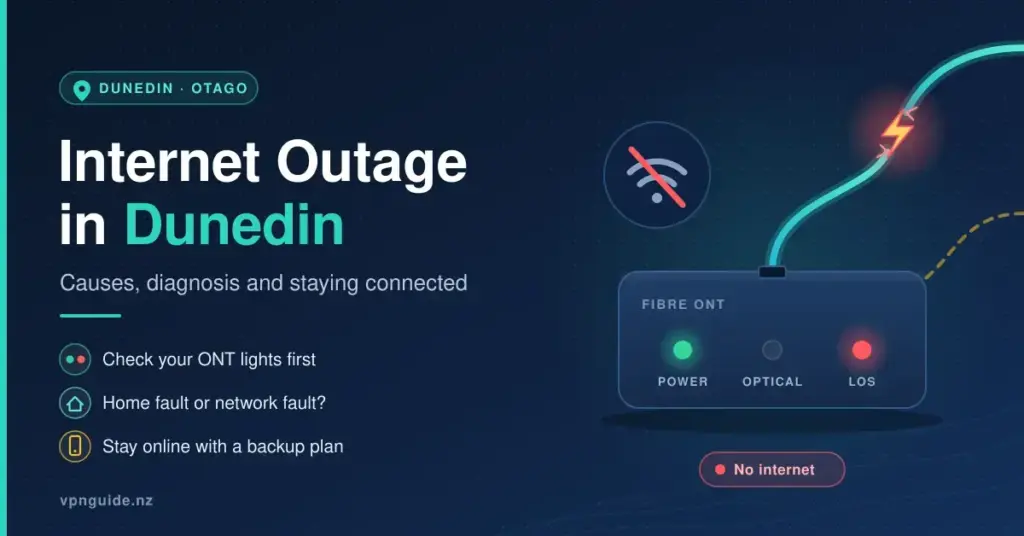
- Check your ONT lights first: green optical light means the fibre is fine; a red LOS/Alarm light means a network-side fault no reboot will solve.
- Confirm the scale: the Chorus outages map, Downdetector and the Aurora Energy map together tell you if it is just your house or the whole region.
- Dunedin’s weak spot is backhaul: a small number of long-distance cables link the deep south to the rest of the country, so remote breaks can isolate the city.
- Have a backup ready: a phone hotspot covers most outages; satellite is the only option that survives a major fibre cut that also downs mobile towers.
Understanding Dunedin’s Internet Infrastructure
Before you can diagnose an outage, it helps to know what sits between your laptop and the wider internet. Most homes in Dunedin connect over the Ultra-Fast Broadband (UFB) fibre network, whose physical lines and street cabinets are owned and maintained by the wholesaler Chorus. Your retail provider — Spark, One NZ, 2degrees, or a local specialist such as Earthlight or Unifone — rents access to that fibre and sells you the plan, the support line and often the router. This split matters during an outage: a Chorus fault affects everyone on fibre regardless of who they pay, while a billing-portal or authentication problem is specific to your retailer.
The Gigatown Legacy and the UFB Network
Dunedin earned its place in New Zealand’s digital history in November 2014, when it was named winner of the nationwide Gigatown competition run by Chorus. The prize accelerated the local rollout of gigabit (1,000 Mbps) fibre and came with roughly $700,000 in funding for community groups and businesses, making Dunedin the first town in the country with widely available 1 Gbps residential broadband. More than a decade on, fibre reaches the large majority of urban households, though some rural pockets around Otago still rely on fixed wireless or older copper lines.
Backhaul: The South Island’s Single Point of Failure
The weak spot is not the fibre in your street — it is the “backhaul”, the long-distance trunk cables that carry Dunedin’s traffic north to major exchanges in Christchurch and on to the rest of the country. Because relatively few of these routes serve the deep south, a single break in a remote stretch of cable can slow or isolate the entire region. Networks build in redundancy — a backup path that takes over if the main one fails — but redundancy only works if the two routes never go down together. As Dunedin has learned the hard way, that assumption occasionally breaks.
Quick Facts
| Fibre wholesaler | Chorus (owns and maintains the UFB fibre and cabinets) |
| Local retail providers | Earthlight (Dunedin, since 1993) and Unifone (Otago-owned), alongside Spark, One NZ and 2degrees |
| Gigatown status | Winner of the national Gigatown competition, announced November 2014 — first NZ town with widespread 1 Gbps fibre |
| Electricity lines company | Aurora Energy (Dunedin, Central Otago, Wānaka, Queenstown) |
| Main vulnerability | Limited long-distance backhaul routes to the rest of the South Island |
| Notable recent outage | 16 April 2025 — rodents plus a contractor cut both main and backup cables, downing internet and mobile across Otago and Southland for about six hours |
A Real Example: The April 2025 Southern Fibre Cut
The clearest illustration of Dunedin’s backhaul vulnerability came on Wednesday 16 April 2025. Rodents chewed through a fibre cable near Dunedin, and on the same day a contractor accidentally severed the backup cable further south, between Gore and Balclutha. With both the primary and secondary paths on One NZ’s network out of action, internet and mobile services dropped across Otago and Southland — including Central Otago and Queenstown — from around 10am until repairs restored one path near 4pm.
The knock-on effects showed how much modern life depends on a working connection. Crowdsourced reports on Downdetector spiked for One NZ, Spark, 2degrees and Slingshot within minutes, and the University of Otago reported limited internet and mobile service across its campuses. One NZ later confirmed the two cable faults were unrelated and coincidental — which is precisely what makes such events so hard to prevent. The lesson for households and businesses is simple: a “no internet” message at home can have nothing to do with your equipment, and no amount of rebooting will fix a cable cut a hundred kilometres away.
Common Causes of Internet Outages in Dunedin
Most downtime in the city falls into a handful of recurring categories. Knowing which one you are facing tells you whether to troubleshoot at home, wait it out, or switch to a backup connection.
- Physical cable damage: contractors striking buried lines during roadworks, and rodents chewing through cabling in ducts, roofs and tunnels, are among the most common causes of major regional outages.
- Severe weather: Dunedin’s exposed, hilly coastline means southerly gales, heavy rain and flooding can damage overhead lines or knock out the power that exchanges and cabinets depend on.
- Power cuts: if the local electricity network goes down, fibre cabinets and your own equipment stop working even though the fibre itself is intact — worth checking the Aurora Energy outage map first.
- Network congestion: during peak evening hours a busy local cabinet can slow to a crawl, which feels like an outage even though the line is technically up.
- Home equipment faults: ageing routers, loose or frayed cables and overheated hardware cause many “outages” that are really localised failures.
Wildlife, Weather and Contractor Damage
The rodent problem is not a Dunedin quirk alone, but the region has seen more than its share. Rats and mice seek warmth inside cable ducts and tunnels and gnaw through the thin glass core of fibre lines, cutting service instantly. Contractor strikes are the other big physical risk: with ongoing construction and utility work around the city, a digger or auger can slice through a trunk line that serves thousands of connections. Neither cause is something a household can prevent, which is why a backup plan matters more here than in better-connected regions.
First Steps: Diagnosing an Outage at Home
When the connection drops, a calm, ordered check saves time and often avoids an unnecessary call to support. Work from your own devices outward toward the network.
- Check more than one device: if your phone works on Wi-Fi but your laptop does not, the fault is on that one machine, not the line.
- Try mobile data: switch your phone off Wi-Fi. If the mobile network is also down, you are likely looking at a wider outage that affects backhaul shared by fixed and mobile services.
- Power-cycle your gear: unplug both the fibre box and the router, wait at least 30 seconds, then power the fibre box on first and the router second. This clears most temporary glitches.
- Inspect the cables: make sure every power and Ethernet cable is firmly seated and undamaged.
- Leave a factory reset as a last resort: a full reset wipes your custom settings and passwords, so only do it if your provider asks.
Reading Your ONT and Router Lights
The status lights on your Optical Network Terminal (ONT) — the small “fibre box” on your wall — are the fastest way to tell an internal problem from a network one. The ONT connects the fibre to your home router, and a red light on it almost always means the fault is outside your control. Exact labels vary between models, but the pattern below is typical.
| ONT light | Normal state | What a problem looks like | What to do |
|---|---|---|---|
| Power | Solid green | Off — no power to the unit | Check the adapter, wall socket and any power switch. |
| Optical / PON | Solid or slow-flashing green | Off or flashing red — no fibre signal | The physical line is down; report a fault to your provider. |
| LOS / Alarm | Off | Solid or flashing red — Loss of Signal | A break or exchange fault; rebooting will not help. |
| LAN / Ethernet | Flashing green | Off — no link to the router | Reseat or replace the cable between the ONT and router. |
The quick read: if the Optical light is green but you still have no internet, the fibre is fine and the problem lies with the router or your provider’s authentication. If the LOS light is red, the fibre signal itself is missing — a network-side fault that only your provider or Chorus can fix.
Soft Faults Versus True Network Outages
Not every dropout is a broken cable. A “soft” fault is one where the physical line is healthy but data will not flow, usually because of a software or configuration glitch. The tell-tale sign is green lights on the ONT combined with a “No internet” message on your devices. These are the outages you can often fix yourself.
- DNS problems: the Domain Name System turns website names into numeric addresses. If it fails, pages will not load even though the connection is up. Switching to a public resolver such as Cloudflare (1.1.1.1) or Google (8.8.8.8) often restores access.
- IP address conflicts: when two devices are handed the same address, one drops off the network; a restart of the device or router usually clears it.
- Router memory issues: older routers left on for months can slow down or freeze, which a reboot resolves.
- Wi-Fi coverage gaps: a weak signal in a distant room can masquerade as an outage when the connection is actually fine at the router.
Router Maintenance and DNS Settings
A little upkeep prevents many soft faults. Keep your router’s firmware current — provider-supplied units usually update themselves, but third-party routers may need a manual check. Position the router centrally and up high, away from thick walls, TVs and large appliances that absorb the signal. If sites are timing out even though the line is up, learning how to change your router’s DNS to a fast public resolver is a useful skill that can also improve speed and reliability day to day.
How to Check Whether It’s Just You or the Whole City
Once you have ruled out your own hardware, the goal is to work out the scale of the problem so you know whether to wait or switch to a backup. Several free tools make this quick.
- Chorus outages map: the most authoritative source for fixed-line faults. Enter your address to see active faults and estimated restoration times; the map refreshes roughly every 10 minutes.
- Downdetector NZ: shows crowdsourced report spikes for Spark, One NZ and 2degrees, often flagging a regional event before providers confirm it.
- Aurora Energy outage map: if the cause is a power cut rather than a cable fault, Dunedin’s lines company lists current and planned electricity outages.
- Your provider’s status page and app: retailers post regional maintenance and known faults, and their apps can send outage alerts.
- Local social media: community Facebook groups are often the first place a widespread Dunedin outage gets discussed.
If you see dozens of reports from across Dunedin appear within a ten-minute window, you can safely conclude the problem is regional, stop troubleshooting your own gear, and move to a backup. For context on how the wider country is affected during major events, our overview of nationwide internet outages tracks the larger patterns.
Staying Online: Failover Options for Dunedin
For students facing online exams, remote workers on billable hours and businesses running cloud-based tills, being offline is more than an inconvenience. A failover plan — a second way to get online that does not share the same weak point — turns a lost day into a minor interruption. The table below compares the common options.
| Failover method | Technology | Main strength | Key limitation |
|---|---|---|---|
| Phone hotspot | 4G / 5G mobile | Instant, nothing extra to buy | Uses your data cap; drains the battery; fails if mobile is also down |
| Fixed wireless broadband | 4G / 5G to a home modem | Whole-home backup, no technician needed | Speed varies with tower load and distance |
| Dual-WAN / hybrid router | Fibre plus a 4G/5G SIM | Switches to mobile automatically when fibre drops | Needs specific compatible hardware |
| Satellite | Low-earth-orbit (Starlink) | Bypasses local fibre entirely | Higher monthly cost plus a one-off hardware fee |
Why Satellite Is the Strongest Regional Backup
A mobile hotspot is the easiest backup, but it has a catch that Dunedin discovered in April 2025: mobile towers rely on the same fibre backhaul as fixed lines, so a deep cable cut can take out both at once. In that scenario the only genuinely independent option is satellite. Services such as Starlink connect straight to a constellation of low-earth-orbit satellites, sidestepping the terrestrial cables entirely. Residential service in New Zealand costs around $170 a month in 2026 with a one-off hardware kit near $799, so it is not the cheapest backup — but for a clinic, a farm office or a business that cannot afford a day offline, that resilience can be worth the price.
Comparing Dunedin Broadband for Reliability
Choosing the right plan is the first line of defence against downtime. Dunedin households can pick from several fibre tiers plus wireless and satellite alternatives. The figures below are indicative New Zealand market ranges for 2026; confirm current pricing directly with each provider before you commit.
| Connection type | Typical speed (down/up) | Best suited to | Indicative price / month |
|---|---|---|---|
| Entry fibre | 300 / 100 Mbps | Solo users and small households | $65–$80 |
| Faster fibre | 900 / 500 Mbps | Busy households, 4K streaming, gaming | $85–$110 |
| Hyperfibre | 2,000 Mbps and up | Heavy users and home offices | From ~$115 |
| Fixed wireless | ~30–300 Mbps (varies) | Quick setup or a backup line | $55–$75 |
| Satellite (Starlink) | ~100–200 Mbps | Rural sites and last-resort resilience | ~$170 (+ ~$799 kit) |
Local Providers and Bundling
One advantage in Otago is the presence of local retailers. Earthlight, a Dunedin firm operating since 1993, and Unifone, an Otago-owned provider serving the lower South Island with fibre, fixed wireless and DSL, both offer support from teams that understand the region’s terrain and infrastructure quirks. Many providers also let you bundle broadband with mobile or power on one bill, sometimes at a discount. For genuine resilience, the strongest setups pair two independent networks — for instance a Chorus fibre line with a wireless backup on a different mobile network — so that a single regional failure cannot take you fully offline.
The Wider Impact and Who Should Plan Ahead
Because Dunedin concentrates so much academic, health and retail activity, outages ripple quickly. The April 2025 event limited University of Otago services across campuses, and any prolonged fixed-line failure hits card payments, cloud-based point-of-sale systems and remote work at the same time. That makes a backup connection close to essential for a defined group: remote and hybrid workers, tertiary students during assessment periods, retailers and hospitality venues that rely on EFTPOS, and any small business whose bookings, invoicing or records live in the cloud. Casual home users can usually ride out a short outage, but even they benefit from knowing how to check an outage map and switch on a phone hotspot. Scheduled maintenance — usually run by providers in the small hours, often between 11pm and 2am — is the one form of downtime you can plan around, so avoid high-stakes online tasks during any window your retailer has warned you about, and do not reboot your ONT mid-maintenance, as that can disrupt a remote reconfiguration.
Sources
- RNZ — South Island back online after contractor and rodents cut through fibre cables
- Stuff — Fibre cables cut, taking out internet and mobile services in Otago and Southland
- Otago Daily Times — Dunedin wins Gigatown competition
- Chorus — Internet outages map
- Aurora Energy — Power outages
- Earthlight Communications — Dunedin internet provider
- Unifone — Otago internet provider
Frequently Asked Questions (FAQ)
How do I check for an internet outage in Dunedin right now?
Start with the Chorus outages map, which shows address-specific fixed-line faults and estimated restoration times and refreshes about every ten minutes. Cross-check Downdetector for crowdsourced spikes across providers, and look at the Aurora Energy outage map if you suspect the cause is a power cut rather than a cable fault.
What does a red light on my Dunedin fibre box mean?
A red LOS or Alarm light on the ONT usually means the fibre signal reaching your property has been lost — most often a physical break in the line or a fault at the exchange. Rebooting will not fix it; report the fault to your retail provider, who will escalate it to Chorus if needed.
Why is my internet down when the power is still on?
Broadband and electricity run on separate networks, so fibre can fail while your power stays on. The usual culprits are a cut or damaged fibre cable, an exchange fault, or a software problem such as DNS. Green ONT lights with no internet point to a soft fault you may be able to fix; a red light points to a network break.
Can I use my phone as a backup when my home internet fails?
Yes. Turning on your phone’s personal hotspot shares its 4G or 5G data with your laptop and other devices, which is enough for email and browsing. The exception is a major regional cable cut, because mobile towers can share the same backhaul as fixed lines and may go down at the same time — the reason some Dunedin users keep a satellite backup.
How long do Dunedin internet outages usually last?
It depends on the cause. Software and authentication faults are often cleared within a couple of hours, while a physical cable break can take most of a day to locate and repair, depending on how accessible the damage is. During the April 2025 double-cut event, services were largely restored within about six hours.
Who should I contact when my internet is down in Dunedin?
Always call your retail service provider first — the company you pay, such as Spark, One NZ, 2degrees, Earthlight or Unifone. They will run through troubleshooting and log a fault with Chorus if the problem is on the wholesale fibre network. If the issue is a power cut, contact Aurora Energy instead.


