
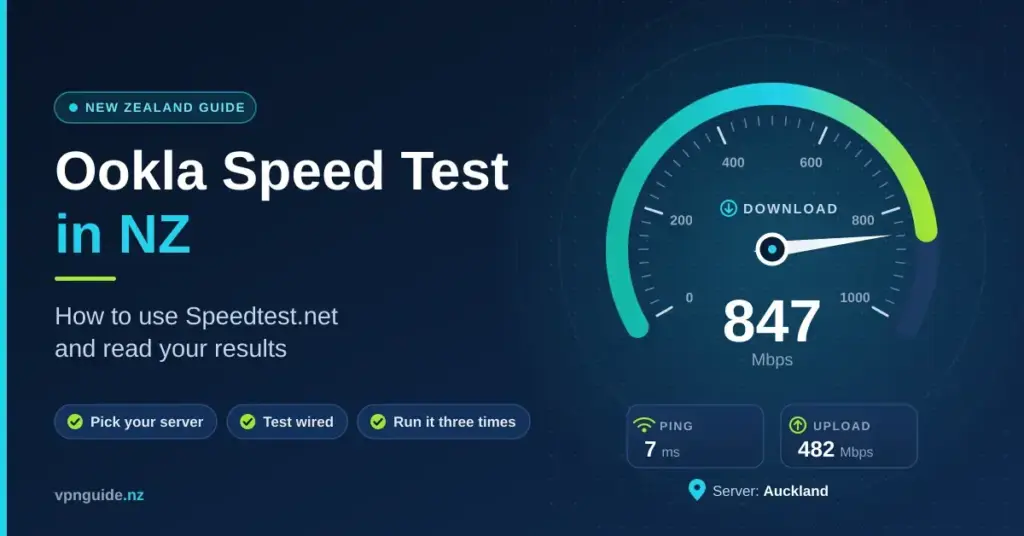
Ookla’s Speedtest is the test most New Zealanders reach for when the internet feels slow, and the one most likely to be quoted back at a provider on a support call. It is a genuinely good tool, but it answers a narrower question than most people assume, and from New Zealand the result it gives depends heavily on which server it happens to pick. This guide explains how Ookla’s Speedtest.net works here, what each number actually means, why its figures can differ from the Chorus test and the Commerce Commission’s national benchmark, and how to run it so you get a result you can act on.
Key points
- Ookla Speedtest measures the maximum your line can carry to the nearest server using several connections at once — a best-case ceiling, not a typical single download.
- From New Zealand it usually picks a server on your own provider’s network, which flatters ping and speed, so choose the server deliberately.
- Run it wired, with nothing else using the connection, three times, and keep screenshots showing the server and the time.
- Results within about ten per cent of the Chorus test or the Commerce Commission averages are normal.
- Packet loss above one per cent on wired fibre, or a red LOS light on the fibre box, is a fault to report — not something to keep re-testing.
How Speedtest.net works from New Zealand
When you open speedtest.net or the Speedtest app, the tool reads your IP address, draws up a shortlist of the nearest servers from its network of volunteer hosts, pings each one and picks whichever responds fastest. In New Zealand that usually means a server run by an internet provider or a data centre in Auckland, Wellington or Christchurch. It then opens several connections to that server at once, pushes as much data as it can for a few seconds in each direction, and reports your download and upload speed in megabits per second (Mbps), along with ping and — in the apps — jitter and packet loss.
Two design choices shape every result. First, Speedtest uses multiple parallel connections rather than a single stream, so it measures the ceiling of your line — the most it can carry when several transfers run together — not what one download from one website achieves. Second, because the winning server is often on your own provider’s network, it can sit just one or two hops away, so the ping and speed it reports are close to the best your connection will ever show. Neither choice is wrong. They simply mean Speedtest is measuring something specific, and knowing what that is stops you from misreading the number.
What each number means
The dial shows more than one figure, and each answers a different question about your connection:
- Download (Mbps) — how fast data comes to you. This drives streaming, browsing and how quickly pages and files load. It is the headline number on most plans.
- Upload (Mbps) — how fast data leaves you. It matters for video calls, cloud backups and sending large files. Fibre uploads are high; copper and some wireless connections are far slower going out than coming in.
- Ping or latency (ms) — the round-trip time for a small packet, measured in milliseconds. Lower is better, and for gaming and video calls it matters more than raw speed.
- Jitter (ms) — how much the ping varies from moment to moment. A steady figure is good; erratic jitter is what makes a call stutter even when the speed looks fine.
- Packet loss (%) — the share of data that never arrives and has to be sent again. On a wired fibre line it should be at or near zero.
How Ookla compares with the other NZ speed tests
Ookla is not the only test you will meet in New Zealand, and each measures to a different destination, so a fair comparison means knowing what each one is really checking.
Speed test comparison
| Test | Measures to | Best for |
|---|---|---|
| Ookla Speedtest | The nearest volunteer server, often on your ISP’s network | Checking the line delivers your plan |
| Chorus speed test | A Chorus server | What Chorus and your provider will accept when you log a fault |
| Cloudflare speed test | Cloudflare’s Auckland edge | Real-world throughput and latency to a major internet edge |
| Google’s built-in test | Measurement Lab servers | A quick single-stream check from the search results |
| Commerce Commission MBNZ | Dedicated test units in volunteer homes, wired | The national benchmark your provider is measured against |
Results within about ten per cent of each other are normal. If Ookla says 500 Mbps and a Cloudflare test says 480 Mbps, nothing is wrong. If Ookla says 500 Mbps and every other test says 90 Mbps, Ookla has almost certainly found a server inside your provider’s own network while the wider internet is reaching you through a slower path — a detail worth mentioning when you call. Running the Chorus speed test as a second opinion is useful because it is the number your provider and Chorus will accept when you log a fault. Our Chorus speed test guide walks through that tool in detail.
What your plan should score
The Commerce Commission’s Measuring Broadband New Zealand programme is the national benchmark your provider is measured against. Its Measuring Broadband New Zealand reports — Report 28, published in July 2026 from testing in April 2026 — give the national averages below. Because they come from dedicated hardware wired directly into volunteers’ connections, a careful wired Speedtest should land close to these figures or a little above.
| Plan | Download | Upload | Ping |
|---|---|---|---|
| Fibre 100 | 106 Mbps | 25 Mbps | 6 ms |
| Fibre 500 | 508 Mbps | 109 Mbps | 7 to 8 ms |
| Fibre Max | 877 Mbps | 502 Mbps | 5 ms |
| Starlink Residential 100 / Max | 130 / 245 Mbps | 47 / 51 Mbps | 25 to 26 ms |
| 4G fixed wireless | 66 Mbps | 23 Mbps | 48 ms |
| VDSL copper | 63 Mbps | 21 Mbps | 20 ms |
If your plan is Fibre 500 and Ookla reports about 94 Mbps over a cable, something in the chain is capped at 100 Mbps — an old switch, a powerline adapter or a worn cable. If it reports around 300 Mbps, check whether your provider has applied the Chorus Big Fibre Boost, which from 16 June 2025 lifted the old 300/100 plan to 500/100 at no extra cost for more than 700,000 homes, as RNZ reported. Our fibre speeds guide covers what each tier should deliver.
Wireless and satellite plans behave differently from fibre and vary far more with weather, congestion and where the tower or dish is pointing. If you are on Starlink or another dish, remember that satellite internet adds latency from the trip to orbit and back, so a higher ping than fibre is expected rather than a fault.
How to run a Speedtest you can trust
A single tap gives a number; a reliable reading takes a few deliberate steps. Work through these before you draw any conclusion:
- Test wired, not over Wi-Fi. Over Wi-Fi you are testing your modem’s radio, not the connection itself — Wi-Fi 5 hardware rarely passes 300 Mbps in a real room. Plug a laptop into the router with an Ethernet cable for the true line speed. If the Wi-Fi is the problem, our Wi-Fi booster guide covers the fixes.
- Choose the server deliberately. Tap the server name and pick one in your nearest city that is not your own provider, then run a second test on your provider’s server. The gap between the two is informative.
- Stop everything else. A 4K stream uses around 25 Mbps and a console update can take everything you have, so pause downloads, backups and streaming first.
- Test at peak. Between 7pm and 11pm is when congestion shows. Fibre barely changes; fixed wireless can drop by around a fifth.
- Repeat three times and keep the results. Screenshots showing the server name and the time are exactly what a provider’s support team wants to see.
Testing on the app versus the website
The Speedtest website reports download, upload and ping only. The free mobile and desktop apps add jitter, packet loss and loaded latency (ping measured while the line is busy), which are the numbers that explain why a call breaks up even when the speed looks healthy. On a phone, stand in the same spot each time and hold still — moving between rooms changes the Wi-Fi reading far more than any fault would. For a phone result that reflects the line rather than the wireless, test right next to the router.
Reading ping, jitter and packet loss under load
Ookla’s apps report latency in three states: idle, during download and during upload. The idle figure is your baseline — 5 to 8 ms on fibre to a local server. The loaded figures show how much the connection degrades while it is working, which is what causes a video call to break up when someone else starts a download. A large jump under load points to a modem with no traffic management, or an upload allowance being saturated.
Packet loss above one per cent on a wired fibre connection is a fault, not a tuning problem. Check the fibre box first — our modem and ONT guide explains what the lights mean — and if the LOS light is red or flashing, log it with your provider rather than re-testing.
Does a VPN change your Speedtest result?
Yes, and it is a common reason for a puzzling number. A VPN routes your traffic through an encrypted tunnel to a remote server, so a test run with the VPN switched on measures the path to that server, not your bare connection. Expect some drop from the encryption overhead and the extra distance, especially to an overseas server. For a true reading of your line, turn the VPN off first; then, if you want to see the cost of the tunnel, run a second test with it on and a nearby server selected.
Common mistakes that skew the result
- Testing over Wi-Fi and blaming the connection for what is really a wireless limit.
- Leaving downloads, cloud backups or streaming running during the test.
- Only ever using your provider’s own server, which hides an upstream bottleneck.
- Judging a whole plan on one test instead of repeating it and taking the pattern.
- Comparing an app result with a website result and expecting them to match exactly.
- Forgetting a VPN, proxy or an old router is in the path.
What to do with a bad result
Work through the causes in order rather than calling straight away. If the wired result matches your plan but only certain rooms are slow, the fix is placement or hardware — our extender and mesh guide covers that. If the connection is fine but a single app or website is slow, that service is the bottleneck and a speed test cannot tell you anything about it. And if the wired number itself is well below your plan across repeated tests at different times, that is when to log a fault with the screenshots you saved. Our main speed test guide compares the available tools side by side.
Disclaimer
General information only. Ookla, Speedtest and Speedtest.net are trademarks of Ookla; this site is not affiliated with Ookla. The measured plan speeds above are national averages from the Commerce Commission’s Measuring Broadband New Zealand Report 28 (published July 2026, from testing in April 2026) and will vary by provider, location and time of day.
Sources
Frequently asked questions
Is Ookla Speedtest accurate in New Zealand?
Yes, for what it measures: the maximum your line delivers to a nearby server over several connections at once. Run it wired, pick the server deliberately, and compare it with a second test before drawing conclusions.
Which Speedtest server should I choose in NZ?
One in your nearest main city. Run it once on a server outside your own provider’s network and once on your provider’s server; if only the provider’s server is fast, the bottleneck is upstream of them.
Why is Speedtest faster than my actual downloads?
Speedtest uses several parallel connections to a nearby server. A single download from an overseas site is limited by that site and by distance, so it will usually be slower than the test.
What speed should Fibre 500 show on Speedtest?
About 500 to 520 Mbps down and 100 to 110 Mbps up on a wired test. Over Wi-Fi it will be considerably less, depending on the modem and the room.
Why does Ookla show a different result from the Chorus test?
Different servers and different methods. Chorus tests to its own server; Ookla tests to a volunteer host, often on your provider’s network. Results within about ten per cent of each other are normal.


