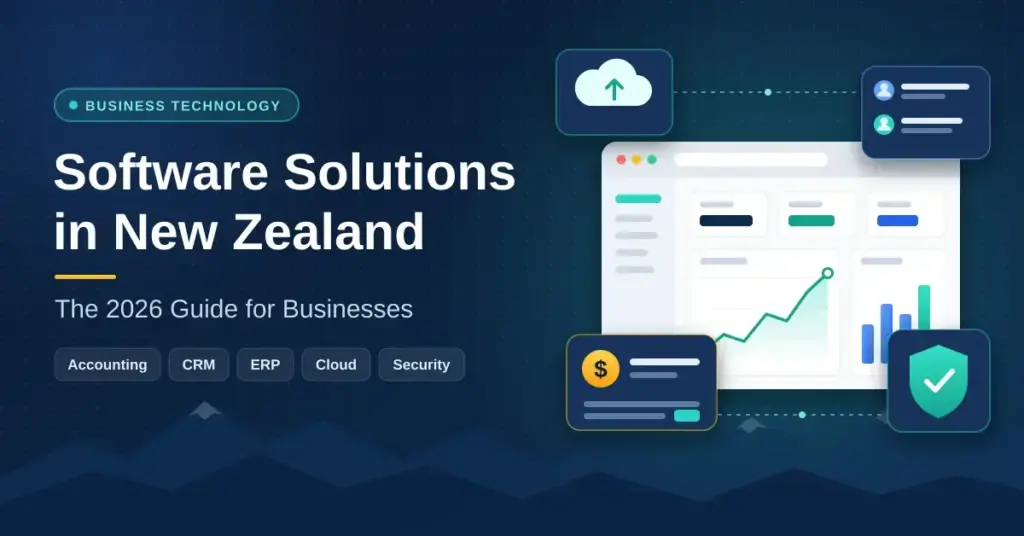
Software solutions have moved from optional extras to the backbone of how New Zealand businesses operate, compete and export. In 2026 the country’s digital technology sector is one of its fastest-growing export earners, and everyday tools — accounting platforms, customer databases, cloud storage and security software — now shape the productivity of firms from Kaitaia to Invercargill. This guide explains what “software solutions” actually means for a New Zealand business, how the main categories work, what the Privacy Act 2020 and data sovereignty require, and how to choose and consolidate tools without wasting money. It is written for owners, managers and staff who want plain, accurate information rather than a sales pitch.
Key Points
- Software is core infrastructure: accounting, CRM, ERP, cloud and security tools now shape how NZ firms operate and export.
- Most tools are SaaS: subscription software delivered through the cloud, with the vendor handling hosting and updates.
- Data sovereignty matters: the Privacy Act 2020 and Māori data governance push many firms toward NZ or Australian hosting.
- Security is layered: MFA, passkeys, endpoint protection, tested backups and staff training work together.
- Consolidation saves money: auditing “SaaS sprawl” cuts duplicate subscriptions and reduces risk.
- The prize is large: fully leveraging digital could add up to $46.6b in annual value to NZ by 2030.
What “Software Solutions” Means for a New Zealand Business
A “software solution” is simply a program, or a connected set of programs, that carries out a defined business job — keeping the accounts, managing customers, running a warehouse, or protecting a network. The phrase is deliberately broad because most firms run a mix of tools rather than one all-in-one system. The useful question is not “which single product is best” but “how do these tools fit together and what do they cost to run”.
Most business software today is delivered as SaaS (Software as a Service): you pay a monthly or annual subscription and use the product through a web browser or app, while the vendor hosts it in the cloud and handles updates. That is a change from the older model of buying a licence and installing software on your own servers. If the underlying idea is new to you, our plain-English guide to cloud computing explains how the cloud works and what it means for your data.
The main categories a Kiwi business is likely to meet are:
- Accounting and payroll — Xero and MYOB are the local standards for invoicing, GST returns and staff pay.
- ERP (Enterprise Resource Planning) — systems that join up finance, stock, sales and operations into one shared database.
- CRM (Customer Relationship Management) — software for tracking leads, contacts, quotes and customer history.
- Productivity and collaboration — Microsoft 365 or Google Workspace for email, documents and video calls.
- Security software — antivirus, backup, multi-factor authentication and threat monitoring.
Why Data Sovereignty Matters for Kiwi Firms
New Zealand’s legal and cultural setting gives “where your data lives” real weight. The Privacy Act 2020 sets 13 information privacy principles covering how personal data is collected, stored, used and disclosed, and it applies to a New Zealand business wherever its data is physically held. Alongside the law, the principle of Māori data sovereignty treats data as taonga (a treasure) that should be governed with proper consent and cultural care.
In practice this pushes many agencies and high-trust firms toward providers that can store data in New Zealand or Australian cloud regions. Local hosting can also cut latency for real-time apps used by teams in Auckland, Wellington or Dunedin. Data sovereignty is not a legal requirement for every business, but it is a common and reasonable procurement question — especially for health, government and financial data.
Comparing Business Software Platforms Used in New Zealand
An ERP acts as a “single source of truth”, so the same order flows through sales, stock and accounting without being re-keyed. Large enterprises often choose heavyweights such as Microsoft Dynamics 365 or Oracle NetSuite, while small and medium enterprises (SMEs) tend to favour lower-cost, modular options like Odoo or MYOB Acumatica that integrate with Xero. CRM platforms such as Salesforce and HubSpot sit alongside these for sales and marketing. The table below compares widely used options on neutral, factual criteria; pricing and fit vary by business, so treat it as a starting point rather than a ranking.
Comparison
| Platform | Type | Typical use in NZ | Official site |
|---|---|---|---|
| Xero | Accounting | Widely used SME accounting, invoicing and GST | xero.com |
| MYOB | Accounting / ERP | Accounting and payroll, with Acumatica ERP for mid-market | myob.com |
| Odoo | Modular ERP | Affordable, add-as-you-grow ERP for SMEs | odoo.com |
| Microsoft Dynamics 365 | ERP / CRM | Integrated suite for firms already on Microsoft 365 | microsoft.com |
| Oracle NetSuite | ERP | Multi-entity finance, stock and supply chain | netsuite.com |
| Salesforce | CRM | Sales and service management for larger teams | salesforce.com |
| HubSpot | CRM / marketing | Lead tracking and marketing automation for SMEs | hubspot.com |
The Case for a Modular Approach
A modular architecture lets a business “start small” and add functions as it grows. A manufacturer in Hamilton might begin with inventory and accounting, then add scheduling or a product configurator as complexity increases. This avoids the up-front cost and disruption of a single monolithic rollout and lets the business measure the return at each stage. The trade-off is integration work: every tool you add is another connection to maintain, another login to secure, and another subscription to review.
CRM and Customer Data in the Kiwi Market
Modern CRM software has grown well beyond a shared contact list. For a real estate agent in Christchurch or a tourism operator in Queenstown, a CRM records enquiries, quotes and purchase history so staff can pick up where a customer left off. The most useful CRMs for New Zealand firms connect cleanly to Xero, work well on mobile, and make privacy compliance easier rather than harder.
- Consent by design: marketing tools should record how and when a customer opted in, in line with the Privacy Act 2020 and the Unsolicited Electronic Messages Act.
- Automation: routing enquiries, sending reminders and assigning leads frees small teams from manual admin.
- Unified view: connecting online sales with in-store stock avoids the “we'll have to check out the back” problem.
- Reporting: real-time dashboards move decisions from gut feel to evidence.
For firms with lean staffing, this automation is effectively a workforce multiplier: fewer hours on data entry means more hours on customers. The caution is data quality — a CRM full of duplicate or stale records will produce misleading reports, so tidy data and clear ownership matter as much as the software itself.
Security Software and Cyber Resilience in 2026
Security has become a board-level issue rather than an IT afterthought. More than half of New Zealand businesses reported a cyber incident in the past year, and a September 2025 survey for the National Cyber Security Centre found 53% of small and medium firms had faced a cyber threat in the previous six months. The response has been a shift from reactive antivirus toward layered defence, including managed detection and response (MDR) — a service that watches your systems around the clock and steps in when something looks wrong.
Good security software is now expected to combine several layers rather than rely on a single product. Understanding how these cyber security solutions fit together helps a business spend where it matters instead of buying overlapping tools.
| Security layer | What it does | Why it matters |
|---|---|---|
| Authentication | Multi-factor authentication (MFA) and passkeys | Blocks most account takeovers even if a password leaks. |
| Endpoint protection | Antivirus, EDR and MDR monitoring | Detects and contains malware on laptops and servers. |
| Backup and recovery | Automated, tested off-site backups | Allows recovery from ransomware or hardware failure. |
| Governance | Access controls and staff training | Reduces human error, the most common breach cause. |
The Move Toward Passwordless Sign-In
One clear 2026 trend is the move away from passwords toward passkeys and biometrics, which remove the weak-password problem while making sign-in faster for staff. Until passkeys are supported everywhere, a good password manager with MFA remains the single most cost-effective security upgrade most small businesses can make. Neither tool is a silver bullet, but together they close the gap that causes the majority of real-world breaches.
SaaS Sprawl and the Push to Consolidate
Many New Zealand organisations now face “SaaS sprawl”: teams independently subscribe to dozens of niche tools, creating tangled permissions, duplicated features and quietly rising costs. Consolidation — auditing the stack and standardising on fewer, better-integrated platforms — has become a common way to cut spend without cutting capability.
- Audit what is actually used: licences often outnumber active users, and unused seats are pure cost.
- Role-based access: staff should only see and pay for the data and tools they need.
- Automated patching: keeping every app updated closes security holes across the board.
- Cost visibility: a single view of per-user spend makes waste obvious.
When a firm reduces overlap, the benefits show up quickly: fewer “slow system” complaints, faster onboarding, and a smaller attack surface. The goal is not fewer tools for their own sake, but a sensible shortlist where each product earns its place.
How Software Drives Productivity in the NZ Economy
Digital transformation — using software to improve or reinvent how work is done — is measurably valuable at a national scale. Research completed for Google estimated that fully leveraging digital tools could unlock up to $46.6 billion in annual economic value for New Zealand by 2030, roughly 14% of today’s GDP. The New Zealand Institute of Economic Research has separately estimated that a 20% increase in businesses adopting cloud-based tools could add around $7.8 billion to annual GDP through higher productivity.
At the firm level, Xero research found that small businesses which readily adopt technology recorded about 120% higher revenue and 106% higher productivity than slower adopters, while businesses using five or more digital apps saw around 40% fewer job losses and a smaller revenue fall during the pandemic. The catch is that only about one in five Kiwi small businesses describe themselves as active technology adopters — so the “productivity prize” depends on more firms moving beyond email and a website into integrated accounting, e-commerce and analytics.
The wider sector is growing fast: the Ministry of Business, Innovation and Employment reports the digital technologies sector has expanded at about 10.4% a year since 2016, roughly double the wider economy’s rate. Export success stories underline the point — Auckland-founded Vista Group, whose cinema-management software runs in cinemas across more than 100 countries, shows how New Zealand-built platforms can lead a global niche.
Where the Practical Gains Come From
For most SMEs, the biggest wins are unglamorous. Automating accounts payable and receivable frees hours each week. Real-time cloud dashboards let managers act on today’s numbers instead of last month’s. And modern e-commerce connects small local firms to customers well beyond New Zealand’s small domestic market. None of this requires cutting-edge AI — it requires clean data, connected tools and staff who are trained to use them.
Industry-Specific Software: Manufacturing, Health and Finance
Some sectors need specialised software beyond the general categories. New Zealand manufacturers use ERP and Advanced Planning and Scheduling (APS) systems to compete on speed and flexibility rather than sheer scale, automating complex quoting and the quality documents needed for export. Real-time visibility of workload lets a factory in Dunedin or Whangārei re-allocate resources quickly when supply chains are disrupted.
Health and financial services are more tightly regulated. In health, patient records are governed by the Health Information Privacy Code 2020 — the New Zealand code issued under the Privacy Act, not the United States’ HIPAA rules, which do not apply here. Health agencies must apply reasonable security safeguards and follow the Code’s rules on collecting, storing and disclosing health information. In financial services, software must support client-portfolio management and the reporting and record-keeping standards New Zealand regulators require.
- Manufacturing: scheduling, product configuration and quality-assurance records.
- Health: secure records handling under the Health Information Privacy Code 2020.
- Finance: portfolio management, audit trails and compliance reporting.
- Fintech: faster digital payments that improve cash flow and reduce bad debt.
Support, Training and Getting Real Value
Software is only as effective as the people using it, and skills shortages remain a genuine barrier for New Zealand firms. That has fuelled demand for “fractional” IT leadership and for practical training in tools businesses already pay for, such as Microsoft 365, Power BI and Excel. Partnering with a local provider can help with response times and NZ-specific knowledge — from Inland Revenue and Xero quirks to public-holiday payroll rules — that global support desks often miss.
Before buying anything new, it is worth asking a few grounding questions: Does this replace a tool we already have? Where will the data live? Who owns the account if a key staff member leaves? And can we export our data if we switch vendors? Clear answers here prevent the lock-in and hidden costs that turn a promising tool into a liability.
Common Mistakes to Avoid
- Buying features, not outcomes: choose tools that solve a named problem, not the longest feature list.
- Skipping the data migration plan: messy imports undermine even the best system.
- Under-investing in training: unused features are wasted spend.
- Ignoring security basics: MFA, backups and staff awareness protect every other investment.
Future-Proofing: AI, Governance and Sustainable Tech
The 2026 conversation has shifted from whether businesses should use AI to how they can do so responsibly. “Agentic” AI — software that can plan and carry out multi-step tasks such as drafting a purchase order — is appearing inside mainstream tools, which raises the value of clean data and clear access controls. AI governance (documented rules for how AI is used, checked and kept accountable) is becoming a normal part of building customer trust.
| Trend | What it means in NZ | Practical takeaway |
|---|---|---|
| Hybrid cloud | Mixing cloud and on-premises systems | Balances flexibility with control over sensitive data. |
| Agentic AI | Software that completes tasks autonomously | Useful only with accurate data and firm guardrails. |
| AI governance | Documented, accountable AI use | Builds customer and regulator trust. |
| Green IT | Energy-efficient software and data centres | Supports emissions goals and can cut running costs. |
The organisations that do well are rarely those that refuse new technology outright or those that adopt every vendor pitch. They are the ones that build “AI readiness” with cleaner data and safer access today, and treat cloud migration as a business change rather than a one-off IT project. A steady understanding of cyber security fundamentals underpins all of it, because trust is the currency of every digital service.
The Bottom Line for New Zealand Firms
Software solutions are now a strategic choice, not a back-office detail. The firms that flourish tend to do a few things well: they keep their data clean and know where it lives, they consolidate overlapping tools instead of collecting them, they cover the security basics, and they train their people to use what they own. Budget limits and skills shortages are real, but the national opportunity — measured in tens of billions of dollars of potential productivity — is just as real. Choose deliberately, integrate carefully, and govern with trust, and software becomes a genuine advantage rather than another monthly bill.
Sources
- MBIE — Digital technologies sector overview
- Access Partnership / Google — Unlocking New Zealand’s digital potential
- Xero — Digital hesitance holds NZ small businesses back
- NCSC — More than half of NZ businesses experiencing cyber threats
- Kordia — New Zealand Business Cyber Security Report 2025
- Office of the Privacy Commissioner — Health Information Privacy Code 2020
Frequently Asked Questions
What software do most New Zealand small businesses use?
A common core is cloud accounting (Xero or MYOB), a productivity suite (Microsoft 365 or Google Workspace), a CRM for customer records, and security tools such as antivirus and multi-factor authentication. Larger or more complex firms add an ERP to connect finance, stock and operations.
How does the Privacy Act 2020 affect software choices?
The Act sets rules for how personal information is collected, stored, used and disclosed, and it applies wherever your data is held. In practice, businesses look for software with strong security, clear consent handling, and often the option to store data in New Zealand or Australia. Health data has extra protection under the Health Information Privacy Code 2020.
Is cloud-based or on-premises software better in New Zealand?
Cloud software is easier to scale and supports remote work, which suits New Zealand’s flexible work culture, and it removes the need to run your own servers. Some firms keep certain systems on-premises for control or data-residency reasons. Many end up with a hybrid mix, choosing per system rather than one blanket approach.
What is “SaaS sprawl” and how do I fix it?
SaaS sprawl is when an organisation accumulates too many overlapping subscriptions, leading to wasted spend and messy permissions. The fix is to audit which tools are actually used, remove duplicates, standardise on a few well-integrated platforms, and review per-user costs regularly.
Can software really improve a small firm’s productivity?
Yes, when it is chosen and used well. New Zealand research links ready technology adoption to markedly higher revenue and productivity, mainly by automating admin, connecting tools and giving managers real-time data. The gains come from clean data and staff training as much as from the software itself.