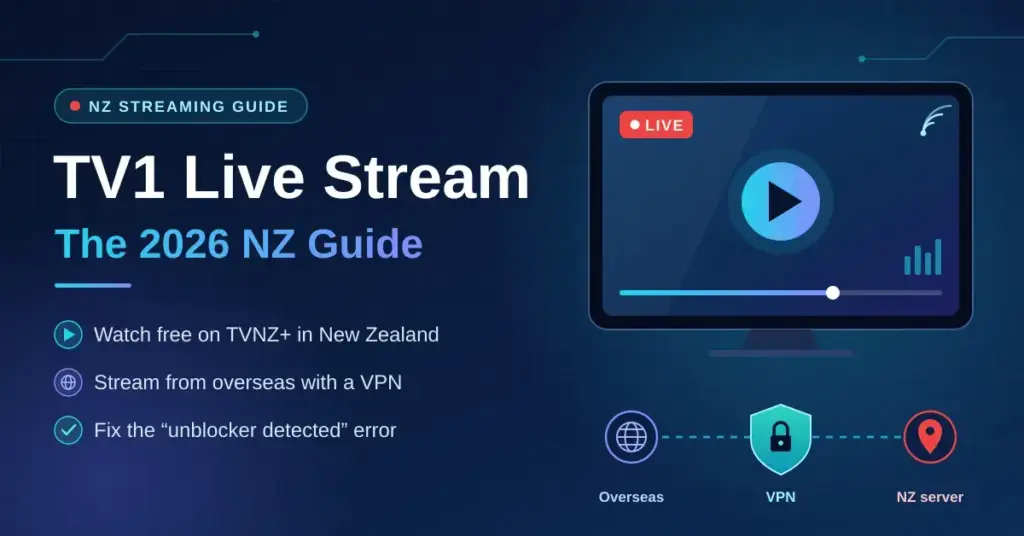
TV1 — officially branded TVNZ 1 and still the country’s most-watched channel for 1 News, drama and live events — streams online through TVNZ+, the free platform run by Television New Zealand. This guide explains how to watch the TV1 live stream inside New Zealand, how to reach it from overseas with a VPN (a Virtual Private Network, software that routes your connection through a server in another country so websites see that country’s IP address), and how to fix the common “unblocker detected” error. Everything below was checked against official sources in 2026.
Quick Facts
| Provider | Television New Zealand (TVNZ) |
|---|---|
| Watch live | tvnz.co.nz or the TVNZ+ app |
| Cost | Free, ad-supported (no subscription for live TV) |
| Account | Free TVNZ+ account required; passwordless one-time-code login |
| Live channels | TVNZ 1, TVNZ 2, DUKE |
| Paid add-ons | One-off Event Passes only (e.g. FIFA World Cup 2026, ~NZ$44.95) |
| Devices | iOS, Android, Samsung Tizen, LG webOS, Apple TV (4th gen+), Android TV, Chromecast, Freeview boxes |
| Region | New Zealand only (VPN with a NZ server needed from overseas) |
How to watch the TV1 live stream in New Zealand
Inside New Zealand, TVNZ+ streams TVNZ 1 live and free. Since the platform relaunched in early 2026, you sign in with a free TVNZ+ account — the login is passwordless, using a one-time code emailed to you — and there is no payment for live TV. Open the TVNZ+ website or app, sign in, choose the Live TV area, and TVNZ 1 plays in real time.
If you are outside New Zealand, or an occasional live event is geo-restricted even within TVNZ+, a VPN connected to a New Zealand server restores access in most cases.
Why TVNZ+ geo-blocks outside New Zealand
Geo-blocking is not arbitrary. When TVNZ licenses content — a drama series, a live broadcast, a news programme — that licence is almost always territorial. The rights holder sells the same content to different broadcasters in different markets, and each broadcaster is contractually required to enforce geographic boundaries. TVNZ+ uses your IP address to work out where you are; if it resolves outside New Zealand, the stream stops.
The same logic works in reverse for Kiwis abroad. If you are a New Zealander living temporarily in London, Sydney or Los Angeles, your NZ-issued IP address is gone the moment you connect through a foreign internet provider. TVNZ+ sees a UK, Australian or US IP and blocks you, even though the service is free at home.
New Zealand sits in the Five Eyes intelligence-sharing alliance alongside the US, UK, Canada and Australia. This does not directly affect geo-blocking, but it is useful context when choosing a VPN: providers that keep no connection logs and are based outside Five Eyes jurisdictions offer stronger privacy guarantees. Under the NZ Privacy Act 2020, organisations must take reasonable steps to protect personal information, and a no-log VPN reduces the data footprint that could theoretically be subject to a disclosure request.
For viewers at home on Chorus fibre or a Spark, One NZ or 2degrees plan, geo-blocking is not the issue. The more common problems are app compatibility on older Smart TVs, buffering on congested evening connections, and confusion about cost. On that last point the answer is simple: live TV on TVNZ+ is free and ad-supported. The only paid products TVNZ has introduced are one-off Event Passes for specific tournaments (for example the FIFA World Cup 2026 pass) — there is no general ad-free subscription tier.
Quick steps: TV1 live stream
- Go to tvnz.co.nz or open the TVNZ+ app on your device.
- Sign in with your free TVNZ+ account (enter your email and the one-time code you receive).
- Open Live TV and choose TVNZ 1. Playback begins immediately.
- If you are outside New Zealand, connect your VPN to a New Zealand server first, then repeat steps 1–3.
- If you see a geo-block error despite a NZ VPN connection, switch to a different NZ server node — some IP ranges get flagged faster than others — and clear your browser cookies before retrying.
The TVNZ+ app is available on iOS, Android, Samsung Smart TVs, LG webOS, Apple TV (4th generation and later), Android TV, Chromecast and selected Freeview-certified set-top boxes. For the wider picture of what TVNZ+ carries beyond TV1, see our TVNZ+ live stream guide.
Which VPN servers work for TVNZ+ in 2026
Not every VPN with a New Zealand server will unblock TVNZ+. The platform actively checks for known VPN IP ranges and serves a block page rather than the stream. Based on widely reported testing through 2026, the providers that most consistently maintain working NZ server pools for TVNZ+ include ExpressVPN, NordVPN, Surfshark and Proton VPN. CyberGhost and Private Internet Access give patchier results — they can work but are not dependable enough to rely on for a live broadcast.
Server location matters beyond simply getting a NZ IP. Streaming from Australia to a NZ server adds only about 25–30ms of round-trip latency (the delay for data to travel there and back) — comfortably fine for live video. From the US West Coast, expect a latency floor of roughly 130–150ms, which is manageable but may add a slight lag to live commentary. From Europe, latency to NZ typically exceeds 250ms, so stream quality leans heavily on the VPN provider’s infrastructure and your own bandwidth.
These ranges reflect known physical routing distances rather than a single point-in-time speed test. On a fast Hyperfibre connection, throughput over a VPN tunnel depends far more on the protocol than on the tunnel itself — WireGuard consistently outperforms the older OpenVPN standard, as explained in our WireGuard vs OpenVPN comparison. For overseas users tunnelling back to NZ, the bottleneck is almost always the intercontinental link, not the VPN overhead.
| VPN provider | NZ servers | TVNZ+ access (2026) | Approx. NZD/month (annual plan) | Independent no-log audit |
|---|---|---|---|---|
| ExpressVPN | Yes (Auckland) | Reliable | ~NZ$12–14 | Yes |
| NordVPN | Yes (Auckland) | Reliable | ~NZ$7–9 | Yes |
| Surfshark | Yes (Auckland) | Reliable | ~NZ$5–7 | Yes |
| Proton VPN | Yes (Auckland) | Generally works | ~NZ$10–13 | Yes |
| CyberGhost | Yes | Inconsistent | ~NZ$4–6 | Partial |
| Private Internet Access | Yes | Inconsistent | ~NZ$4–5 | Yes |
Prices are approximate NZD equivalents on annual plans and change with promotions and exchange rates — always check the provider’s own page. For a broader comparison across NZ streaming use cases, see our best VPN for New Zealand guide.
Setup walkthrough: Smart TV, Chromecast and Apple TV
Smart TV (Samsung Tizen / LG webOS)
Samsung and LG Smart TVs do not natively run VPN client apps. The cleanest solution is to configure a VPN at the router level. If your router supports OpenVPN or WireGuard (most Asus, Netgear Nighthawk and GL.iNet routers do), install the VPN firmware, connect to a NZ server, and every device on your home network — including the Smart TV — exits through that NZ IP. This is especially useful for Kiwi expats who want the whole household covered without configuring each device.
Alternatively, share a VPN-connected Wi-Fi hotspot from a laptop. On Windows, go to Settings > Mobile Hotspot, enable it, and connect the TV to that network. On macOS, use Internet Sharing under System Settings > General. Both methods route the TV’s traffic through the VPN tunnel running on the computer.
The TVNZ+ app is pre-installed on most Samsung Smart TVs sold in New Zealand from 2019 onwards. On LG webOS, find it in the LG Content Store. If it is not listed, the TVNZ+ website works in the built-in browser for live TV, though the app experience is smoother.
Chromecast (with Google TV)
Chromecast with Google TV runs Android TV OS, so you can install a VPN app directly from the Google Play Store. Install your provider’s app, sign in and connect to a NZ server, then open the TVNZ+ app (also in the Play Store) and go to Live TV. The whole flow takes under five minutes. Older Chromecast dongles without Google TV have no app store; use the hotspot method above or cast from a VPN-connected phone.
Apple TV (tvOS)
Apple TV supports VPN apps through the App Store on tvOS 17 and later. ExpressVPN, NordVPN and Surfshark all have native tvOS apps. Install the app, sign in, select a NZ server and open TVNZ+. One caveat: Apple’s iCloud Private Relay can interfere with VPN routing on some networks. If you hit unexpected geo-block errors, disable Private Relay for the network you are using in your iCloud settings.
Troubleshooting: “you seem to be using an unblocker”
TVNZ+ shows this message when it detects a VPN, proxy or DNS-based unblocker. It is increasingly common because streaming platforms share intelligence about known VPN IP ranges and update their block lists regularly. Here is a systematic way to resolve it.
- Switch server nodes. Most providers offer several servers in the same city. If Auckland server 1 is blocked, try server 2 or 3. NordVPN and ExpressVPN rotate IP addresses frequently, which helps.
- Clear cookies and cached DNS. Your browser may have stored a location cookie from an earlier session. Clear site data for tvnz.co.nz and flush your DNS cache (Windows:
ipconfig /flushdns; macOS:sudo dscacheutil -flushcache). - Disable conflicting extensions. Some browser add-ons that block WebRTC can interfere with VPN tunnels. Temporarily disable all extensions except the VPN, then retry.
- Switch VPN protocol. If you are on OpenVPN, switch to WireGuard or the provider’s own protocol (Lightway for ExpressVPN, NordLynx for NordVPN). These are harder to fingerprint.
- Check for DNS leaks. Use a DNS leak test to confirm your DNS queries resolve through the VPN, not your ISP’s resolver. Spark, One NZ and 2degrees DNS servers can reveal your true location even when your IP is masked.
- Try a different browser or the app. The web player and the app use slightly different detection logic; if one is blocked, the other may not be.
If none of this works, the provider’s IP range may be comprehensively blocked for the moment. Wait 24 hours or contact support — reputable providers update their NZ server IPs specifically to keep streaming access working. In most cases the “unblocker detected” error is an IP-reputation issue, not a fundamental incompatibility, and switching server nodes resolves it.
Key Points
- TV1 is officially branded TVNZ 1 and streams live and free on TVNZ+.
- A free TVNZ+ account is required since the 2026 relaunch, but there is no payment for live TV.
- From overseas, a VPN connected to a New Zealand server restores access in most cases.
- The “unblocker detected” message is usually an IP-reputation issue — switching NZ server nodes fixes it most of the time.
- Using a VPN is legal in New Zealand; accessing TVNZ+ from abroad may breach TVNZ’s terms of service, but that is a civil matter, not a criminal one.
Legality and terms of service in NZ
Using a VPN in New Zealand is entirely legal. Nothing in the Telecommunications Act 2001, the Harmful Digital Communications Act 2015 or the Privacy Act 2020 prohibits VPN software. VPNs are widely used by NZ businesses for legitimate remote access, and the National Cyber Security Centre (which absorbed the former CERT NZ) recommends encrypted connections on public Wi-Fi — exactly what a VPN provides.
The separate question is whether using a VPN to access TVNZ+ from outside New Zealand breaches TVNZ’s terms of service. It likely does: those terms restrict access to users located in New Zealand, and circumventing that is a civil terms-of-service matter, not a criminal one. The practical consequence is that TVNZ could suspend an account — though there are no documented cases of it pursuing individual viewers. The Broadcasting Standards Authority has no jurisdiction here; it governs content standards, not access methods.
For viewers inside New Zealand using a VPN purely for privacy — not to bypass any geo-restriction — there is no terms-of-service concern at all. You are in New Zealand, accessing a NZ service, and the VPN simply encrypts traffic between your device and the TVNZ+ servers.
If you are considering a free VPN for this, read our free VPN guide first. Most free VPNs lack New Zealand servers, impose data caps that make live streaming impractical, and some have poor privacy records — a real concern given the Privacy Act’s obligations on data handlers.
Other NZ streaming services worth knowing
If you are setting up a VPN or tidying up your streaming stack, it helps to know which other NZ services are geo-restricted and how they compare for live content. Our overview of New Zealand streaming services goes deeper.
- ThreeNow — free and ad-supported, streams Three live. Geo-restricted to NZ; the same VPN approach applies.
- Neon — subscription service, mostly on-demand. Pricing in 2026 is roughly NZ$14.99/month for Basic (with ads) and NZ$23.99/month for the Standard plan.
- Sky Sport Now — live sport streaming; the Month Pass is around NZ$59.99/month (a Premium pass is about NZ$64.99) as of April 2026. Geo-restricted to NZ.
- Whakaata Māori — streams live and free through its MĀORI+ service, and is often reachable internationally without a VPN, though this can vary by content.
- TVNZ+ — the free, ad-supported home of TVNZ 1, TVNZ 2 and DUKE live, plus a large on-demand library. Paid Event Passes cover specific tournaments only.
Whichever service you use, the fundamentals are the same: a NZ IP address for domestic content, and a reliable VPN server when you are abroad.
Sources
- TVNZ Help — What is TVNZ+?
- TVNZ+ — Live TV and channels
- TVNZ+ — Event Passes
- 1News — TVNZ reveals FIFA World Cup 2026 Event Pass pricing
- Freeview — TVNZ 1 channel
- Neon — How much does Neon cost?
- Sky — Sky Sport (Now) price change
- MĀORI+ — Watch live TV
- National Cyber Security Centre (NCSC) New Zealand
- Office of the Privacy Commissioner — Privacy Act 2020
Frequently Asked Questions (FAQ)
Is TVNZ+ free to watch in New Zealand?
Yes. TVNZ+ is free and ad-supported for live TV and on-demand content. Since the early-2026 relaunch you sign in with a free account using a one-time code emailed to you; there is no ongoing subscription for live TV. The only paid products are one-off Event Passes for specific tournaments, such as the FIFA World Cup 2026 pass.
Can I watch 1 News live on TVNZ+?
Yes. 1 News at 6pm broadcasts live on TVNZ 1, which streams in real time on TVNZ+. Open Live TV and choose TVNZ 1. The bulletin is also available as on-demand catch-up shortly after it airs, which is handy if you miss the live broadcast.
Why is TVNZ+ buffering on my connection?
Buffering on a NZ fibre connection is usually caused by peak-hour congestion (roughly 7–10pm), a weak Wi-Fi signal between your router and device, or — if you are on a VPN — the encryption overhead. Try switching from Wi-Fi to a wired connection, lowering the stream quality in TVNZ+ settings, or, on a VPN, switching to the WireGuard protocol, which has lower overhead than OpenVPN.
Does TVNZ+ work on all Smart TVs?
TVNZ+ has native apps for Samsung Tizen (2019 and later), LG webOS (2019 and later), Android TV and Apple TV (4th generation and later). Older Smart TVs may lack a compatible app, but the TVNZ+ website works in most built-in browsers for live streaming, and Freeview-certified set-top boxes sold in New Zealand carry TVNZ+ as a built-in service.
Will a free VPN work for TVNZ+ from overseas?
Rarely. Free VPNs usually lack dedicated New Zealand servers, and the few with NZ servers tend to use IP ranges TVNZ+ has already blocked. Data caps on free plans — often 500MB to a few GB a month — make live streaming impractical regardless. A paid VPN with a proven NZ server pool is the only dependable option for consistent overseas access.
What is the difference between TV1 and TVNZ+?
TV1, officially TVNZ 1, is the broadcast channel — the linear schedule that airs news, drama and entertainment at set times. TVNZ+ is the streaming platform that carries TVNZ 1 as a live stream, alongside TVNZ 2, DUKE and a large on-demand library. When people search for a “TV1 live stream”, they want the TVNZ 1 channel inside TVNZ+ — the same content, delivered online.