Antivirus and a VPN are not rivals: they protect different things, so having one does not cover you for the other. Antivirus guards your device from malware. A VPN guards your connection by encrypting it and hiding your IP address.
The short answer: do you need both?
For most people, antivirus (or the protection already built into your device) is the essential layer, and a VPN is an optional privacy add-on rather than a safety requirement.
- Antivirus matters most on Windows PCs and Android phones, where most consumer malware is aimed.
- A VPN is worth it if you regularly use public Wi-Fi, want to stop your internet provider from logging the sites you visit, or need to reach content that is region-locked.
- Neither replaces the other. A VPN will not scan a downloaded file, and antivirus will not hide your IP address.
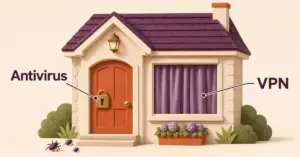
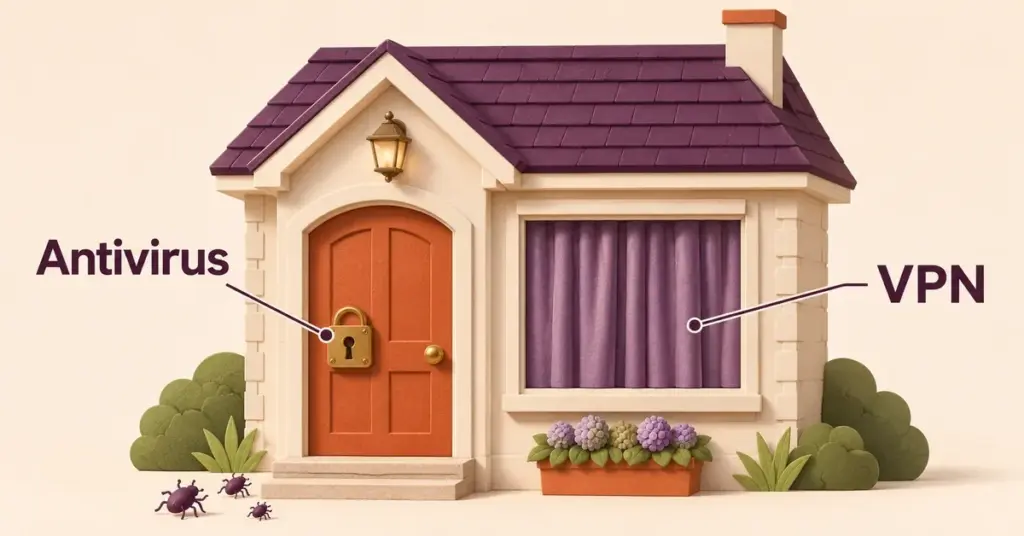
If you only ever use an iPhone or iPad, the picture changes, as we explain below. For everyone else, think of antivirus as the lock on your front door and a VPN as curtains on the windows: they solve different problems.
What antivirus does (and does not do)
Antivirus software watches your device for malware: viruses, ransomware, trojans, spyware and other malicious programs. It scans files and downloads, blocks known threats before they run, and can quarantine or remove anything it finds. Modern tools also add anti-phishing, which warns you off fake login pages and scam links.
What antivirus protects:
- The files and programs on your device.
- Downloads and email attachments, scanned before you open them.
- You against many phishing and scam websites.
What antivirus does not do:
- It does not hide your IP address or location.
- It does not encrypt your internet traffic, so on a shared network others can still see which sites you connect to.
- It cannot stop your internet provider or a website from tracking you.
What a VPN does (and does not do)
A VPN, or virtual private network, creates an encrypted tunnel between your device and a server run by the VPN provider. Your traffic travels through that tunnel, so anyone in between, including the owner of a public Wi-Fi hotspot or your own internet provider, sees only scrambled data instead of the sites you visit. Websites see the VPN server’s IP address rather than your real one, which is why a VPN can also change your apparent location. If you are curious about exactly what your IP address reveals, that is the detail a VPN is designed to mask.
What a VPN protects:
- Your connection, by encrypting the traffic leaving your device.
- Your IP address and rough location from the websites and apps you use.
- Your browsing from being logged by the network owner or your provider.
What a VPN does not do:
- It does not remove a virus that is already on your device, and it will not scan a file you download.
- A standard VPN will not stop you clicking a phishing link or installing a malicious app.
- It does not make you anonymous. You are still logged in to your accounts, and the VPN provider itself can see your traffic unless it runs a properly audited no-logs service.
Some paid VPNs now bundle a malicious-site or ad blocker, often branded as “threat protection”. That can block known bad domains, but it is a lighter layer than a full antivirus scanner, not a substitute for one. One trade-off to weigh is speed, because routing traffic through a distant server means a VPN can slow your connection, usually only a little on a good service.
VPN vs antivirus at a glance
| Question | Antivirus | VPN |
|---|---|---|
| Main job | Protects your device | Protects your connection |
| Stops viruses and malware | Yes | No |
| Encrypts your internet traffic | No | Yes |
| Hides your IP address and location | No | Yes |
| Helps on public Wi-Fi | Limited | Yes |
| Blocks phishing and scam sites | Often | Only some, as a light add-on |
| Needed on an up-to-date iPhone | No | Optional, for privacy |
| Already built into your device? | Often (Windows, Mac, Android) | No, you add it yourself |
You may already have antivirus built in
Before you pay for anything, it is worth knowing that every major operating system now ships with its own malware protection, kept up to date automatically. For a lot of careful users, that built-in layer is enough.
Windows
Windows 10 and 11 include Windows Security (formerly Windows Defender), which provides built-in real-time protection against viruses and malware. A paid suite can add extras such as a password manager or parental controls, but you are not unprotected without one.
Mac
macOS has built-in antivirus called XProtect, which Apple updates automatically in the background (by default macOS checks daily). It detects and removes known malware, blocks it, moves it to the Trash and alerts you, and it works alongside Gatekeeper and app notarisation. Macs are not immune to malware, so this layer still matters.
Android
Android devices come with Google Play Protect, which scans apps from the Play Store and checks the apps already on your phone for harmful behaviour. A common risk on Android is installing apps from outside the Play Store, so a third-party antivirus is most useful if you sideload apps.
iPhone and iPad
Apple’s iOS keeps each third-party app in a sandbox that, in Apple’s words, is “designed to prevent apps from gathering or modifying information stored by other apps or from making changes to the device”. That isolation is why there are no traditional virus scanners on the App Store and why you do not need antivirus on an iPhone. A VPN can still be useful on iOS for privacy and public Wi-Fi, but a malware scanner is not the missing piece.
When a VPN actually helps in New Zealand
A VPN earns its place in specific situations rather than as blanket protection. The common ones for Kiwi users are:
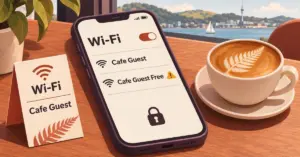
- Public Wi-Fi. On café, airport, hotel or campus networks, encryption stops anyone on the same network reading your traffic.
- Privacy from your provider. New Zealand is part of the Five Eyes intelligence-sharing arrangement, and your internet provider can see the sites you connect to. A VPN hides that browsing from the provider, shifting the trust to the VPN company instead, which is why an audited no-logs policy matters when choosing a VPN in New Zealand.
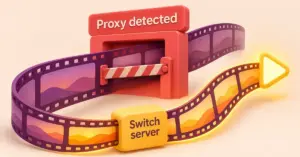
- Region-locked content. A VPN can make a service think you are in another country, though streaming platforms actively block known VPN servers, so this is not guaranteed to work.
- Travel. A VPN lets you reach your usual NZ services and keeps your logins protected on unfamiliar networks abroad.
If none of those apply to you, antivirus plus sensible habits will do more for your safety than a VPN will. Be wary of a free VPN that funds itself by logging or selling your data, which defeats the point of using one.
Public Wi-Fi: how much is the old risk still real?
You will often read that public Wi-Fi lets strangers “steal your passwords”. That warning is dated. Most major websites and apps now use HTTPS, which already encrypts the content of your connection, so an eavesdropper on the same network cannot read your banking details or messages the way they once could. What they can still see is which sites you connect to, and fake hotspots set up to impersonate a real network remain a genuine scam.
New Zealand’s official guidance from Own Your Online (run by the National Cyber Security Centre) is practical: it treats free public networks as often insecure and advises you to “avoid doing online shopping or internet banking on free WiFi or an unsecure network”. For anything involving money, our own habit is to switch to mobile data rather than use the free network. A VPN adds a useful extra layer on public Wi-Fi, but it is a complement to those habits, not a reason to drop them.
Choosing what you need
You do not have to buy a bundle to be covered. Work out which jobs you actually need done, then decide whether your built-in tools already handle them.
Quick checklist
You need antivirus (or your built-in protection on) if:
- You use a Windows PC or an Android phone.
- You download files, apps or email attachments.
- You want warnings about phishing and scam websites.
A VPN is worth adding if:
- You regularly connect to public or shared Wi-Fi.
- You want to stop your internet provider logging the sites you visit.
- You travel, or need to reach region-locked content.
You can probably skip extra antivirus if:
- You only use an iPhone or iPad kept up to date.
- You are happy relying on Windows Security, macOS XProtect or Google Play Protect and install software only from official stores.
If you decide you want both, you can either buy them separately (one antivirus, one VPN) or pick a security suite that includes a VPN. Bundles are convenient and often cheaper, but check what the included VPN really offers, as some are capped on data or weaker on streaming and no-logs commitments than a standalone service. Compare it against a dedicated antivirus package for New Zealand before you assume the all-in-one is the better deal.
Common mistakes to avoid
- Running two antivirus programs at once. They can clash and slow your device. Pick one real-time scanner.
- Paying for antivirus you may not need. On an up-to-date iPhone, or a Mac or Windows PC where you are happy with the built-in protection, extra antivirus is optional.
- Reusing the same password everywhere. One leaked password then unlocks your other accounts, so a password manager and two-factor authentication matter more than either tool.
- Ignoring updates. Own Your Online calls keeping your software and devices updated “one of the easiest and most effective ways you can protect yourself online”, so turning on automatic updates does more for everyday safety than either tool alone.
Disclaimer
This article is general information, not security or legal advice. VPNs are widely used in New Zealand, but using one to bypass a streaming service’s regional restrictions can breach that service’s terms of use, and the realistic risk is usually a blocked or suspended account rather than legal action. No single tool makes you immune to scams or malware; safe habits and up-to-date software remain your strongest defence.
Sources
- Apple Platform Security: Protecting against malware (XProtect)
- Apple Platform Security: Security of runtime process in iOS, iPadOS and visionOS
- Microsoft: Stay protected with Windows Security
- Google for Developers: Google Play Protect
- Own Your Online (NCSC NZ): Protect yourself against malware
- Own Your Online (NCSC NZ): Top tips for online security
- Own Your Online (NCSC NZ): Keep up with your updates
Frequently asked questions
Do I still need antivirus if I use a VPN?
Yes. A VPN encrypts your connection but does not scan files or remove malware, so you still need antivirus, or your device’s built-in protection, to guard against viruses, ransomware and malicious downloads.
What is the downside of using a VPN?
A VPN can slightly slow your connection because traffic is routed through an extra server, a monthly subscription has a cost, and you are trusting the VPN provider with your traffic, so a poorly run or free service can be worse for privacy than none at all.
Do I need antivirus on my iPhone?
No. iOS keeps apps sealed off from each other, so traditional virus scanners are neither available nor necessary on an iPhone or iPad. Keep iOS updated and only install apps from the App Store. A VPN can still be useful for privacy.
Which should I get first if I can only afford one?
Start with antivirus, or make sure your built-in protection is switched on, because malware is the more direct threat to your money and data. Add a VPN later if you often use public Wi-Fi or want more privacy from your provider.
Does a security bundle with both work as well as buying them separately?
It can, and bundles are usually cheaper and simpler. Just check the included VPN is not data-capped and has a clear no-logs policy, as all-in-one VPNs are sometimes weaker than a dedicated service.