
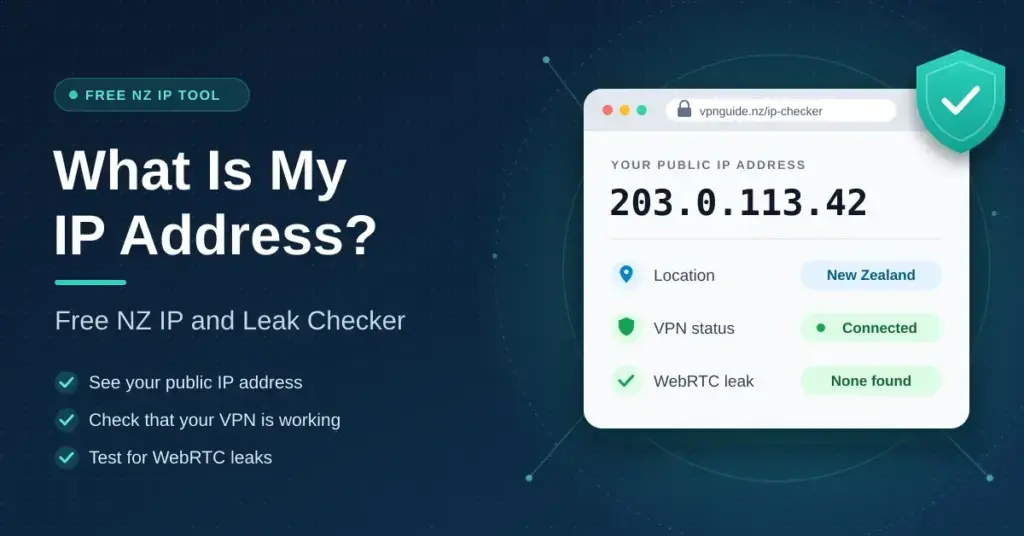
Shows the public IP address websites see, roughly where it places you, and whether your browser’s WebRTC feature reveals a different address (a common VPN leak).
The check runs in your browser. Country and network come from the Cloudflare edge that serves this page plus the public ipapi.co lookup; city-level results are approximate. Nothing is logged by vpnguide.nz.
Every device that connects to the internet needs an address, and the checker above shows yours exactly as a website sees it. If you are connected through a VPN, the address on display belongs to the VPN server rather than to your home line — which is the entire point of using one.
This guide explains what that number really reveals about you in New Zealand, what it cannot, why it sometimes changes on its own, and what to do if the checker shows something you did not expect. Every technical term is spelled out the first time it appears, so no networking background is needed.
Key Points
- Your public IP address is what every website sees; it identifies your provider and rough location, not your name or street address.
- A VPN swaps that address for its server’s and is legal to use in New Zealand.
- A WebRTC leak can expose your real address even with a VPN running — test it in the checker above.
- Most home addresses are dynamic and change on their own; mobile, fixed wireless and Starlink lines share one address through CGNAT.
- Having both an IPv4 and an IPv6 address active at once is completely normal.
What an IP address is
An IP address (Internet Protocol address) is the label that identifies your connection so the replies to your requests find their way back to you. Type a web address, and the site you asked for has to know where to send the page — your IP address is that return address. Without one, nothing you requested could ever reach you.
Two versions run side by side. IPv4 addresses look like 203.0.113.24 — four numbers, each from 0 to 255. There are about 4.3 billion of them in total (2 to the power of 32), a pool that was formally exhausted years ago as the number of connected devices outgrew it. IPv6 addresses were created to solve that shortage; they look like 2404:4408:63a1:5e00::1 and there are so many that every device on earth could hold billions of its own. Most New Zealand fibre and mobile connections now carry both, and the checker above reports whichever version your browser used to reach this page.
Public and private addresses are different things
The address shown in the checker is your public address: your household usually has just one, shared by every device sitting behind your router. Inside your home, the router quietly hands each device a separate private address drawn from ranges reserved for local use — commonly starting with 192.168, sometimes 10. or 172.16 through 172.31. These ranges, defined in the internet standard RFC 1918, never travel across the public internet, so seeing 192.168.1.24 on your laptop is completely normal and tells an outside website nothing about you. On Windows you can view your private address with the ipconfig command; on a Mac or phone it appears in the Wi-Fi network details.
What your IP address actually reveals
Plenty of scare stories exaggerate what a bare IP address gives away. In practice it is closer to the return address on an envelope than to your passport. Here is the honest split.
| A website can usually see | A website cannot see |
|---|---|
| Your internet provider (Spark, One NZ, 2degrees, Starlink and so on) | Your name or street address |
| Your rough location — usually the city or region, sometimes only “New Zealand” | Which device or person in the house is browsing |
| Whether you are on a business, residential, mobile or hosting network | What you do on other, unrelated websites |
| Whether the address belongs to a known VPN or proxy range | Your exact address, without a legal request to your provider |
Geolocation by IP is an estimate, not a fix on your front door. New Zealand connections are frequently placed in Auckland no matter where you actually live, because that is where much of the provider infrastructure terminates. If a website greets you as an Aucklander while you sit in Dunedin, that is why — and it is nothing to worry about.
IP addresses, tracking and advertising
On its own, an IP address is a blunt instrument for tracking. It is shared across a household, it can change without warning, and millions of mobile users sit behind the same handful of addresses. Advertisers and analytics companies lean far more on cookies and on browser fingerprinting — the near-unique mix of your screen size, fonts, timezone and settings — than on the address itself. Hiding your IP with a VPN closes one small window; it does not make you anonymous on its own, which is why clearing cookies and tightening your browser settings still matter.
Why your address keeps changing
Most home connections are handed a dynamic address that the provider is free to change when your modem restarts or your address lease renews. A static address — one that stays fixed — usually costs extra and is mainly bought by businesses that host their own servers or need dependable remote access.
Mobile data and fixed wireless add a further layer called CGNAT (Carrier-Grade Network Address Translation), in which hundreds of customers share a single public address drawn from a special reserved range (100.64.0.0/10). Starlink uses CGNAT by default too, and offers a genuine public address only on certain priority plans. Sharing an address this way is harmless for ordinary browsing, but it breaks incoming connections — which is why port forwarding, some peer-to-peer gaming setups, security cameras and remote-desktop tools often fail on mobile, fixed wireless and Starlink lines while working fine on fibre.
How to get a new IP address
If you simply want a fresh public address, the easiest step on a dynamic connection is to power your modem right down for a few minutes and switch it back on; many providers will hand out a different address when the lease renews, though some keep the same one for weeks. Restarting rarely helps on CGNAT connections, because the shared address is not really yours to begin with. If you need a specific, unchanging address — for a home server, a work VPN endpoint or a fixed firewall rule — ask your provider about a static IP or a public-IP add-on rather than relying on restarts. And if your goal is privacy rather than a different number, a VPN is the more reliable tool, because it lets you choose the location a site sees and change it in a click.
Changing what sites see
A VPN (virtual private network) replaces your visible address with the address of one of its servers, so a website sees the VPN’s location and network instead of yours, and the traffic in between is encrypted. This is entirely legal in New Zealand and is the usual way to keep your address private on public Wi-Fi or to reach a service while travelling. Our best VPN guide covers what actually matters when choosing one, while the free VPN guide explains why so many no-cost apps quietly sell the very privacy you installed them for. New Zealand’s online-safety agency Netsafe also publishes a plain guide to using a VPN safely.
A VPN is not the only option, and the three main tools trade privacy against speed and convenience in different ways.
Comparison
| Method | What it changes | Encrypts your traffic? | Typical speed | Best for |
|---|---|---|---|---|
| VPN | Your whole device’s public address and location | Yes | Fast (small overhead) | Everyday privacy, public Wi-Fi, travel |
| Proxy | One app or browser’s address only | Usually no | Fast | Quick single-app location changes |
| Tor | Your address, routed through three volunteer relays | Yes | Slow | Strong anonymity when speed is not the priority |
| Mobile data / CGNAT | Puts you behind a shared carrier address | No | Varies | A different apparent address while out and about |
| Static IP | Fixes your address so it never changes (does not hide it) | No | Full line speed | Hosting servers and reliable remote access |
Whichever route you take, remember that Tor is blocked outright by many New Zealand banking and streaming sites, and that a static IP makes your connection easier to recognise rather than harder — it is a tool for reliability, not privacy.
When a VPN is on but your real address still leaks
The most common leak is WebRTC, a browser feature built for video and voice calls that can ask your network for its address directly, side-stepping the VPN tunnel. Run the WebRTC test in the checker above with your VPN connected: if it reports an address different from the one at the top of the page, the leak is real and websites can still see where you actually are. Turning on your VPN app’s built-in leak protection, or blocking WebRTC in your browser, closes it. Mullvad keeps a clear explainer on WebRTC leaks if you want the technical detail.
DNS leaks and how to check them
The other common leak involves DNS (the Domain Name System, the internet’s address book that turns names like example.co.nz into numbers). If your device keeps using your provider’s DNS servers while the VPN is on, that provider can still see which sites you visit even though the traffic itself is hidden. DNS leaks cannot be tested reliably from an ordinary web page, so use your VPN provider’s own leak tool or a dedicated testing site; Mullvad’s guide to DNS leaks explains what to look for. If you have changed DNS settings on your router, our guide to changing DNS on a router shows how those settings interact with a VPN, and it can help to flush your DNS cache after any change so stale entries do not confuse the result.
What to do if the checker shows something unexpected
Most surprises have a simple explanation. Match what you see to the list below.
- It shows a city or country you are not in, and your VPN is on. That is the VPN working correctly — the address belongs to the server you chose.
- It shows your real provider while the VPN is connected. The tunnel is not carrying your traffic. Reconnect, switch to another server, and turn on the app’s kill switch and leak protection.
- The WebRTC result differs from the address at the top. Your browser is leaking; block WebRTC or enable your VPN’s protection, then test again.
- It places you in Auckland when you live elsewhere. Normal geolocation rounding — no action needed.
- It shows two addresses at once. One is your IPv4 address and one is IPv6; both belong to your connection and this is expected.
For a broader checklist of everyday protections — updates, two-factor sign-in and strong passwords — the National Cyber Security Centre’s five quick steps to online security is a good place to start.
Is an IP address personal information in New Zealand?
It can be. The Privacy Act 2020 protects information about an identifiable individual, and an address that can be traced back to a named account holder falls inside that definition once it is combined with other data an organisation holds. On its own an IP address rarely identifies a person; joined to the account records held by a provider, it can. Our Privacy Act guide sets out the rules for organisations that collect it, including the new indirect-collection notification duties under information privacy principle IPP 3A that took effect on 1 May 2026.
Who should keep an eye on their IP address
You do not need to obsess over your IP address, but a few groups benefit from checking it from time to time:
- Anyone on public or shared Wi-Fi — a café, airport or hotel — who wants to confirm a VPN is hiding their address before they log in to anything.
- Travellers reaching New Zealand banking or streaming services from overseas, who need to see which country their connection appears to come from.
- Remote workers and gamers wrestling with CGNAT, port forwarding or remote access that works on fibre but not on mobile or Starlink.
- Privacy-minded users verifying that a VPN or proxy is doing its job and not leaking through WebRTC or DNS.
- People troubleshooting geoblocks, where a site refuses access or shows the wrong region because of how the IP address is mapped.
Disclaimer
This page is general information, not legal advice. Using a VPN is lawful in New Zealand, but individual services set their own terms of use and may restrict access from VPN or proxy addresses. Always follow the terms of the services you use.
Sources
- IETF — RFC 1918: Address Allocation for Private Internets
- IETF — RFC 6598: Shared Address Space for CGNAT (100.64.0.0/10)
- Cloudflare Learning — What is an IP address?
- Starlink — Support: IP address and public IP options
- New Zealand Legislation — Privacy Amendment Act 2025
- Ministry of Justice — Enhancing the Privacy Act
Frequently asked questions
What is my IP address right now?
It is shown at the top of this page, along with the country, network and Cloudflare edge location a website sees when you connect. Refresh the check after connecting or disconnecting a VPN and you will watch it change.
Does my IP address show my home address?
No. It identifies your internet provider and a rough location, usually the nearest city where your provider’s equipment sits. Only your provider can link the address to an account, and they require a legal request before handing that information over.
Why does my IP address say Auckland when I live somewhere else?
Geolocation databases map an address to the provider’s network location rather than to your house. A great deal of New Zealand traffic is routed through Auckland, so that is where many connections appear to be — including plenty in Christchurch, Wellington and further afield.
How do I hide my IP address?
Connect through a VPN, which replaces it with the server’s address, or use Tor for stronger anonymity at the cost of speed. Turning on private or incognito browsing does not change your address at all — it only clears local history on your own device.
Is it dangerous if someone knows my IP address?
For a typical home connection the practical risk is low. Your address cannot be used to reach into your devices through a modern router, though it can support rough location targeting and, in rare cases aimed at gamers and streamers, denial-of-service attacks. Keeping your router firmware current and leaving remote administration switched off handles the realistic risks.
Why do I have two different IP addresses?
One is your IPv4 address and one is your IPv6 address, and your browser uses whichever a given site supports. Both belong to your connection. Separately, each device also holds a private address inside your home network, which never leaves the house.
Does a VPN change my IP address on every device?
Only on the devices running the VPN app, unless you install the VPN on your router — in which case every device on that network shares the VPN’s address. Installing it on the router is the usual way to cover smart TVs and consoles, which cannot run VPN apps themselves.


