
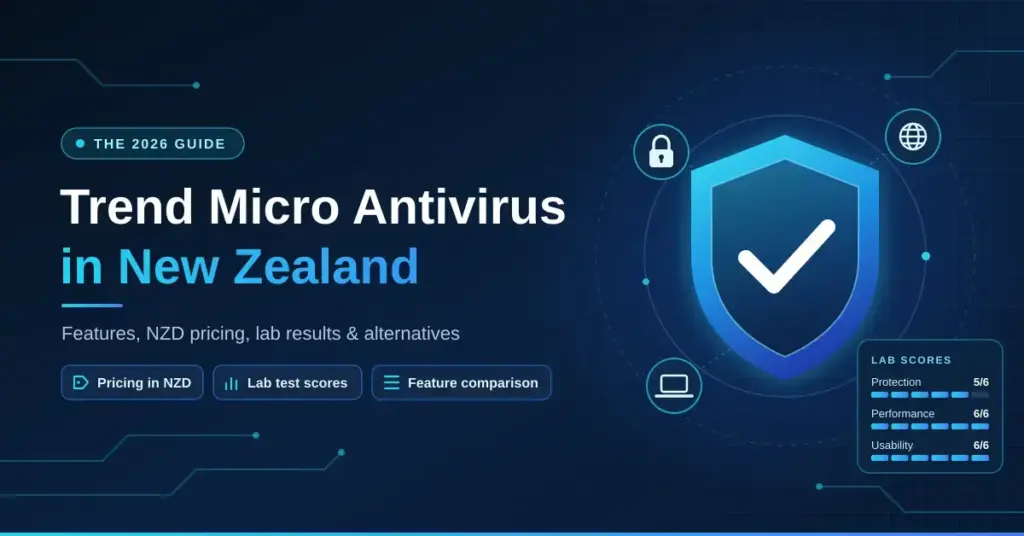
Trend Micro is one of the longest-established names in consumer security software, and it is widely sold to New Zealand households and small businesses through the official NZ shop and retailers such as PB Tech. This guide explains what the product actually does, what the current tiers cost in NZD, how well it performs in independent lab testing, and how it stacks up against the other antivirus options Kiwi buyers usually shortlist. It is a neutral, fact-checked overview rather than a review or a recommendation.
Key Points
- What it is: a mainstream consumer security suite (antivirus, web protection, ransomware and anti-phishing) for Windows, macOS, Android, iOS and ChromeOS.
- Standout features: Folder Shield ransomware protection and the Pay Guard isolated banking browser (both Windows-only).
- Independent testing: recent AV-TEST Windows results of 5/6 protection, 6/6 performance and 6/6 usability — strong, but a step below the perfect-scoring engines.
- VPN: higher tiers bundle Trend Micro VPN, a light privacy add-on rather than a streaming-grade service.
- NZ pricing: promotional NZD prices start around $49/year for the base tier; confirm the current price and device count on the official NZ shop.
What Trend Micro Antivirus Is
Trend Micro Incorporated is a cybersecurity company headquartered in Tokyo, Japan, with significant operations in the United States. Its consumer range provides antivirus and internet-security software for Windows, macOS, Android, iOS and ChromeOS. “Antivirus” here is shorthand for a broader package: real-time malware scanning, web-threat blocking, ransomware protection and anti-phishing tools bundled together.
For New Zealand users it is a legitimate, mainstream option that addresses the everyday threats most people actually face — ransomware, phishing, scam websites, identity theft and malicious downloads. It is not a VPN and does not change your privacy position under Five Eyes surveillance arrangements, but as a dedicated security layer it competes directly with the products covered in our roundup of the best antivirus software in New Zealand.
How Trend Micro Antivirus Works
Trend Micro combines traditional signature-based detection (matching files against a database of known threats) with cloud-assisted machine learning through its Smart Protection Network. When a file arrives on your device — from a browser download, an email attachment or a local transfer — it is checked against a continuously updated cloud threat database, and behavioural analysis flags anything that looks malicious even if it has no known signature.
The cloud-assisted model is relevant for NZ users because a lot of the threat intelligence is processed on Trend Micro’s global servers rather than entirely on your machine, so detection stays current without huge local definition downloads. On a Chorus fibre plan through Spark, One NZ or 2degrees — or on Hyperfibre — the background cloud lookups add only a negligible amount of latency and traffic in normal use.
Key protection layers in the current consumer product include:
- Web Threat Protection: blocks malicious and fraudulent URLs in real time, working through a browser extension for Chrome, Firefox, Edge and Safari.
- Folder Shield (ransomware protection): monitors chosen folders — including cloud-synced ones such as OneDrive, Google Drive and Dropbox — and blocks unauthorised processes from encrypting or altering your files.
- Anti-phishing and scam filtering: screens email and messages for phishing and Business Email Compromise (BEC), a category the NCSC continues to flag as costly for New Zealand organisations.
- Pay Guard: an isolated, hardened browser session for online banking and shopping, useful with ASB, ANZ, Kiwibank, BNZ or Westpac.
- Parental controls, Password Manager and Dark Web Monitoring: available depending on the tier you buy.
Higher tiers now bundle Trend Micro VPN (the consumer VPN formerly sold as VPN Proxy One Pro). It is a light privacy add-on for public Wi-Fi rather than a streaming-grade service, so if geo-unblocking or a strict no-logs policy matters to you, pair Trend Micro with a dedicated VPN for New Zealand instead of relying on the bundled one.
Trend Micro Product Tiers and NZD Pricing
Trend Micro reprices and repackages its NZ range frequently and runs near-constant promotions, so treat the figures below as current reference points rather than fixed prices — always confirm the live NZD price, device count and included features on the official New Zealand shop before you buy. The tiers below reflect the line-up sold on the NZ store at the time of writing.
| Product | Typical devices | Key extras over the base tier | Approx. NZD/year (promo) |
|---|---|---|---|
| Maximum Security | 1+ (scales with plan) | Core AV, Web Threat Protection, Folder Shield, Pay Guard, Password Manager, parental controls, Dark Web Monitoring | From about $49 |
| Maximum Security Plus | 2+ | Adds Trend Micro VPN | Around $99 |
| Security Suite Pro | 3+ | Broader suite including VPN | Around $100 |
| Security Suite Pro Plus | 3+ | Adds identity protection and 24/7 support | Around $119 |
Trend Micro also sells several components on their own in NZ — a standalone VPN (around $50/year for two devices), ScamCheck, and ID Protection — which is useful if you only want one piece rather than the full suite. If you already run a standalone password manager such as Bitwarden or 1Password, the built-in Password Manager adds little for you, so a lower tier may be the sensible choice.
Quick Facts
| Developer | Trend Micro Incorporated (Tokyo, Japan) |
|---|---|
| Official download | shop.trendmicro.co.nz (NZ store and activation) |
| Operating systems | Windows 10/11, macOS, Android, iOS, ChromeOS |
| Installer | Small web installer that downloads the current build during setup |
| Licence | Paid annual subscription; free trial available |
| Support | Online knowledge base, community forums, chat/phone on overseas hours |
Recommended Setup for NZ Users
Installation takes roughly ten minutes, but a few NZ-specific choices during setup are worth making.
- Download only from the official Trend Micro site or your retailer’s activation portal. Avoid third-party “free download” sites — fake antivirus installers are a recurring scam locally.
- Create a Trend Micro account during installation. This lets you manage licences across devices from one dashboard and is required for the mobile apps.
- Enable Folder Shield immediately. Add your Documents, Desktop, any backup folders and your cloud-sync folders. NCSC reporting shows ransomware and extortion remain a live threat to NZ organisations, and behavioural blocking is one of the more effective defences at the consumer price point.
- Install the browser extension. Web Threat Protection only works fully with the extension active. Chrome and Edge usually prompt automatically; on Firefox you may need to add it from the add-ons page.
- Configure Pay Guard for your banks. Add ASB, ANZ, Kiwibank, BNZ or Westpac so those sites open in the isolated browser, which blocks keyloggers and screen-capture malware.
- Schedule full scans for off-peak hours. Full scans are disk- and CPU-intensive; on an older spinning-disk machine, run them overnight. Trend Micro defaults to scanning during idle time, which is sensible.
- Force a definition update before your first scan, especially if you installed from a boxed retail licence that may be weeks old.
NZ-Specific Considerations: ISPs, Jurisdiction and Data
Trend Micro’s cloud scanning uses only a small amount of data — generally a few hundred megabytes a month for an active user. On unmetered Chorus fibre plans this is irrelevant; even on a capped rural fixed-wireless or Starlink connection the background traffic is light and unlikely to cause problems in practice.
On jurisdiction: Trend Micro is a Japanese company with major US operations, so it is not a New Zealand entity and is not directly regulated by the New Zealand Privacy Act 2020 the way a local provider would be. It publishes a privacy policy aligned with international standards including the GDPR. The relevant point for privacy-conscious users is that telemetry such as file hashes, visited URLs and threat reports is processed on overseas servers — standard for cloud-assisted antivirus and not unique to Trend Micro.
New Zealand sits within the Five Eyes intelligence arrangement, which matters more for VPN choice than for antivirus. For most households, students and small businesses this is not a material risk. If you handle sensitive personal or health information under the Privacy Act 2020 or the Health Information Privacy Code, review Trend Micro’s data-processing terms and consider whether the overseas data transfer fits your obligations.
One practical note: Trend Micro’s phone and chat support runs on overseas business hours, and there is no dedicated New Zealand support line, so the online knowledge base and community forums are usually your fastest first resort.
Performance: Independent Test Results
The assessments below draw on independent lab testing from AV-TEST and AV-Comparatives, which both run recurring evaluation cycles. We do not fabricate benchmark numbers.
In recent AV-TEST Windows evaluations, Trend Micro’s engine scored 5/6 for Protection in June 2026 (up from 4.5/6 earlier in the year), with a full 6/6 for Performance and 6/6 for Usability. In plain terms: it catches the large majority of threats and is light on system resources, but its protection rating currently sits a notch below the engines that regularly hit a perfect 6/6, such as Bitdefender. Its false-positive rate — occasionally flagging safe software as suspicious — has historically run slightly higher than the best performers, though it has improved.
On macOS, malware detection is solid but the feature set is thinner than on Windows, since Folder Shield and Pay Guard are Windows-only. System impact is moderate: on a modern laptop with an SSD you will notice little in day-to-day use, while on older hardware with a spinning hard drive and limited RAM the impact during full scans is more obvious. If you are running an older machine, a lighter engine such as ESET may suit better.
How Trend Micro Compares to Key Alternatives
NZ buyers usually weigh Trend Micro against a handful of alternatives. The table gives an at-a-glance summary using recent independent-test standing; the linked guides go deeper on each.
| Product | Recent AV-TEST protection | System impact | Notable strength |
|---|---|---|---|
| Trend Micro (Maximum Security) | 5/6 | Low–moderate | Folder Shield ransomware blocking, Pay Guard banking browser |
| Bitdefender | 6/6 | Low | Very low false positives, strong all-round suite |
| Norton | 6/6 | Moderate | Identity/dark-web monitoring, generous bundled VPN |
| ESET | 5.5–6/6 | Very low | Lightweight, good on older hardware |
| Microsoft Defender (built-in) | 5.5–6/6 | Very low | Free, no install, credible baseline |
The honest takeaway: if ransomware and banking protection on Windows are your priority, Trend Micro is a strong pick. If you want the highest protection scores or a more generous bundled VPN, Norton and Bitdefender are worth a close look. If minimal system impact on ageing hardware matters most, ESET leads. Microsoft Defender has improved a lot and is a reasonable free baseline, but it lacks the dedicated ransomware folder-shielding and banking-browser isolation that Trend Micro adds.
Trend Micro and NZ Streaming Services
Trend Micro antivirus has no direct effect on access to NZ streaming services such as TVNZ+, ThreeNow, Neon, Sky Sport Now or Whakaata Māori, because it does not change your IP address or routing. Occasionally, Web Threat Protection may flag an ad or tracking domain on a streaming page; if you hit login or playback issues right after installing, check whether the browser extension is blocking a resource and add the site to the trusted list.
Pay Guard is designed for banking, not streaming — it strips out page elements and will usually break video playback, so do not use it to watch content.
Who Trend Micro Suits
Trend Micro is a solid, well-tested choice for most New Zealand households and small businesses running Windows, particularly if you value its Folder Shield ransomware blocking and Pay Guard banking isolation. Its cloud-based detection keeps pace with emerging threats without heavy local updates, which sits well on NZ fibre. The trade-offs are a protection score currently a step below the top engines, a thinner macOS feature set, and a bundled VPN that is a convenience rather than a streaming tool. Confirm the current NZD price and device count on the official NZ shop, weigh it against Bitdefender, Norton, ESET and Microsoft Defender, and it is a credible option for straightforward, reliable protection.
Sources
- Trend Micro New Zealand — Maximum Security product page
- Trend Micro New Zealand online shop (tiers and NZD pricing)
- AV-TEST — Trend Micro Windows test results
- AV-Comparatives — independent antivirus testing
- National Cyber Security Centre (NCSC), New Zealand
- Office of the Privacy Commissioner — Privacy Act 2020
- PB Tech — Trend Micro range (NZ retailer pricing)
Frequently Asked Questions (FAQ)
Is Trend Micro available to buy in New Zealand?
Yes. Licences are sold in NZD through the official Trend Micro New Zealand online shop and via retailers such as PB Tech and Noel Leeming. Digital licences are the norm and are usually cheaper during the frequent promotional periods; boxed versions are functionally identical.
Does Trend Micro slow down my computer?
On modern hardware with an SSD the everyday impact is minimal, and recent independent testing gives its engine top marks for performance. During a full scheduled scan, CPU and disk use will spike noticeably on older machines, so scheduling scans overnight or choosing a lighter alternative such as ESET is worth considering if you run ageing hardware.
Is Trend Micro compliant with the NZ Privacy Act 2020?
Trend Micro is not a New Zealand company and is not directly regulated by the Privacy Act 2020, though it publishes a privacy policy aligned with international standards including the GDPR. If you are a business handling personal information, review Trend Micro’s data-processing terms and assess whether the overseas data transfers fit your obligations, including the rules on disclosing information offshore.
Does Trend Micro include a VPN?
Higher tiers now bundle Trend Micro VPN (formerly VPN Proxy One Pro), and it is also sold as a standalone product. It is a light privacy tool aimed at public Wi-Fi rather than a streaming-grade, no-logs VPN, so if unblocking content or strong privacy guarantees matter, use a dedicated VPN alongside it.
Can I run Trend Micro alongside Microsoft Defender?
When you install Trend Micro on Windows, it automatically switches Microsoft Defender’s real-time protection to passive mode to avoid conflicts — standard behaviour for third-party antivirus on Windows 10 and 11. You do not need to disable anything manually; the two hand off cleanly, and the Windows firewall stays active.


