
Keeping a tidy, secure set of logins has quietly become part of everyday life in Aotearoa New Zealand, from online banking and IRD to streaming subscriptions and Trade Me. This review takes a neutral, practical look at 1Password, a well-known credential vault, and explains how it works, what it costs in 2026, how its security model differs from browser-based password storage, and who it genuinely suits.
Rather than reciting marketing claims, we focus on verifiable facts: the encryption architecture, the current subscription tiers, the tools that come with each plan, and the trade-offs worth knowing before you commit. If you are still comparing options, it is worth reading alongside our wider password manager guide for New Zealand.
Key points
- Dual-key security: your master password is paired with a device-only 34-character Secret Key, so a server breach alone cannot open your vault.
- No free tier: only a 14-day trial; paid plans start at US$2.99/mo (Individual, billed annually) and US$4.49/mo (Families, up to 5 people).
- Built-in monitoring: Watchtower flags weak, reused and breached passwords using Have I Been Pwned.
- Standout tools: Travel Mode removes vaults from devices at borders, and passkeys are fully supported.
- Cross-platform: apps for Windows, macOS, Linux, iOS and Android, plus all major browser extensions.
What Is 1Password and How Does It Protect Your Data?
1Password is a subscription-based password manager — a secure digital vault that stores, generates and autofills your logins, credit cards, secure notes and identity documents. It is developed by AgileBits Inc., a company founded in 2005 and based in Toronto, Canada. The software runs on Windows, macOS, Linux, iOS and Android, with browser extensions for the major browsers.
Like most reputable password managers, 1Password uses a zero-knowledge model. That is a design where your data is encrypted and decrypted only on your own device, so the company never holds a readable copy of what is in your vault. What sets 1Password apart is a second ingredient it adds on top of your master password.
Quick facts
| Developer | AgileBits Inc. (founded 2005, Toronto, Canada) |
|---|---|
| Official download | 1password.com/downloads |
| Operating systems | Windows, macOS, Linux, iOS, Android; extensions for Chrome, Firefox, Edge, Brave, Safari |
| Licence | Proprietary, subscription (14-day free trial; no permanent free tier) |
| File size | Varies by platform |
| Encryption | AES-256, zero-knowledge, plus a device-only Secret Key |
The Secret Key and Why It Matters
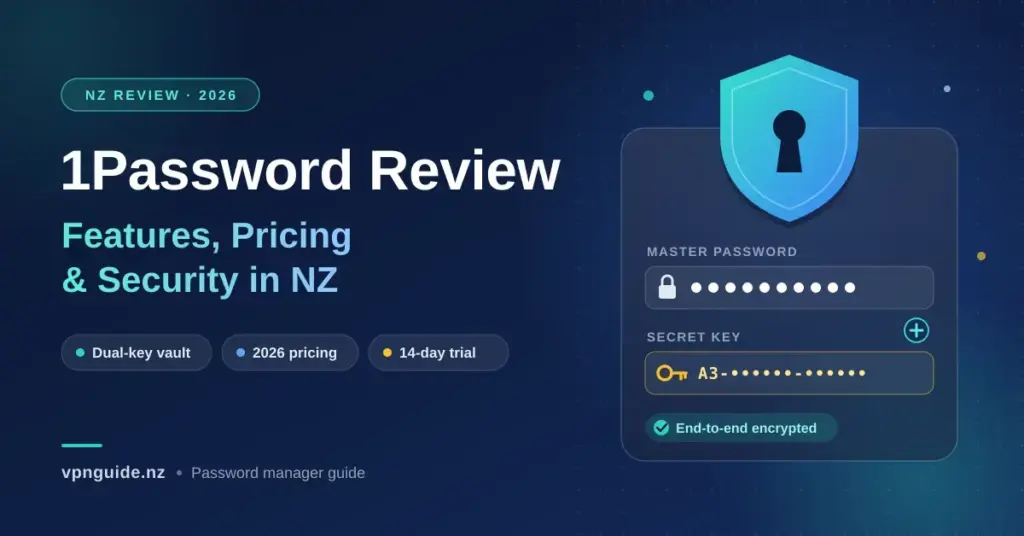
When you create an account, 1Password generates a Secret Key — a random 34-character string (128 bits of entropy) that is stored only on your devices and never sent to 1Password’s servers. Your encryption keys are derived from your master password and this Secret Key together.
The practical effect is straightforward: even if an attacker somehow obtained a copy of 1Password’s encrypted server data, they still could not open your vault without also having your Secret Key, which never leaves your hardware. For everyday users protecting online banking, RealMe and personal email, that extra layer meaningfully raises the bar against remote, server-side attacks. The trade-off is that you are responsible for keeping the Secret Key safe — more on that in the setup section.
How 1Password Organises Your Data
Instead of a single flat list, 1Password separates items into distinct vaults — for example a personal vault, a shared household vault, and a work vault — which keeps different parts of your life neatly apart. The table below shows how that compares to relying on the password store built into your web browser.
| Feature | Browser password store | 1Password vault |
|---|---|---|
| Encryption model | Single-key, tied to your browser or OS account | Dual-key: master password + Secret Key |
| Cross-platform | Often locked to one browser or brand | Windows, macOS, Linux, iOS, Android and browsers |
| Biometric unlock | Inconsistent | Face ID, Touch ID and Windows Hello |
| Item types | Mostly website logins | Logins, cards, notes, passports, licences, keys |
| Offline access | Variable | Full local cache with offline editing |
Apps, Browser Extension and Daily Use
Most people interact with 1Password through its browser extension, which is available for Google Chrome, Mozilla Firefox, Microsoft Edge, Brave and Apple Safari. When you land on a login page, a small overlay lets you fill your username and password with a click or a keyboard shortcut, and it can generate a strong password whenever you create a new account. For a closer look at installation and the settings worth changing, see our 1Password Chrome extension guide.
In everyday use, autofill is reliable across multi-step checkouts and corporate portals. The built-in generator can produce either random character strings or memorable, word-based passphrases, which is handy when a site imposes specific length or character rules.
Syncing Across Phones and Tablets
The iOS and Android apps hook into the operating system’s native autofill layer, so credentials flow into standalone apps as well as browsers.
- Biometric unlock: open your vault with a fingerprint or face scan instead of retyping the master password.
- Apple Watch access: view one-time two-factor codes and selected items from your wrist.
- Quick search: find a login, software key or note in seconds from the app’s search bar.
- Auto-lock: set timers so the vault locks the moment the app loses focus or the screen turns off.
1Password Pricing in New Zealand for 2026
1Password does not offer a permanently free plan. Every plan includes a 14-day free trial, after which continued access requires a paid subscription. Prices are set in US dollars; the NZD figures below are rough conversions that will move with the exchange rate, and card issuers may add a foreign-transaction fee. New-customer promotional rates typically rise at renewal, so treat the annual figures as first-year pricing.
Individual Plan
The Individual plan covers one person across all their devices. Billed annually it is US$2.99 per month (roughly NZ$5), or US$3.99 per month on a month-to-month cycle. It includes unlimited items, 1 GB of document storage and Watchtower alerts.
Families Plan
The Families plan covers up to five members and is US$4.49 per month billed annually (about NZ$7.50), or US$5.99 per month month-to-month. It adds shared vaults, account-recovery controls for the family organiser, and guest sharing. Additional members can be added for a small per-person fee.
Teams and Business Plans
For organisations, the Teams Starter Pack is a flat US$24.95 per month billed annually and covers up to 10 members, with more seats available at a per-seat rate. The Business plan is US$8.99 per user per month billed annually and adds single sign-on (SSO), advanced access controls and detailed audit logs. Both include the 14-day trial.
| Plan | Price (annual billing) | Best for | Highlights |
|---|---|---|---|
| Individual | US$2.99/mo (US$3.99 monthly) | One person | Unlimited items, 1 GB storage, Watchtower |
| Families | US$4.49/mo (US$5.99 monthly) | Up to 5 people | Shared vaults, recovery controls, guest sharing |
| Teams Starter Pack | US$24.95/mo flat | Small teams (up to 10) | Role-based access, admin controls, activity log |
| Business | US$8.99/user/mo | Growing organisations | SSO, advanced policies, audit logs |
Watchtower, Travel Mode and Other Security Tools
Watchtower is 1Password’s built-in security dashboard. It reviews your vault for weak or reused passwords, flags logins that lack two-factor authentication, and warns when a stored card or document is close to expiring. For breach detection it draws on Have I Been Pwned, the widely used breach database, using a k-anonymity method so 1Password can check your accounts against known leaks without exposing the details it is checking. If a service you use is caught up in a breach, Watchtower highlights the affected entry so you can change that password promptly. Building this kind of monitoring into your routine is a core part of good personal cyber security.
Travel Mode for Crossing Borders
Travel Mode is aimed at people who cross international borders and want to limit what is physically present on their devices.
- Data is removed, not hidden: when enabled from your web account, vaults you have not marked as travel-safe are erased from your devices.
- Choose what stays: keep a minimal travel vault active while removing sensitive work or financial records.
- Border checks: if a device is inspected, the excluded data simply is not on the hardware.
- One-click restore: turning Travel Mode off re-syncs your encrypted data once you arrive.
Shared Vaults and Household Access
The Families plan uses shared vaults so relatives can keep private vaults for their own accounts while pooling shared items such as streaming subscriptions, the internet bill or insurance policies. A designated family organiser can help reset a member’s access if they forget their master password, without breaking the account’s zero-knowledge protection.
One-Off Secure Sharing
- Item sharing: create a temporary, expiring link to share a single password or note, even with someone who does not use 1Password.
- Expiry controls: set links to expire after one view, one hour or up to a set number of days.
- Email verification: require the recipient to confirm a one-time code before the item is revealed.
- Instant revoke: delete an active link at any time to cut off access.
Passkeys and Passwordless Login
1Password supports passkeys, the phishing-resistant successor to passwords. A passkey uses public-key cryptography to prove your identity without sending a secret over the network, so there is nothing for a fake site to capture. When a website offers to create a passkey, the extension can generate and store it in your vault, then use it to sign in with a biometric confirmation.
| Attribute | Text passwords | Passkeys |
|---|---|---|
| Phishing resistance | Low — can be typed into fake sites | High — bound to the exact domain |
| Breach exposure | High if server files leak | Server holds only the public key |
| Sign-in effort | Type or autofill | Biometric confirmation |
| Reuse risk | Common across sites | Each passkey is unique |
Using 1Password with New Zealand Services
The apps and extensions work independently of your connection type, so they sync fine on plans from Spark, One NZ, 2degrees and other New Zealand internet providers. Because autofill matches against a site’s exact web address, it also helps you avoid lookalike phishing pages — a useful guard when logging in to local banks and government portals.
Compatibility With Everyday Kiwi Sites
- Banking: stores and fills logins for major banks and works alongside safe habits for internet banking in New Zealand.
- Government: holds credentials for RealMe, IRD’s myIR and ACC.
- Investing: keeps logins for local platforms such as Sharesies, Hatch and Kernel.
- Shopping and utilities: fills addresses and payment details on Trade Me, retailers and energy providers.
Getting Started and Migrating Your Data
Setup is quick: install the app or extension, create your account, and choose a strong master password you use nowhere else. During sign-up, 1Password generates your Secret Key and bundles it into a printable Emergency Kit PDF. Because the service cannot recover your keys for you, save this document safely — if you lose both your master password and your Secret Key, your vault cannot be unlocked.
Migrating From a Browser or Another Manager
- Export your saved logins from your browser or current manager to a CSV or supported file.
- Sign in to the 1Password web app and open the import tool.
- Select the source and upload your exported file.
- Review the imported items, then organise them into the right vaults.
- Securely delete the exported file, which is unencrypted, and clear passwords stored in your browser.
- Turn on Watchtower to flag any weak or reused passwords carried over.
How 1Password Compares to Other Password Managers
1Password is one of several strong options, and the right choice depends on budget, whether you want a free tier, and whether you prefer open-source software. The table below lists mainstream alternatives with links to their official sites; rivals such as Keeper (whose background is summarised on Wikipedia) take a similar subscription-first approach. For head-to-head detail, see our Bitwarden vs 1Password comparison and our Dashlane review.
| Manager | Free tier | Notable trait | Official site |
|---|---|---|---|
| 1Password | No (14-day trial) | Secret Key dual-key model, Travel Mode | 1password.com |
| Bitwarden | Yes | Open-source, low-cost premium | bitwarden.com |
| Dashlane | Limited | Bundled VPN on some plans | dashlane.com |
| Keeper | Limited | Granular admin controls | keepersecurity.com |
| NordPass | Yes (basic) | Simple interface, XChaCha20 encryption | nordpass.com |
| Proton Pass | Yes | Privacy-focused, email aliases | proton.me/pass |
Limitations to Consider
- No free plan: after the 14-day trial you must pay, which is a downside if a free option like Bitwarden or Proton Pass would meet your needs.
- No traditional emergency access: 1Password relies on the Emergency Kit and Families recovery rather than a timed ‘trusted contact’ inheritance feature some rivals offer.
- Secret Key responsibility: the same design that blocks server-side attacks means losing your key and master password together is unrecoverable.
- Renewal pricing: promotional first-year rates can rise at renewal, so budget for the standard price.
Who 1Password Is Best For
1Password suits individuals and families who want a polished, cross-platform vault with strong architecture and are comfortable paying a subscription for it. The Secret Key model, Watchtower with Have I Been Pwned, Travel Mode and native passkeys make it a capable all-round choice, particularly for households sharing logins across devices. If a free tier or open-source code is a priority, Bitwarden or Proton Pass may fit better; if you want it purely for the extension workflow, our Chrome extension guide covers the day-to-day settings. Whichever you pick, storing your recovery kit safely and turning on breach monitoring matter more than the badge on the app.
Reference sources
Frequently Asked Questions
Does 1Password have a free plan?
No. 1Password offers a 14-day free trial on all personal and business plans, but continued use requires a paid subscription. If you specifically want a free option, managers such as Bitwarden and Proton Pass offer free tiers.
How much does 1Password cost in New Zealand in 2026?
Prices are in US dollars. The Individual plan is US$2.99 per month billed annually (about NZ$5) or US$3.99 monthly, and Families is US$4.49 per month annually (about NZ$7.50) or US$5.99 monthly for up to five people. NZD amounts vary with the exchange rate and any foreign-transaction fees.
What is the Secret Key and why does it matter?
The Secret Key is a random 34-character string created on your device at sign-up and stored only there. Combined with your master password, it means your vault cannot be decrypted even if 1Password’s servers were breached, because the key never leaves your hardware.
What happens if I lose my master password and Secret Key?
Because 1Password uses a zero-knowledge design, it does not hold your keys and cannot reset them for you. If you lose both your master password and your Emergency Kit containing the Secret Key, the data in your vault cannot be recovered.
Does 1Password support passkeys?
Yes. The apps and browser extensions can create, store and use passkeys on supported websites, letting you sign in with a biometric confirmation instead of typing a password.