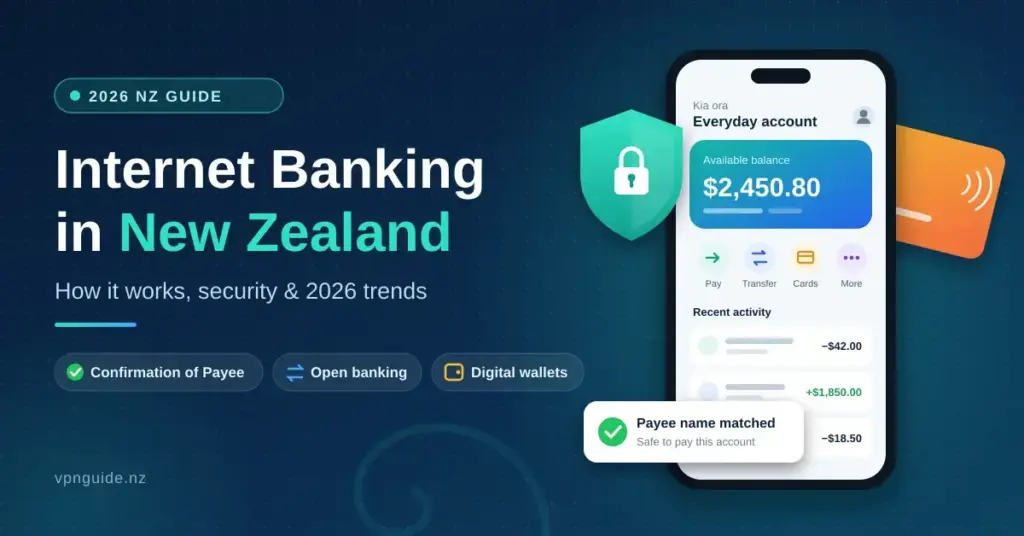

Internet banking is now the main way most New Zealanders manage money — checking a balance on the bus, paying a tradie, refixing a home loan or adjusting KiwiSaver contributions, all without visiting a branch. The market is led by the four largest banks, ANZ, ASB, BNZ and Westpac, alongside home-grown names such as Kiwibank, TSB, The Co-operative Bank, SBS Bank and Heartland. This guide explains, in plain language, how online and mobile banking works in New Zealand in 2026, the security that protects your accounts, the new scam-reimbursement rules, and the shift toward open banking, digital wallets and seven-day payments. Every figure and rule below has been checked against official sources.
Key Points
- New Zealand’s banking market is led by ANZ, ASB, BNZ and Westpac, with Kiwibank, TSB and others also offering full online and mobile banking.
- Confirmation of Payee is now live nationwide (rolled out from November 2024), warning you when a payee name does not match the account.
- From 30 November 2025, the updated Code of Banking Practice can reimburse certain authorised scam losses up to NZ$500,000 where a bank fell short of its commitments.
- Electronic payments between banks have run 365 days a year since the SBI365 change on 26 May 2023.
- Open banking is now law under the Customer and Product Data Act 2025, applying to the four major banks from 1 December 2025.
- New Zealanders reported an estimated NZ$3 billion in scam losses in 2025 — most banking fraud targets people, not systems.
What Internet Banking Covers in New Zealand
Internet banking works like a virtual branch that is open around the clock. Through a secure website or a mobile app, you can view balances and transaction history, move money between your own accounts, pay other people or businesses, and set up automatic payments and direct debits for recurring bills such as rent, power or a mortgage. Most banks also let you handle bigger jobs from the same dashboard — opening a term deposit, refixing a home loan, updating your tax details, or managing KiwiSaver. The Big Four grew out of decades of consolidation; ANZ Bank New Zealand is currently the country’s largest bank by assets.
Rather than a single fixed cap, banks apply payment limits you can see and adjust in your settings — for example a default daily total for online transfers, and often a lower limit for a brand-new payee until it has been active for a day or two. You can usually raise or lower these limits yourself, which is a simple and effective way to reduce the damage if your login is ever compromised.
- Account monitoring: real-time balances and history across everyday, savings and credit card accounts.
- Bill payments: add payees and schedule payments ahead of time to avoid late fees.
- Transfers: move money between your own accounts or to any other New Zealand bank account.
- Profile management: update contact details, tax residency and communication preferences without calling a help desk.
Personal Versus Business Banking Portals
Personal banking is built for simplicity, while business portals add tools for running an organisation: batch payments for payroll, multiple users with tiered permissions, and direct feeds into accounting software such as Xero or MYOB. Many New Zealand banks use a single login that lets a sole trader or small-business owner switch between personal and business profiles in one place.
| Feature | Personal banking | Business banking |
|---|---|---|
| User access | Single login | Multiple users with tiered permissions |
| Payment types | Individual bill payments | Batch payments and payroll files |
| Integration | Personal budgeting views | Direct feeds to accounting software |
| Limits | Standard daily limits | Higher, configurable commercial limits |
How New Zealand Banks Protect Your Money
Security is the foundation of digital banking. Connections between your device and the bank are protected with TLS encryption (the padlock in your browser’s address bar), which scrambles the data so it cannot be read in transit. On top of that, banks layer multi-factor authentication (MFA) — proving who you are with more than just a password — and 24/7 automated fraud monitoring that flags unusual logins or spending. Understanding these layers is part of good cyber security in New Zealand, whether you bank on a phone or a laptop.
- Biometric login: fingerprint or face recognition on mobile devices, replacing or supplementing a password.
- One-time codes: SMS or in-app codes required for higher-risk actions such as adding a new payee or logging in on a new device.
- Fraud monitoring: systems that watch for out-of-pattern activity and can pause suspicious payments.
- Session timeouts: automatic logout after a period of inactivity to protect shared or unattended devices.
Biometrics and Digital Identity

By 2026, fingerprint and face unlock are the default for most New Zealand banking apps. Shifting from ‘something you know’ (a password) to ‘something you are’ (a biometric) reduces the value of a stolen password to a scammer. Because biometrics are sensitive personal information, their use is governed by New Zealand law — the Office of the Privacy Commissioner introduced a Biometric Processing Privacy Code that sets rules for how organisations collect and handle this data. For background on your wider data rights, see our guide to the Privacy Act 2020.
Confirmation of Payee
One of the biggest recent security upgrades is Confirmation of Payee (CoP), which New Zealand banks began rolling out from November 2024 and largely completed by early 2025. When you set up a new payment, the service checks the account name you typed against the bank’s records and tells you whether it is a match, a partial match or no match. This makes it much harder for scammers to trick you into paying the wrong account, and it is a strong reason to double-check any ‘no match’ warning before sending money.
Scams and the New Reimbursement Rules
Bank systems are hard to break, so criminals target people instead through social engineering. New Zealanders reported record losses in 2025: an estimated NZ$3 billion across all scam types, roughly 30% higher than the year before, according to Netsafe’s national research. Common tactics include phishing texts and emails that impersonate a bank, and ‘remote access’ scams where a caller poses as tech support and talks the victim into installing software — a form of malware that hands over control of the device. Knowing how cyber attacks reach New Zealanders makes these approaches much easier to spot.
The rules on getting money back have also changed. On 30 November 2025 the New Zealand Banking Association’s updated Code of Banking Practice introduced five scam-protection commitments for member banks, including reimbursing customers for certain authorised payment scam losses up to NZ$500,000 where the bank has not met its commitments. Reimbursement is not automatic in every case — how you responded to warnings still matters — but the direction is clearly toward greater customer protection.
| Scam type | Usual contact | Red flags |
|---|---|---|
| Phishing | Email or text | Urgent threats, generic greetings, links to a fake login page |
| Remote access | Phone call | Asked to install AnyDesk, TeamViewer or similar |
| Investment | Social media ads | High returns promised with ‘low risk’ |
| Invoice / bill | A regular supplier’s bank account details suddenly change |
How to Protect Yourself
- Never share codes: a real bank will never ask for your password or a one-time code by phone, text or email.
- Type the address: reach your bank by typing its URL or opening the official app, not by clicking a link in a message.
- Use Confirmation of Payee: stop and check any partial-match or no-match warning before paying someone new.
- Report fast: contact your bank’s fraud team immediately, and report to Netsafe and the Police (call 105 for non-emergencies).
Mobile Banking Apps: Finance on the Go
Most everyday banking in New Zealand now happens in an app rather than on a desktop site. Apps such as ANZ goMoney and Westpac One offer quick-balance views without a full login, instant card freezing if a card goes missing, and payments by mobile number or QR code — handy for splitting a restaurant bill or paying at a market.
Bank App Comparison
| Bank | Main mobile app | Platforms | Notable features |
|---|---|---|---|
| ANZ | ANZ goMoney | iOS, Android | Quick balance, card freeze, pay to mobile |
| ASB | ASB Mobile Banking | iOS, Android | Save-the-change, card controls, Siri shortcuts |
| BNZ | BNZ app | iOS, Android | Payment tracking, card on/off, budgeting tools |
| Westpac | Westpac One | iOS, Android | Cardless cash, card lock, spending insights |
| Kiwibank | Kiwibank Mobile | iOS, Android | App onboarding, card management, alerts |
| TSB | TSB app | iOS, Android | Biometric login, payments, statements |
- Quick balance: check funds instantly without a full sign-in.
- Push notifications: get an alert for each transaction so you spot anything unauthorised.
- Card controls: freeze or unfreeze a card, or block it entirely, in one tap.
- Travel notices: tell the bank you are heading overseas to avoid your card being blocked abroad.
Managing Cards and PINs Digitally
Modern apps let you manage physical cards without a branch visit: set or reset a PIN, report a card lost or stolen, order a replacement, or turn overseas and online use on and off. Because so much sits behind a single login, protecting that login matters — a strong, unique password stored in a dedicated password manager, combined with app biometrics, is the simplest way to keep your accounts safe.
Seven-Day Payments and Open Banking

New Zealand bank transfers used to pause over weekends and public holidays. That changed when the industry moved to processing electronic payments 365 days a year — the SBI365 upgrade went live on 26 May 2023. In practice, transfers between most New Zealand banks now clear every day, which smooths cash flow for small businesses and means pay can land on the actual payday even when it falls on a Sunday.
Open Banking and the Customer and Product Data Act 2025
Open banking lets you securely share your banking data, or authorise a payment, through approved third-party apps — for budgeting, lending comparisons or faster checkout — without handing over your login. It is now backed by law: the Customer and Product Data Act 2025 sets the framework, and the banking designation requires the four major banks (ANZ, ASB, BNZ and Westpac) to support it from 1 December 2025, with Kiwibank phased in from 1 June 2026. Data covered includes account balances, up to two years of transaction history, and fee and interest details, plus the ability to initiate domestic NZD payments. The aim is more competition and more tailored financial products, with your consent controlling what is shared.
Digital Wallets and the Future of Cash

Contactless payment keeps growing, and digital wallets such as Apple Pay and Google Pay now handle a large share of everyday spending. They store card details securely and use your device’s biometrics to authorise each tap, so the actual card number is never shared with the shop. ‘Pay by bank’ options built on open banking are also emerging, letting money move directly between accounts and bypass card networks.
RBNZ ‘Digital Cash’ and Access to Cash

The Reserve Bank of New Zealand (RBNZ) has been consulting on ‘Digital Cash’, a possible central bank digital currency that would sit alongside notes and coins. Its April–July 2024 consultation drew more than 18,000 submissions — the RBNZ’s largest ever — and while many respondents raised concerns about privacy and government control, the Bank has said it will continue research through 2025 and 2026. A key design idea is offline payments via Bluetooth, so money could still move during a power or internet outage. No decision to issue Digital Cash has been made.
Access to physical cash remains a live issue as branches close. New Zealand has lost roughly 40% of its bank branches over a decade; in response, the major banks paused regional branch closures to at least mid-2027, and the RBNZ has proposed a nationwide network of multi-bank hubs offering free cash services. Banks also run digital-literacy support and simplified ‘lite’ app options to help older and rural customers who are less comfortable online.
Sending Money Overseas
Domestic transfers are effectively instant, but international money transfers (IMT) still typically take one to five business days and carry fees plus an exchange-rate margin. You can send an IMT through your internet banking by supplying the recipient’s SWIFT/BIC code and account or IBAN details. Fintech services such as Wise and Revolut have pushed banks to be more transparent by offering the mid-market rate and clearer fees, though the right choice depends on the currency, amount and how fast you need it to arrive.
| Option | Traditional bank IMT | Fintech IMT (e.g. Wise, Revolut) |
|---|---|---|
| Speed | 1–5 business days | Often same day or near-instant |
| Fees | Flat transfer fee, often around NZ$10–$25 | Lower, usually percentage-based |
| Exchange rate | Bank margin added | Mid-market rate |
| Best for | Large or one-off transfers with bank support | Frequent or smaller transfers on cost |
Because overseas payments are hard to recover, banks often require an extra check — a one-time code or verification step — for high-value transfers. Always double-check the account number and recipient name before you send, and be cautious using a VPN while banking, as an overseas server address can trigger a security review or block on your account.
Opening and Closing Accounts Online
Joining a bank is often a fully digital process that takes minutes in an app. You verify your identity by photographing a New Zealand driver licence or passport and taking a selfie for comparison; some apps read the passport chip by NFC. Closing an account, by contrast, usually still needs a phone call or secure message so any remaining balance is handled and automatic payments are redirected first.
| Action | Fully online? | Typical requirements |
|---|---|---|
| Open an everyday or savings account | Usually yes | Valid photo ID and an NZ address |
| Apply for a loan or card | Usually yes | Income and expense details |
| Update tax details | Yes | IRD number |
| Close an account | Often no | Phone call or secure message |
Disclaimer
This article is general information about internet banking in New Zealand, not financial, legal or security advice, and it is not affiliated with any bank. Products, prices, limits and rules change — always confirm details directly with your bank. If you think you have been scammed or your account has been compromised, contact your bank immediately, then report it to Netsafe and the Police (call 105 for non-emergencies, or 111 if it is urgent). Complaints your bank cannot resolve can go to the Banking Ombudsman Scheme. For security guidance and to report cyber incidents, see the National Cyber Security Centre, and for free, independent money guidance visit Sorted.
Sources
- New Zealand Banking Association — Confirmation of Payee rollout
- MBIE — Open banking regulations under the Customer and Product Data Act 2025
- Payments NZ — Payments moving to 365 days a year (SBI365)
- Reserve Bank of New Zealand — Digital Cash consultation
- Reserve Bank of New Zealand — Progress on access to cash
- Netsafe — Scam research and reporting
- Banking Ombudsman Scheme New Zealand
Frequently Asked Questions
Is internet banking safe in New Zealand?
Yes. Banks use TLS encryption, multi-factor authentication, biometric app logins and 24/7 fraud monitoring, and Confirmation of Payee now warns you if a payee’s name does not match the account. Most losses come from scams that trick people, so your own habits — never sharing codes and checking payment warnings — matter as much as the bank’s systems.
What should I do if I think I have been scammed?
Contact your bank’s fraud team straight away so they can try to freeze or recall the payment, change your login details, then report the incident to Netsafe and to the Police (105 for non-emergencies). Under the banking industry’s 2025 protections, some authorised payment scam losses can be reimbursed, so keep records of what happened.
Do New Zealand bank transfers work on weekends?
Yes. Since the SBI365 change in May 2023, electronic payments between most New Zealand banks are processed 365 days a year, including weekends and public holidays, so transfers no longer wait until the next business day.
What is open banking and is it secure?
Open banking lets you share specific banking data or authorise a payment through an approved third-party app without giving away your login. It is regulated under the Customer and Product Data Act 2025, applies to the major banks from December 2025, and only shares what you consent to — you can withdraw that consent at any time.
Can I use internet banking while overseas?
Yes, but plan ahead. You may not receive New Zealand SMS codes when roaming, so set up an app-based authentication method or a physical security token before you travel, and be aware that logging in from a foreign or VPN IP address can trigger extra security checks.