
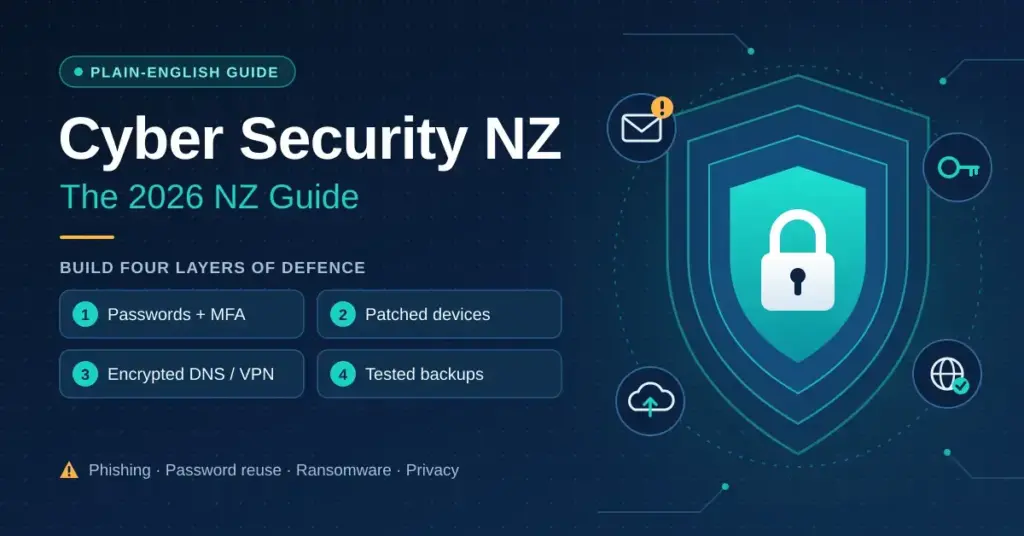
Cyber security in New Zealand is not a single product you buy once. It is a set of layered habits, tools and settings that protect your devices, accounts and data from theft, unauthorised access and disruption. For most Kiwis in 2026 the practical risks are phishing emails that impersonate Inland Revenue or NZ Post, credential-stuffing attacks on passwords reused across services, ransomware aimed at small businesses, and the structural privacy questions that come with New Zealand’s membership of the Five Eyes intelligence alliance. This guide explains the threat picture in plain English and sets out a realistic, affordable defence you can build up one step at a time.
Key Points
- Most harm is preventable. NCSC data shows phishing, scams and reused passwords cause the bulk of New Zealanders’ financial losses — cheap, everyday defences neutralise them.
- Build four layers. Strong unique passwords with MFA, patched and encrypted devices, encrypted DNS or a VPN, and tested backups.
- A password manager plus MFA is the highest-value step. Prioritise email, banking and any account tied to your phone number.
- Jurisdiction matters for sensitive use. New Zealand is in Five Eyes and ISPs must keep lawful-intercept capability under TICSA, so encrypted DNS, a no-logs VPN and end-to-end encryption add real privacy.
- Use the free NZ resources. The NCSC’s ownyouronline.govt.nz and Malware Free Networks-backed ISP filtering are legitimate, NZ-specific and free.
What cyber security means for NZ users in 2026
At its simplest, cyber security is about controlling who can reach your information and making sure that if something goes wrong you can recover. Good security is layered: no single tool stops every threat, so you combine strong authentication, patched devices, encrypted connections and reliable backups. The goal is not paranoia — it is to make yourself a harder target than the automated attacks and opportunistic scams that make up the bulk of what New Zealanders actually face.
The National Cyber Security Centre (NCSC), which sits within the Government Communications Security Bureau (GCSB), is New Zealand’s lead operational cyber security agency. CERT NZ — the team that used to field public incident reports — was folded into the NCSC from 2023, so a single agency now publishes threat advisories, runs public-awareness campaigns and accepts incident reports.
The 2026 threat picture for New Zealanders
The NCSC publishes quarterly “cyber security insights” that track incidents reported by the public and by organisations. The figures show why the basics matter. In the first quarter of 2025, New Zealanders reported around NZ$7.8 million in direct financial losses, with the majority tied to scams and fraud such as business email compromise and unauthorised money transfers. Losses fluctuate quarter to quarter — a later 2025 quarter spiked to roughly NZ$12.4 million on the back of a handful of very large fraudulent transfers — but the pattern is consistent: phishing, scams and account compromise drive most of the harm, and a large share of reported incidents involve some financial loss.
The takeaway is not the exact dollar figure, which moves around, but the shape of the problem. You are far more likely to lose money to a convincing fake invoice, a spoofed bank text or a reused password than to a sophisticated targeted hack. That is good news, because those are exactly the threats that cheap, everyday defences neutralise. Our companion guide on how cyber attacks reach New Zealanders breaks down the individual attack types in more detail.
How cyber threats reach NZ users
New Zealand connects to the rest of the world through a small number of submarine cables — the Southern Cross network (including the newer Southern Cross NEXT), the Hawaiki cable and the Tasman Global Access cable are the main arteries to Australia and the United States. This concentration matters for security in two ways: a fault or routing incident at one landing point can affect a large slice of national traffic, and those few chokepoints are technically convenient places to analyse traffic for any agency with the legal authority to do so.
At the network level, Chorus owns most of the fibre that Spark, One NZ, 2degrees, Voyager and others resell. Under the Telecommunications (Interception Capability and Security) Act 2013 (TICSA), NZ network operators must maintain the ability to provide lawful intercept access — they are not required to encrypt your traffic for you. The Privacy Act 2020 gives you rights over how organisations collect and handle your personal information, but it does not stop your ISP from seeing which sites you connect to unless you take steps yourself, such as using encrypted DNS or a VPN.
The attack vectors that hit NZ users most often are mundane rather than exotic:
- Phishing and smishing that spoof IRD, ACC, NZ Post and the major banks (ASB, ANZ, BNZ, Westpac, Kiwibank)
- Credential stuffing, where passwords leaked in one breach are tried automatically against your other accounts
- Interception on public Wi-Fi at airports (Auckland, Wellington, Christchurch), cafes and hotels
- SIM-swap attacks that hijack a mobile number on Spark, One NZ or 2degrees to defeat text-message login codes
- Ransomware and business email compromise aimed at small businesses, healthcare providers and community organisations
A layered security setup for NZ households and small businesses
You do not need enterprise budgets to cover the great majority of realistic threats. Build the following four layers in order — each one is worthwhile on its own, and together they are hard to get past.
Layer 1: Accounts and authentication
Start here, because weak and reused passwords cause most account takeovers. Use a password manager — Bitwarden has a genuinely usable free tier, 1Password costs roughly NZ$5 a month for one person, and Dashlane is another mainstream option — to generate a unique, random password for every account. Then turn on multi-factor authentication (MFA), which asks for a second proof of identity beyond your password. Prioritise your email, your online banking and any account tied to your phone number. An authenticator app is much safer than SMS codes, and a hardware security key is stronger still: a FIDO Security Key starts around NZ$80, while a full-featured YubiKey 5 NFC runs about NZ$160-190 at PB Tech. Hardware keys are resistant to the real-time phishing tricks that can defeat one-time codes.
Layer 2: Device security
Keep operating systems, browsers and apps patched — most successful malware exploits a hole that already had a fix. Turn on full-disk encryption: BitLocker on Windows 11 Pro and FileVault on macOS are both free and protect your data if a device is lost or stolen. On phones, use a strong PIN or passphrase (not fingerprint or face alone) and enable remote wipe. For everyday antivirus, Microsoft Defender built into Windows is now a credible baseline; a paid suite adds extras but is not essential for careful users. Small businesses running several Windows machines can layer a managed detection and response (MDR) service on top for around NZ$15-30 per device per month to add human oversight. Our cyber security solutions guide covers the wider small-business toolkit.
Layer 3: Network security
Change the default admin password on your router, whether you are on Chorus fibre with a Spark-supplied ONT or a fixed-wireless connection. Turn on WPA3 encryption if your router supports it. Switch to an encrypted DNS resolver such as Cloudflare’s 1.1.1.1 or Quad9 (9.9.9.9), which additionally blocks known malicious domains — both are free, and our walkthrough on how to change DNS on your router makes it a five-minute job. A VPN adds an encrypted tunnel between your device and a VPN server, which stops your ISP from reading your traffic and hides your IP address from the sites you visit; if you are new to the idea, our plain-English explainer covers what a VPN does and does not do.
Layer 4: Backups
Ransomware and hardware failure both stop mattering if you have good backups. Follow the 3-2-1 rule: three copies of your data, on two different types of media, with one kept offsite. For most households that means a local copy on an external drive plus a cloud copy to a service like Backblaze (about US$9 a month, or US$99 a year, for unlimited personal backup) or Wasabi. Crucially, test a restore occasionally — a backup you have never restored is one you cannot rely on.
Best tools and providers for NZ users
The table below groups the most relevant categories with mainstream, well-regarded options and indicative pricing. Costs are in NZD where a provider prices locally; several price in USD, so the NZD equivalent moves with the exchange rate.
Security Tool Comparison
| Category | Mainstream options | Approx. NZD cost | NZ availability / notes |
|---|---|---|---|
| VPN | Mullvad, Proton VPN, NordVPN, ExpressVPN | NZ$7-20 / month | NordVPN, ExpressVPN and Proton VPN offer NZ or nearby AU servers; look for WireGuard support |
| Password manager | Bitwarden, 1Password, Dashlane | Free – about NZ$10 / month | Cloud-hosted; no NZ-specific setup needed |
| Encrypted DNS | Cloudflare 1.1.1.1, Quad9, NextDNS | Free – about NZ$30 / year | Anycast routing; nearby AU points of presence serve NZ well |
| Antivirus / EDR | Microsoft Defender, Bitdefender, Malwarebytes | Free – about NZ$80 / year | Defender is built into Windows; paid suites add extras |
| Cloud backup | Backblaze, Wasabi, Proton Drive | About NZ$15-25 / month | Data stored in US/EU; check sovereignty needs for business data |
| Hardware security key | YubiKey 5 NFC, FIDO Security Key, Google Titan | NZ$80-190 one-off | Sold locally via PB Tech and Mighty Ape |
| Encrypted email | Proton Mail, Tuta (Tutanota) | Free – about NZ$15 / month | Swiss / German jurisdiction, outside Five Eyes |
For VPN selection specifically, the variables that matter most for New Zealanders are whether the provider has a server in New Zealand or nearby Australia (for low latency), whether it supports the fast WireGuard protocol, and its logging policy and legal home. If you are tempted by a no-cost option, read our analysis of free VPN services first: many free VPNs make their money by logging and selling your browsing data, which defeats the purpose of using one.
NZ-specific considerations: ISPs, jurisdiction and data caps
New Zealand’s fibre rollout means many urban households can get Chorus fibre plans up to multi-gigabit Hyperfibre speeds. That changes the maths on security tools. A VPN that adds 5-15% overhead is barely noticeable on a 300Mbps line, but on a 2Gbps Hyperfibre connection you will want a provider with a well-tuned WireGuard implementation to keep throughput high. On a fast Auckland fibre line with a VPN server in Sydney, expect latency around 28-35ms — physics sets the floor at roughly 28ms for that route — and real-world throughput comfortably sufficient for 4K streaming and video calls.
Data caps still exist on some entry-level and rural wireless plans, so factor in VPN encryption overhead if you are metered; most urban fibre plans from Spark, One NZ and 2degrees are now uncapped. Jurisdiction is the other NZ-specific angle. New Zealand belongs to the Five Eyes intelligence-sharing arrangement alongside Australia, the US, the UK and Canada, so a legal request in one member country can, in principle, compel cooperation from a provider based in another. For most people the day-to-day impact is minimal, but for journalists, activists or anyone handling sensitive material it is a reason to prefer providers based outside Five Eyes (Switzerland, Iceland and Panama are common choices) and to rely on end-to-end encryption, which protects your content regardless of where a provider is based. The Privacy Act 2020 also created mandatory notification for serious privacy breaches, so if you run a business that holds customer data you have real obligations — the Office of the Privacy Commissioner publishes plain-language guidance.
Common mistakes NZ users make
- Reusing one password everywhere. A single breach then unlocks your email, banking and shopping accounts at once. A password manager fixes this permanently.
- Relying on SMS codes alone. Text-message MFA is better than nothing but is vulnerable to SIM-swap attacks; move critical accounts to an authenticator app or hardware key.
- Trusting a caller or email because it uses a familiar logo. IRD, banks and NZ Post are all routinely impersonated. Verify by contacting the organisation through a number or app you already have, never a link in the message.
- Installing a random “free” VPN or antivirus. Some monetise your data or bundle unwanted software. Stick to reputable, audited providers.
- Never testing backups. Discovering a backup is corrupt during a ransomware incident is the worst possible time.
What to do immediately after a breach
If you learn that an account or service you use has been breached, act quickly and in order:
- Change the password on the affected account, then on any other account where you used the same or a similar password.
- Turn on MFA anywhere it is not already active, starting with email and banking.
- Check which of your details have been exposed — our guide to using Have I Been Pwned shows how to look up your email address safely.
- If financial information was involved, contact your bank directly through its official app or number, and watch for unusual transactions.
- Report the incident to the NCSC, and if a New Zealand organisation exposed your data and has not notified you, consider raising it with the Office of the Privacy Commissioner.
Cyber security while streaming and travelling
A common reason Kiwis reach for a VPN is streaming, but the security angle is worth separating from the access angle. Domestically, TVNZ+, ThreeNow, Neon and Sky Sport Now all work on a New Zealand connection without a VPN; the security benefit of a VPN here is that it encrypts your session on shared or public Wi-Fi and prevents credential interception. When you travel overseas, a VPN with a New Zealand server lets you keep reaching NZ-only services, though you should check each service’s terms. For live sport and video calls, connection stability matters as much as encryption — a WireGuard connection to a Sydney or Auckland server typically adds only a few milliseconds on a fibre line, which is imperceptible in practice.
NCSC resources and the NZ regulatory landscape
The NCSC publishes a free suite of resources at ncsc.govt.nz, including prioritised guidance for organisations. For individuals and small businesses, the plain-language “Own Your Online” campaign (ownyouronline.govt.nz) covers passwords, updates, MFA and spotting scams. On the defensive side, the NCSC runs Malware Free Networks (MFN) — a threat-disruption service, operating since 2021, that shares near-real-time indicators of malicious domains and IP addresses with participating ISPs and security providers, who then block that traffic before it reaches their customers; MFN has disrupted hundreds of millions of malicious events. (CORTEX is a separate, higher-tier capability aimed at nationally significant organisations, not the general public.) For household malware protection, MFN-backed filtering from your ISP complements, rather than replaces, antivirus on your own devices.
Beyond the NCSC, several laws shape the NZ landscape. The Harmful Digital Communications Act 2015 provides recourse if you are targeted by online harassment, doxing or non-consensual image sharing; Netsafe is the government-appointed approved agency that handles complaints and can escalate to the courts. Financial-sector firms answer to the Financial Markets Authority and the Reserve Bank for their cyber resilience, and the government’s NZ Information Security Manual (NZISM) is the primary reference framework for public agencies.
Sources
- National Cyber Security Centre (NCSC)
- NCSC — Cyber Security Insights, Q1 2025
- NCSC — Malware Free Networks (MFN)
- Own Your Online (NCSC public campaign)
- Office of the Privacy Commissioner
- Netsafe — Harmful Digital Communications Act
- Telecommunications (Interception Capability and Security) Act 2013
- Privacy Act 2020
Frequently Asked Questions (FAQ)
Is using a VPN legal in New Zealand?
Yes. Using a VPN is entirely legal in New Zealand, and there are no laws restricting encryption or tunnelling for personal or business use. A VPN changes how your traffic is routed and encrypted, but it does not make otherwise-illegal activity legal — the law that applies to what you do online is the same whether or not you use one.
What does the NCSC do for individual New Zealanders?
The National Cyber Security Centre is New Zealand’s lead operational cyber security agency and part of the GCSB. For individuals its most useful outputs are the Own Your Online guidance portal, public threat advisories, quarterly cyber security insights reports, and an incident-reporting channel that absorbed the former CERT NZ function. If you have been scammed or hacked, the NCSC website is the place to report it and find next steps.
How does Five Eyes affect my privacy as a NZ resident?
Five Eyes is an intelligence-sharing arrangement between New Zealand, Australia, the United States, the United Kingdom and Canada. In practice it means signals intelligence and certain legal processes can be shared or coordinated between members, so a request in one country may reach a provider in another. For everyday users the practical impact is small, but if you handle sensitive information it is a reason to favour end-to-end encrypted tools and providers based outside those five jurisdictions.
Are NZ public Wi-Fi networks safe to use?
Public Wi-Fi at airports, cafes and hotels is convenient but shared, which means anyone else on the network could try to observe traffic that is not encrypted. Modern HTTPS protects most web browsing, but not every app encrypts everything it sends. A VPN encrypts all traffic leaving your device, which makes public Wi-Fi substantially safer, so a reputable paid VPN is a sensible investment if you use these networks often.
Do I still need antivirus if I use Microsoft Defender?
For most careful home users, the Defender antivirus built into Windows is a solid baseline and independent labs rate its protection highly. A paid suite adds extras such as a VPN, password manager, identity monitoring or parental controls, and can be worth it if you want those features bundled — but running Defender plus good habits, a password manager and backups covers the fundamentals at no extra cost.
What security is mandatory for NZ small businesses?
There is no single blanket cyber security standard for all NZ small businesses, but obligations exist under several frameworks. The Privacy Act 2020 requires reasonable safeguards for personal information and notification of serious breaches; the PCI DSS applies if you process card payments; and sector regulators such as the Financial Markets Authority have their own expectations. Increasingly, cyber-insurance underwriters also require evidence of MFA, timely patching and tested backups before they will issue or renew a policy.


