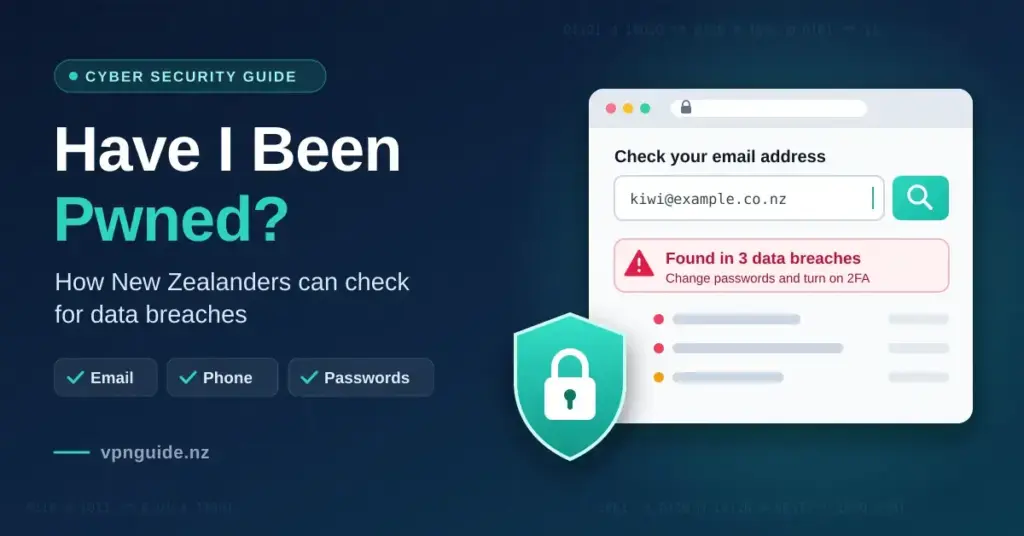

Data breaches are no longer rare corporate accidents; they are a routine part of using the internet. For households and small businesses across Aotearoa New Zealand, good cyber security habits increasingly depend on knowing whether your own details have already leaked. Have I Been Pwned (often shortened to HIBP) is a free, well-known service that lets anyone check whether their email address, phone number or passwords have turned up in known data breaches.
This guide explains what the service is, who runs it, how it protects your information while you search, and what practical steps a New Zealander should take if a check comes back positive. It is an informational overview rather than a product endorsement, and every figure below was checked against Have I Been Pwned’s own pages and its creator’s technical write-ups.
Key Points
- What it is: a free service that checks whether your email, phone number or passwords appear in known data breaches.
- Who runs it: created by security researcher Troy Hunt in December 2013 and still independently operated.
- Scale: more than 17.8 billion breached accounts from over 1,000 incidents at the time of writing.
- Password privacy: the Pwned Passwords check uses k-anonymity, so your full password or hash never leaves your device.
- For organisations: verified domain owners can monitor every address on their domain for free.
- Its limit: the index only shows breaches that are already known and processed, so a clean result is not an absolute guarantee.
Quick Facts
| Service | Have I Been Pwned (HIBP) |
|---|---|
| Creator | Troy Hunt |
| Launched | 4 December 2013 |
| Official website | haveibeenpwned.com |
| Cost | Free for individuals (paid API tiers for developers/organisations) |
| Access | Web search, email notifications, domain monitoring and a public API |
| Breached accounts indexed | More than 17.8 billion (across 1,000+ breaches) |
| Password privacy | k-anonymity partial SHA-1 hash lookup |
| Data contributors | Public breach data, plus FBI ingestion pipeline and UK NCA donation |
What Is Have I Been Pwned?
Have I Been Pwned is a public security resource that lets internet users check whether their personal records have appeared in data breaches. It was launched on 4 December 2013 by Australian security researcher Troy Hunt, who still operates it. The site works as a large, searchable index of leaked database dumps: when a company is breached and its customer files are stolen and later circulated, those records are cleaned, processed and added to the index, which then maps which email addresses and phone numbers were involved.
The service is deliberately read-only. It does not try to collect new personal information or sell access to worried users; it exists to show people a plain picture of their exposure. At the time of writing, the homepage reports more than 17.8 billion breached accounts drawn from over 1,000 individual incidents, ranging from historic breaches at large platforms such as Adobe and LinkedIn through to recent 2026 datasets built from information-stealing malware.
Why Leaked Credentials Are a Real Risk
When a database leaks, the exposed records rarely stay in narrow hacking circles. They are quickly compiled into master lists that automated tools use for credential stuffing (trying leaked username-and-password pairs against many other sites), targeted phishing and identity fraud. Checking your exposure is one of the few ways an ordinary person can see this risk before it is used against them. The table below sets out where a free breach index like HIBP fits compared with the paid monitoring built into some commercial security suites.
| Feature | Many paid monitoring suites | Have I Been Pwned |
|---|---|---|
| Cost for an individual search | Often behind a subscription or bundled add-on | Free for personal email and password checks |
| Database scale | Varies; often not disclosed | More than 17.8 billion breached accounts indexed |
| Password checking | Method not always transparent | k-anonymity: only a partial hash leaves your device |
| Domain-wide monitoring | Usually an enterprise tier | Free for verified domain owners |
| Stealer-log coverage | Sometimes limited or premium-only | Malware stealer logs indexed and searchable |
Is It Safe to Enter Your Email Address?
A reasonable question about any breach-checking site is whether typing in a live email address creates new risk. Have I Been Pwned is widely used by government agencies, security teams and privacy regulators, and it runs as a non-commercial utility. Its privacy policy states that it does not store the specific email addresses typed into the search box.
When you enter an email address or phone number, the system performs a fast, read-only lookup against its index and returns a summary of which breaches that address appears in, when they occurred and what categories of data were exposed. It does not build an advertising profile, and its infrastructure sits behind Cloudflare for connection security. As with any tool, the sensible habit is to visit the official address directly rather than following links from unsolicited emails claiming to offer a “breach check”.
How Sensitive Breaches Are Handled
To balance public awareness against personal safety, HIBP treats breaches in two tiers. Ordinary corporate breaches are searchable by anyone. Breaches classed as “sensitive” — for example dating services, health-related platforms or adult sites — are hidden from open search so they cannot be used to target or embarrass people.
- Ownership verification: sensitive results are only shown to someone who proves they control the email address, via an opt-in confirmation link.
- No password storage: the index records that an address appeared in a breach, not the leaked passwords or other personal details tied to it.
- No commercial tracking: the site avoids advertising networks and behavioural tracking scripts.
- Encrypted connections: requests are served over HTTPS behind enterprise-grade protection.
Pwned Passwords and the k-anonymity Model
Alongside email checks, the service runs a separate tool called Pwned Passwords. This holds hundreds of millions of unique passwords that have appeared in real breaches, and it lets you check whether a specific password has been seen before. It is free and open source, and the underlying data has been strengthened over time by law-enforcement contributions: the FBI feeds newly compromised passwords through an ingestion pipeline, and the United Kingdom’s National Crime Agency donated a set of 225 million passwords. Password managers and developers use the same service through a public password manager-friendly API.
The notable engineering feature is that you never have to send your actual password, or even its full fingerprint, to the service. It uses a privacy technique called k-anonymity, which lets the tool answer “has this password been seen?” without the server ever learning which password you asked about.
How the Partial-Hash Check Works, Step by Step
Understanding the flow makes it clear why the check is safe to run:
- Local hashing: your browser or app converts the password into a SHA-1 hash (a fixed-length string of characters) on your own device.
- Send only a prefix: only the first five characters of that hash are sent to the server as a search prefix. Thousands of different passwords share any given prefix, so the request reveals nothing specific.
- The server replies with a list: the service returns every stored hash suffix that begins with those five characters, each with a count of how many times it has been seen in breaches.
- Match locally: your device compares the rest of your hash against that list. If it matches, the password is compromised and you see the count; if not, it is clean. The full hash and the plaintext password never leave your device.
A Simple Security Audit for Kiwi Households
Running a full personal check takes only a few minutes and gives a household a clear map of its digital exposure. Open a secure browser window, go directly to the official site, and work through the sequence below.
Working Through Your Accounts
- Check your main email addresses: search your personal, work and older school or university addresses to see your full breach history.
- Read each breach report: note exactly what was exposed in each case — for example passwords, phone numbers or dates of birth — because the data type determines the risk.
- Check the stealer-log section: see whether device-level malware has scraped credentials tied to your address.
- Test old passwords: use Pwned Passwords to check passwords, and common variations of them, that you have relied on before.
- Turn on notifications: subscribe your addresses to the free “Notify me” service so you are alerted automatically if they appear in a future breach.
What to Do If Your Data Is Flagged
A positive result can feel alarming, but it is best treated as an early warning that lets you act before any harm is done. A red result means your details are circulating in a known dataset. The real-world risk depends on which categories of data were involved, so match your response to what was actually exposed.
Matching Your Response to the Exposure
| What was exposed | Main threat | What to do |
|---|---|---|
| Email and name only | Targeted phishing and spam | Be cautious with unexpected messages; verify senders before clicking links |
| Password (plaintext or hash) | Credential stuffing, account takeover | Change that password immediately and stop reusing it; adopt a password manager |
| Phone number | SMS phishing (smishing), SIM-swap attempts | Add a PIN with your telco; prefer app-based two-factor authentication over SMS |
| Date of birth or ID details | Identity theft, fraudulent credit | Watch financial statements and consider monitoring your credit record |
| Malware stealer logs | Session hijacking, token theft | Run a full anti-malware scan, change passwords and sign out of active sessions |
If a flagged breach is old and you have already changed that password, your current account is not at additional risk from that specific incident. Prioritise your primary email inbox, online banking logins and your password-manager master password before worrying about minor forum accounts.
Domain Search for New Zealand Businesses and Schools
Individual searches protect one person, but organisations need a wider view. HIBP offers a Domain Search tool aimed at IT managers, system administrators and small-business owners. Once you have proven you control a domain (for example yourcompany.co.nz), you can see every address on that domain that has appeared in breaches, which helps identify staff who may be reusing work credentials on insecure external sites.
Proving Ownership and Setting Up Monitoring
To stop outsiders from probing an organisation’s exposure, domain reports require proof of ownership. HIBP supports several verification methods and ongoing monitoring:
- DNS TXT record: add a generated verification string to the domain’s public DNS settings.
- Meta tag or file: place a supplied verification tag or file on the organisation’s website.
- Ongoing alerts: verified domains can be monitored so administrators are notified when a new breach affects their staff.
- API access: larger teams can pull results programmatically to feed internal security tooling.
Info-Stealer Logs: A Shift in How Data Leaks
The way credentials are stolen has changed. Rather than only breaching a company’s central servers, attackers increasingly rely on lightweight malware known as info-stealers — families such as RedLine, Vidar and Lumma — which infect individual devices through cracked software, fake downloads or malicious attachments.
Once running, an info-stealer quietly copies what is stored in the browser: saved passwords, active session cookies, autofill data and more. These harvested files are bundled into large collections called “stealer logs” and traded online. HIBP has adapted to this by indexing them at scale — a single 2025 corpus known as ALIEN TXTBASE held about 23 billion rows and 284 million unique email addresses, and a June 2026 stealer-log dataset added around 56.3 million more. That lets people check whether a device infection, rather than a company breach, is the source of their exposure.
The Danger of Stolen Session Tokens
Stealer logs are especially dangerous because they often include active session cookies as well as passwords. A stolen session token can let an attacker resume your logged-in session on their own machine, sometimes bypassing two-factor authentication entirely. A few habits reduce this risk:
- Avoid the browser’s built-in password store for banking or work logins.
- Log out of sensitive sessions rather than just closing the tab, so tokens are invalidated.
- Keep risky downloads off important devices, especially cracked games or unverified software.
- Use a dedicated password manager with strong malware protection on the same device.
How Password Managers Use the Same Data
The breach and password data is not only available through the website; it is also exposed through an API that leading password managers use directly. Tools such as Bitwarden, 1Password, Dashlane and Enpass tap into it so they can audit your saved logins for you.
When you run a vault health check, the manager uses the same k-anonymity method — hashing each password locally and sending only a short prefix — to flag entries that appear in the breach database, without exposing your credentials. 1Password’s Watchtower and Bitwarden’s premium reports both work this way.
Benefits of an Integrated Vault Audit
- Automatic alerts when a stored password turns up in a newly indexed breach.
- In-app fixes, often with a direct link to change the affected password.
- A single security score that tracks weak, reused and breached entries in one place.
- Less manual work, since you no longer need to check each address by hand.
Using the Service in a New Zealand Context
New Zealand’s fast fibre connections from Chorus and mobile networks from Spark, One NZ and 2degrees make running deep audits or scanning a large cloud vault quick and responsive. More importantly, keeping your logins out of breach datasets helps protect the local accounts that matter most, so that an exploit on a minor overseas shopping site cannot cascade into your domestic finances.
Protecting Your Key Local Accounts
- Banking: ANZ, ASB, BNZ, Westpac NZ and Kiwibank logins.
- Government services: RealMe, IRD’s myIR and ACC accounts.
- Investing: platforms such as Sharesies, Hatch and Kernel.
- Shopping and utilities: Trade Me, retailers and energy providers.
Limitations to Keep in Mind
The service is useful but not a complete safety net, and it helps to understand its boundaries. Its index is retrospective: it can only warn you about a breach once the stolen data has been found, processed and added. If a breach stays private among a small group of attackers, the tool cannot flag it until the data circulates more widely. A clean result therefore means “not found in known breaches”, not “guaranteed safe”.
The interface is also deliberately lean. It gives you the intelligence but not hand-holding: there are no guided recovery wizards or support helplines, so the actual work of changing passwords and securing accounts is yours. To get the most from it, act quickly on new alerts, don’t panic over old breaches you have already remediated, and secure your primary email, banking and master password first. As background, HIBP’s history and reception are also summarised on Wikipedia.
Summary
Have I Been Pwned is a free, long-running index that lets New Zealanders check whether their email addresses, phone numbers or passwords have appeared in known data breaches. Its k-anonymity model means password checks never expose your plaintext credentials, its domain search helps small businesses and schools monitor staff exposure, and its growing coverage of malware stealer logs reflects how credential theft has changed. It is retrospective and leaves the remediation work to you, but building a monthly check — or the free notification service — into your routine is a low-effort way to stay ahead of credential stuffing and identity fraud.
Reference sources
- Have I Been Pwned — homepage and breach statistics
- Have I Been Pwned — Pwned Passwords
- Troy Hunt — Understanding HIBP’s use of SHA-1 and k-anonymity
- Have I Been Pwned — API v3 documentation
- Have I Been Pwned — June 2026 Stealer Logs breach
- Troy Hunt — Processing 23 billion rows of ALIEN TXTBASE stealer logs
- BleepingComputer — FBI to share compromised passwords with HIBP
- ITPro — NCA donates 225 million passwords to HIBP
- 1Password — Finding compromised passwords with Watchtower
Frequently Asked Questions (FAQ)
Is it safe to type my email address into the search box?
Yes. The service runs as a read-only utility and its privacy policy states it does not store the email addresses entered into the search field. It performs a lookup and shows which breaches your address appears in, without building a profile of you.
Does the password checker see my actual password?
No. Your device hashes the password locally and sends only the first five characters of that hash. The server returns a list of possible matches, and the final comparison happens on your device, so your real password never leaves it.
What should I do first if my email is flagged?
Read the breach report to see what was exposed. If a password was involved, change it immediately on that site and anywhere you reused it, then enable app-based two-factor authentication. If only your email and name leaked, stay alert for phishing.
How much does it cost?
Personal email and password searches, and the breach notification service, are free. There are paid API tiers aimed at developers and organisations, but ordinary users do not need them to check their own exposure.
Can a New Zealand business check its whole domain?
Yes. Using the Domain Search tool, an authorised administrator verifies ownership of the domain — for example with a DNS TXT record — and can then see every staff address on that domain that has appeared in breaches, and set up ongoing alerts.