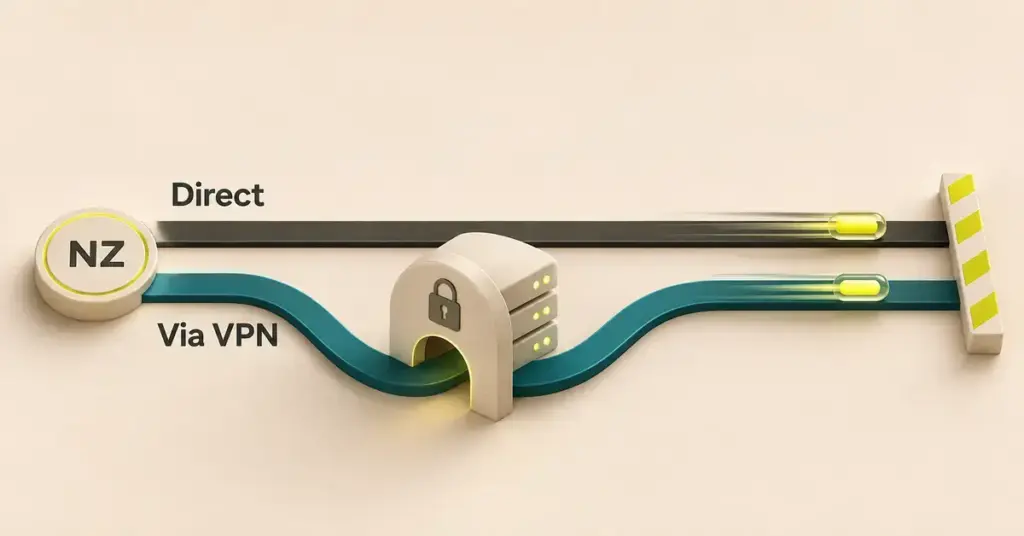
Short answer: yes, a VPN almost always slows your connection a little — but with a good paid provider the drop is usually small enough that you will not notice it while browsing, streaming or on a video call. The slowdown comes from the extra work a VPN does: it routes your traffic through a remote server and encrypts it on the way. How big the hit is depends mostly on how far away that server is, how busy it is, and which provider and settings you use. Here is why it happens, how much speed a New Zealand connection typically loses, when a VPN can actually help, and how to claw back most of the difference.
What a VPN does to your traffic
Using a VPN in New Zealand creates an encrypted “tunnel” between your device and a server run by the VPN company. Your internet traffic travels inside that tunnel to the server, which then passes it on to the website or app you are reaching. Two parts of that process cost you speed:
- The detour. Instead of going straight to a website, your data first travels to the VPN server, then onward — a longer path than your normal connection takes.
- The encryption. Your device scrambles every packet of data before it leaves and unscrambles it on the way back. That protects your privacy, but it uses a small amount of processing time.
It helps to keep two measurements separate. Bandwidth (or throughput) is how much data you can move per second, shown in megabits per second (Mbps) on a speed test. Latency (or ping) is how long a single packet takes to make the round trip, measured in milliseconds (ms). A VPN can affect both, but on a fast NZ fibre line it is usually the latency — the responsiveness — you feel first.
Why a VPN slows your connection
Distance to the server — the biggest factor in NZ
This is where New Zealanders are hit harder than people in the US or Europe. Data cannot travel faster than the laws of physics allow, so the further your chosen server sits, the longer every round trip takes. The Commerce Commission’s broadband monitoring has measured average fibre latency at roughly 25 ms to destinations inside New Zealand, under 50 ms across to Sydney, and around 150 ms to the US west coast. Connect your VPN to an Auckland or Australian server and the added delay is small; connect to Los Angeles or London and you have built that long-haul latency into every click.
The practical rule: for everyday use, pick the closest server that does the job. Only reach for a distant country when you specifically need an overseas location.
Encryption overhead
Encrypting and decrypting data takes processing power on your device and on the server. On a modern phone or laptop this overhead is usually tiny, because the chips are built to handle it. It becomes noticeable mainly on older hardware, on a router doing the encryption for the whole house, or when a provider uses a heavy, poorly optimised setup.
Server load and congestion
Each VPN server has a finite amount of capacity. When too many people share one server at peak time, everyone’s speeds drop — the same way a motorway slows in rush hour. Good providers run large server networks and often show a load percentage in the app so you can switch to a quieter one.
The protocol you use
A VPN protocol is the set of rules that builds the tunnel, and the choice makes a real difference to speed. Modern WireGuard is lightweight and, by the project’s own account, considerably faster than the older OpenVPN. Proton VPN’s Smart Protocol, for example, picks the best option for your connection automatically. The table below sums up the common options.
Comparison
| Protocol | Typical speed | Best for | Notes |
|---|---|---|---|
| WireGuard | Fastest | Streaming, large downloads, everyday use | Modern, lightweight code; the default fast option in most apps |
| IKEv2/IPsec | Fast | Phones that switch between Wi-Fi and mobile data | Reconnects quickly when your network changes |
| OpenVPN (UDP) | Moderate | Compatibility when newer protocols are blocked | Reliable but heavier than WireGuard |
| OpenVPN (TCP) | Slowest | Unstable networks where UDP is blocked | Most compatible, but extra error-checking cuts speed |
Your own connection and device
A VPN can only work with the connection you already have. If your line is slow, congested or dropping out, the VPN cannot fix that — and may make it feel worse. Before blaming the VPN, it is worth checking the usual suspects behind a slow internet connection, from Wi-Fi placement to a tired router.
How much slower will it actually be?
With a well-run paid VPN and a nearby server, the loss is modest. In Security.org’s speed testing, the fastest providers keep download-speed loss under 10%, while the average across all VPNs sits around 20%. On a NZ fibre plan delivering, say, 900 Mbps, even a 20% drop still leaves you with hundreds of megabits — far more than streaming, gaming or video calls need. In practice most people cannot tell a good VPN is on.
The picture changes with low-quality or free VPN services. These typically offer fewer, more crowded servers and cap your bandwidth, so Fortinet notes their users are more likely to see higher latency and slower internet speeds. If a VPN has made your connection crawl, the provider — or a far-away, overloaded server — is usually the reason, not VPNs in general.
Expect the latency hit to track the distance figures above: negligible on a local server, larger on an overseas one. For latency-sensitive tasks like online gaming, the nearest server almost always wins.
When a VPN can make your internet feel faster
In one situation a VPN can help rather than hurt: if your internet provider is throttling — deliberately slowing — a particular type of traffic, such as video streaming, a VPN hides what you are doing and can restore your normal speed. Both Proton and Fortinet note this exception.
It matters less in New Zealand than the overseas articles suggest. Throttling of a specific type of traffic is relatively uncommon on standard home fibre here and tends to be more of a concern on some mobile or congested connections, so most Kiwi fibre users will not see a speed gain from a VPN on this count. A VPN can also occasionally find a better route to an overseas service than your ISP’s default path, but that is a bonus, not something to count on.
How to stop a VPN slowing you down
If your speeds have taken a bigger knock than they should, work through this list before giving up on the VPN.
Checklist
- Pick the nearest server. For most tasks in New Zealand, an Auckland or Australian server is far faster than one in the US or Europe.
- Switch to a lightweight protocol such as WireGuard; it beats older OpenVPN in most tests.
- Change servers if one feels slow. You may have landed on a congested one — many apps show each server’s load.
- Use a wired Ethernet connection where you can; Wi-Fi adds its own bottleneck before the VPN is even involved.
- Turn on split tunnelling so only the apps that need it use the VPN, leaving everything else on your normal connection.
- Avoid free VPNs for anything speed-sensitive; crowded servers and bandwidth caps are common.
- Restart or update the app (and your router) if speeds suddenly collapse.
If none of that helps, the bottleneck is probably your underlying connection rather than the VPN itself.
How to test your VPN speed
The only way to know your real figures is to measure them. Run an internet speed test with the VPN switched off, note the download, upload and ping, then turn the VPN on and test again on the same server you normally use. Compare the two:
- A download drop of under about 20% on a nearby server is normal and nothing to worry about — the fastest VPNs stay under 10%.
- A much larger drop points to a distant or congested server, a heavy protocol, or a free provider — try the checklist above.
- Test a couple of times at different hours, since server congestion changes through the day.
Sources
- Proton — Does a VPN slow down your internet?
- Fortinet — Does a VPN decrease internet speed?
- Security.org — The fastest VPNs, speed-loss testing
- WireGuard — Fast, modern, secure VPN tunnel
- Commerce Commission — Measuring Broadband New Zealand reports
- NZ Herald — Home fibre speeds and latency (Commerce Commission monitoring)
Frequently Asked Questions (FAQ)
Does a VPN slow down your internet on an iPhone?
It works the same way as on any device: expect a small drop with a good provider and a nearby server. If an iPhone feels much slower, check that the app is using a fast protocol like WireGuard, that you are on a close server, and that you are not on a free VPN. Toggling the VPN off and on, or reconnecting to a fresh server, often clears a stuck, slow session.
Will a VPN fix buffering when I stream?
Usually not. Buffering normally comes from a slow or congested connection, and a VPN adds a small amount of overhead rather than removing it, so it can make buffering slightly worse. The exception is if your provider is throttling streaming — then a VPN may help. Otherwise, fixing the underlying connection is the better move.
Is it worth putting a VPN on my router?
A router-level VPN protects every device in the house and covers gadgets that cannot run a VPN app, such as some smart TVs. The trade-off is speed: many home routers are not powerful enough to encrypt a fast fibre line, so you can lose more throughput than you would running the VPN on a single device. If you go this route, use a capable router and a lightweight protocol.
Why is my work VPN so slow at home?
A work (corporate) VPN sends your traffic all the way to your employer’s server, which may be in another country and shared by many staff, so it can feel slower than a consumer VPN built for speed. There is usually little you can do about the server itself — but a wired connection, closing heavy background apps, and reporting persistent slowness to your IT team are the practical steps.