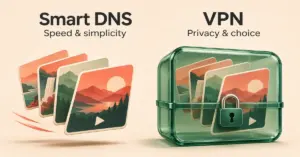
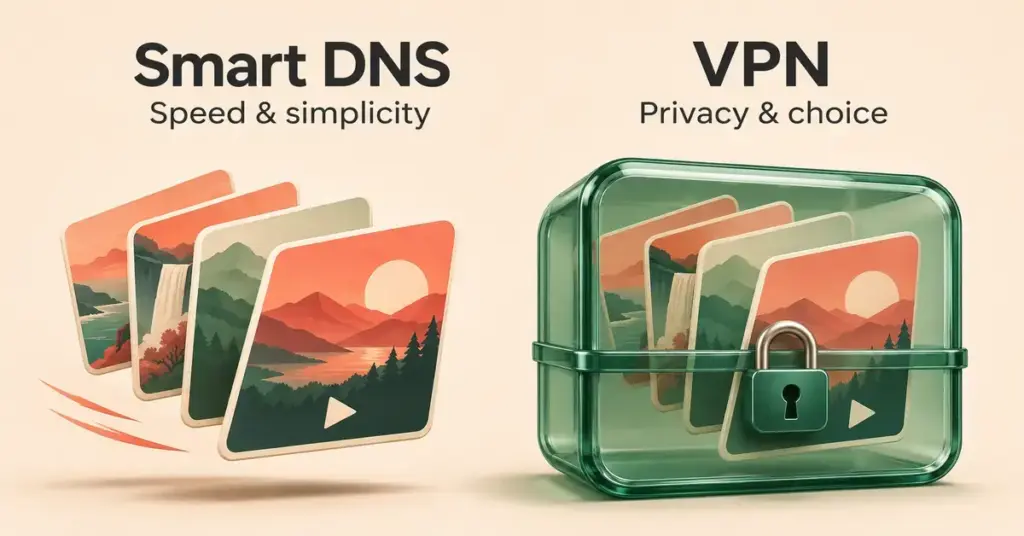
If you only want to watch an overseas Netflix, Disney+ or BBC catalogue on your smart TV, Smart DNS is usually the faster, simpler option — but it does nothing to protect your privacy. A VPN is a little slower, yet it encrypts your connection, hides your IP address and reaches far more countries.
What Smart DNS actually does
DNS (the Domain Name System) is the internet’s address book: it turns a web address you can read, like netflix.com, into the numeric IP address of the server that answers it. A Smart DNS service keeps a list of the domains used by streaming platforms and reroutes just those DNS lookups through servers in another country. The streaming site then reads your request as if it came from that region and shows you the local catalogue.
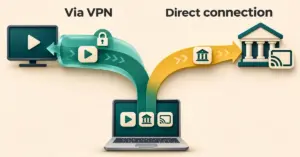
Crucially, that is all it changes. Your real IP address stays the same, the rest of your traffic takes its normal path, and nothing is encrypted. Because there is no encryption overhead, speeds stay close to your full line rate, which is why Smart DNS is popular for 4K streaming. Setting it up means entering two DNS numbers into a device’s network settings — the same place you would go to change the DNS settings on your router — and, with most providers, registering your home IP address first.
- Does: unblock supported streaming services, keep speeds high, and work on devices that cannot run a VPN app.
- Does not: hide your IP address, encrypt your traffic, protect you on public Wi-Fi, or unblock sites outside the provider’s supported list.
What a VPN does
A VPN (virtual private network) builds an encrypted tunnel between your device and a server somewhere else in the world. All of your internet traffic flows through that tunnel, so your real IP address is swapped for the server’s and your data is scrambled along the way. Pick a London server and websites, including streaming services, treat you as if you were in the UK.
Because every byte is encrypted and routed through an extra hop, a VPN adds a small amount of lag and can shave a little off your speed, though modern protocols keep that minor on a good fibre connection. In return you get genuine privacy: your ISP and anyone on the same network cannot see which sites you visit, and a good app includes a kill switch — a setting that cuts your internet if the tunnel drops, so your real IP is never exposed. If you are weighing up providers, our guide to choosing a VPN in New Zealand covers audits, jurisdiction and streaming reliability in detail.
Smart DNS vs VPN: the key differences
The two tools overlap on one job — making a service think you are somewhere else — but they work very differently. The table below sums up how they compare on the things that matter for streaming.
Smart DNS vs VPN compared
| Feature | Smart DNS | VPN |
|---|---|---|
| What it changes | Reroutes only DNS lookups for supported streaming sites | Routes and encrypts all of your internet traffic |
| Hides your IP address | No — your real IP stays visible | Yes — replaced with the server’s IP |
| Encryption | None | Yes |
| Streaming speed | Near full line speed, no overhead | Small drop from encryption and extra routing |
| Device support | Smart TVs, consoles — any device with DNS settings | Apps for phones and PCs; app or router for TVs/consoles |
| Protection on public Wi-Fi | None | Encrypts your data on untrusted networks |
| Catalogues it reaches | The provider’s supported list (often mostly US) | Any country where the VPN has servers |
| Typical NZ cost | In our experience, usually part of a VPN subscription rather than sold on its own | A modest monthly cost, lower on longer commitments |
| Setup | Enter DNS numbers and register your IP | Install the app, pick a country, connect |
Speed on an NZ fibre connection
On a typical New Zealand fibre plan, a VPN’s encryption overhead is small enough that it will not interrupt HD or 4K playback — provided you connect to a server close to home or to the catalogue you want. A distant server adds the most lag, so picking a nearby one is the single biggest thing you can do to keep streaming smooth.
Device support
Smart DNS runs on almost anything with DNS settings, including smart TVs and game consoles that have no VPN app. A VPN runs as an app on phones, computers and many streaming sticks; for a TV or console without an app you either install it on your router or use a device such as a Firestick that can run the app itself.
Unblocking reach
A VPN can place you in any country where it has servers, so it reaches far more catalogues. Smart DNS only unblocks the services its provider supports — often a mostly US list — and if a server gets flagged you may need to re-register your IP or flush your DNS cache before it works again.
Which is better for streaming in New Zealand?
There is no single winner — it depends on the device you stream on and whether you want privacy as well as access.
When Smart DNS is the better pick
- You stream on a smart TV, Apple TV or games console that cannot run a VPN app, and you would rather not configure a router.
- Speed is your priority — for example 4K on a shared household connection — and you are only trying to unblock a supported service.
- You are comfortable that your connection is not private, because you are only streaming, not banking or browsing on untrusted Wi-Fi.
When a VPN is the better pick
- You want privacy and security alongside streaming, especially on public or shared networks.
- You need catalogues beyond a provider’s Smart DNS list, such as UK, Japanese or Australian libraries.
- You stream on phones, laptops or a device that runs the VPN app, where a one-tap connection is simpler than editing DNS numbers.
Before reaching for either tool, it is worth checking whether the show is already available here. Many titles that Kiwi viewers chase overseas turn up on local services — our rundown of which streaming service is best in NZ is a good starting point, and Netflix’s NZ plans already carry a large slice of the global catalogue.
Why Netflix and other services block both
Neither method is guaranteed. Streaming platforms license content region by region, so they actively look for viewers reaching across borders. Netflix set this out in its 2016 statement on proxy detection, saying those using proxies or unblockers would only be able to watch the catalogue for the country they are physically in. If it spots a mismatch, you see the familiar “You seem to be using a VPN or proxy” error (code E106) and the title will not play.
In our experience, neither method works every time. When a VPN suddenly stops unblocking a service, switching to a different server will often get it going again. Smart DNS tends to be more hit-and-miss, and you may need a provider that keeps its service actively updated. The takeaway for NZ viewers: expect to occasionally change servers or providers, and treat any “always works” promise with caution.
Can you use both at once?
Some VPN subscriptions bundle a Smart DNS feature (NordVPN, for instance, builds Smart DNS into its SmartPlay technology), letting you run the full app on your phone and laptop while using the DNS numbers on a smart TV that has no app. Having both tools under one plan covers every screen in the house with a single subscription.
Disclaimer
As far as we are aware, using a VPN or Smart DNS is not illegal in New Zealand — but we are not lawyers and this is not legal advice. Viewing a streaming service’s overseas catalogue can, however, breach that service’s own terms of use, and licensing is enforced by geographic location. In our view the realistic consequence is a blocked stream or, at most, a suspended account rather than any legal action — but it is a contractual risk you take on, not something we are recommending. For general online-safety guidance, New Zealand resources include Netsafe and Own Your Online (CERT NZ). This article is informational only.
Sources
Frequently asked questions
Can a VPN be tracked?
A VPN hides your IP address and encrypts your traffic, so your internet provider and the websites you visit cannot see what you are doing inside the tunnel. A provider with an independently audited no-logs policy keeps no record of your activity to hand over. That said, a VPN is not total anonymity — accounts you log into still identify you, and a provider that does keep logs could be compelled to share them.
Does NordVPN support Smart DNS?
Yes. NordVPN includes Smart DNS, built into its SmartPlay feature, for smart TVs and other devices that cannot run the app. It needs an active NordVPN subscription, and you set it up by registering your IP in your account and entering NordVPN’s DNS addresses on the device. The supported list is limited and weighted towards US services.
Is it better to use a proxy or a VPN?
A proxy (and Smart DNS is a specialised kind of proxy) is lighter and faster because it does not encrypt your traffic, which suits plain streaming. A VPN is better whenever you also want privacy, security on untrusted networks, or access to a wider range of regions. For streaming alone a proxy or Smart DNS can be enough; for everything else, choose a VPN.
Is Smart DNS safe to use?
Smart DNS itself is not malicious, but it provides no security: it does not encrypt your data or hide your IP, so it adds no protection on public Wi-Fi. Stick to reputable, paid providers, since a free or unknown DNS service can see which sites you look up. If safety on untrusted networks matters to you, use a VPN instead.