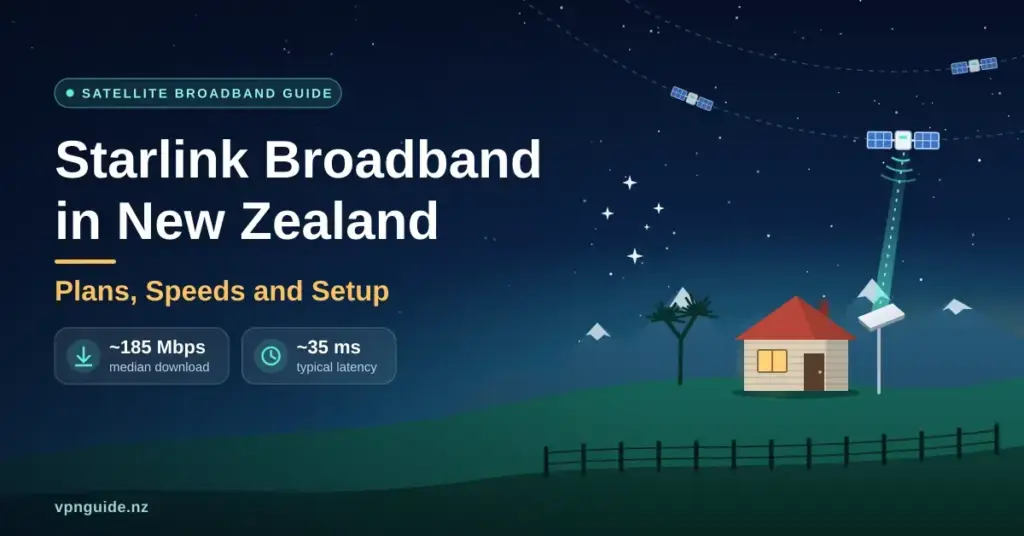
Satellite internet has quietly become mainstream broadband in rural New Zealand. Instead of waiting for fibre that may never reach a back-country farm or a Coromandel bach, thousands of households now point a small dish at the sky and get speeds that were once reserved for city fibre. This guide explains how Starlink works in Aotearoa, what the current plans and hardware actually cost, the download speeds and latency real Kiwi users see, how to set it up yourself, and how it stacks up against fibre and rural wireless — so you can decide whether it fits your address and budget.
Quick Facts
| Service | Starlink — low-Earth-orbit satellite broadband by SpaceX |
| Official site | starlink.com/nz |
| NZ availability | Nationwide where there is a clear view of the sky |
| Typical NZ speed | ~185 Mbps median download; ~10–25 Mbps upload (Ookla, 2025) |
| Typical latency | ~35 ms |
| Home plans | Residential Lite ~$79/mo; Residential (Standard) ~$170/mo — unlimited data, month-to-month |
| Mobile plans | Roam 100GB ~$100/mo; Roam Unlimited ~$235/mo |
| Hardware | Standard Kit ~$599; Starlink Mini ~$449 (one-off purchase) |
| Contract | None — pause or cancel anytime |
What Starlink is and how it works
Starlink is a satellite broadband service run by SpaceX. What makes it different from older satellite internet is orbit height. Traditional satellite services use a handful of satellites parked about 35,000 km above the equator, which is why they feel slow — every request has to travel a huge distance and back. Starlink instead uses thousands of small satellites in low-Earth orbit (LEO), roughly 550 km up.
That short distance is the whole trick. It gives Starlink low latency — the delay, measured in milliseconds (ms), between your device asking for data and getting a reply. Low latency is what makes video calls, online gaming and remote-desktop work feel responsive rather than laggy. Your dish (nicknamed “Dishy”) is a flat, phased-array antenna: it steers its signal electronically to track satellites passing overhead, with no spinning motors to point at a single fixed point in the sky.
- Thousands of satellites in low orbit hand your connection off from one to the next as they pass.
- You need a clear view of the sky — in New Zealand that means looking toward the northern sky, away from tall trees and buildings.
- Setup is “plug-and-play”: plug in the dish and router, and it aligns itself.
- It is an internet-only service — there is no traditional landline phone.
Starlink plans and pricing in New Zealand
Starlink pricing changes fairly often, and SpaceX renames tiers from time to time, so treat the figures below as a mid-2026 snapshot and confirm the current price on the official site before you order. In New Zealand the line-up falls into three groups: fixed home plans, portable “Roam” plans, and business-grade Priority plans.
Residential (home) plans
These are for a single fixed address, such as your house or farm office.
- Residential Lite — around $79/month. Unlimited data, but your traffic is deprioritised behind full Residential customers, so speeds can dip when the local network is busy in the evening. A good-value pick for most rural homes.
- Residential (Standard) — around $170/month. Unlimited data with full residential priority for the most consistent top speeds. This plan rose from roughly $159 during 2026.
Both plans are month-to-month with no fixed-term contract, which is unusual for New Zealand broadband. If you want to understand how much speed your household actually needs before choosing a tier, our guide to what internet speed you need is a good starting point.
Roam and mobile plans
Roam (formerly “Portability”) lets you take the dish with you rather than tying it to one address — ideal for campervans, boats, seasonal work and holiday homes.
- Roam 100GB — around $100/month. 100GB of high-speed data before speeds are reduced. Starlink doubled this plan from 50GB to 100GB in January 2026 at no extra cost.
- Roam Unlimited — around $235/month. Unlimited data and, with the right hardware, use “in motion” (for example while a vehicle is moving).
A handy feature of Roam is that you can pause and resume billing month-by-month, so seasonal users only pay when they are actually travelling.
Business and Priority plans
Priority plans are aimed at forestry, mining, construction and large-scale farming. They add prioritised data (business traffic is moved ahead of residential during congestion), a public IP option and more support. Pricing typically starts a few hundred dollars a month and scales with the data allowance, so these are quote-by-use rather than one flat figure.
Hardware: what is in the box and what it costs
Unlike fibre, where the modem is often free, Starlink is a one-off hardware purchase you own outright. Two kits cover most New Zealanders:
- Standard Kit — around $599. The full-size dish plus a Wi-Fi router, mounting base and cable. Best for a permanent home or farm install.
- Starlink Mini — around $449. A smaller dish with the Wi-Fi router built in, designed for travel and easy portability. If you are weighing this up, our dedicated Starlink Mini guide covers its price, plans and power draw in detail.
Both kits include the router, so most homes are online within minutes of unboxing. You do not need an electrician or a trenching crew, which is a large part of Starlink’s appeal for remote properties where wired install fees would be enormous.
Real-world speeds and latency in New Zealand
New Zealand is one of Starlink’s strongest markets for performance. In independent Ookla testing during 2025, New Zealand recorded a median Starlink download of about 185 Mbps and multi-server latency around 35 ms — among the best satellite results in the world and close to what many terrestrial connections deliver. Uploads typically sit in the region of 10–25 Mbps.
In practice that is enough for 4K streaming, video meetings, cloud backups and online gaming at the same time. Starlink has, in fact, become the largest internet provider in rural New Zealand, reportedly accounting for more than a quarter of connections there — the first time many rural users have had the same class of speed as city households. A few things affect the speed you personally see:
- Obstructions. Tall trees, roof lines or hills that block the dish’s view cause brief dropouts as it loses sight of a satellite.
- Plan priority. Residential Lite and Roam users may slow down at peak times; full Residential and Priority hold speed better.
- Local demand. Speeds can vary as more people in your “cell” of the sky join the service.
For context on how those numbers compare with wired connections, see our overview of what NZ fibre plans really deliver.
How to install Starlink yourself
The kit is designed for a do-it-yourself install. The steps are straightforward:
- Download the Starlink app and use its obstruction check — it uses your phone camera to scan the sky and flag anything blocking the view toward the north.
- Pick a clear spot: a roof, a pole, or an open paddock away from trees and buildings.
- Mount the dish, run the cable inside, and plug the dish and router into power. The dish aligns itself automatically.
- Connect your devices to the Starlink Wi-Fi network and finish setup in the app.
For a permanent install in a windy region such as Canterbury or Wellington, many people upgrade the flimsy included base for a sturdier pole, pipe adapter or ridge mount so the dish stays put through the seasons.
Getting Wi-Fi across a larger property
The bundled router is fine for a small house, but a large homestead with thick walls or a detached office will have dead spots. Starlink sells mesh nodes that extend the network, and third-party mesh systems work too. Our guides to choosing a home router and setting up mesh Wi-Fi explain how to cover a bigger footprint without dead zones.
Starlink vs fibre and rural wireless
Starlink is not trying to beat urban fibre — where fibre is available it is usually cheaper and faster. Starlink’s strength is reaching places wired and tower-based services can’t. The old Rural Broadband Initiative (RBI) built 4G cell towers, which helped many households but left those in valleys or the “shadow” of hills disconnected, often on capped plans. Because Starlink connects straight up to satellites, it fills those gaps without needing a nearby tower.
| Factor | Starlink | Fibre (where available) | Rural wireless (4G/5G) |
|---|---|---|---|
| Typical NZ download | ~185 Mbps median | 100 Mbps to 1 Gbps+ | 10–50 Mbps common |
| Latency | ~35 ms | Very low (5–20 ms) | Higher, tower-dependent |
| Data | Unlimited on home plans | Usually unlimited | Often capped |
| Availability | Almost anywhere with sky view | Urban and some rural towns | Needs line of sight to a tower |
| Contract | Month-to-month | Often 12–24 months | Often 12–24 months |
| Hardware | One-off kit (~$449–$599) | Usually free modem | Usually free modem |
If fibre or a good fixed-wireless plan reaches your street, it is usually the better value. Starlink shines when the alternatives are slow copper, a congested tower, or nothing at all. A newer option worth comparing is 5G home broadband, which can be excellent in towns with strong coverage.
Weather, power and reliability
New Zealand weather is a fair question for anything mounted on a roof. The dish is built for the outdoors and includes a heating element that melts snow and ice, which matters in Central Otago and alpine areas. In very heavy rain or a severe storm you may see a brief speed dip — known as “rain fade” — as the signal weakens, but the connection normally holds and recovers quickly.
The bigger real-world limitation is power. The dish and router run on mains electricity, so a power cut takes your internet down too. Rural users who need to stay online through outages often add a UPS (battery backup), a portable power station or a generator. It is also worth knowing that standard residential plans use CGNAT (carrier-grade NAT, where many customers share public addresses), so you don’t get your own public IP by default — something to plan for if you need to reach a home server or certain security cameras remotely. Priority plans can add a public IP; you can also route around some of it with a VPN.
- Built-in snow-melt mode for cold regions.
- Designed to keep working through typical NZ storms, with short rain-fade dips.
- No moving parts — the phased-array antenna steers electronically.
- Add battery or generator backup to survive power cuts.
Coverage, satellites and the night sky
Starlink now covers effectively all of New Zealand where you have a clear view of the sky, and it operates under a spectrum licence from Radio Spectrum Management (RSM), the government body that manages radio frequencies here. The rapid growth of the constellation has drawn criticism from astronomers, because bright satellites leave streaks across long-exposure photos of the night sky. SpaceX’s earlier “VisorSat” sunshade approach has since been dropped — the visors blocked the laser links satellites now use to talk to each other — and replaced with dielectric-mirror and specular coatings intended to reflect sunlight away from the ground. The impact on astronomy remains an active debate. You can read the background on the technology on Starlink’s Wikipedia page.
On space-junk concerns, the low orbit is actually a safety feature: a failed satellite naturally loses altitude and burns up in the atmosphere within about five years, rather than lingering as debris for decades.
Direct-to-cell: satellite texting in New Zealand
One of the most Kiwi-relevant developments isn’t broadband at all. Starlink’s newer satellites support direct-to-cell, letting an ordinary phone connect to a satellite when there is no mobile tower in range. In New Zealand this is already live through One NZ Satellite TXT, launched in late 2024 as the world’s first nationwide service of its kind, and it is expanding to more devices and eventually voice and data.
It won’t replace home broadband — messages can take a little longer to send — but for trampers, hunters and rural drivers it means a text can get through from places that have never had coverage. It is a genuine safety net rather than a speed upgrade.
Who Starlink suits — and who should wait
Starlink is a strong fit if you live or work beyond fibre, are stuck on slow copper or a congested rural tower, need to move your connection between sites, or want a backup line for a business where downtime is costly — for example keeping EFTPOS, cloud tools and home security cameras online. It is less compelling if fibre or a solid 5G plan already reaches you, since those are usually cheaper and lower-latency, or if a reliable mains power supply is a problem at your site.
Key Points
- Starlink uses thousands of low-orbit satellites, giving far lower latency than old satellite internet.
- New Zealand sees strong performance — about 185 Mbps median download and ~35 ms latency in 2025 testing.
- Home plans are unlimited and month-to-month: Residential Lite ~$79/mo and Residential ~$170/mo.
- Hardware is a one-off buy (~$449–$599) with easy DIY, app-guided setup.
- Best where fibre and rural wireless can’t reach; fibre or 5G is usually cheaper where available.
- The dish needs mains power — add battery or generator backup for outages.
- Prices and plan names change periodically; confirm current details on the official Starlink NZ site.
Sources
- Starlink — New Zealand plans and pricing
- Broadband Breakfast — Ookla data on Starlink speeds (2025)
- Light Reading — Starlink becomes biggest ISP in rural New Zealand
- RNZ — One NZ begins rollout of Starlink satellite text service
- SpaceNews — Starlink satellite brightness and coatings
- Noel Leeming — Starlink hardware prices in NZ
Frequently Asked Questions (FAQ)
How much does a Starlink kit cost in New Zealand?
The Standard Kit is around $599 and the smaller Starlink Mini is around $449 at New Zealand retailers. That is a one-off hardware purchase you own; the monthly plan is billed separately. Prices change, so check the official Starlink NZ site or a local retailer before ordering.
What speeds and latency can I realistically expect?
Independent 2025 testing put New Zealand’s median Starlink download at roughly 185 Mbps with latency around 35 ms and uploads of about 10–25 Mbps. That is enough for 4K streaming, video calls and online gaming, though your result varies with your plan, the time of day and any obstructions.
Is the data really unlimited?
On the fixed home plans, yes — Residential and Residential Lite include unlimited data with no overage fees. Lite traffic is deprioritised at busy times, so it can slow down briefly, but you are never charged extra. Roam mobile plans differ: Roam 100GB gives 100GB at full speed before slowing.
Does Starlink work in heavy New Zealand rain and wind?
Mostly, yes. Very heavy rain can cause a short “rain fade” dip, and the dish has a heating element to clear snow. With a proper mount it handles typical NZ wind. The more common issue is a power cut, since the dish needs mains power — a battery or generator keeps you online.
Can I take a home Starlink dish camping or in a campervan?
Not on a standard residential plan, which is tied to your registered address. To use it while travelling around New Zealand you need a Roam plan, and for use while a vehicle is moving you also need compatible in-motion hardware such as the Starlink Mini or a flat high-performance dish.