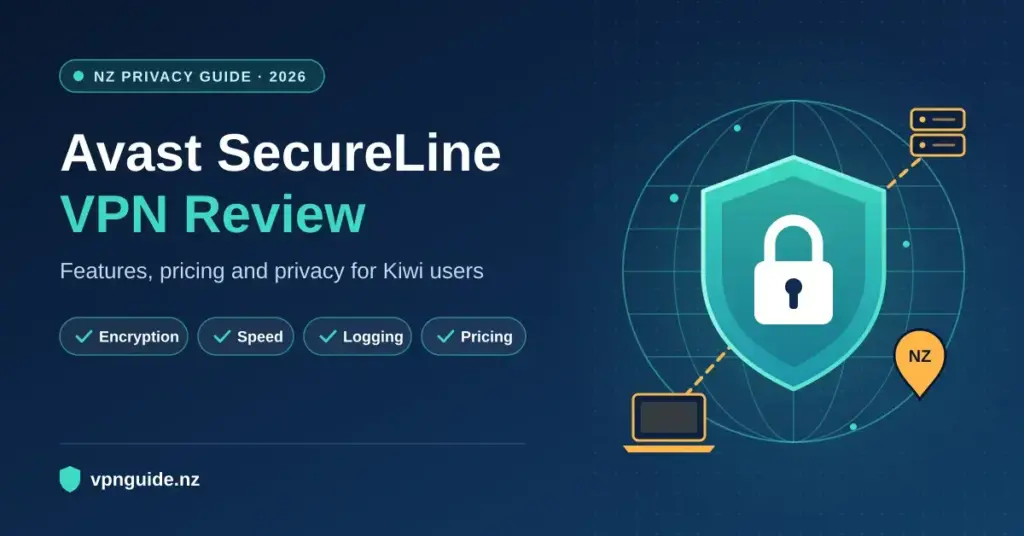
Choosing a virtual private network (VPN) is now a routine privacy decision for New Zealand households and remote workers, and Avast SecureLine VPN is one of the mainstream options many Kiwis encounter first, usually because they already run Avast antivirus. This Avast SecureLine VPN review looks at what the service actually offers in 2026: its encryption and protocols, real-world speed behaviour, its logging record, the 2026 pricing and trial terms, and how it stacks up against alternatives. A VPN is simply software that encrypts your internet traffic and routes it through a remote server, hiding your real IP address from websites, trackers and the network you are connected to. If you want the fundamentals first, see our plain-English explainer on what a VPN is and how it works.
The aim here is a neutral, fact-checked assessment rather than a sales pitch. Avast SecureLine is easy to use and closely tied to a well-known antivirus brand, but it also carries a specific privacy history and some clear feature gaps that are worth understanding before you subscribe.
Quick Facts
| Developer | Avast Software (part of Gen Digital) |
| Official download | avast.com/secureline-vpn |
| Operating systems | Windows, macOS, Android, iOS, Android TV, browser extension |
| Not supported | Linux, routers |
| Protocols | WireGuard (Windows/Android), OpenVPN, Mimic (obfuscation) |
| Encryption | AES-256 |
| Simultaneous devices | Up to 10 |
| Network | Roughly 700 servers across about 34–36 countries |
| Licence | Paid subscription (billed annually); 60-day desktop / 7-day mobile free trial |
| Money-back guarantee | 30 days (purchases from avast.com) |
What Is Avast SecureLine VPN?
Avast SecureLine VPN is a consumer virtual private network that encrypts your active internet traffic and replaces your public IP address with the address of one of Avast’s servers. It builds an encrypted tunnel between your device and a remote node, which shields the contents of your traffic from the local network, from your internet service provider and from casual snoopers on shared Wi-Fi.
The product is deliberately simple. Instead of exposing the advanced networking controls that privacy specialists look for, it leans on a clean, one-click interface aimed at everyday users. That makes it approachable for someone who mainly wants encryption on public Wi-Fi at a cafe, airport or hotel, rather than a highly configurable tool for power users.
Who Makes It: Avast and Gen Digital
Avast SecureLine is developed by Avast Software, which since a 2022 merger with NortonLifeLock is part of Gen Digital — the same parent group behind Norton (Wikipedia), AVG, Avira and LifeLock. That ownership matters for two reasons. First, several of these products share technology and pricing patterns, so the Avast, AVG and Norton VPN offerings overlap heavily. Second, it means Avast sits inside a large advertising-and-security conglomerate rather than a privacy-first independent, which is relevant when you weigh up its logging record below.
Encryption and Protocols: WireGuard, OpenVPN and Mimic
Avast SecureLine uses AES-256 encryption, the same symmetric cipher standard used across the banking and security industry, so the raw cryptography is not a weak point. What varies between VPNs is the tunnelling protocol that carries that encrypted data. Avast supports three:
- WireGuard — a modern, lightweight protocol known for fast connection times and good battery efficiency on phones. On Avast it is available on Windows and Android.
- OpenVPN — the long-established, heavily audited open-source protocol, used as the cross-platform default in many configurations.
- Mimic — Avast’s proprietary obfuscation protocol, designed to disguise VPN traffic so it looks like ordinary HTTPS web browsing. This can help on restrictive networks (some workplaces, campuses or countries) that actively detect and block standard VPN traffic.
If you want to understand the trade-offs between the two open protocols in more depth, our guide comparing WireGuard and OpenVPN explains where each one makes sense.
Kill Switch and Split Tunnelling
SecureLine includes a kill switch, which cuts your device’s internet access if the encrypted tunnel drops unexpectedly, so your real IP address is not briefly exposed while the app reconnects. It also offers split tunnelling on Windows and Android, letting you choose which apps run through the VPN and which use your normal connection — useful for keeping a local banking app or a low-latency game off the tunnel while everything else stays encrypted. You can confirm which address the internet sees at any time with a tool like our free IP and leak checker.
Speed and Performance in New Zealand
VPN speed depends heavily on distance to the server and the protocol in use. On a fibre connection, nearby servers — domestic nodes and links across to Australia — typically retain the large majority of your baseline speed, which is enough for video calls, cloud file transfers and general browsing without obvious lag. Encryption always adds some overhead, so expect a modest reduction rather than no change.
Longer routes to the United Kingdom, Europe or North America introduce more latency simply because the data travels through undersea cables over much greater distances. That physical distance, not the software itself, is the main reason distant pages can take a little longer to start loading. Avast is competent for everyday use, but independent testing generally places its long-distance throughput below the fastest premium providers.
Streaming and Torrenting
Avast markets streaming-optimised servers, and results are mixed in practice. Independent reviewers report that some servers connect to services such as Netflix while others are blocked, so it is not a dependable choice if unblocking a specific overseas catalogue is your main goal. Peer-to-peer (P2P) file sharing is supported only on designated servers rather than across the whole network. If reliable streaming access is your priority, an audited provider with a larger network is usually a safer bet.
Privacy, Logging and the FTC Case
This is the most important section of any honest Avast SecureLine review. Avast states that it does not log your browsing history, the destinations you visit, DNS queries or the contents of your traffic on the VPN. It does record limited operational data such as connection timestamps and aggregated bandwidth to manage the network — a common practice, but one you should be aware of.
The larger issue is history. In February 2024 the United States Federal Trade Commission (FTC) fined Avast US$16.5 million and banned it from selling or licensing web browsing data for advertising. The case related to data harvested from Avast’s antivirus and browser extensions between 2014 and 2020 and sold through its subsidiary Jumpshot to more than a hundred third parties. Avast shut Jumpshot down in early 2020 after the practice was exposed, and it has since operated under stricter policies as part of Gen Digital. The Jumpshot data was not VPN traffic, but the episode is directly relevant to how much you trust the company with a privacy product.
A further consideration is that Avast SecureLine’s VPN no-logs policy has not been the subject of a widely publicised independent audit, unlike several rivals that publish regular third-party audits. For casual protection on public Wi-Fi this may not concern you; for anyone with strict privacy needs, the combination of the FTC history and the audit gap is a genuine reason to look closely at alternatives.
What Stays Private vs What Is Logged
| Not logged (per Avast) | Recorded for operations |
|---|---|
| Your real public IP address | Connection start and end timestamps |
| Websites and domains you visit | Aggregated bandwidth used per session |
| DNS queries | The client app version in use |
| The contents of your traffic | Basic diagnostic and crash reports |
Platforms, Devices and Compatibility
A single Avast SecureLine subscription covers up to 10 devices at once, which is generous for a family. Native apps are available for Windows, macOS, Android and iOS, plus a browser extension and an Android TV app. The notable gaps are the lack of a Linux client and no router support, which means you cannot cover an entire home network from one device or protect hardware that only connects through a router. If Linux or router-level coverage matters to you, this is a hard limitation rather than an inconvenience.
Practical Setup for New Zealand Users
- Choose WireGuard where offered (Windows and Android) for the quickest connections and best mobile battery life.
- Use auto-connect on untrusted Wi-Fi so the tunnel starts automatically at cafes, airports and hotels, while you whitelist your trusted home fibre.
- Pick a nearby server — a New Zealand or Australian node — for banking and general browsing to keep speeds high and avoid triggering security flags on local financial sites.
- Use split tunnelling if a local app misbehaves behind a foreign IP address, routing just that app outside the tunnel.
2026 Pricing and the 60-Day Trial
Avast keeps its plans simple: every subscription includes the same features, unlimited data and the full server network, with the only difference being contract length. Pricing is billed annually rather than month-to-month. Based on Avast’s current 2026 rates, the tiers are roughly:
- 1 year: about US$55.08 (around US$4.59 per month), or roughly NZ$90 at recent exchange rates.
- 2 years: about US$105.36 (around US$4.39 per month).
- 3 years: about US$158.04 (around US$4.39 per month).
Prices are set in US dollars and the New Zealand equivalent moves with the exchange rate, so treat the NZD figure as an estimate. Renewal prices can differ from introductory rates, so check the total before you confirm.
The standout is the trial. Avast offers a 60-day free trial on desktop — unusually long — and a 7-day trial on Android and iOS, letting you test the full service before paying. Purchases from Avast’s website are also covered by a 30-day money-back guarantee. Together these give you a genuinely low-risk way to test speeds on your own hardware before committing.
How Avast SecureLine Compares
Avast’s strengths are simplicity, the long trial and tight integration with its antivirus. Its weaknesses — a comparatively small network, no independent VPN audit, the FTC history, and no Linux or router support — are exactly where several rivals are stronger. The table below places it against widely used alternatives that vpnguide.nz covers in detail.
Comparison
| Provider | Approx. countries | Devices | Independent audit | Router / Linux |
|---|---|---|---|---|
| Avast SecureLine | ~34–36 | 10 | Not widely published | No / No |
| Proton VPN | 90+ | 10 | Yes (published) | Yes / Yes |
| Private Internet Access | 90+ | Unlimited | Yes (published) | Yes / Yes |
| NordVPN | 110+ | 10 | Yes (published) | Yes / Yes |
| Norton VPN | Varies | Varies by plan | Not widely published | Limited |
| CyberGhost | 100+ | 7 | Yes (published) | Yes / Yes |
Who Avast SecureLine Suits
It is a reasonable fit for existing Avast or antivirus users who want basic, low-effort encryption on public Wi-Fi across a handful of phones and laptops, and who value a familiar interface over advanced control. It is a weaker fit for anyone who needs reliable streaming access, router or Linux coverage, a large server network, or a provider with a clean privacy record and published audits. If privacy assurance is your priority, an audited no-logs provider is a more suitable choice, and our wider cyber security guide for New Zealand covers how a VPN fits alongside your other defences.
Common Mistakes to Avoid
- Assuming a VPN replaces antivirus. A VPN encrypts traffic; it does not remove malware. Keep dedicated security software running as well.
- Expecting guaranteed streaming unblocking. Avast’s results are inconsistent — do not buy a long plan solely to access a specific overseas library.
- Ignoring the trial. The 60-day desktop trial exists precisely so you can test speeds and compatibility first; use it before paying.
- Overlooking the renewal price. Confirm what you will pay when the term rolls over, not just the first-year rate.
Sources
- Avast — SecureLine VPN official page
- US FTC — Order banning Avast from selling browsing data (Feb 2024)
- Security.org — Avast SecureLine VPN pricing and features
- CyberInsider — Avast SecureLine VPN review (protocols, streaming, platforms)
- Gen Digital — parent company of Avast, Norton, AVG and Avira
- Google Play — Avast SecureLine VPN (mobile app and trial)
Frequently Asked Questions (FAQ)
Is Avast SecureLine VPN safe for online banking in New Zealand?
The encryption itself is strong — AES-256 over WireGuard or OpenVPN — so it protects your data on public Wi-Fi. For banking, connect to a New Zealand or Australian server first, because some local financial sites flag logins from unfamiliar overseas IP addresses.
Does Avast log my browsing activity?
Avast states it does not log your browsing history, visited domains, DNS queries or traffic contents on the VPN, but it records limited operational data such as connection timestamps and bandwidth. Note that its wider parent company was fined by the US FTC in 2024 over past, non-VPN data selling through the Jumpshot subsidiary.
Can I use it on a router, Linux PC or every smart TV?
No. There is no Linux client and no router support, so you cannot cover a whole home network from one device. Native apps exist for Windows, macOS, Android, iOS and Android TV, plus a browser extension.
How much does Avast SecureLine VPN cost in 2026?
The 1-year plan is about US$55.08 (roughly NZ$90 depending on the exchange rate), with cheaper per-month rates on 2-year and 3-year terms. There is a 60-day desktop free trial, a 7-day mobile trial and a 30-day money-back guarantee.
Does Avast SecureLine work reliably with Netflix?
Not consistently. Independent testing shows some servers connect to Netflix while others are blocked, so it is not a dependable choice if unblocking a specific overseas catalogue is your main reason for subscribing.