
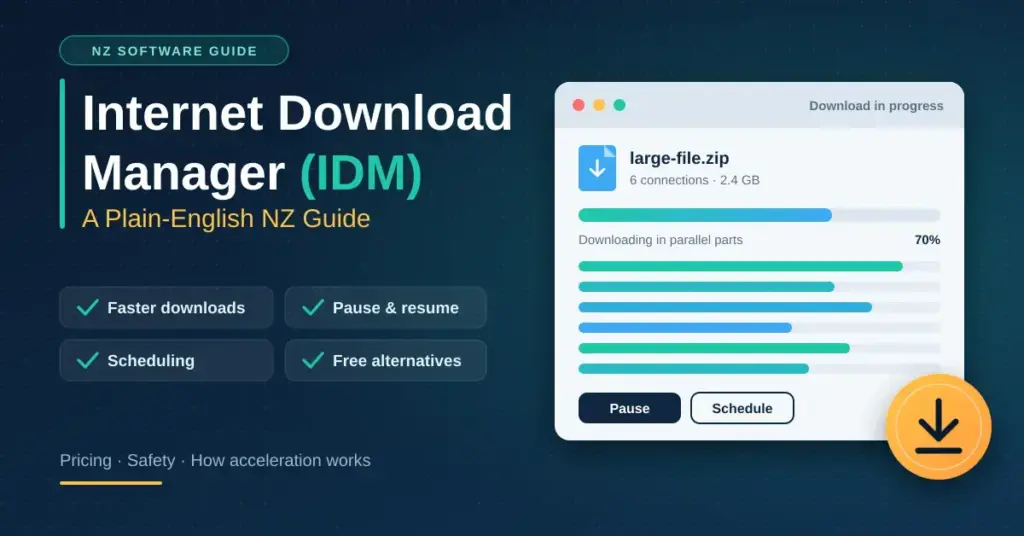
Internet Download Manager — usually shortened to IDM — is a paid Windows application that speeds up, schedules and resumes file downloads by splitting each file into several parts and fetching them at the same time. This guide explains what IDM actually is, who makes it, what it costs, how the underlying “download acceleration” works, and how it stacks up against the free download managers many New Zealanders use instead. It is written for everyday Kiwi users on UFB fibre, fixed wireless or mobile broadband who want faster, more reliable downloads — with honest notes on safety, pricing and the real risks of “cracked” copies.
Quick facts
| Software | Internet Download Manager (IDM) |
| Developer | Tonec Inc. (Tonec FZE) |
| Official download | internetdownloadmanager.com |
| File size | About 10 MB installer |
| Licence | Paid shareware — 30-day free trial, then from ~US$24.95 (lifetime, single PC) |
| Operating systems | Windows 7, 8/8.1, 10 and 11 (32-bit and 64-bit) |
| Latest version | 6.4x series (build 6.43), 2026 |
| Free alternative | Free Download Manager (Windows, macOS, Android, Linux) |
What is Internet Download Manager?
A download manager is a small program that takes over file downloads from your web browser. Instead of pulling a file through one connection, it opens several connections to the same file at once, keeps track of what has arrived, and can pause and continue transfers that would otherwise fail. “Internet Download Manager” is the name of one specific, well-known product in this category, made by Tonec Inc. (also trading as Tonec FZE), a developer that has sold the tool since 1999.
IDM is Windows-only software. There is no official version for macOS, Linux, Android or iOS, so Mac and phone users need a different tool (covered further down). It works by adding a browser add-on that “hooks” your downloads, plus a desktop app that manages the queue. The program has been around long enough that its history and licensing model are documented in detail on Wikipedia.
It is worth separating the two meanings of the phrase. “Internet download manager” as a general idea describes any download accelerator; “Internet Download Manager (IDM)” as a brand describes Tonec’s paid product. This article covers both — how the technology works for everyone, and the specifics of the branded app so you can decide whether it is worth paying for.
How download acceleration actually works
The core trick is called segmented (or multi-part) downloading, sometimes described as multi-threading. Instead of requesting a file as one continuous stream, the manager asks the server for several ranges of the same file at once — for example eight chunks — and downloads them in parallel. When every piece has arrived, the software stitches them back together into the finished file.
This helps for two practical reasons that matter a lot from New Zealand:
- Per-connection caps. Many overseas servers deliberately limit the speed of any single connection to share their bandwidth fairly. Opening several connections can win a larger slice of the server’s total capacity.
- Distance and latency. A file hosted in North America or Europe has to travel a long way to reach Aotearoa, and a single stream can stall waiting for acknowledgements. Running parallel streams keeps more data “in flight” at once, which can make better use of a fast fibre line.
Tonec markets IDM as being able to accelerate downloads by “up to 5 times”, and rival tools make similar claims. Treat those figures as a best case, not a guarantee: real gains depend on the server, the file host and your own connection. A local file already arriving at your full line speed cannot go any faster, no matter how many connections you open.
The second big benefit is resume and error recovery. Because the manager remembers exactly which segments finished, it can pick up an interrupted transfer instead of starting from zero — genuinely useful on rural fixed-wireless, satellite or mobile links where the signal can drop for a few seconds.
Download manager versus a plain browser download
| Capability | Browser download | Download manager |
|---|---|---|
| Connections per file | Usually one | Several in parallel |
| Resume after a drop | Often fails | Reliable resume from the last segment |
| Scheduling | None | Time-based queues and off-peak runs |
| Video capture | No | Grabs many (non-DRM) web videos |
| File sorting | Manual | Automatic by file type |
Key features of IDM
Beyond raw speed, most of IDM’s value is in the everyday convenience features. The main ones are:
- Browser integration. An add-on for Chrome, Firefox, Edge, Opera and other popular browsers intercepts downloads automatically so you rarely have to copy links by hand.
- Video download panel. When a playable video is detected on a web page, IDM offers to save it. Note that content protected by DRM — such as Netflix, Disney+ or other subscription streaming — cannot be captured this way.
- Scheduler and queues. You can set downloads to start, stop or run in sequence at chosen times, which is handy for very large transfers.
- Automatic categorisation. Files are sorted into folders by type (video, compressed, documents and so on) as they finish.
- Speed limiter. A cap stops the app from using all of your bandwidth while the rest of the household is online.
- Site grabber. A “spider” tool that can pull filtered content — for example all PDFs — from a website you have permission to archive.
- Checksum and resume support. Interrupted downloads resume, and completed files can be integrity-checked against the source.
What IDM costs and how to get it
IDM is shareware: you can install a fully working 30-day free trial with no email address or credit card required, after which you must buy a licence to keep using it. As of late 2026 the app is on the 6.4x series (build 6.43), and Tonec releases small updates through the year.
At the time of writing, Tonec’s own pricing is roughly:
- Lifetime single-PC licence: about US$24.95 (listed as a discount from US$29.95). “Lifetime” here means a one-off payment for that version rather than a subscription.
- One-year single-PC licence: about US$11.95.
- Multi-PC licences: lower per-computer rates for two or more machines.
Prices are set in US dollars, so the New Zealand cost depends on the exchange rate and your card’s currency fees. Always check the current figure on Tonec’s site before buying, and only download the installer — a roughly 10 MB file — from the official page linked in the quick-facts box above.
Why you should avoid “cracked” or “pre-activated” IDM
Because IDM is paid software, the web is full of “cracked”, “patched” or “pre-activated” copies that promise the full version for free. Downloading these is a well-known way to infect a Windows PC. Cracks routinely bundle trojans, keyloggers and ransomware, and by design they ask you to disable your antivirus to install — exactly the wrong move. If you want the app, pay for it or use one of the free, legitimate alternatives below. It is worth understanding what malware is and keeping strong antivirus software running before you install anything from an unfamiliar source.
Free alternatives to IDM
IDM is capable, but it is Windows-only and paid, and several free tools cover most of the same ground. If you are on a Mac, Linux or just want to avoid a licence fee, these are the most widely used legitimate options. The comparison below lists concrete platforms and costs so you can match a tool to your setup.
Comparison
| Tool | Platforms | Cost | Best for |
|---|---|---|---|
| Internet Download Manager | Windows only | Paid (30-day trial) | Polished all-rounder for Windows users |
| Free Download Manager | Windows, macOS, Android, Linux | Free, ad-free | Closest free like-for-like swap |
| JDownloader | Windows, macOS, Linux (Java) | Free (donationware) | File-hosting sites and link decryption |
| Xtreme Download Manager (XDM) | Windows, macOS, Linux | Free, open source | Cross-platform, open-source users |
| aria2 | Windows, macOS, Linux | Free, open source | Advanced users comfortable with the command line |
A few notes on the alternatives: Free Download Manager is the closest like-for-like swap for most people — ad-free, cross-platform and able to handle direct downloads and torrents. JDownloader is strongest for file-hosting sites but is written in Java and its installer has historically tried to add bundled adware, so untick any extras during setup. Xtreme Download Manager (XDM) is open-source and runs on Windows, macOS and Linux. And remember that modern versions of Chrome, Edge and Firefox already resume interrupted downloads and download several files at once, which is enough for many casual users.
Getting the best download speeds in New Zealand
A download manager can only ever be as fast as the connection and the server underneath it. To get the most out of one on a Kiwi connection, it helps to understand where your real limits are — you can benchmark your line against your plan using our guide to fibre speeds in NZ. If you are consistently well below what you pay for, the bottleneck is usually the plan, the Wi-Fi or the source server, not the download tool.
Tuning connection settings
- Match connections to your line. Raising the maximum connections per download (commonly up to eight) can help saturate a 1 Gbps or faster fibre plan. More is not always better — some servers refuse too many parallel requests.
- Use a wired link for big files. A cable to your home router avoids the Wi-Fi congestion that often caps large transfers in a busy household.
- Mind your VPN. If you route downloads through a VPN, keep the manager inside the same tunnel; mismatched IP addresses between segments can cause a server to reject a multi-part request.
- Schedule heavy jobs off-peak. Most NZ fibre plans are unlimited, but moving a 50 GB download to the early hours keeps the evening free for streaming and gaming.
Staying safe and private
Speed is only useful if what arrives is safe. Sensible habits with any download manager include:
- Scan finished files. Let your security suite check completed downloads. Some managers can trigger an automatic scan; if not, do it manually before opening anything executable.
- Verify checksums when offered. Comparing an MD5 or SHA hash against the one published by the source confirms the file was not corrupted or tampered with in transit.
- Download only from sources you trust. A faster downloader does not make a dodgy file any safer — it just delivers it sooner.
- Respect copyright and DRM. Saving videos you have the right to keep is fine; capturing paid, DRM-protected streaming is both blocked and against the terms of those services.
For a wider picture of protecting a home network, our overview of cyber security in NZ covers the layers that sit around any download tool.
Common problems and how to fix them
- Download stalls near 100%. This is usually the “assembly” stage or an antivirus scan. Check you have free disk space for the temporary segments, and allow the security scan to finish.
- Speed will not rise. The server may be capping each connection, or your ISP path is the limit. Try fewer or more connections, or a different mirror.
- “403 Forbidden” or an expired link. Many hosts issue time-limited links. Refresh the download address from the original page and let the manager continue from where it stopped.
- The app is blocked. Because a manager opens many connections at once, a firewall or security suite can mistake it for suspicious traffic. Add it to your firewall’s allowed-apps list.
- The browser add-on stops working. A browser update can disable the extension. Re-enable or reinstall it from the official add-on store.
Who a download manager is for
A dedicated download manager earns its place if you regularly pull large files — game updates, software suites, video projects or research archives — or if you are on a connection prone to drops, such as rural fixed wireless, satellite or mobile hotspots. Students grabbing big data sets and creative professionals moving high-resolution media benefit most from resume support and scheduling.
If you only download the occasional small file, a modern browser already handles it well and a separate app is overkill. And if you do want one, weigh IDM’s polish against the fact that capable free tools exist — the right choice depends on your platform, budget and how much you download.
Sources
Frequently asked questions
Is Internet Download Manager free?
No. IDM is paid shareware with a 30-day free trial that needs no email or card. After the trial you must buy a licence — around US$24.95 for a lifetime single-PC licence — to keep using it. Free alternatives such as Free Download Manager and XDM exist if you would rather not pay.
Does IDM work on Mac or Android?
No. IDM is Windows-only, supporting Windows 7 through Windows 11 in 32-bit and 64-bit versions. Mac, Linux and mobile users should choose a cross-platform tool such as Free Download Manager, JDownloader or Xtreme Download Manager instead.
How much faster will my downloads actually be?
It depends entirely on the server and your connection. Splitting a download into parallel connections can help when a server limits single-stream speed, but a file already arriving at your full line speed cannot go faster. Treat “up to 5 times” marketing claims as a best case, not a promise.
Is it safe to download a “cracked” version of IDM?
No — avoid it. Cracked, patched or “pre-activated” copies are a common source of trojans and ransomware and typically ask you to switch off your antivirus. Either pay for the official app from Tonec’s website or use a legitimate free download manager.
Can a download manager save videos from Netflix or Disney+?
No. Video panels in IDM and similar tools can capture many ordinary web videos, but subscription streaming services use DRM protection that blocks downloading. Attempting it also breaches those services’ terms of use.
Does a download manager help on rural or mobile broadband in NZ?
Yes, this is where it shines. Reliable resume means a transfer picks up from the last completed segment after a signal drop, instead of restarting — a real advantage on fixed-wireless, satellite and mobile connections where brief outages are common.


