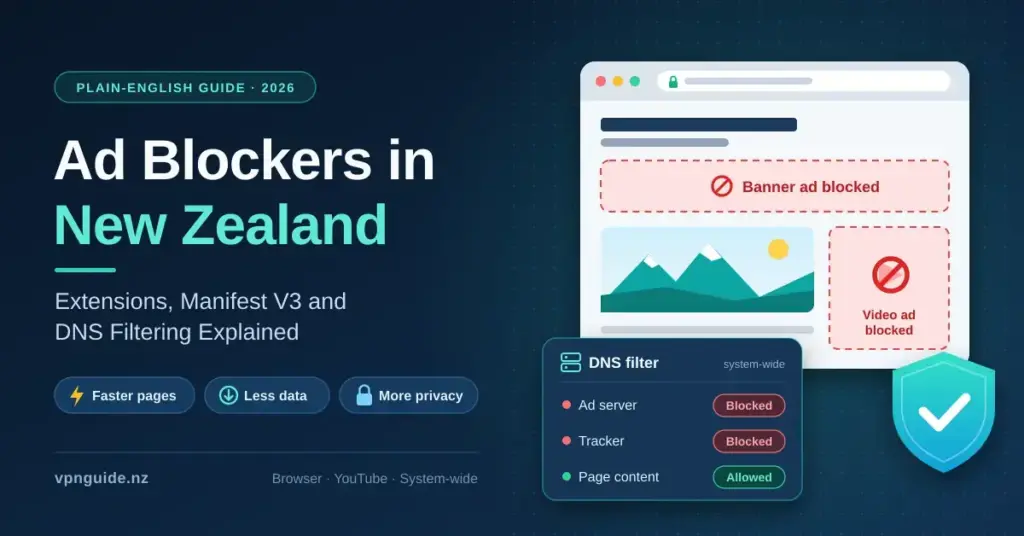

Web pages today arrive loaded with marketing scripts, auto-playing video, and tracking cookies that quietly consume bandwidth and log what you do online. An ad blocker is one of the simplest ways to push back: it stops much of that content from downloading in the first place, which usually means faster pages, less data used, and fewer companies building a profile of your browsing.
This guide explains, in plain English, how ad blockers actually work, what changed when Google moved Chrome to its Manifest V3 extension system, and which tools remain effective in 2026. It is written for readers in Aotearoa New Zealand who want a clear, neutral overview rather than a sales pitch, covering browser extensions, system-wide DNS filtering, YouTube, and how these tools fit alongside a good cyber security setup.
Key Points
- An ad blocker stops adverts and trackers from downloading, which usually means faster pages, less data used and more privacy.
- Chrome and Edge now run only Manifest V3 extensions; the classic uBlock Origin was removed from the Chrome Web Store in August 2026.
- Firefox still supports the full-strength uBlock Origin; Brave blocks many adverts by default.
- YouTube’s server-side ad insertion makes video blocking inconsistent — no tool guarantees it.
- DNS-level filtering (NextDNS, AdGuard DNS, Pi-hole) covers every device, while extensions handle in-browser cleanup.
What an Ad Blocker Is and How It Works
An ad blocker is a piece of software — usually a browser extension, sometimes a standalone app or a network setting — that filters or prevents specific content from loading in your browser. Instead of only hiding adverts after they appear on screen, a capable blocker checks each network request your browser makes against lists of known advertising servers, tracking scripts and telemetry endpoints. When a request matches, the connection is dropped before the content is downloaded, so it never uses your device’s memory, processor or data allowance.
For everyday users, that changes browsing in two ways. First, it removes visible clutter such as banner adverts, pop-ups and mid-roll video. Second — and often more important — it cuts the connection between your device and third-party tracking databases, making it harder for advertising networks to record your shopping habits, searches and reading interests. The practice is well established and widely documented as ad blocking.
The Filtering Rules Behind the Scenes
Most blockers rely on community-maintained filter lists. EasyList and EasyPrivacy are the best-known baselines: volunteers keep them updated to track the changing domains advertising and analytics companies use. A single tool typically combines several filtering techniques, each doing a different job.
| Filtering method | How it works | What it achieves |
|---|---|---|
| Network request blocking | Cancels connections to domains on a blocklist | The advert or tracker never downloads |
| Cosmetic hiding | Applies CSS rules to collapse leftover elements | Removes empty boxes and broken frames from the page |
| Scriptlet injection | Replaces certain page scripts with harmless stand-ins | Defuses some anti-ad-blocker detection walls |
| DNS-level filtering | Blocks requests at the domain-lookup stage | Protects every app on a device, not just the browser |
Manifest V3: What Changed for Chrome Users
The biggest recent shift in ad blocking is technical, and it matters when you choose a tool. “Manifest” is the rulebook that defines what a browser extension is allowed to do. Google replaced the older Manifest V2 system with Manifest V3 (MV3) across Chrome, and other Chromium-based browsers followed.
Under Manifest V2, extensions could inspect and modify network traffic in real time using an API called webRequest. Manifest V3 replaces that with declarativeNetRequest, which hands the actual filtering to the browser engine and asks the extension to submit rules in advance. The browser then caps how many rules an extension can use — around 30,000 dynamic rules, alongside larger static rule sets. In practice this reworked how ad blockers are built, and forced developers to redesign their extensions.
Crucially, this is no longer a future change. Chrome began disabling Manifest V2 extensions for ordinary users from Chrome 138 in mid-2025, later removed the enterprise exception, and on 31 August 2026 Google removed the remaining Manifest V2 extensions — including the classic version of uBlock Origin — from the Chrome Web Store. If you use Chrome or Microsoft Edge, the old full-strength blockers simply no longer run.
How the Main Extensions Responded
- uBlock Origin Lite — a separate, MV3-native extension from uBlock Origin’s developer, Raymond Hill. It runs without a persistent background process and leans on static rule sets (it ships tens of thousands of rules), so it is light on resources but slightly less able to counter aggressive anti-blocker sites.
- AdGuard — rebuilt its browser extension for MV3 while keeping a clear dashboard of toggleable filters, and also offers standalone apps that are not bound by the browser’s rule limits.
- Total Adblock — a commercial option that pairs an MV3-compliant extension with a paid subscription and optional desktop tools.
- Classic uBlock Origin — still fully functional, but only in browsers that keep Manifest V2 (see Firefox below), not in Chrome or Edge.
Ad Blocker Extensions Worth Knowing in 2026
The tools below are the ones most commonly recommended for New Zealand households. They are described by what they do rather than ranked, because the right choice depends on your browser and how much control you want.
uBlock Origin Lite: Free and Lightweight
For a free, open-source option that needs almost no maintenance, uBlock Origin Lite is a strong default on Chrome and Edge. Built for Manifest V3, it uses the browser’s own engine and has no always-on background process, so its memory footprint is minimal. Its “Complete” filtering mode blocks a broad range of adverts and trackers. It offers less fine-grained control than the classic extension, and can be weaker on sites that actively fight blockers, but for most people it is more than enough.
AdGuard: Granular Control
AdGuard’s extension is a good middle ground for people who like to adjust settings. Its dashboard groups filters into categories — trackers, social-media widgets, cookie-consent notices and more — and lets you add custom rules. AdGuard also sells standalone desktop and mobile apps that filter at the system level, sidestepping the browser’s extension limits altogether.
Total Adblock: Paid and Automated
Total Adblock aims at users who want a set-and-forget tool and are willing to pay. It advertises an introductory price of roughly USD 1.59 per month for the first year when billed annually, but it is important to know that it then renews at about USD 99 per year — so treat the headline figure as a first-year offer, not the ongoing cost. A limited free version exists; the paid tier adds features and support. As with any subscription, check the current price and renewal terms before you sign up.
Comparison
| Tool | Licence | Manifest V3 (Chrome/Edge) | Best for |
|---|---|---|---|
| uBlock Origin Lite | Free, open-source | Yes — native MV3 | Light, no-fuss blocking on Chromium browsers |
| uBlock Origin (classic) | Free, open-source | No — Firefox (MV2) only | Maximum control on Firefox |
| AdGuard | Free extension / paid apps | Yes | Granular filter categories and system-wide apps |
| Adblock Plus | Free, with “acceptable ads” | Yes | Simple, mainstream option |
| Ghostery | Free, open-source | Yes | Tracker-focused privacy blocking |
| Total Adblock | Paid (limited free tier) | Yes | Automated, set-and-forget paid tool |
| NextDNS | Free tier / paid | N/A — DNS level | Whole-device and whole-home filtering |
Choosing the Right Blocker for Your Browser
The single most useful thing to know is that your browser decides which blockers are available to you.
If you use Mozilla Firefox, you are not affected by Chrome’s Manifest V3 restrictions. Firefox has committed to supporting both Manifest V2 and V3, which means the classic, full-strength uBlock Origin continues to work there with its complete set of filtering and cosmetic tools. The privacy-focused Brave browser also blocks many adverts and trackers by default without a separate extension.
If you use a Chromium browser — Chrome, Edge or Opera — pick a tool built for Manifest V3, such as uBlock Origin Lite or the current AdGuard extension. Trying to rely on an old MV2 blocker is no longer an option on these browsers, as the extensions have been removed. On Apple Safari, use AdGuard’s standalone app or Safari’s native content-blocker extensions, which suit Apple’s more locked-down model.
YouTube, Twitch and the Server-Side Problem
A common reason people install a blocker is to remove video adverts on platforms like YouTube. This has become noticeably harder. Video platforms now use techniques such as server-side ad insertion (SSAI), which stitches the advert directly into the video stream on their own servers. Because the advert and the content arrive as one file, a blocker cannot easily tell them apart or drop the advert without breaking playback.
YouTube has also rolled out detection prompts that warn ad-blocker users and point them towards a paid subscription. The result is that YouTube blocking is now inconsistent: it often works, but can break for days at a time until filter lists catch up. No extension can promise permanent, reliable YouTube ad removal, and any tool that claims to is overstating what is technically possible today.
Keeping Video Playback Clean
- Choose a tool whose filter lists update automatically several times a day.
- Avoid running two ad blockers at once — overlapping tools can cause buffering loops or black screens.
- If a video site suddenly shows errors, clearing the browser cache and updating filters often helps.
- Expect occasional gaps around major platform changes, rather than flawless blocking.
Beyond Adverts: Tracker and Privacy Protection
Removing banners is the visible benefit, but the more valuable work happens out of sight. Modern trackers do more than record purchases: they log scroll behaviour, mouse movement and device characteristics to build a “fingerprint” that can follow you between sites. A privacy-focused blocker concentrates on cutting those connections.
By blocking requests to major analytics and advertising networks, these tools make it harder for data brokers to map your activity across the web and retarget you based on sensitive searches — health questions, insurance quotes or financial research, for example. Typical privacy features include:
- URL parameter cleaning — stripping tracking tags such as utm_source or fbclid from links.
- Social-widget blocking — stopping embedded “Like” and share buttons that track you even without a click.
- Anti-fingerprinting — limiting the system details a page can read about your device.
- Malicious-domain warnings — blocking known phishing and malware domains, including “malvertising” served through compromised ad networks.
Going Device-Wide with DNS Filtering
A browser extension only protects the browser. It cannot filter adverts inside standalone apps, smart TVs or games consoles. For whole-device or whole-home coverage, many people add a DNS-level filter such as NextDNS, AdGuard DNS or a self-hosted Pi-hole.
DNS is the system that turns a website name into a numeric address. A filtering DNS service answers requests for known advert and tracker domains with a dead-end response, so that content never loads — on every device using that DNS. You can set this on a single device, or apply it to your whole network by changing the DNS on your home router; our guide on how to change your router’s DNS walks through the steps.
| Consideration | Browser extension | DNS-level filtering |
|---|---|---|
| Scope | Only inside the browser | Every app on the device or network |
| Cosmetic cleanup | Yes — hides leftover empty spaces | No — can leave blank gaps |
| Video ads (e.g. YouTube) | Sometimes, via filter lists | Limited — cannot separate server-side ads |
| Setup | One-click install | Requires changing device or router settings |
The two approaches complement each other: a DNS filter covers your whole home, while a browser extension handles the cosmetic tidy-up and finer control that DNS cannot.
Ad Blocking in the New Zealand Context
New Zealand’s networks — Chorus and local fibre companies, plus mobile services from Spark, One NZ and 2degrees — are fast, so the benefit of a blocker here is less about raw speed and more about reducing data use and improving privacy. Blocking heavy tracking scripts trims the amount downloaded on capped mobile plans and cuts the number of overseas trackers involved when you use local services.
That said, keep expectations realistic. An ad blocker is not a substitute for other protections. It helps on everyday sites — news pages, online shops, banking and government portals — by removing clutter and third-party trackers, but it does not encrypt your traffic or scan for viruses.
Common Misconceptions and Good Habits
A frequent mistake is assuming that two blockers give double the protection. In reality, stacking extensions tends to cause conflicts, break legitimate site features and increase memory use as tools compete over the same requests. Another is treating a blocker as a full security suite: it filters adverts and trackers, but it does not replace antivirus software or a VPN, which do different jobs (scanning files and encrypting your connection, respectively).
A few habits keep things running smoothly:
- Use one blocker that matches your browser, and disable any others.
- Keep filter lists sensible — enabling every available list can hit rule limits and slow things down.
- Learn the pause button so you can temporarily allow a trusted site if a page looks broken.
- Consider whitelisting local publishers you want to support, since many rely on advertising revenue.
Used sensibly, an ad blocker is one of the easiest privacy upgrades available. Understanding the Manifest V3 change — and picking a tool built for the browser you actually use — is now the key to getting a cleaner, faster and more private web experience.
Sources
Frequently Asked Questions (FAQ)
Is it legal to use an ad blocker in New Zealand?
Yes. Using an ad-blocking extension or app is legal. You are entitled to control which scripts and content are downloaded onto your own device and network.
Does classic uBlock Origin still work on Chrome?
No. Chrome removed support for Manifest V2 extensions, and Google removed the classic uBlock Origin from the Chrome Web Store in August 2026. On Chrome and Edge, use uBlock Origin Lite or another Manifest V3 tool. Classic uBlock Origin still works in Firefox, which continues to support Manifest V2.
Will an ad blocker slow down my browser?
Usually the opposite. By stopping heavy tracking and advertising code from downloading, a well-made blocker reduces the work your browser has to do, which tends to make pages load faster and use less memory.
Can a browser extension block ads inside apps like YouTube’s mobile app?
No. A browser extension only works inside the browser window. To reduce adverts across standalone apps and other devices, you would need a system-wide approach such as DNS-level filtering, and even then video ads inserted server-side are difficult to remove.
Do free ad blockers sell my browsing data?
Some low-quality or unverified extensions have been caught logging user data. To stay safe, stick to reputable, open-source options such as uBlock Origin Lite or well-known, audited services, and avoid unknown blockers with vague privacy policies.