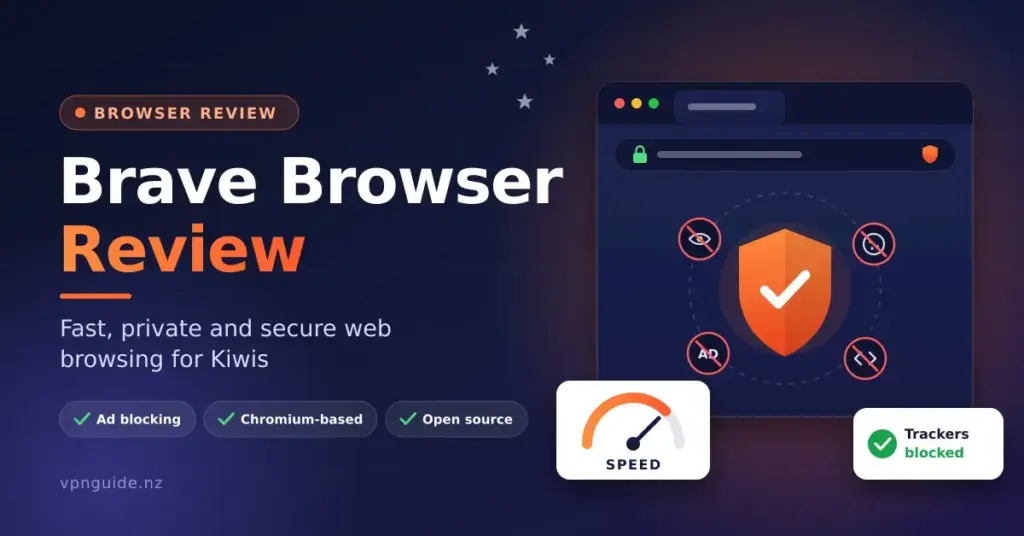

Online tracking has grown into a global, multi-billion-dollar industry, so the browser you open every day now shapes how much of your activity is recorded and sold. This Brave browser review takes a neutral, fact-checked look at an open-source browser built to block advertising trackers, third-party cookies and cross-site scripts by default. Because it is built on the same Chromium engine as Google Chrome, it aims to combine strong privacy defaults with the familiar layout and extension support most people already know.
For readers in Aotearoa New Zealand, the practical questions are simple: is it safe, does it break local banking and government sites, how fast is it really, and what do features like Brave Rewards or the built-in wallet actually do? The sections below work through Brave’s architecture, its published performance figures, its privacy tools and its day-to-day behaviour on New Zealand services so you can decide whether it belongs on your devices.
Key Points
- What it is: A free, open-source, Chromium-based browser from Brave Software (founded by Brendan Eich and Brian Bondy).
- Privacy by default: Built-in Shields block ads, trackers and third-party cookies, and randomise fingerprints — no extensions required.
- Security: Chromium sandboxing, HTTPS upgrades, Safe Browsing lists, and default blocking of Microsoft Recall on Windows.
- Speed: Brave’s own benchmarks show ~20% faster page loads and lower CPU, memory and energy use than Chrome, Edge and Firefox (first-party tests).
- Extras (all optional): Tor private window, Containers, mobile Shred, Leo AI, a paid VPN, and Rewards/BAT plus a crypto wallet.
- NZ use: Works with local banking, RealMe, myIR, ACC, Sharesies, Trade Me and streaming.
What Is the Brave Browser?
Brave is a free, open-source web browser first released by Brave Software, Inc. in 2016. The company was founded in 2015 by Brendan Eich — the creator of JavaScript and a co-founder of Mozilla — together with former Mozilla engineer Brian Bondy. Its guiding idea is to block the tracking systems that power targeted advertising by default, rather than leaving privacy up to add-ons the user has to find and install.
Because Brave is built on the open-source Chromium project, it renders modern websites and web apps the same way Chrome does, so most pages behave exactly as you would expect. What Brave changes is the layer around that engine: it strips out much of Google’s proprietary telemetry and replaces it with privacy-focused defaults, blocking analytics and tracking connections before a page finishes loading. The browser’s client code is released under the Mozilla Public License 2.0, which means anyone can inspect how it works.
Who Makes Brave and How It Is Funded
A fair Brave browser review should explain how a free, ad-blocking browser pays for itself. Brave earns revenue from several optional products rather than from selling your data: its Brave Search premium tier, a paid VPN add-on, the newer paid “Brave Origin” build, and a small platform share from the opt-in Brave Rewards ad system. None of these are required to use the browser, and the company states that browsing history and personal data stay on your device by default.
Quick Facts
| Developer | Brave Software, Inc. |
|---|---|
| Official download | brave.com/download |
| Licence | Free and open source (Mozilla Public License 2.0) |
| Price | Free; optional paid VPN; Brave Origin build ~US$59.99 one-time (free on Linux) |
| Operating systems | Windows 10+, macOS 13+, Linux, Android 10+, iOS/iPadOS 18+ |
| Engine | Chromium (same base as Google Chrome) |
| First released | 2016 (company founded 2015) |
Is Brave Browser Safe? A Security Overview
From a cyber security standpoint, Brave is generally considered one of the more secure mainstream browsers. It inherits Chromium’s multi-process sandboxing, so each tab runs in its own isolated memory space. If a malicious script runs on one site, that sandbox makes it much harder for the code to reach other tabs or your wider operating system.
On top of that base, Brave adds “Brave Shields,” an engine-level layer that blocks trackers and ads and upgrades connections to encrypted HTTPS where a site supports it. Encrypting the connection reduces the risk of “man-in-the-middle” interception, where an attacker on the same network reads or alters your traffic — a useful protection on the public Wi-Fi you might use at a cafe, library or airport.
Blocking Malicious Ads and Recall
Because Brave blocks the ad-delivery networks that criminals sometimes use to spread malware through booby-trapped banner ads (“malvertising”), it removes one common infection route before the ad ever loads. Brave also integrates Google Safe Browsing lists to warn you about known phishing and malware sites.
In 2025, Brave version 1.81 added a Windows-specific defence against Microsoft Recall, the Copilot+ feature that takes periodic screenshots of your screen. Brave signals the operating system to exclude all of its windows — not just private ones — from Recall’s capture, so your browsing is left out of those snapshots by default.
How Brave Shields Work
The main draw of Brave is that its blocking is built in rather than bolted on. Traditional browsers rely on you installing and maintaining ad-blocking extensions such as uBlock Origin to get similar protection. Those extensions add memory overhead and carry their own risk if an add-on is ever sold to a new owner. Brave’s Shields run natively in the browser’s C++ and Rust code, evaluating blocklists at the engine level before tracking elements are downloaded.
Fingerprinting, Cookies and Tracking Parameters
As third-party cookies are phased out across the industry, advertisers increasingly rely on “fingerprinting” — combining small details such as fonts, screen size, audio settings and graphics data into a unique profile that follows you around. Rather than trying to hide these values (which can make a browser stand out more), Brave randomises several of them so the fingerprint looks different across sites and sessions. Alongside this, Shields provides a set of everyday protections:
- Third-party cookie blocking: Cookies are isolated per site by default, so one site cannot follow you across others.
- Query-parameter stripping: Tracking tags such as ?fbclid= or ?utm_source= are removed from the ends of links.
- De-AMP: Brave bypasses Google’s Accelerated Mobile Pages framework and sends you to the original publisher URL.
- Cookiecrumbler and cookie-notice blocking: Brave’s automated detection hides many cookie-consent banners.
- Forgetful Browsing: You can tell a site to clear its local data every time you close it.
Performance: What the Benchmarks Actually Show
Blocking ads and trackers means less to download and less script to execute, which is where Brave’s speed claims come from. It is important to be clear about the source, though: the headline figures below come from Brave’s own published 2025-2026 benchmarks, not from an independent lab. Brave does describe its test setup so others can reproduce it, but the results should be read as first-party.
In those tests, Brave for desktop completed page loads roughly 20% faster than Chrome, Edge and Firefox while, on average, using about 44% less CPU, around 28% less memory and roughly 10% less energy, and transferring noticeably less data. Real-world gains vary widely by site, hardware and connection — a fast local fibre plan and a lightweight page will show smaller differences than a heavy, ad-laden site on a mobile connection.
Why the Savings Add Up on Mobile
On phones and tablets, the same reduction in background scripts tends to translate into less mobile data used and less battery spent rendering ads. If you are on a capped mobile plan or travelling through areas with slower coverage, blocking heavy tracking payloads before they download is often the most noticeable benefit day to day.
Advanced Tools: Containers, Shred, Tor and Leo
Beyond Shields, Brave bundles several tools aimed at power users. Desktop “Containers” let you isolate tabs so their cookies and storage are not shared outside that container, which makes it easy to stay signed in to two accounts on the same site without separate profiles. On Android and iOS, a “Shred” button wipes a single site’s local data on demand without logging you out of everything else.
Tor Windows and the Paid VPN
Brave includes a “New private window with Tor” option. A normal private window only hides history from other people using your computer; a Tor window routes that tab’s traffic through the volunteer-run Tor network, hiding your IP address from the destination site and from your internet provider. It protects only that window, though, so it is not a full-device solution — for that you would still want to understand what a VPN is. Brave also sells its own device-wide VPN add-on as a paid subscription, which is separate from the free Tor feature.
Brave Leo is the browser’s built-in AI assistant, which can summarise pages and answer questions using several underlying models. Like Rewards and the wallet, it is optional and can be hidden from the interface.
Brave Rewards, BAT and the Wallet
Brave Rewards is an optional, opt-in system. If you turn it on, Brave shows occasional privacy-preserving ads (as system notifications or new-tab images) that do not use your personal data, and you earn a token called Basic Attention Token (BAT). You can then use accumulated BAT to tip websites and creators you choose. Rewards is switched off unless you enable it.
Brave also includes a built-in cryptocurrency wallet with multi-chain support. Building the wallet into the browser avoids installing a separate extension, which is a common target for phishing lookalikes. These crypto features are entirely optional; you can use Brave as a standard browser and never touch them. Because they involve digital assets, treat them with the same caution as any crypto tool — see the note near the end of this guide.
Brave Compared With Other Browsers
Brave is one of several privacy-minded or mainstream browsers available in New Zealand. The table below summarises how it compares with widely used alternatives; you can read our separate reviews of the Tor Browser and the DuckDuckGo browser for deeper looks at those options.
| Browser | Engine | Default tracker/ad blocking | Notable focus |
|---|---|---|---|
| Brave | Chromium | Yes, built in (Shields) | Privacy defaults, Tor window, optional Rewards/wallet |
| Google Chrome | Chromium | No (needs extensions) | Broad compatibility, deep Google integration |
| Mozilla Firefox | Gecko | Partial (tracking protection) | Independent engine, strong customisation |
| Microsoft Edge | Chromium | Partial (tracking prevention) | Windows integration, productivity tools |
| Tor Browser | Firefox-based | Yes, plus Tor routing | Maximum anonymity, slower speeds |
| Vivaldi | Chromium | Optional built-in blocker | Heavy customisation and tab tools |
Brave shares its Chromium foundation with Google Chrome, whose long history is documented in Chrome’s Wikipedia entry; that shared base is why Brave can run virtually all Chrome Web Store extensions.
Using Brave in New Zealand
On local infrastructure, Brave behaves like any other Chromium browser for everyday tasks. Its blocklists target background analytics rather than the scripts a site needs to function, so essential features generally keep working. In the rare case a page misbehaves, lowering Shields for that one site fixes it, as described further below. In practice, Brave handles the services most people use:
- Online banking: Works with major banks such as ANZ, ASB, BNZ, Westpac NZ and Kiwibank — useful reading alongside our guide to internet banking in New Zealand.
- Government services: Handles RealMe sign-in, the IRD’s myIR portal and ACC forms.
- Investing platforms: Runs local services such as Sharesies, Hatch and Kernel.
- Shopping and streaming: Works with Trade Me, local retailers and the usual streaming apps.
Setting Up Brave and Tuning Privacy
Brave imports bookmarks, saved passwords, autofill data and extensions from your old browser during setup, so switching takes a few minutes. Its cross-device sync is worth noting: instead of a cloud account tied to an email, Brave uses an anonymous “Sync Chain” secured by a 24-word Sync Code (plus a rotating 25th word used when you add a new device). Your synced data is encrypted on your own hardware rather than stored under a personal profile on company servers.
Recommended Adjustments
Brave’s defaults are already private, but a few settings can tighten things further:
- Raise Shields to Aggressive: In brave://settings/shields, switch tracker and fingerprint blocking from Standard to Aggressive for the strongest protection.
- Turn on Forgetful Browsing: Enable “Forget me when I close this site” for banking and other sensitive domains.
- Hide features you don’t use: Turn off the Rewards, wallet or Leo prompts to simplify the interface.
- Choose a private search engine: Set the default to Brave Search or DuckDuckGo.
Drawbacks and Things to Know
No browser is perfect. The most common criticism of Brave is that a fresh install includes several extra features — the crypto wallet, Leo AI and Rewards prompts — which can feel cluttered if you only want a plain browser. All of them can be disabled or hidden in settings. For a stripped-back option, Brave now offers “Brave Origin,” a paid one-time build (around US$59.99, and free on Linux) that compiles out roughly a dozen features, including Leo, Rewards, the VPN, Tor and the wallet, while keeping Shields fully working.
Fixing an Occasionally Broken Site
Very rarely, aggressive blocking can break an older or poorly built page. The fix takes seconds: click the lion-head Shields icon at the right of the address bar, toggle Shields off for that site, and the page reloads normally while your protection stays on everywhere else. You can also use the built-in “report a broken site” link so Brave can refine its rules.
Who Brave Suits
Brave is a strong fit for people who want built-in tracker and ad blocking without managing extensions, who value keeping browsing data on their own device, or who want features like a Tor window or per-site data wiping. Those who prefer a bare-minimum browser may want to disable the crypto and AI extras or look at Brave Origin. If your priority is a hardened, privacy-first setup overall, it is worth pairing any browser choice with the wider habits in our guide to a more secure browser setup.
Cryptocurrency and Financial Disclaimer
This article is general information, not financial advice. Brave Rewards, BAT and the built-in wallet involve cryptocurrency, which is volatile and largely unregulated in New Zealand. In New Zealand, crypto-asset services are not covered by the Financial Markets Authority’s dispute-resolution and compensation schemes in the way many traditional products are, and losses are generally not recoverable. The Financial Markets Authority (fma.govt.nz) publishes guidance and scam warnings about crypto assets, and Consumer Protection (consumerprotection.govt.nz) covers your rights as a consumer. Do your own research and never risk funds you cannot afford to lose.
Sources
Vanliga frågor (FAQ)
Is Brave safe to use for internet banking in New Zealand?
Yes. Brave inherits Chromium’s multi-process sandboxing and forces encrypted HTTPS connections where sites support them, so it is well suited to online banking. Its tracker blocking targets analytics rather than the scripts banks need, so login and payment pages generally work normally.
Do I need to use cryptocurrency to use Brave?
No. Brave Rewards, BAT and the built-in wallet are optional and off by default. You can use Brave purely as a fast, private browser and never enable any crypto feature.
Will my existing Chrome extensions work in Brave?
Yes. Brave is built on the same Chromium engine as Chrome, so it supports the Chrome Web Store and can run almost all Chrome extensions.
Is Brave really faster than Chrome?
Brave’s own 2025-2026 benchmarks report roughly 20% faster page loads and lower CPU, memory and energy use than Chrome, Edge and Firefox, mainly because it blocks ads and trackers. These are first-party tests, and real-world results vary by site, device and connection.
Does Brave’s Tor window replace a VPN?
Not fully. A Tor window anonymises traffic only inside that one window, while a system-wide VPN protects all traffic from your device. Brave also sells a separate paid VPN if you want device-wide coverage.