
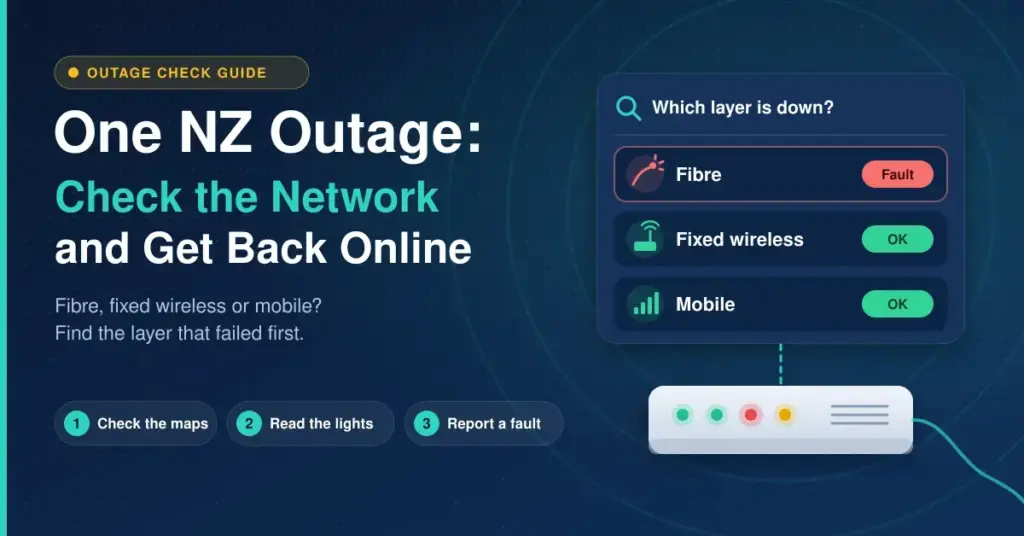
When your connection drops, “One NZ is down” can mean three quite different things, because One NZ runs both a broadband business and a mobile network. It could be your fibre line, your fixed wireless broadband, or the mobile network your phone relies on. Each has its own cause, its own fix and its own place to check. Working out which one has failed is the single most useful thing you can do before you start unplugging cables — it decides whether you wait for a repair crew, restart a box, or replace a piece of hardware. This guide walks through that in order, from the outage maps you should read first to the modem lights on your wall, and finishes with how to report a fault and claim credit for the time you were offline.
Key points
- Find the layer first. “One NZ down” can mean fibre, fixed wireless broadband or the mobile network — each has a different fix.
- Read the maps before unplugging. Check the One NZ status page and, on fibre, your fibre company’s outage map.
- Test mobile data. No mobile data means a mobile/tower fault, which also takes fixed wireless homes offline.
- A red LOS light on the fibre box is a network fault to report — restarting will not clear it.
- Log a ticket and ask for a credit. Unresolved after six weeks, escalate free to Telecommunications Dispute Resolution.
What “One NZ is down” actually means
A stable home connection has quietly become as essential as power or water — a long way from the research network described in the history of the internet. That reliance is exactly why a sudden outage feels like an emergency. But “One NZ is down” is rarely one single failure. There are three separate systems behind it:
- Fibre broadband. A physical fibre line runs to your house and ends at an optical box on the wall. One NZ sells the plan, but the line itself is owned and repaired by a local fibre company.
- Fixed wireless broadband. Your home internet arrives over the 4G or 5G mobile network through a modem with a SIM inside it. There is no cable to the street — it uses the same cell towers as phones.
- The mobile network. The signal your phone uses for calls, texts and mobile data. A fault here also takes down every fixed wireless broadband customer nearby, because they share the same towers.
Knowing your own connection type tells you which failure is even possible. A fibre customer is never affected by a mobile tower fault; a fixed wireless customer almost always is. If you are not sure which you have, the One NZ app lists your plan, and our overview of New Zealand internet providers explains how the retailer, the fibre company and the mobile network divide the work between them.
There is one more distinction worth keeping in mind: an outage is different from slow or patchy service. A total outage means no connection at all, and the fixes are the ones in this guide. Speeds that have merely dropped, pages that load in fits and starts, or Wi-Fi that only fails in one room are usually a coverage, congestion or line-quality issue rather than a hard fault — and chasing them as an “outage” wastes time. If your connection is up but underperforming, that is a separate problem with separate fixes.
Check the network status first
Before you touch anything at home, find out whether the problem is already known. Restarting a modem during a network-wide outage achieves nothing except lost time. Work through these three checks in order.
- The One NZ network status page. One NZ’s network status page lists current mobile and broadband issues by region and keeps planned maintenance separate from unplanned faults. Search your suburb or town first — if your area is listed, there is a crew already on it and an estimated fix time to note down.
- The fibre company’s outage map, if you are on fibre. One NZ’s fibre runs on Chorus across most of the country, and on Enable, Tuatahi First Fibre or Northpower in their regions. The Chorus internet outages map shows faults, the affected area and an estimated restoration time by address, which is often more specific than the retailer’s page.
- A mobile data test. Turn Wi-Fi off on your phone and try to load a page on mobile data. If the phone still has no connection, the fault sits with the mobile network or a nearby cell site — and every fixed wireless broadband home in the area will be down too. If mobile data works fine, the problem is your fixed line or your own equipment.
Our national internet outage guide collects every major provider’s status page and outage map in one place, which is worth bookmarking before you next need it.
A note on the 3G and 2G shutdown
Some connection losses in 2026 were not outages at all. One NZ switched off its 2G and 3G networks in stages between January and 23 March 2026, and Spark and 2degrees completed their own 3G shutdowns over the same period — Spark on 31 March 2026 and 2degrees earlier in February. There is no older network left to fall back to anywhere in the country.
The practical effect is that older phones, some vehicle trackers, medical alarms, EFTPOS terminals and alarm panels that only ever used 3G stopped working for good. A device that “lost signal” and never came back around that time was not caught in a temporary fault — it needs replacing with 4G or 5G hardware, and no restart or outage repair will bring it back. The Telecommunications Forum’s shutdown notice confirms the nationwide timeline.
Fixing a fault at home
If the status pages show nothing for your area, the fault is local to you and there are things you can safely try. One NZ supplies TP-Link Deco mesh units, and the model you have depends on your connection type. These are managed through the Deco phone app rather than the browser login page older modems used, which changes the troubleshooting a little. You can confirm which unit is yours on the One NZ supplied modem page.
Quick facts
| Connection type | Deco model One NZ supplies | Wi-Fi standard | Box before the Deco |
|---|---|---|---|
| Fibre | Deco BE28 | Wi-Fi 7 | Fibre company ONT (optical box) |
| VDSL / copper | Deco X53-DSL | Wi-Fi 6 | Phone-line connection |
| 5G fixed wireless | Deco BE48-5G | Wi-Fi 7 | None — SIM inside the modem |
| 4G fixed wireless | Deco X58-4G | Wi-Fi 6 | None — SIM inside the modem |
All units are managed through the Deco app rather than a browser login page. Models can change over time — confirm yours on the official One NZ supplied-modem page.
1. Check the Deco app, then the light
Light colours differ slightly between Deco models and firmware versions, so the app is the more reliable check. It shows whether the main unit is online and, if it is not, usually names the problem in plain words. As a general rule, a solid red light means the unit cannot reach the internet, and a pulsing blue light means it is waiting to be set up rather than in fault. Note what the app says before you change anything — it saves repeating yourself to support later.
2. Check the fibre box
On a fibre plan, the optical network terminal (ONT) — the small box the fibre company installed on your wall — sits between the street and your Deco. Its POWER and PON lights should be solid green and its LOS light should be off. A red or flashing LOS light means the fibre signal has been lost; that is a network fault for One NZ to log with the fibre company, and no amount of restarting will clear it. Our guide to understanding your internet box explains what each ONT model’s lights mean.
3. Power-cycle in the right order
Order matters, because each box needs the one before it to be ready. Turn the Deco off, then the ONT, wait about 30 seconds, switch the ONT back on and wait for its PON light to go solid green, and only then power the Deco back up. On the 4G and 5G fixed wireless Decos there is no ONT — instead check that the SIM card is seated properly and that the unit sits near a window if the signal has always been marginal. Our overview of the wireless modem in NZ covers placement for signal-based connections in more detail.
4. Run a wired test
Plug a laptop directly into the main Deco with an Ethernet cable. If the wired connection works, your internet is fine and the real problem is Wi-Fi coverage — a dead zone, interference, or a satellite Deco that has dropped its link back to the main unit. Our guide to an internet connection that keeps dropping covers placement, channels and interference that cause exactly this.
5. Check your account status
A connection suspended for an unpaid bill looks identical to a technical fault from the couch. The One NZ app shows whether your account is in good standing and whether a plan change, a move or a new connection is still being processed in the background. Rule this out before you spend an hour chasing a fault that does not exist.
When it is the wireless or mobile network
Fixed wireless broadband deserves special mention because it behaves differently from fibre. Because it rides on the mobile network, anything that affects phones in your area — a tower on maintenance, congestion at peak times, a power cut at a cell site, or severe weather — affects your home internet at the same moment. When the status page shows a mobile fault for your region, there is genuinely nothing to fix at home; the SIM inside the modem simply has no tower to talk to.
Weather and power are the two most common wireless triggers. Heavy rain, wind and even dense cloud can weaken a 5G signal, and because towers themselves need mains power, a regional power cut can knock out fixed wireless while fibre — which often keeps working on the exchange’s battery backup — stays up. If your connection reliably fades in bad weather or during evening peak hours when the tower is busiest, that is a coverage and congestion issue rather than a fault, and the fixes are physical: move the modem higher, closer to a window, or to the side of the house that faces the nearest tower.
It is also worth remembering that a mobile-network outage and a fixed-line outage can happen at the same time by coincidence. If both your phone and your fibre are down and the maps show two separate faults, they may be unrelated events that happen to overlap. Treat each on its own terms rather than assuming one big failure.
Reporting the fault and asking for compensation
Once you are confident the fault is not something you can fix, log it. Report through the One NZ app or online chat so that a ticket is created — on fibre, that ticket is what the fibre company’s repair crew actually works from, so raising it properly matters. Keep the reference number and note the date and time the outage started.
When service is restored, ask for a credit for the days you were offline. One NZ generally applies these on request rather than automatically, so it is on you to ask and to have the dates ready. If a fault drags on and One NZ has not resolved your complaint within six weeks, you can escalate to the free, independent Telecommunications Dispute Resolution service. TDR is available to households and small businesses and can order compensation of up to $15,000, covering direct losses such as your time without service or equipment costs.
Having a few details ready before you make contact speeds the whole process up. It also gives you the record you will need if you later ask for a credit or escalate the complaint.
- Your account or customer number, and the address the connection is at.
- The exact time the outage started, and whether it has been constant or intermittent.
- What the boxes show — the Deco light colour, and on fibre the ONT’s PON and LOS lights.
- What you have already tried — the power-cycle, the wired test and the account check — so support does not send you back through them.
- Any reference number from a fault you have already logged.
While you wait
- Hotspot from a different network. Tether from a phone on another carrier if someone in the house has one. During a One NZ mobile fault, a One NZ phone will be no help — the whole point is that its network is the thing that is down.
- Check anything that depends on the connection. Medical alarms, home security systems and EFTPOS machines may all rely on the same line. Know how each behaves offline before you need to.
- Consider a backup connection. If outages are frequent or you work from home, a second connection on a different technology — for example satellite alongside fibre — removes the single point of failure. Our look at Starlink broadband in NZ covers one option.
- Stop restarting the modem. Once the status page shows a confirmed network fault with an ETA, restarting the Deco does nothing. Note the estimated fix time and leave it alone.
Common mistakes to avoid
- Assuming every drop-out is an outage. A red LOS light or a failed wired test points at your line or hardware, not a network-wide fault.
- Restarting endlessly during a confirmed outage. If the map lists a fault in your area, the fix is at the tower or the exchange, not on your wall.
- Blaming a 3G-only device. If a phone or alarm stopped working around early 2026 and never recovered, the 3G shutdown is the cause and the hardware needs replacing.
- Not raising a ticket. Without a logged fault there is no repair job and no record to claim a credit against.
- Forgetting the account check. A billing suspension mimics a fault exactly — confirm the account is active before troubleshooting for an hour.
For a technology-agnostic checklist that applies to any provider and any modem, our guide to what to do when your internet is not working runs through the general order of checks.
Disclaimer
General information only, current as at September 2026. One NZ’s supplied modem models, network status page and support processes can change, and Deco light behaviour varies slightly by model and firmware. Always confirm details on the official One NZ and fibre-company pages for your own connection.
Sources
Frequently asked questions
Is One NZ down right now?
Check the One NZ network status page for your region, and the Chorus outage map as well if you are on fibre. Turn Wi-Fi off and test mobile data to see whether the mobile network is involved. If none of them lists a fault, the problem is local, so start with the Deco’s light and, on fibre, the ONT.
Why does my One NZ Deco show a red light?
A solid red light usually means the Deco cannot reach the internet, and the Deco app will name the exact reason. On fibre, check the ONT’s PON and LOS lights next; on a 4G or 5G unit, check the SIM and the signal. Power-cycle the boxes in the right order before you log a fault.
Did One NZ turn off 3G?
Yes. One NZ shut down its 2G and 3G networks in stages, finishing on 23 March 2026, and Spark and 2degrees completed their 3G shutdowns around the same time. Any device that only ever supported 3G needs replacing with 4G or 5G hardware.
How do I report an outage to One NZ?
Use the One NZ app or online chat, which creates a fault ticket. Keep the reference number. For fibre faults, that ticket is passed to Chorus or your local fibre company, whose crew carries out the repair.
Does One NZ compensate for outages?
Credits for time offline are usually given on request once the fault is resolved, so keep a note of the dates and times. If a complaint is unresolved after six weeks, the free Telecommunications Dispute Resolution service can order compensation of up to $15,000 for households and small businesses.


