
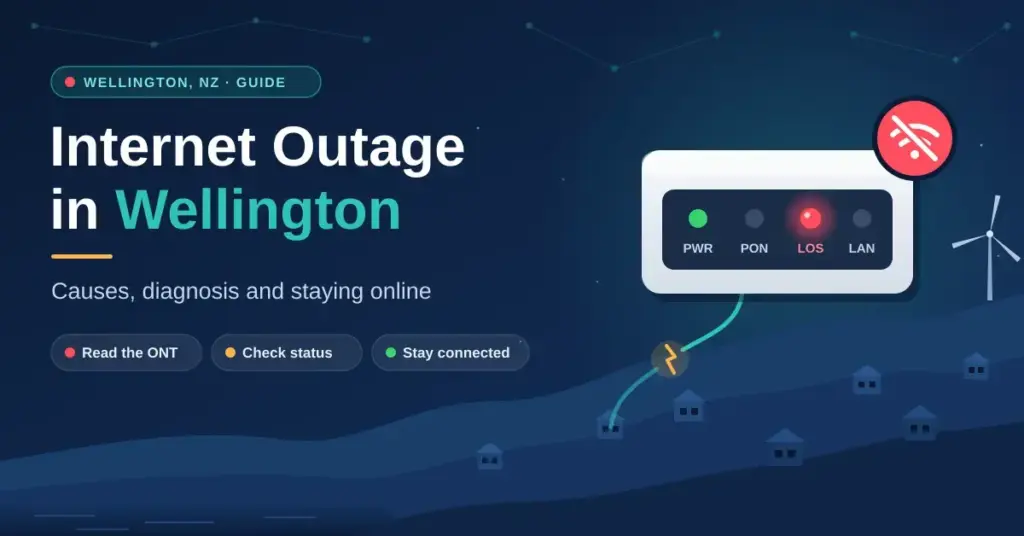
When the internet drops out in New Zealand’s capital, the cause can sit anywhere between a single household with a red light on the fibre box and a region-wide fault that takes tens of thousands of connections offline in one hit. Wellington’s hilly terrain, constant roadworks and seismic-strengthening projects, and its dependence on a small number of shared infrastructure links all make downtime a fact of life for homes and businesses. This guide explains what actually causes an outage in the Wellington region, how to tell a genuine line fault from a problem inside your own home, where to check status in real time, and how to keep working when the connection goes dark. For the wider national picture, our guide to internet outages in New Zealand covers the same ideas at a country level.
Key Points
- Two layers, two owners: Chorus (the fibre company) owns the ONT and street cables; your ISP owns the plan and support — who fixes a fault depends on which is broken.
- Read the ONT first: a red LOS light means a line/upstream fault for Chorus; green lights with no browsing usually points to your ISP or home Wi-Fi.
- Region-wide events happen: on 6 June 2025 human error during Chorus works knocked out around 118,000 services across the lower North Island for about an hour.
- Check status, don’t guess: the official Chorus outages map, your ISP’s status page and Downdetector confirm whether a fault is widespread.
- Have a backup: a charged power bank, mobile or fixed-wireless failover, and a UPS for your ONT keep you online during a blackout.
Who runs Wellington’s network: fibre companies vs your ISP
Wellington’s fixed-line internet sits on three layers: the local fibre company (LFC) that owns the physical network, the retail internet service provider (ISP) that sells you a plan, and the national and international links that carry traffic in and out of the region. Chorus owns and maintains most of the city’s fixed lines, including the Ultra-Fast Broadband (UFB) fibre that reaches the majority of homes and offices. Your ISP — Spark, One NZ, 2degrees, Skinny, Contact and others — rents access to that network and handles your account, email and support.
This split matters the moment something breaks, because it decides who can actually fix it. When a shared piece of Chorus equipment fails, everyone on that part of the network loses service at once, no matter which ISP they pay. When the fault is inside a single ISP’s systems, only that provider’s customers are affected. Knowing which situation you are in saves you from resetting hardware that was never the problem.
- Core network faults: failures at exchange or handover level that can isolate whole suburbs such as Te Aro or Karori, or the whole region.
- Physical line damage: fibre cables cut during roadworks, construction or seismic work.
- ISP-specific issues: authentication or routing errors that block a connection even though the physical line is healthy.
- Power and weather: local power cuts that switch off your gear, and gales that damage the older overhead lines still present in some suburbs.
Chorus, the ONT and where a fault sits
The LFC (usually Chorus in Wellington) owns the hardware: the fibre in the street and the small white ONT (Optical Network Terminal) mounted on your wall where the fibre enters the building. Your ISP owns the data and the billing. If the ONT shows a red “LOS” (Loss of Signal) light, the physical line is at fault and only Chorus can repair it — but you still report it to your ISP, who raises the ticket on your behalf. If the ONT lights look normal and only your browsing is down, the problem is more likely in the ISP’s network or inside your home. Getting this right is the single biggest time-saver when you call support.
First response: reading your fibre box lights
Before you touch anything else, look at the ONT. Its status lights give you a hardware-level report on the connection before it ever reaches your router. If the optical light is a steady green, the link back to the Chorus network is intact and the fault is probably closer to home. If it is red or off, you are looking at a physical or upstream problem that needs Chorus, not a Wi-Fi reset. Light names and colours vary slightly between ONT models, so treat the table below as a general guide and check your unit’s label if in doubt.
| ONT light | Healthy state | What a fault means | What to do |
|---|---|---|---|
| Power | Solid green | Off = no power to the unit | Check the power adapter, cable and wall socket. |
| Optical / LOS | Solid green (LOS off) | Red or flashing = loss of signal on the fibre | Report to your ISP so they can log a fault with Chorus. |
| Service / Auth | Solid or flashing green | Off = ISP authentication or provisioning error | Restart the router; check for ISP maintenance or an outage. |
| LAN 1 / 2 | Flashing green | Off = no link to the router | Reseat or replace the Ethernet cable between ONT and router. |
What a red LOS light means
A red LOS light usually means the optical signal from the local network is not reaching your property. In Wellington that can be something small — a sharp bend or knock to the fibre lead inside your home — or something large, such as a damaged street cabinet or a cut in the street. Either way, resetting your Wi-Fi password will not help. Switch to mobile data, open the Chorus outages map for your address, and if no fault is listed, call your ISP so a technician can be dispatched. Do not try to open or re-terminate the fibre yourself; the glass strands are fragile and require specialist tools.
Region-wide outages: how most of Wellington can go dark at once
Wellington’s traffic funnels through a small number of core routers and handover points. When one of those central pieces fails, the redundancy of individual ISPs does not help, because everyone shares the same choke point. The clearest recent example was on 6 June 2025, when Chorus confirmed that human error during planned works isolated a core ethernet router serving the Wellington region. At its peak roughly 118,000 services were affected, with reports spanning Wellington, Kapiti, the Hutt Valley, Palmerston North and as far north as Napier. One provider estimated about 90% of its customers in the area were offline. The fault was resolved by about 12:30pm — a little over an hour — and Chorus launched a review of its planned-works processes.
Quick Facts
| Main fibre company (LFC) | Chorus — owns most Wellington UFB fibre and the ONTs |
| Retail ISPs | Spark, One NZ, 2degrees, Skinny, Contact and others |
| Official outage map | Chorus outages map (enter your address) |
| Largest recent event | 6 June 2025 — ~118,000 services, lower North Island |
| Cause of that event | Human error during planned works isolated a core ethernet router |
| Typical core-fault fix time | About 1–2 hours |
| Typical cable-cut fix time | About 6–12 hours |
The lesson for residents is that during a large event there is nothing to fix at home; the fastest path is to confirm it is region-wide and switch to a backup connection. Because thousands of people move to mobile data at the same moment, cell towers in the affected suburbs can slow noticeably, so keep heavy tasks for later and save capacity for essentials.
- Single point of failure: shared core routers mean one mistake can affect an entire region.
- Handover faults: problems at the point where the LFC passes traffic to the ISP.
- Planned maintenance: scheduled work, usually overnight, occasionally causes brief outages.
- Human error: misconfiguration during upgrades has been the documented cause of major Wellington-area outages.
Why human error during planned works is a common cause
Large unplanned daytime outages in the lower North Island are frequently traced back to mistakes made during otherwise routine maintenance — typically a routing change that propagates through the network and isolates regional traffic. These faults are usually corrected within an hour or two once the change is identified and rolled back, but they are a strong argument for businesses that cannot afford downtime to have a second, independent path to the internet, whether that is cellular failover or a satellite service such as Starlink.
Physical damage: roadworks, cable cuts and earthquakes
Wellington is almost always under construction, and buried fibre is vulnerable to it. A “third-party strike” — a digger or excavator accidentally cutting a cable — is one of the most common causes of a localised outage. Unlike a software fault, a physical cut needs a crew on site to splice the glass fibres back together, which can take several hours depending on how easy the break is to reach. The table below sets out the typical culprits and how long each tends to take to repair.
| Cause | Likely location | Typical recovery | Frequency in Wellington |
|---|---|---|---|
| Digger / cable cut | Street level, CBD or suburbs | 6–12 hours | Moderate |
| Power outage | Suburb level | 1–4 hours | Low–moderate |
| Core / exchange fault | Central Wellington / region | 1–2 hours | Low |
| Submarine cable | Cook Strait | 24+ hours | Very low |
Seismic resilience and regional backhaul
The Wellington region is prone to earthquakes, and its telecommunications network is built with that in mind. Modern fibre is more flexible than the old copper it replaced, but major ground movement can still sever links. The bigger concern in a large quake is the “backhaul” — the high-capacity links that connect Wellington to the rest of the country. Providers run redundant routes that can carry traffic north if a southern or coastal path is compromised, which reduces the chance of total isolation but does not eliminate congestion while repairs are underway.
Mobile and wireless failover during a blackout
For most households, a phone is the natural backup during a fixed-line outage. Wellington’s 4G and 5G towers are reliable, but their capacity is finite, so a city-wide event that pushes everyone onto mobile data at once will slow speeds and raise latency — exactly when you least want it. Treat mobile data as a bridge for essential tasks such as messaging, banking and short calls rather than video streaming, and keep the following in mind.
- Personal hotspot: share your phone’s connection with a laptop for quick, essential work.
- Tower capacity: speeds fall as more people in the same suburb switch over at the same time.
- Signal black spots: Wellington’s hills and thick-walled older homes can weaken indoor signal.
- Battery: continuous hotspotting drains a phone fast, so keep a charged power bank ready.
Fixed wireless as a business backup
Some Wellington businesses use a dedicated fixed wireless (4G/5G) modem as a second link rather than relying on a phone. With larger antennas it provides a steadier failover, and a suitably configured router can switch to it automatically the moment the fibre drops — keeping EFTPOS terminals and cloud services running without anyone lifting a finger. That kind of automatic dual-connection setup has become a standard resilience measure for the capital’s retail and hospitality operators.
Soft faults: when the line is fine but you still can’t browse
Not every loss of internet is a true outage. Many problems are “soft” faults inside your own home, where the ONT lights are green but a device still cannot get online. In Wellington’s older villas, thick internal walls and layout can also weaken Wi-Fi enough to feel like an outage. A power cycle — switching the ONT and router off, waiting, and switching them back on — clears most temporary glitches. Run a wired speed test to confirm whether the fault is the line or your Wi-Fi.
| Symptom | Probable cause | Fix |
|---|---|---|
| Wi-Fi connected, no internet | ISP authentication or DNS issue | Restart the router; check your ISP’s status page. |
| Cannot find the Wi-Fi network | Router software glitch | Power cycle the router. |
| “Limited connectivity” | IP address conflict | Forget the network on the device and reconnect. |
| Slow speeds / buffering | Local congestion or interference | Move closer to the router or plug in via Ethernet. |
The 30-second power cycle
When you unplug your equipment, the capacitors inside take a few seconds to fully discharge. Waiting a full 30 seconds forces a genuine cold boot that clears temporary software faults and prompts a fresh handshake with the network. Power the ONT on first and give it a minute to establish the optical link before switching the router back on. In areas where local power fluctuations are common, these small electronic glitches are a frequent source of “fake” outages that a proper power cycle resolves.
Where to check a Wellington outage in real time
Instead of waiting on hold, check the status maps first. The official Chorus outages map lets you enter your address to see active faults and estimated restoration times on the fixed-line network, and it is the definitive source for infrastructure problems. Crowdsourced tools and your ISP’s own status page fill in the gaps, especially in the first minutes of an event before official pages update. If you can also see that your neighbours or the wider suburb are affected, you know troubleshooting your own gear is pointless.
- Chorus outages map: enter your address for active fibre and copper faults.
- ISP status pages: the dedicated network-status portals for Spark, One NZ and 2degrees.
- Downdetector: crowdsourced report spikes that flag a widespread problem early.
- Geekzone and local channels: the r/Wellington community and Geekzone forums often discuss faults before dashboards update.
- NCSC: New Zealand’s National Cyber Security Centre (which absorbed CERT NZ) for outages linked to cyber incidents.
Scheduled maintenance in the region
Not all downtime is a surprise. Chorus and the ISPs carry out upgrades and “network grooming” — tidying routing and replacing ageing hardware — usually overnight to limit disruption. These windows are typically short and are notified in advance, but they can still affect shift workers or anyone on late calls to Europe or the United States. If your street is scheduled, your ISP will normally email or text you ahead of time.
- Network grooming: optimising routing to improve speed and latency.
- Hardware upgrades: replacing ageing switches and routers at the local exchange.
- Fibre splicing: maintenance to keep the optical signal strong.
- Civil works: moving cables for new city infrastructure or seismic strengthening.
If you receive a maintenance notice, plan critical tasks around it and have a mobile data allowance ready as a stopgap. Most planned outages follow a tight overnight schedule and finish well before the morning commute.
Keeping a Wellington home or business online
For the capital’s cafes, shops and hospitality venues, even a few hours offline is real lost revenue. Modern point-of-sale systems, EFTPOS terminals and online ordering all need a live connection, and a city that has largely moved to contactless payments does not take well to “cash only” signs. A simple continuity plan — an offline mode on the POS plus an automatic cellular backup — has shifted from nice-to-have to essential. During the June 2025 core-router failure, businesses in areas such as Te Aro that had cellular failover configured kept taking payments while others could not.
| Business type | Critical dependency | Practical mitigation |
|---|---|---|
| Cafe / retail | EFTPOS and POS sync | Offline POS mode plus automatic 4G/5G backup. |
| Corporate office | Cloud services | Dual-WAN router (fibre plus cellular). |
| Remote worker | Video conferencing | Mobile hotspot or Starlink as a second link. |
| Hospitality | Online bookings and phones | Divert phone lines to mobile; keep a paper fallback. |
At home, a little preparation goes a long way. You do not need a physical kit so much as a short checklist of tools and details ready before you need them. Know where your ONT is, keep your ISP’s account and support numbers handy, and keep a charged power bank for hotspotting. If your internet is down and you want to compare notes with others in the city, our companion piece on what to do when your internet is down in Wellington covers the immediate steps in more detail.
- Power bank: keeps phones running so you can hotspot, especially if the outage is also a power cut.
- Spare Ethernet cable: a short Cat6 lead to test a direct ONT-to-laptop connection.
- ISP contact details: account number and technical support line saved offline.
- Local file copies: keep work in progress on your device, not only in the cloud.
A UPS for your fibre gear
Many people do not realise that the fibre network itself often keeps running during a local power cut, provided the exchange has backup power — but your home ONT and router will switch off the moment mains power stops. A small uninterruptible power supply (UPS) can keep both running for several hours, bridging a storm-related outage. In suburbs prone to weather-driven power cuts, a modest UPS is one of the most cost-effective ways to stay connected.
Sources
- 1News — ‘Human error’ caused internet outage across lower North Island
- RNZ — ‘Human error’ behind massive internet outage across lower North Island
- NZ Herald — Lower North Island internet outage caused by ‘human error’, Chorus
- Chorus — Internet outages map
- National Cyber Security Centre (NCSC) — cyber threat reports
Frequently Asked Questions (FAQ)
How do I check for a Wellington internet outage right now?
Enter your address on the official Chorus outages map to see active fixed-line faults and estimated fix times. You can also check your ISP’s status page and Downdetector for crowdsourced reports that often spike before official updates appear.
What does a red light on my fibre box (ONT) mean?
A red LOS light usually means the optical signal from the network is not reaching your property — a physical or upstream fault. Report it to your ISP so they can log it with Chorus; resetting your Wi-Fi will not fix it.
Why is my internet out when the power is still on?
Power and internet run on separate networks. Your connection can drop because of a fault at the exchange, a cut cable in the street, or an ISP authentication problem, even while your electricity is working normally.
Will my 5G mobile data work if the fibre goes out?
Usually yes, but during a widespread outage many people switch to mobile at once, which can congest local towers and slow speeds. Save mobile data for essential tasks and keep a power bank charged.
How long do Wellington internet outages usually last?
Core or exchange-level faults are often resolved within one to two hours — the June 2025 regional outage was fixed in a little over an hour — while a physical cable cut from roadworks can take 6 to 12 hours to splice and repair.
Can I get credit for a long internet outage?
Most residential plans do not guarantee 100% uptime, but if an outage is prolonged you can ask your ISP’s support team for a goodwill credit. Keep a note of the dates and times the service was down.


