
Losing your connection at the worst possible moment is frustrating, whether you are on a video call from a CBD high-rise, running a studio in Te Aro or helping the kids with homework in Karori. When the internet is down in Wellington, the fastest way back online is a calm, ordered check: work out whether the fault is inside your home or out on the network, then act accordingly. This guide walks you through the first ten minutes, how to read your fibre box, where to check for a wider outage, what typically causes problems in the capital, and how to report a fault to the right company so it actually gets fixed.
Key Points
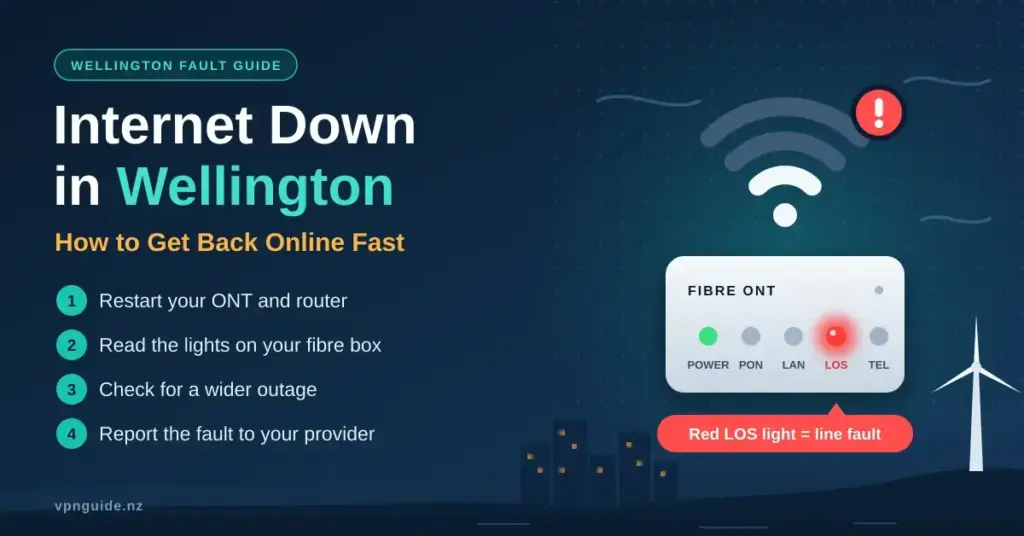
- Check yourself first: power-cycle the ONT and router, then read the ONT lights before calling anyone.
- Red LOS light = line fault: the break is outside your home, so report it rather than resetting again.
- Confirm a wider outage on the Chorus outages map and your provider’s status page using mobile data.
- Report to your retailer, not Chorus — only your provider can lodge a fault and book a technician.
- Have a backup: a phone hotspot, 4G/5G failover router or Starlink keeps you working during longer outages.
The First 10 Minutes: Is It You or the Network?
The first thing to establish is whether the problem is unique to your property or part of a wider event affecting your street or suburb. A quick physical check saves time and often fixes the issue outright, and it also gives you the exact information a support agent will ask for if you do need to call. Start at your Optical Network Terminal (ONT) — the small white box, usually fixed to an internal wall near the front door or in the garage, where the fibre from the street terminates. Many older Wellington homes in suburbs such as Hataitai or Newtown have more internal cabling than a modern apartment, which gives more points where a connection can work loose.
A Quick Self-Check Before You Call
Run through these steps in order before you report anything. They rule out the most common household causes in a couple of minutes.
- Power-cycle your gear: switch off both your Wi-Fi router and the ONT at the wall, wait about 60 seconds, then power the ONT on first and the router second.
- Read the ONT lights: a solid red ‘LOS’ or ‘Alarm’ light points to a physical break in the fibre line rather than anything you can fix indoors.
- Check the fibre lead: make sure the thin cable running into the ONT is not kinked, pinched or pulled tight — fibre-optic glass is fragile and hates sharp bends.
- Test wired vs Wi-Fi: plug a laptop straight into the router with an Ethernet cable. If that works but Wi-Fi does not, the fault is your wireless signal, not your broadband line.
If you are unsure whether the outage is local to you or widespread, our general guide to what to do when your internet is not working in New Zealand covers the same checks in more detail. The table below explains what the lights on a typical ONT are telling you.
| ONT light status | What it means | What to do |
|---|---|---|
| Solid green (PON / Optical) | The line to the network is healthy | Restart your Wi-Fi router; the fault is likely indoors |
| Flashing or solid red (LOS) | Signal lost from the street | Report a line fault to your provider |
| No lights at all | The ONT has lost power | Check the plug, wall switch and any power outage |
| Rapidly flashing green | Data is actively moving | The link is live — troubleshoot the device instead |
How to Check for a Wider Wellington Outage
If your hardware looks healthy but you still have no service, the problem is probably out on the network. Wellington fibre is delivered mostly over the Chorus network, while parts of the CBD and many commercial buildings are served by the CityLink metropolitan network (now operated by Vital). The quickest way to confirm a wider event is to switch your phone to mobile data and check the official status pages below. Most are updated every few minutes during a significant incident, and many let you search by address to see the affected area down to street level.
ISP Status Pages and Fault Lines
| Provider / network | Where to check | Fault / support line |
|---|---|---|
| Chorus (fibre wholesaler) | Chorus outages map | Report via your retailer |
| Spark / Skinny | Spark broadband check | 0800 800 123 |
| 2degrees | 2degrees broadband help | 0800 022 022 |
| One NZ | One NZ network status | Via One NZ app or website |
| Contact broadband | Contact faults & outages | Via Contact support |
For a fuller picture of how faults are tracked in the capital — including recent regional events and how long repairs tend to take — see our companion guide to checking an internet outage in Wellington. If neither the Chorus map nor your provider’s status page shows anything, the fault is more likely to be on your own line or equipment, which means it is time to lodge a report (covered further down).
What Causes Internet Outages in Wellington
Wellington’s geography and weather create a few local quirks. Fibre itself is buried and very robust, but the “last mile” into older hillside properties, exposure to strong winds, and the sheer density of construction in the CBD all add risk. Broadly, outages fall into environmental, physical and provider-side causes.
Environmental and Physical Triggers
- Severe weather: gales and heavy rain rarely affect buried fibre directly, but they can flood underground pits, bring down the power that feeds cabinets, or damage the small amount of overhead line still used on some rural fringes.
- Excavation damage: third-party digging and roadworks occasionally sever trunk cables in busy commercial areas, which tends to cause the longest outages.
- Power cuts: your ONT and router need mains power, so a local electricity outage takes your internet with it even when the fibre network is fine.
- Ageing hardware: routers and ONTs do not last forever. A unit more than about five years old can struggle with modern speeds or fail outright.
Provider-Side and Account Issues
- Planned maintenance: providers upgrade exchange and cabinet hardware, usually in overnight windows (commonly late evening to early morning). Notices often land in a “Promotions” or spam folder, so the drop-out can feel like a surprise.
- Provider faults: software bugs, hardware failures or cyber incidents at your retailer or the wholesaler can take services down temporarily.
- Network congestion: during big events near Sky Stadium or the evening peak, wireless broadband in particular can slow noticeably.
- Account problems: an overdue bill or a plan change can trigger a suspension, so it is worth ruling that out before assuming a technical fault.
Wellington’s exposure to earthquakes adds one more consideration. A significant shake can knock out mains power across whole suburbs, and while the fibre glass itself is unaffected, no power means no ONT, no router and no connection. The fibre network is also designed with redundancy, but a large event can still damage cabinets, pits and the electricity supply they depend on. Planning for a power interruption is therefore as important as planning for a cable fault, which is why a battery backup features in the survival kit further down.
Fibre, Wireless and HFC: Troubleshooting by Connection Type
The right fix depends on how you connect. Fixed-line fibre (part of the Ultra-Fast Broadband, or UFB, rollout) is the most common in Wellington. Fixed wireless broadband, which delivers your connection over the 4G or 5G mobile network, is popular in hilly spots where fibre is hard to install. A legacy HFC (hybrid fibre-coaxial, or cable) network also exists in parts of Wellington, the Kāpiti Coast and Christchurch — but One NZ has been retiring it and migrating those customers to fibre, so it is being phased out rather than expanded.
Fixed-Line Fibre (UFB)
- Focus on the ONT lights first, then the Ethernet cable running from the ONT to your router.
- A red LOS light means the fault is on the line — there is nothing more to try indoors, so report it.
- If the ONT is green but you have no Wi-Fi, restart the router and, if it persists, factory-reset it as a last resort.
4G / 5G Wireless Broadband
- Weather can scatter the signal — heavy fog or rain sometimes reduces speeds until it clears.
- Position matters: place the modem near a window with the clearest possible line of sight toward a tower or high point such as Mount Victoria.
- A slowdown at peak times often points to congestion at the local cell tower rather than a fault.
HFC (Cable) — Being Retired
- Check the coaxial screw connector at the back of the modem is finger-tight.
- If you are still on HFC, ask your provider about migrating to fibre, as the cable network is being decommissioned.
Not sure which box does what? Our explainer on the difference between a modem and a router on NZ connections makes the hardware side much clearer, and our home router setup guide helps if the fault turns out to be your Wi-Fi rather than the line.
The Wellington Internet Exchange and Local Traffic
Wellington is unusual in hosting the Wellington Internet Exchange (WIX), a neutral peering point that lets local networks swap traffic directly instead of routing it via Auckland or overseas. WIX runs over the CityLink network and helps many Wellington businesses enjoy lower latency for local services. In rare cases a problem at an exchange can create a “split” experience where international sites load normally but some local sites do not — a useful clue that the issue is not your home line at all. For everyday users this mostly runs invisibly in the background, but it is one reason Wellington connections can feel snappy for local services: the data simply has less distance to travel. Businesses that depend on low latency to nearby data centres often value being connected to a network that peers at WIX.
How to Report a Fault the Right Way
If the maps are clear and your own checks point to a genuine fault, lodge a report with your Retail Service Provider (RSP) — the company you pay each month. A common mistake is trying to call the infrastructure owner, such as Chorus, directly. Your contract is with your retailer, and only they can arrange a technician visit or escalate to the wholesaler on your behalf. Before you call, do the checks above, because the first thing any support agent will ask is whether you have restarted the ONT and router.
To Make the Call Faster
- Have your account number and the ONT light status ready to describe.
- Note when the problem started and whether anything changed (a storm, a power cut, new gear).
- Ask for a fault reference number so you can follow up.
- If you use a smaller local provider — for example a regional wireless ISP such as WombatNET — check its website for the current support contact rather than relying on an old number.
If a technician visit is needed, ask your provider for the expected timeframe and whether you will be charged for a call-out that turns out to be caused by your own equipment (some providers do this if the fault is inside the home rather than on the line). If a fault drags on, is repeatedly misdiagnosed, or you cannot reach a resolution, you can escalate the complaint internally first and then, if it is still unresolved, take it to the free, independent Telecommunications Dispute Resolution scheme. Keeping your fault reference numbers and a short log of each call makes any escalation far easier.
Staying Online When the Connection Drops
You cannot stop a digger hitting a cable, but you can soften the impact. For anyone who works from home or runs a business in Wellington’s tech sector, a backup path is worth planning before you need it. Options range from a quick phone hotspot to a proper failover setup, and satellite has become a realistic backstop — Starlink is now available across New Zealand for properties with a clear view of the sky. You can read more in our overview of Starlink broadband in NZ.
| Backup option | Rough cost | Best for |
|---|---|---|
| Phone hotspot | Low (uses mobile data) | Short outages; email and light browsing |
| 4G / 5G failover router | Medium | Small teams needing automatic switch-over |
| Second fibre line (diverse provider) | High | Critical business apps needing near-100% uptime |
| Satellite (Starlink) | Medium ongoing | Rural or isolated sites with no fibre |
Your Connectivity Survival Kit
- Written details: keep your ISP account number and support number on paper, in case you are offline and cannot look them up.
- Power backup: a small uninterruptible power supply (UPS) can keep the ONT and router running for a couple of hours through a short power cut, provided the fibre network still has power.
- Offline copies: download essential work files and some entertainment ahead of time so a drop-out is not a total standstill.
- Clear access: keep the area around your ONT free of furniture so a technician can reach it quickly.
Using a Temporary Connection Safely
If you head to a cafe, library or other public network while your home line is down, treat it as untrusted. Public Wi-Fi is convenient but shared, so avoid entering banking or work credentials on an open network unless the connection is encrypted. Tethering to your own phone is generally safer than joining an unknown hotspot, and a reputable VPN adds a layer of privacy on any network you do not control. Turn off automatic connection to open networks on your devices so they do not silently latch onto a hotspot with the same name as a legitimate one.
Once you are back online, it is worth confirming you are getting the speeds you pay for — our guide on how to run an internet speed test in NZ shows how to check and interpret the results.
Reference Sources
- Chorus — Internet outages map
- Spark NZ — Contact and support phone numbers
- 2degrees — Broadband help and contacts
- One NZ — Network status
- Geekzone — One NZ to retire HFC (cable) network
- PeeringDB — Wellington Internet Exchange (WIX-NZ)
- Vital — CityLink network and peering services
- Contact — Faults and outages
Frequently Asked Questions
What is the quickest way to see if there is an outage in Wellington?
Switch to mobile data and check the Chorus outages map together with your provider’s network status page. These are updated frequently during major incidents and often let you search by address.
Why is my internet down but my neighbour’s is working?
The fault is probably specific to your property — your own drop cable, ONT or router. A red LOS light on the ONT usually means a physical break on your line rather than a suburb-wide outage.
Can I call Chorus directly to fix my connection?
No. Chorus is a wholesaler, so you need to contact your retail provider (such as Spark, 2degrees or One NZ). They will diagnose the issue and coordinate any technician visit with Chorus for you.
Does heavy rain in Wellington affect my fibre speed?
Generally no — fibre uses light and is unaffected by water. Rain can, however, interfere with fixed wireless broadband signals and with the small amount of older copper line still in use.
What does the LOS light on my fibre box mean?
LOS stands for Loss of Signal. It means the ONT cannot detect the light signal from the street, typically because of a cable break, and it is a clear sign to report a line fault to your provider.


