
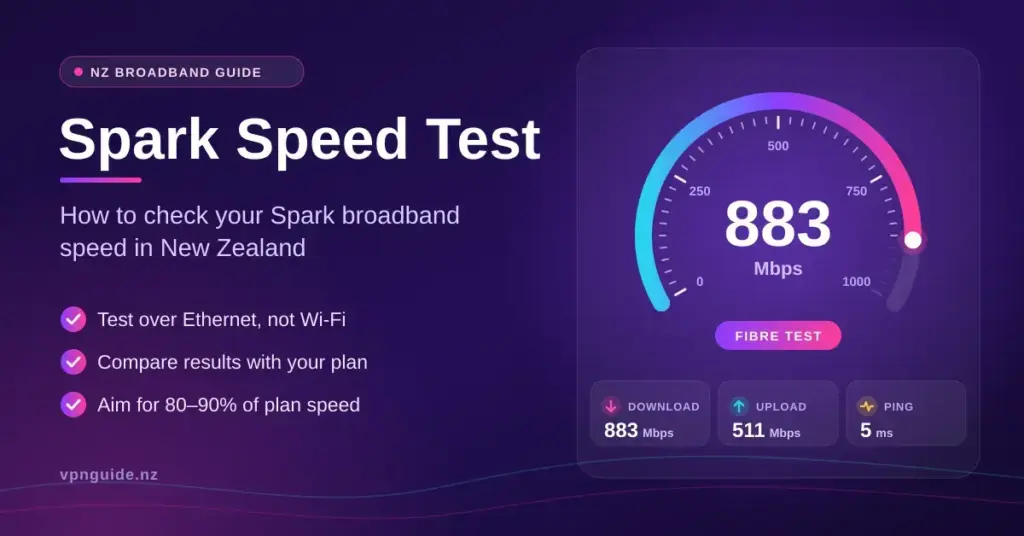
Testing your Spark connection is the simplest way to check whether the download speed, upload speed and latency you are paying for actually reach your devices. Spark is New Zealand’s largest broadband provider, and its plans span everything from entry-level fibre to gigabit-class Max Fibre and 4G/5G wireless. This guide explains which speed-test tools Spark recommends, what each result means, the realistic figures for every current plan in 2026, and how to fix a result that comes in lower than expected.
Key Points
- Use the right tool: Spark recommends the Ookla Speedtest app or speedtest.net; wireless-broadband customers can use RealSpeed for a modem-vs-device diagnosis.
- Test wired: a Cat 5e/Cat 6 Ethernet cable, one device and closed background apps give the only trustworthy reading of your line.
- Know your plan: Spark fibre is now Lite (~106/25), Essential (~516/108) and Max (~883/511) Mbps peak-time average after the 2025 Big Fibre Boost.
- Aim for 80–90%: a healthy wired fibre test lands within 80–90% of the advertised speed; below that, start troubleshooting.
- Slow Wi-Fi ≠ slow line: if wired is fine but rooms are slow, fix coverage with placement or mesh, not a new plan.
What a Spark speed test actually measures
A speed test sends a burst of data between your device and a nearby test server, then reports several numbers. Understanding each one tells you far more than the headline download figure alone. When you run an internet speed test on a Spark line, look at all of the following.
The core metrics explained
- Download speed — how fast data comes to you, measured in megabits per second (Mbps). It governs streaming, browsing and downloads, and is the number most people quote.
- Upload speed — how fast data leaves your device. It matters for video calls, cloud backups, gaming and sending large files, and has become far more important with hybrid work.
- Ping (latency) — the round-trip delay in milliseconds (ms) between your device and the server. Lower is better; it decides how responsive gaming and voice calls feel.
- Jitter — how much your ping varies from moment to moment. High jitter causes stutter and dropouts on live video and voice even when raw speed looks fine.
- Packet loss — the percentage of data that never arrives and has to be re-sent. On a healthy fibre line this should be at or near zero.
Megabits (Mb) are not megabytes (MB): there are eight bits in a byte, so a 100 Mbps connection downloads at roughly 12.5 megabytes per second at best. That is why a file manager showing “12 MB/s” and a speed test showing “100 Mbps” can both be correct.
Spark’s own speed-test tools
Spark does not run its own general speed meter on its website. Instead it points customers to established third-party tools, and it offers one built-in option for wireless-broadband customers. Using the right tool is the first step to a trustworthy result.
Speedtest by Ookla
For a standard check, Spark recommends the Ookla Speedtest app (or speedtest.net in a browser). The dedicated app tends to be more accurate than the browser version once you pass about 100 Mbps, because a browser tab can itself become the bottleneck. When the test starts, pick a Spark server in your nearest city — Auckland, Wellington or Christchurch — so you are measuring your line rather than the distance to an overseas server.
RealSpeed for wireless-broadband customers
If you are on Spark 4G or 5G Wireless Broadband using a Spark Futura Modem, Smart Modem 2 or 5G Smart Modem, you can use RealSpeed, a tool built on SamKnows technology. RealSpeed runs two tests at once: one from the modem to the network and one from your device to the modem. Comparing the two instantly shows whether a slow result is your wireless connection to the network or your home Wi-Fi — a diagnosis a normal speed test cannot give you. You can confirm the current tools and steps on Spark’s official speed-test help page.
Whichever tool you use, run it three or four times and take the pattern rather than a single number. One low reading can be a background download or a busy server; a consistent low result points to a real issue.
What speeds to expect on each Spark plan in 2026
The type of plan you are on sets the ceiling of any test. Following Chorus’s 2025 Big Fibre Boost, the popular 300/100 fibre tier was lifted to 500/100, so Spark now retails its residential fibre as Lite, Essential and Max, each quoted with a peak-time average speed rather than a theoretical maximum. Wireless-broadband speeds vary with your distance from the tower and how busy the cell is. The figures below use Spark’s published peak-time averages and the Commerce Commission’s Measuring Broadband New Zealand data; you can see how these compare with the wider market in our guide to fibre speeds across NZ plans.
Spark Plan Speeds
| Spark plan | Typical download (Mbps) | Typical upload (Mbps) | Best for |
|---|---|---|---|
| Lite Fibre | ~106 | ~25 | 1–2 people, browsing and HD streaming |
| Essential Fibre | ~516 | ~108 | Busy households, 4K and gaming |
| Max Fibre | ~883 | ~511 | Heavy uploads, large files, many users |
| 5G Wireless | ~329 (peak) to ~348 | ~49–50 | Renters and fast plug-and-play setups |
| 4G Wireless | ~62 (peak) | ~16–18 | Light use and areas without fibre |
As a rule of thumb, a wired fibre test should land within about 80–90% of your plan’s advertised speed. If it does, your connection is healthy and any slowness is happening between the modem and your device. Wireless-broadband results naturally swing more widely, so judge them over several tests and times of day rather than one reading.
How to run an accurate Spark speed test
Most “slow internet” complaints are really slow Wi-Fi, not a slow line. To measure the connection Spark actually delivers, you need to remove the variables inside your home first. Spark’s own advice is to test on a wired connection wherever possible.
The gold-standard test checklist
- Go wired. Plug a computer into your router with a Cat 5e or Cat 6 Ethernet cable. Older Wi-Fi and older cables can cap a gigabit line at a few hundred Mbps, so a wired test is the only true measure of the fibre entering your home.
- Test one device only. Every other phone, TV, console and smart device is sharing the connection. Pause them, or test late when the house is quiet.
- Close background apps. Cloud sync, game-store updates and open video tabs quietly consume bandwidth and will drag your result down.
- Pick the nearest Spark server. Choosing an Auckland, Wellington or Christchurch server keeps latency honest and measures your line, not the internet’s backbone.
- Test at different times. A daytime test shows your best case; a 7pm–11pm test shows peak-hour performance when the network is busiest.
If a wired test hits your plan’s expected speed but Wi-Fi is far slower in some rooms, the fix is your wireless coverage, not your plan. A well-placed router, mesh system or Wi-Fi booster usually solves that. For help telling the fibre box apart from the Wi-Fi box when you are hunting a fault, see our guide to the modem and ONT on NZ fibre.
Why your Spark result comes in low
When a wired test still disappoints, the problem is usually the environment around your gear rather than the line itself. Wi-Fi congestion in dense city apartments, hardware that is several years old, and simple cabling mistakes are the most common culprits in New Zealand homes.
Internal bottlenecks to check
- Router placement. A router tucked inside a cabinet, on the floor or behind a TV loses a lot of signal. Central, elevated and out in the open is best.
- Old devices. Some older laptops and phones have network hardware that physically tops out around 100 Mbps, so they will never show your full plan speed.
- Wrong cabling. A legacy Cat 5 patch cable can limit a link to 100 Mbps. Use Cat 5e or Cat 6 for gigabit-class plans.
- Interference and congestion. Microwaves, cordless phones, thick walls and dozens of neighbouring networks all degrade Wi-Fi, especially on the 2.4 GHz band.
| Interference source | Typical impact | Practical fix |
|---|---|---|
| Microwaves / cordless phones | Jitter spikes and dropouts on 2.4 GHz | Move the router away; use the 5 GHz band |
| Concrete or brick walls | Major signal loss room to room | Add a mesh node or access point |
| Legacy Cat 5 cable | Link capped at 100 Mbps | Replace with Cat 5e or Cat 6 |
| Peak-hour congestion | Noticeable evening slowdown | Test and compare during off-peak hours |
Malware is another quiet culprit: infected devices can run background traffic that eats bandwidth and skews a test. If speeds dropped suddenly with no other explanation, scanning for malware is worth doing before you blame the line.
Fibre versus wireless broadband on Spark
The technology behind your plan determines how consistent your results will be. Fibre (part of the Ultra-Fast Broadband network) carries data over light in dedicated cables, so it is largely immune to weather and neighbourhood usage and delivers very low, stable latency. Wireless broadband uses the same cellular network as mobile phones, so its speed rises and falls with tower load, distance and congestion.
What each connection suits
- Fibre — the best choice for busy households, competitive gaming and heavy uploads, thanks to sub-10 ms local latency and stable speeds.
- 5G Wireless — a fast, plug-and-play option for renters or homes waiting on a fibre install, often delivering a few hundred Mbps where coverage is strong.
- 4G Wireless — fine for browsing and HD streaming on a couple of devices, but it can struggle with 4K or many users at peak times.
If you want to sanity-check a Spark fibre result against the wholesale network it runs on, you can also run the Chorus speed test, which measures the line to the local exchange.
What your result means for everyday use
Raw numbers only matter in the context of what you do online. Modern activities are less bandwidth-hungry than many people assume — a single 4K stream needs surprisingly little — but adding people and devices multiplies the demand quickly.
| Activity | Recommended download | Latency guide |
|---|---|---|
| HD video calls | 5–10 Mbps | Under 50 ms |
| 4K UHD streaming (per stream) | About 15–25 Mbps | Under 100 ms |
| Competitive online gaming | 15–25 Mbps | Under 20 ms |
| Cloud backups / large uploads | Upload speed matters most | Not critical |
When to consider a plan change
If several people share the home and a wired test consistently returns under 50 Mbps, you have likely outgrown an entry-level plan and Essential or Max Fibre will help. If uploads are your pain point — regular cloud backups, video creation or working from home — Max Fibre’s much higher upload speed is the main reason to step up. For a wider look at picking and tuning a plan, see our guide to testing and optimising your internet speed in NZ.
When to contact Spark
Once you have tested wired, on one device, with background apps closed, a persistently low result points to something Spark can help with. Get in touch if a wired test stays well under 80% of your plan speed, if latency on a wired fibre line sits above 30 ms, or if you see repeated packet loss or dropouts. Have your recent Speedtest results ready — ideally a few from different times of day — as this speeds up diagnosis. Often the fix is remote: a line-profile reset, a firmware update or, on wireless broadband, repositioning the modem. If you also use Spark’s home Wi-Fi gear, our Spark Wi-Fi guide covers modem placement, bridge mode and getting the most from the Futura modem.
Sources
Frequently Asked Questions (FAQ)
Does Spark have its own speed test?
Spark does not host a general speed meter on its site. It recommends the Ookla Speedtest app or speedtest.net for most customers, and offers RealSpeed — a dual modem-and-device test — for wireless-broadband customers using the Futura Modem, Smart Modem 2 or 5G Smart Modem.
Why is my Spark speed lower over Wi-Fi than on Ethernet?
Wi-Fi is affected by distance, walls, interference and the age of your device’s wireless hardware, so it is almost always slower than a cable. Testing over Ethernet shows the true speed of the line entering your home; a big gap between the two means the issue is your Wi-Fi, not your plan.
What counts as a good ping on Spark Fibre?
On a wired Spark fibre connection, a ping under 10 ms to a local server is excellent, and anything under 30 ms is fine for most activities. Wireless broadband naturally runs higher, typically in the 10–30 ms range depending on the tower.
My Max Fibre test only shows 100 Mbps — what is wrong?
The most common cause is an old Cat 5 cable or an older device whose network port is limited to 100 Mbps. Swap to a Cat 5e or Cat 6 cable, test on a recent computer, and make sure nothing else is using the connection during the test.
What speed do I need for 4K streaming on Spark?
A single 4K stream needs roughly 15–25 Mbps, which even entry-level fibre handles comfortably. For a household running several 4K screens at once, an Essential or Max Fibre plan gives you the headroom to avoid buffering at peak times.


