
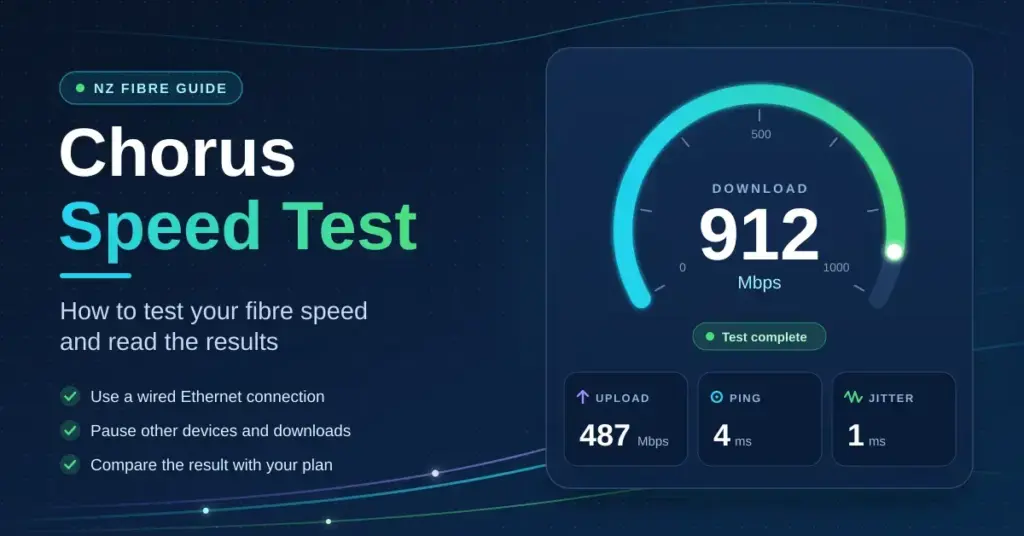
Chorus owns and runs the fibre network that reaches most New Zealand homes, and the speed test on its website is the one your provider is most likely to point to when you ring about a slow connection. Running it takes less than a minute, but the number it hands back only means something if the test is set up correctly. This guide explains what the Chorus speed test actually measures, how to run it so the result is trustworthy, what each fibre plan should realistically score, and what to do when the figure comes in lower than the plan you pay for.
What the Chorus speed test measures
The tool on the Chorus internet speed test page checks four things at once. Two of them are the numbers your plan is sold on, and two decide whether the connection actually feels fast in day-to-day use.
Download and upload speed
Download speed is how quickly data travels from the internet to your device, measured in megabits per second (Mbps) — it governs how fast pages load, how quickly files arrive and whether video streams in high definition without buffering. Upload speed is the reverse: how quickly your device sends data out, which matters for video calls, cloud backups, sharing large files and gaming. A plan named “Fibre 500”, for example, is a 500/100 plan — roughly 500 Mbps down and 100 Mbps up.
Ping and jitter
Ping (also called latency) is the round-trip time for a small packet of data to reach the test server and come back, measured in milliseconds (ms). Low ping is what makes video calls feel immediate and online games responsive; a fast download speed with high ping still feels laggy. Jitter is how much that ping wobbles from one packet to the next. Steady, low jitter keeps calls and game sessions smooth, while high jitter causes the stutters and dropped words you notice even when the raw speed looks fine. On a healthy wired fibre connection, ping to a local server sits around 5–10 ms and jitter stays in the low single figures.
Megabits versus megabytes
One point trips up almost everyone. Speeds are quoted in megabits per second (Mbps), but files download in megabytes (MB), and there are eight bits in a byte. To turn a speed into a download rate, divide by roughly eight: a 100 Mbps connection pulls files at about 12.5 MB per second, and a Fibre 500 line at around 60 MB per second. So a 2 GB game update on Fibre 100 takes a little under three minutes at full speed — not the seconds the raw “500” or “100” figure might suggest. Knowing this stops a perfectly normal result from looking slow.
How to run the Chorus speed test properly
Most “slow fibre” results are really slow test conditions. Follow these four steps and the number you get will reflect your connection rather than your Wi-Fi or a busy household.
- Plug in with a cable. Connect a laptop to your modem or router with an Ethernet cable and turn Wi-Fi off on that device. Wi-Fi is by far the most common reason a fibre connection tests slow, and Chorus itself asks for a wired test. If you are unsure which box does what, our guide to modems and ONTs in New Zealand explains the hardware.
- Stop everything else first. Pause downloads, cloud backups, game updates and streaming on every other device. A single 4K stream can quietly remove around 25 Mbps from your result before the test even starts.
- Test twice, at different times. Run it once mid-morning and once in the evening between 7pm and 11pm, when the network is busiest. The evening figure is the one that matters, and the one providers are judged on.
- Restart before you assume a fault. If the first result is poor, power-cycle the fibre box and your router, wait a couple of minutes, and run the test again. A quick reboot clears a surprising number of soft faults.
If your wired result is good but Wi-Fi speeds around the house are not, the problem is coverage rather than the fibre line. A better home router or mesh setup usually fixes that, and our Wi-Fi extender guide covers the options in order of cost.
Quick Facts
- Who runs it: Chorus, the wholesale network operator for most NZ fibre
- Where: the official Chorus internet speed test page (chorus.co.nz)
- Cost: free, no login required
- What it measures: download, upload, ping (latency) and jitter
- Best method: laptop wired by Ethernet, Wi-Fi off, other devices idle
- When to test: once mid-morning and once between 7pm and 11pm
- Healthy fibre ping: around 5–10 ms to a local server
What each fibre plan should score
You do not have to guess what “normal” looks like. The Commerce Commission measures thousands of real New Zealand connections every month through its Measuring Broadband New Zealand programme, using hardware probes in volunteers’ homes. Its Measuring Broadband New Zealand reports (Report 28, published July 2026) give the following averages for tests run in April 2026.
| Plan | Average download | Average upload | Typical ping |
|---|---|---|---|
| Fibre 100 (100/20) | 106 Mbps | 25 Mbps | 6 ms |
| Fibre 500 (500/100) | 508 Mbps (506 at peak) | 109 Mbps | 7–8 ms |
| Fibre Max (~1 Gbps) | 877 Mbps (872 at peak) | 502 Mbps | 5 ms |
| VDSL (copper) | 63 Mbps | 21 Mbps | 20 ms |
| 4G fixed wireless | 66 Mbps (52 at peak) | 23 Mbps | 48 ms |
Two patterns are worth noticing. First, fibre barely slows down at peak time — the evening figure is within a percent or two of the daytime one — while fixed wireless drops by roughly a fifth once the neighbourhood comes online. Second, fibre plans usually test slightly above their headline speed, so a Fibre 100 line scoring 106 Mbps is completely normal, not a lucky reading. If your result sits well below the row for your plan on a wired test, something is wrong; if it is at or just above the row, your connection is doing its job.
The Big Fibre Boost changed the baseline
In June 2025 Chorus upgraded its two most common wholesale plans at no extra charge: the entry 50/10 plan became 100/20, and the popular 300/100 plan became 500/100. As RNZ reported on the Big Fibre Boost, more than 700,000 households were moved up between 3 and 14 June 2025. If your speed test still shows around 300 Mbps on a plan you bought a few years ago, either your provider has not passed the upgrade through or your router is now the bottleneck — both are worth a phone call. Chorus’s full-year figures to 30 June 2026 show 1,147,000 fibre connections, more than four in five of them on 500 Mbps or faster, with the average household using about 731 GB of data a month. If you are still on Fibre 100, you are now in the minority, and the price step up to Fibre 500 is often small.
The tiers above Fibre Max
Fibre Max is the roughly 1 Gbps plan most people think of as “the fast one”, but Chorus also sells Hyperfibre plans that run from 2 Gbps up to 8 Gbps, close to symmetrical (similar upload and download). These are aimed at households that move very large files or run several heavy users at once. A word of realism: no single laptop or phone will ever show 8,000 Mbps on a speed test, because the device’s own network port, Wi-Fi radio and the test server all cap out long before the fibre does. To get near those numbers you need multi-gigabit router ports and wired multi-gig hardware at both ends. For most homes, Fibre 300 or Fibre 500 is the sweet spot between price and everyday performance.
Key Points
- A wired test measures your fibre; a Wi-Fi test mostly measures your Wi-Fi.
- Fibre plans usually score slightly above their headline speed — 106 Mbps on Fibre 100 is normal.
- Fibre barely slows at peak; fixed wireless and copper drop in the evening.
- The June 2025 Big Fibre Boost lifted 50/10 to 100/20 and 300/100 to 500/100 for 700,000+ homes.
- Chorus deals only with your provider — escalate to the free TDR service if a fault is unresolved after six weeks.
Reading a low result
A number below what you expected is a starting point, not a verdict. The pattern of when and where it is slow usually points straight at the cause.
| Symptom | Most likely cause | What to do |
|---|---|---|
| Wired test fine, Wi-Fi test slow | Wi-Fi congestion, distance or an ageing router | Use the 5 GHz band, move the router higher and more central, or add a mesh point |
| Both tests slow, all day | Wrong plan provisioned, or a router port limited to 100 Mbps | Check the plan in your provider’s app; confirm the router’s WAN port is gigabit |
| Fine by day, slow every evening | Provider or backhaul capacity, or neighbours’ Wi-Fi interference | Log evening results for a week, then call the provider with the figures |
| Speed swings and the line drops out | Fibre box fault or a loose connector | Check the ONT lights and cabling before reporting a fault |
| Ping above 20 ms on wired fibre | A VPN, a Wi-Fi hop or a device problem | Turn any VPN off, test wired, then try a second device |
A fibre connection that keeps dropping out rather than merely testing slow is a different problem with its own checklist — our guide to internet that keeps dropping out works through it in order, from cables to the network fault map. If nothing you test at home makes a difference, our overview of what to do when the internet is not working covers reading the ONT lights and running the correct power cycle.
When the fault sits on the Chorus side
Chorus does not deal with households directly. If the fibre box shows a red LOS (Loss of Signal) light, or the outage map lists your area, it is your retail provider that logs the fault with Chorus and passes updates back to you. Chorus’s ONT fibre box support pages explain what each light on the box means. If a slow or unreliable connection is still not fixed after you have formally complained to the provider, the free Telecommunications Dispute Resolution service can step in: it handles household complaints once six weeks have passed without a fix and can award up to $15,000. Our guide to New Zealand internet providers explains who is responsible for what along the chain.
How the Chorus test compares with others
No single speed test is the final word, because each one measures the route to a different server. The Chorus test measures to a Chorus server; Google’s built-in speed test uses Measurement Lab servers; Ookla’s Speedtest and Cloudflare’s tool each use their own. Results within about ten per cent of each other are normal and mean your connection is fine. If one test is dramatically lower than the rest, the problem is that test’s path to its server, not your fibre — so run two or three and trust the consensus. For wider background on how the country is wired, the overview of internet in New Zealand sets out the fibre rollout and the players involved.
Turning the number into a fix
Once you have a trustworthy figure, you can act on it instead of guessing:
- At or above your plan’s row: your fibre is healthy. If speeds still feel slow, the issue is Wi-Fi coverage or an individual device, not the line.
- Slow only over Wi-Fi: improve placement, switch to the 5 GHz band, or add a mesh node before spending anything on a faster plan.
- Slow on a wired test, all day: check the provisioned plan speed and your router’s WAN port; a gigabit connection through a 100 Mbps port will never test above about 94 Mbps.
- Consistently slow only in the evening: keep a week of timestamped results and raise them with your provider, who can check backhaul capacity.
Keeping a short log of wired evening tests is the single most useful thing you can do — it turns “the internet feels slow” into evidence a provider has to act on.
Disclaimer: This article is general information only. Plan speeds and Chorus product names are current as at September 2026, and the measured averages come from the Commerce Commission’s Measuring Broadband New Zealand Report 28; they describe the network as a whole and will differ from any single household’s result. Always confirm your own plan details and current pricing with your retail provider.
Sources
Frequently asked questions
Is the Chorus speed test accurate?
Yes, when it is run over an Ethernet cable with nothing else using the connection. Run over Wi-Fi it measures your Wi-Fi rather than your fibre line, which is why results are often lower than the plan you pay for.
What speed should Fibre 100 get on the Chorus test?
Around 100 to 110 Mbps down and 20 to 25 Mbps up on a wired test. The Commerce Commission’s April 2026 measurements averaged 106 Mbps down and 25 Mbps up for Fibre 100.
Why is my fibre only testing at 300 Mbps?
Either the June 2025 Big Fibre Boost has not been applied to your account, or your router or its WAN port cannot pass more than that. Check the provisioned plan speed in your provider’s app first, then the router.
What is a good ping on fibre in New Zealand?
About 5 to 10 milliseconds to a local server. Anything above 20 ms on a wired fibre connection usually points to a VPN, a Wi-Fi hop or a device problem rather than the line.
Can I complain to Chorus directly about slow speeds?
No. Your retail provider holds the contract and logs faults with Chorus on your behalf. If the provider does not resolve it, the Telecommunications Dispute Resolution service is free for households after six weeks.
Does the time of day change the result?
Yes. Evenings between 7pm and 11pm are the busiest, and that is the window providers are measured on. Fibre changes very little at peak, but fixed wireless and copper drop noticeably.


