
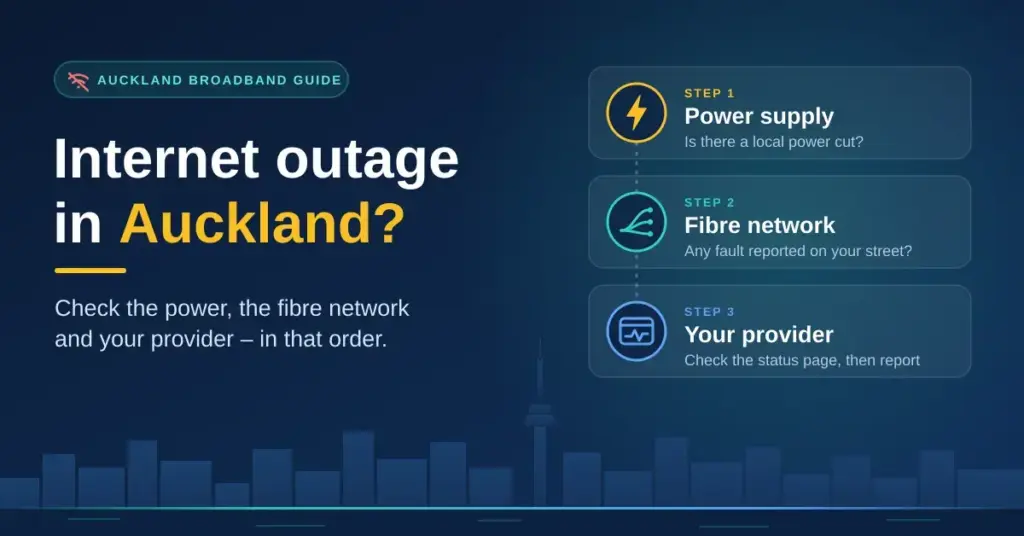
When the internet drops in Auckland, the cause is almost always one of three things: a fault on the Chorus fibre network that carries your connection, a problem inside your own broadband provider’s systems, or a power cut that quietly switched off the fibre box and modem in your hallway. Each cause has its own place to check, and working through them in order tells you within a few minutes whether the fix is at your end, on the street, or something only a technician can sort. This guide sets out those checks in plain language, with the official Auckland tools and phone numbers, so you can stop guessing and either fix the problem or report it to the right company.
Key points
- Three likely causes: a Chorus fibre fault, a fault inside your provider’s systems, or a power cut that killed the fibre box and modem.
- Check in order: power first (Vector or Counties Energy), then the Chorus fibre map, then your provider’s status page.
- Chorus runs Auckland’s fibre — but you always report the fault to your own provider, never to Chorus.
- Power cut = no fibre: the ONT box and modem need mains power; a small UPS bridges short cuts and a charged mobile covers 111 emergencies.
- Nothing listed? Check the fibre box lights (red LOS means log a fault), restart in order, reseat the cable, try a wired connection, and confirm your account.
- Ask for a credit once you are back online; unresolved faults can go to the free TDR service after six weeks.
The three checks for an Auckland outage
Before you restart anything, spend two minutes ruling causes in or out. The table below shows what each check tells you and where to look. Run them top to bottom — a power cut is the fastest to confirm and the most common cause during storms, while a provider fault is the one people most often miss because it never appears on the fibre map.
| Possible cause | Where to check | What you will see |
|---|---|---|
| Fibre network fault | The Chorus outage map, searched by your street address | Reported faults, the affected area, which services are hit, current status and an estimated fix time |
| Provider problem | Your provider’s own status page — Spark, One NZ, 2degrees, Skinny, Mercury, Contact, Voyager and others each publish one | Faults that sit inside the provider’s network or logins, which never show on the Chorus map |
| Power cut | Vector’s Outage Centre for most of Auckland, or the Counties Energy outage hub for Franklin and the southern rural areas | Current and planned power cuts by address, with restoration estimates once crews have assessed the fault |
Auckland’s fibre is run by Chorus, so no matter which company sends your monthly bill, a street-level fibre fault shows on the Chorus internet outages map. Type in your address and it lists any known fault in your area, the services affected and a rough restore time. Our guide to reading Chorus outages explains what each entry means and what the lights on the fibre box are telling you.
How to read the Chorus map without panicking
A few pointers make the map far more useful. If a fault is listed at your address with an estimated restore time, there is nothing to fix at home — note the reference and wait. If nothing is listed but your neighbours are also down, the fault may simply not be logged yet, so it is still worth ringing your provider so they raise it with Chorus. And if the map is clear but only your house is affected, the problem is more likely inside your home or with your provider account than on the network itself. Chorus maintains the fibre and the box on your wall, but it does not sell you a plan or take your fault call directly — that is always your provider’s job.
Power cuts and your connection
The fibre box (the small Optical Network Terminal, or ONT, on your wall) and your modem both run on mains power. That means a power cut ends your internet the instant the lights go out, even though the fibre line into the street is perfectly fine. If your whole street is dark, checking the fibre map is pointless — check the power company first.
Vector covers most of Auckland
Vector runs the electricity lines across most of the Auckland region. You can look up your address on its Vector power outages centre, which shows current and planned cuts, the number of homes affected and an estimated restoration time once crews have assessed the fault. Vector’s outage text messages now come from the four-digit number 5877, and you can call 0508 VECTOR (0508 832 867) at any hour to report a cut or check progress. For planned maintenance outages, affected customers are notified up to four working days ahead by letter or email, so an unexpected loss of power is far more likely to be a genuine fault than scheduled work.
Around 55 per cent of Vector’s customers have their power lines underground in front of their property, and every new development in the region is built underground. Underground lines ride out storms far better than overhead ones, so most weather-related cuts fall on the overhead remainder and the rural feeders on the region’s edges.
Counties Energy in Franklin and the south
Not all of Auckland is on Vector. In Pukekohe, Waiuku, Franklin and the southern rural fringe, the lines company is Counties Energy, which runs its own outage hub and fault line. If your address is in that area and the Vector map shows nothing, check Counties Energy instead. A helpful independent overview of that network sits at Selectra’s Counties Energy page, covering Franklin and the southern Auckland lines area.
Keeping the fibre box alive through short cuts
If you rely on the connection for a medical alarm, for work, or simply want to stay online through brief flickers, a small uninterruptible power supply (UPS) — a battery pack that sits between the wall socket and your gear — keeps the fibre box and modem running for a while after the power drops. It will not outlast a long regional outage, but it covers the short cuts and brownouts that are common in bad weather. Whatever you do, remember that a broadband-based home phone stops working in a power cut, so keep a charged mobile for emergencies. If you are weighing up a power-and-broadband deal at the same time, our guide to power and broadband bundles explains when the discount is actually real.
Provider status pages
Some outages never touch the fibre network or the power grid at all — they live inside the provider’s own systems, from a login server to a national platform fault. Every major New Zealand retailer publishes a status or faults page for exactly this reason:
- Spark — the outages page on Spark’s help site lists current known issues. For a step-by-step, see our Spark outage guide.
- One NZ — the One NZ network status page covers mobile and broadband. Our One NZ outage guide walks through the checks.
- 2degrees, Orcon and Slingshot — the 2degrees network status page and the brand help pages carry outage notices; our 2degrees outage guide covers them.
- Skinny, Mercury, Contact, Now and Voyager — each publishes its own status or faults page. Our national outage guide lists where to find them all.
One change worth knowing about: Mercury is retiring its Now broadband brand over roughly nine months from its 2 July 2026 announcement, so the wind-down runs into early 2027. Now’s residential fibre customers are being migrated onto Mercury broadband, so a Now household may find status updates and account details shifting between the two brands during the transition. The independent explainer at Broadband Compare on the Now broadband closure sets out what customers can do.
Quick reference
| Symptom | Check first | Who to contact |
|---|---|---|
| Whole street dark, no power | Vector Outage Centre (or Counties Energy in the south) | Vector 0508 832 867; texts from 5877 |
| Power fine, area-wide net drop | Chorus outage map by address | Your broadband provider (they raise it with Chorus) |
| Only your house affected | Fibre box lights, cable, wired test, account status | Your broadband provider if unresolved |
| Wi-Fi off but wired works | Router placement and channels | Self-fix; see the dropping-connection guide |
| Fault unresolved for weeks | Your provider’s complaints process | TDR (free, from six weeks, up to $15,000) |
Nothing listed anywhere? Check your own setup
If the fibre map, your provider’s status page and the power outage centre are all clear, the fault is probably inside your home. Work through these in order before you pick up the phone — most single-household drop-outs are fixed at one of these five steps.
- Fibre box lights. A solid green POWER light and a solid green PON light are normal. A red LOS (Loss of Signal) light means the fibre signal itself has dropped and your provider needs to log a fault with Chorus — no amount of restarting will fix that.
- Restart in the right order. Turn the modem off, then the fibre box off. Wait 30 seconds, switch the fibre box on first and let it settle, then switch the modem back on. Powering them up out of order is a common reason a restart does not take.
- Reseat the cable. Check the cable running from the fibre box’s data or modem port to the modem’s WAN port. Unplug both ends, push them firmly back in, and make sure it is in the WAN port, not a spare LAN one.
- Try a wired test. Plug a laptop straight into the modem with an Ethernet cable. If that connection works but Wi-Fi does not, the fault is your Wi-Fi rather than the line — our guide to connections that keep dropping covers the usual culprits.
- Check your account status. A recent house move, a plan change still bedding in, or an overdue bill can suspend your service with no network fault at all. A quick look at your online account or a call to billing rules this out.
If none of that helps, our full internet-not-working guide steps through the less common causes, and our step-by-step repair guide covers the wider fixes for a connection that will not come back.
Is it a whole-street outage or just your house?
A quick way to tell the two apart: if a neighbour on the same provider is also down, the fault is on the network or the power grid, so reporting it and waiting is the right move. If their connection is fine, the problem is almost certainly inside your home or with your account — which is where the five steps above come in. Different households on different providers can be affected differently even by the same Chorus fault, so compare like with like where you can.
Weather, storms and big Auckland outages
Storms cause most of Auckland’s large outages, and they usually do it through power cuts and fallen overhead lines rather than damage to underground fibre. During a severe weather event, check the power company first, keep your phone and a power bank charged, and expect mobile networks to be busier than usual as whole suburbs switch to cellular data at once — speeds can dip even where there is no fault. If outages in your area are frequent or long, a mobile or satellite backup can bridge the gap; our overview of Starlink in New Zealand looks at satellite broadband as a fallback, and any recent smartphone can share its connection as a temporary hotspot.
Getting it fixed and getting a credit
Report the fault to your broadband provider — not to Chorus or Vector directly. Providers raise fibre faults with Chorus on your behalf, and only a genuine power fault is reported to the lines company. Once the connection is back, ask your provider for a credit covering the days you were offline; many will apply one, but you usually have to ask. If a fault drags on and your provider’s own complaints process has not resolved it, the Telecommunications Dispute Resolution (TDR) service can step in. TDR is free for consumers, treats a complaint as deadlocked once six weeks have passed since you first raised it without a resolution you are happy with, and can consider claims for losses of up to $15,000. Keep a note of dates, reference numbers and any promised fix times — they make both a credit request and a TDR complaint far easier.
Who this guide is for
These checks suit any Auckland household or small business on fibre, whichever retailer bills them. If you are on a fixed-wireless or mobile broadband plan rather than fibre, the provider status page and power checks still apply, but the Chorus fibre map will not — your connection rides on a mobile tower instead. Either way, the order is the same: confirm power, confirm the network, then check your own gear, and only then reach for the phone.
Disclaimer: This is general information only. Contact details, outage tools and the Now brand transition are current as at September 2026 and can change. In an emergency, always call 111 — do not rely on a broadband-based phone line during an outage, as it stops working when the power or connection is down.
Sources
- Chorus — Internet outages map
- Vector — Power outages (5877, 0508 832 867, planned-outage notice, underground lines)
- Selectra — Counties Energy, Franklin and southern Auckland lines company
- Spark — Outages
- One NZ — Network status
- Broadband Compare — Now broadband closing
- Telecommunications Dispute Resolution — FAQs (six-week deadlock, $15,000 limit)
Frequently asked questions
Is there an internet outage in Auckland right now?
Check three things in order: Vector’s Outage Centre for a power cut, the Chorus outage map with your street address for a fibre fault, and your provider’s status page for a network problem. Between them they cover almost every cause of an Auckland outage.
Who runs the fibre network in Auckland?
Chorus owns and maintains the fibre in Auckland, including the box on your wall. Your provider sells you the plan and handles your fault call, and it raises any fibre network problem with Chorus on your behalf.
How do I check for a power cut in Auckland?
Look up your address on Vector’s power outages centre, or call 0508 VECTOR (0508 832 867). In Pukekohe, Waiuku, Franklin and the southern rural areas the lines company is Counties Energy, which runs its own outage hub.
Why is my internet down but my neighbour’s works?
They may be on a different provider, or the fault may be inside your home. Check your fibre box lights, try a wired connection straight into the modem, and confirm your account is in good standing before calling your provider.
Does a power cut stop fibre internet?
Yes. The fibre box and modem both need mains power, so they go dark the moment the electricity does, even though the fibre line is fine. A small uninterruptible power supply keeps them running through short cuts, and a charged mobile covers emergencies.
Who do I report an Auckland internet outage to?
Report broadband faults to your own provider, which logs fibre faults with Chorus. Report power cuts to Vector, or to Counties Energy if you are in Franklin or the southern rural area.


